ആമുഖം
ദി ViewSonic IFP6552 is a 65-inch 4K interactive flat panel display designed for collaborative environments. It features a highly responsive 33-point multi-touch screen, integrated soundbar, and a beamforming microphone array for clear audio capture. This display supports USB-C connectivity with power delivery, and integrates with ViewSonic's myViewBoard and ViewBoard Cast software for enhanced interactivity and content sharing.

ചിത്രം 1: മുൻഭാഗം view യുടെ Viewസോണിക് IFP6552 ViewBoard display, showcasing its intuitive user interface with application icons for browser, vCastReceiver, and myViewബോർഡ്.
സജ്ജമാക്കുക
അൺപാക്കിംഗും പരിശോധനയും
Carefully unpack the display and all accessories. Verify that all items listed below are present and undamaged. If any items are missing or damaged, contact your vendor immediately.
പാക്കേജ് ഉള്ളടക്കം:
- IFP6552 display
- Stylus pen x 2
- പവർ കേബിൾ
- HDMI കേബിൾ
- USB കേബിൾ
- AV കേബിൾ
- ബാറ്ററികൾ ഉപയോഗിച്ച് വിദൂര നിയന്ത്രണം
- ക്യാമറ പ്ലേറ്റ്
- M8 സ്ക്രൂ x 8
- ദ്രുത ആരംഭ ഗൈഡ്
ഫിസിക്കൽ ഇൻസ്റ്റലേഷൻ
ദി ViewBoard can be mounted on a wall or a compatible mobile stand. Ensure the mounting solution supports the display's weight (approximately 96.8 lbs / 43.9 kg) and VESA compatibility (600 x 400 mm, M8 screws).

ചിത്രം 2: കോണാകൃതിയിലുള്ള വശം view യുടെ ViewSonic IFP6552, showing its slim profile and integrated handles for transport or adjustment.

Figure 3: Another angled side view യുടെ ViewSonic IFP6552, highlighting the robust construction and design.

ചിത്രം 4: കോണാകൃതിയിലുള്ള പിൻഭാഗം view യുടെ ViewSonic IFP6552, showing the VESA mounting points and general back panel layout.
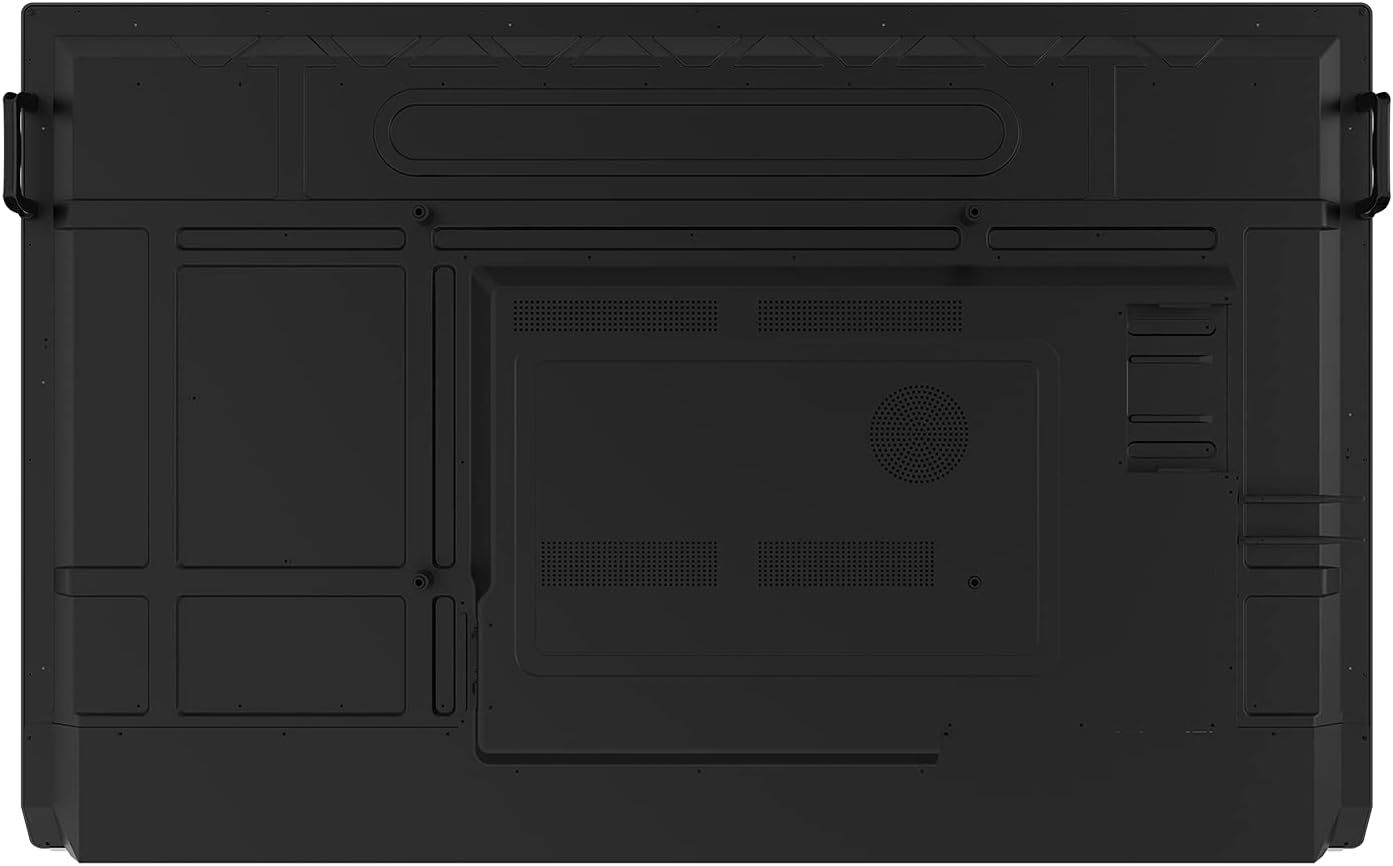
Figure 5: Straight rear view യുടെ ViewSonic IFP6552, providing a clear look at the VESA mounting pattern and ventilation areas.
കണക്റ്റിവിറ്റി
Connect the necessary cables to the display's ports. The IFP6552 offers a variety of input/output options:
- HDMI 2.0 ഇതിൽ: 3 ports for high-definition video and audio input.
- വി.ജി.എ: 1 port for analog video input.
- USB 3.0: 4 ports for connecting peripherals.
- USB 2.0 ടൈപ്പ് ബി: 2 പോർട്ടുകൾ.
- USB 3.1 Type C: 1 port with up to 60W power delivery for convenient charging and data transfer.
- Ethernet LAN (RJ45): 1 port for wired network connection (10/100/1000 Mbps).
- വൈഫൈ: Optional LB-WIFI-001 adapter for 802.11AC + Bluetooth 4.0.
- SPDIF: ഡിജിറ്റൽ ഓഡിയോ ഔട്ട്പുട്ടിനായി 1 പോർട്ട്.
- RS232: 1 port for serial control.
- OPS PC Slot: 1 slot for an optional Open Pluggable Specification PC module.

ചിത്രം 6: മുകളിൽ view യുടെ ViewSonic IFP6552, illustrating the accessible input/output ports for easy connection of devices.

ചിത്രം 7: താഴെ view യുടെ ViewSonic IFP6552, detailing the integrated control buttons and front-facing soundbar.

ചിത്രം 8: സൈഡ് പ്രോfile view യുടെ ViewSonic IFP6552, highlighting the conveniently located side ports for quick access.

ചിത്രം 9: എതിർവശ പ്രോfile view യുടെ ViewSonic IFP6552, showing the power input and additional structural details.
പ്രാരംഭ പവർ ഓൺ
Once all connections are secure, connect the power cable to the display and a power outlet (100-240 VAC). Press the power button located on the front panel to turn on the display. The ViewBoard OS (based on Android 9.0) will boot up.
പ്രവർത്തന നിർദ്ദേശങ്ങൾ
ടച്ച്സ്ക്രീൻ പ്രവർത്തനം
The IFP6552 features a 33-point multi-touch infrared touch technology, allowing multiple users to interact simultaneously. It supports both stylus pens and finger touch. Palm recognition technology minimizes unintended inputs from resting palms or wrists.
- എഴുത്ത്/ഡ്രോയിംഗ്: Use the included stylus pens or your fingers directly on the screen.
- Tip Detection: Supports dual tips (2mm and 8mm) for varied writing experiences.
- Object Awareness: The display can differentiate between a pen, finger, and palm for intuitive interaction.
ഓഡിയോ സവിശേഷതകൾ
The display is equipped with an integrated audio system for clear sound and voice capture.
- Front-Facing Soundbar: Delivers powerful audio with 15W x 2 internal speakers and a 15W subwoofer.
- ബീംഫോർമിംഗ് മൈക്രോഫോൺ: An integrated array of 8 microphones with noise cancellation captures speech clearly from up to 8 feet away, ideal for remote learning or recorded lessons.
Software and Collaboration
ദി ViewBoard comes pre-installed with powerful software for enhanced collaboration:
- myViewBoard Manager: A cloud-based solution for IT administrators to remotely monitor devices, manage applications, and push broadcasts across multiple displays.
- ViewBoard Cast™: Enables wireless or wired streaming of content from mobile devices to the display. Multiple users can annotate content in real-time and share it.
- myViewBoard Digital Whiteboarding Software: Offers enterprise-level security, cloud-based portability, and annotation tools. Features include secure single sign-on to cloud drives, easy conversion of office files, and QR code sharing.
മെയിൻ്റനൻസ്
ഡിസ്പ്ലേ വൃത്തിയാക്കുന്നു
To maintain the display's performance and appearance, follow these cleaning guidelines:
- വൃത്തിയാക്കുന്നതിന് മുമ്പ് എല്ലായ്പ്പോഴും പവർ ഓഫ് ചെയ്ത് ഡിസ്പ്ലേ അൺപ്ലഗ് ചെയ്യുക.
- മൃദുവായ, ലിൻ്റ് രഹിത തുണി ഉപയോഗിക്കുകampened with water or a non-abrasive, ammonia-free, and alcohol-free glass cleaner.
- ക്ലീനർ നേരിട്ട് സ്ക്രീനിൽ സ്പ്രേ ചെയ്യരുത്. ആദ്യം അത് തുണിയിൽ പുരട്ടുക.
- Avoid using harsh chemicals, abrasive pads, or solvents as they can damage the screen surface.
നിർമാർജനം
Please dispose of the product in accordance with local, state, or federal laws and regulations. This product contains electronic components and should not be disposed of with general household waste.
ട്രബിൾഷൂട്ടിംഗ്
This section provides general guidance for common issues. For more detailed troubleshooting or persistent problems, please refer to the full product manual or contact Viewസോണിക് പിന്തുണ.
- ശക്തിയില്ല: Ensure the power cable is securely connected to both the display and a working power outlet. Check the power indicator light.
- ചിത്രമില്ല: Verify that the correct input source is selected. Check HDMI/VGA cable connections.
- ടച്ച്സ്ക്രീൻ പ്രതികരിക്കുന്നില്ല: Ensure all USB cables related to touch functionality are properly connected. Restart the display.
- ഓഡിയോ പ്രശ്നങ്ങൾ: Check volume settings on the display and connected devices. Ensure audio cables are correctly connected.
- നെറ്റ്വർക്ക് കണക്റ്റിവിറ്റി പ്രശ്നങ്ങൾ: Verify Ethernet cable connection or Wi-Fi adapter installation and network settings.
സ്പെസിഫിക്കേഷനുകൾ
| ഫീച്ചർ | വിശദാംശങ്ങൾ |
|---|---|
| ഡിസ്പ്ലേ വലിപ്പം | 65 Inches (64.5 inches viewപ്രാപ്തിയുള്ള പ്രദേശം) |
| റെസലൂഷൻ | 3840 x 2160 (4K UHD) |
| പുതുക്കിയ നിരക്ക് | 60 Hz |
| സ്റ്റാറ്റിക് കോൺട്രാസ്റ്റ് റേഷ്യോ | 1,200:1 |
| ഡൈനാമിക് കോൺട്രാസ്റ്റ് റേഷ്യോ | 4,000:1 |
| തെളിച്ചം | 350 cd/m² |
| പ്രതികരണ സമയം (സാധാരണ GTG) | 8മി.എസ് |
| Viewing കോണുകൾ | 178º തിരശ്ചീനം, 178º ലംബം |
| പാനൽ ഉപരിതലം | 9H Hardness |
| ലൈറ്റ് സോഴ്സ് ലൈഫ് | 50,000 മണിക്കൂർ |
| ഓപ്പറേറ്റിംഗ് സിസ്റ്റം | ViewBoard OS based on Android 9.0 |
| സിപിയു | ARM Quad Core A73 (1.8GHz) |
| ജിപിയു | ARM മാലി- G52 |
| മെമ്മറി | 4GB LPDDR4 |
| സംഭരണം | 32GB eMMC |
| മൈക്രോഫോൺ | Beamforming array x 8, noise cancellation |
| ആന്തരിക സ്പീക്കറുകൾ | 15W 2 |
| സബ് വൂഫർ | 15W 1 |
| എച്ച്ഡിഎംഐ 2.0 ഇൻ | 3 |
| വിജിഎ ഇൻ | 1 |
| SPDIF .ട്ട് | 1 |
| USB 3.0 | 4 |
| യുഎസ്ബി 2.0 ടൈപ്പ് ബി | 2 |
| യുഎസ്ബി 3.1 ടൈപ്പ് സി | 1 (with 60W Power Delivery) |
| ഒപിഎസ് പിസി സ്ലോട്ട് | 1 |
| RS232 | 1 |
| ഇഥർനെറ്റ് LAN (RJ45) | 1 (10/100/1000 Mbps) |
| വൈഫൈ | Optional LB-WIFI-001 adapter, 802.11AC + Bluetooth 4.0 |
| വാല്യംtage | 100-240 വി.ആർ.സി. |
| സ്റ്റാൻഡ്-ബൈ പവർ | <0.5W |
| പ്രവർത്തന താപനില | 32-104º F (0 - 40º C) |
| ഈർപ്പം (ഘനീഭവിക്കാത്തത്) | 10-80% |
| ടച്ച് ടെക്നോളജി | ഇൻഫ്രാറെഡ് |
| ടച്ച് പോയിൻ്റുകൾ | Windows: 33-Point Touch, Android: 20-Point Touch |
| ലേറ്റൻസി | 4മി.എസ് |
| മൊത്തം ഭാരം | 96.8 പൗണ്ട് (43.9 കി.ഗ്രാം) |
| Physical Dimensions (in.) | 59.4 x 37.6 x 4.7 |
| VESA അനുയോജ്യമാണ് | 600 x 400 mm (M8 Screw) |
| നിയന്ത്രണങ്ങൾ | cTUVus, FCC, ENERGY STAR, EPEAT Silver, Mexico Energy, CE, CB, RoHS, ErP, WEEE |
വാറൻ്റി വിവരങ്ങൾ
ദി ViewSonic IFP6552 display comes with a 3 വർഷത്തെ പരിമിത വാറൻ്റി on parts, labor, and backlight. An onsite warranty is also included.
വിശദമായ വാറന്റി നിബന്ധനകൾക്കും വ്യവസ്ഥകൾക്കും, ദയവായി ഔദ്യോഗിക വെബ്സൈറ്റ് സന്ദർശിക്കുക. ViewSonic warranty statement or contact customer support.
ഉപഭോക്തൃ പിന്തുണ
For technical assistance, product inquiries, or warranty claims, please contact ViewSonic customer support through their official webനിങ്ങളുടെ ഉൽപ്പന്നത്തിന്റെ ദ്രുത ആരംഭ ഗൈഡിൽ നൽകിയിരിക്കുന്ന കോൺടാക്റ്റ് വിവരങ്ങൾ അല്ലെങ്കിൽ സൈറ്റ്.
നിങ്ങൾക്ക് ഉദ്യോഗസ്ഥനെയും സന്ദർശിക്കാം ViewSonic store on Amazon for more information: Viewസോണിക് സ്റ്റോർ


