ആമുഖം
The Motorola Solutions T260 two-way radio is designed to provide reliable communication for various outdoor activities and professional uses. This manual provides detailed instructions for setting up, operating, and maintaining your T260 radios.
The communication range is influenced by terrain and conditions. Optimal range is achieved in unobstructed line-of-sight conditions. Actual range may vary due to factors such as terrain, weather, electromagnetic interference, and obstructions.
ബോക്സിൽ എന്താണുള്ളത്
Your Motorola Solutions T260 6-pack includes the following items:
- 6 x Motorola Solutions T260 Two-Way Radios
- 6 x (AA) NiMH Rechargeable Battery Packs
- 6 x ബെൽറ്റ് ക്ലിപ്പുകൾ
- 2 x Y Cables (for charging multiple units)
- 2 x Single Cable Adaptors

Image: Six Motorola Solutions T260 two-way radios, white with gray accents, displayed together. This image shows the complete 6-pack contents.
ഉൽപ്പന്നം കഴിഞ്ഞുview
The T260 radio features a compact and durable design, optimized for ease of use and clear communication.

ചിത്രം: മുൻഭാഗം view of a single T260 radio, highlighting the display, control buttons, and speaker grille.

ചിത്രം: വശം view of a single T260 radio, showing the textured grip and the Push-to-Talk (PTT) button.

ചിത്രം: പിന്നിലേക്ക് view of a single T260 radio, showing the battery compartment cover and the Motorola logo.
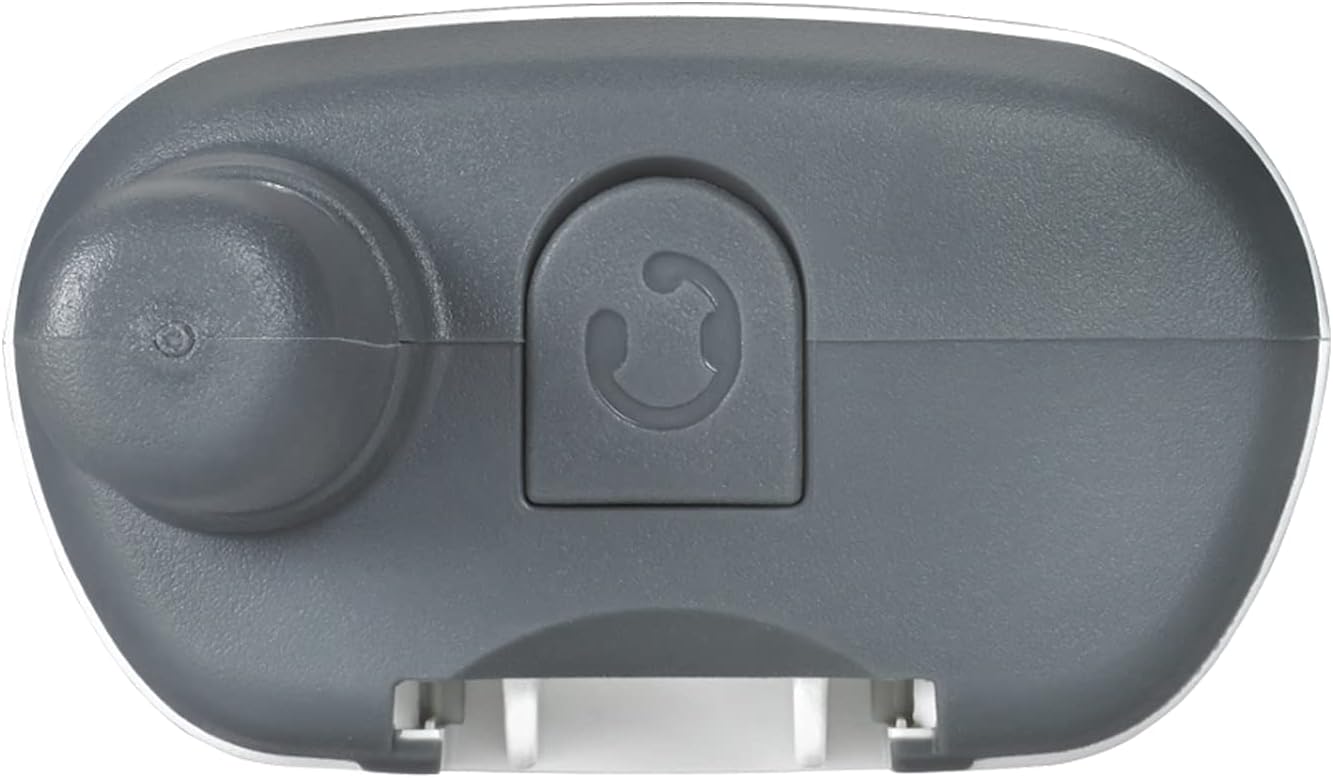
ചിത്രം: മുകളിൽ view of a single T260 radio, showing the antenna, power/volume knob, and accessory port cover.
സജ്ജമാക്കുക
1. ബാറ്ററി ഇൻസ്റ്റാളേഷൻ
The T260 radios can be powered by either the included NiMH rechargeable battery packs or 3 standard AA alkaline batteries (not included).
- റേഡിയോ ഓഫാണെന്ന് ഉറപ്പാക്കുക.
- Remove the battery compartment cover on the back of the radio.
- Insert the NiMH battery pack or 3 AA batteries, observing the correct polarity (+/-) as indicated inside the compartment.
- ബാറ്ററി കമ്പാർട്ട്മെന്റ് കവർ മാറ്റിസ്ഥാപിക്കുക, അത് സുരക്ഷിതമായി സ്ഥലത്ത് ക്ലിക്ക് ചെയ്യുന്നുണ്ടെന്ന് ഉറപ്പാക്കുക.
2. ബാറ്ററികൾ ചാർജ് ചെയ്യുന്നു
Use the provided Y-cables and single cable adaptors to charge the NiMH battery packs. The radios consume less power during idle conditions due to their Eco Smart feature.
- Connect the Y-cable or single cable adaptor to a compatible USB power source.
- Plug the charging connector(s) into the charging port(s) on the radio(s).
- റേഡിയോ ഡിസ്പ്ലേയിലെ ബാറ്ററി ഇൻഡിക്കേറ്റർ ചാർജിംഗ് നില കാണിക്കും.
- A full charge for NiMH batteries typically takes up to 10 hours.
പ്രവർത്തന നിർദ്ദേശങ്ങൾ
1. പവർ ഓൺ/ഓഫ്, വോളിയം
- To turn the radio on or off, rotate the Power/Volume knob clockwise or counter-clockwise until you hear a click.
- അതേ നോബ് തിരിക്കുന്നതിലൂടെ വോളിയം ക്രമീകരിക്കുക.
2. Channel Selection and Privacy Codes
The T260 offers 22 channels and 121 privacy codes, providing 2,662 combinations for clear communication.
- അമർത്തുക മെനു button to enter channel selection mode. The channel number will blink.
- ഉപയോഗിക്കുക + or - നിങ്ങൾക്ക് ആവശ്യമുള്ള ചാനൽ തിരഞ്ഞെടുക്കാൻ ബട്ടണുകൾ (1-22).
- അമർത്തുക മെനു again to select a privacy code. The privacy code will blink.
- ഉപയോഗിക്കുക + or - buttons to select your desired privacy code (1-121).
- അമർത്തുക മെനു to confirm your selection or wait a few seconds for the setting to save automatically.
- To communicate with other FRS radios, ensure both radios are set to the same channel and privacy code.
3. പ്രക്ഷേപണവും സ്വീകരണവും
- പ്രക്ഷേപണം ചെയ്യാൻ, അമർത്തിപ്പിടിക്കുക പുഷ്-ടു-ടോക്ക് (PTT) റേഡിയോയുടെ വശത്തുള്ള ബട്ടൺ അമർത്തി മൈക്രോഫോണിൽ വ്യക്തമായി സംസാരിക്കുക.
- റിലീസ് ചെയ്യുക പിടി സ്വീകരിക്കാനുള്ള ബട്ടൺ.
4. iVOX/VOX Hands-Free Communication
The iVOX/VOX feature allows for hands-free operation. When activated, the radio transmits automatically when it detects your voice.
- Consult the full user manual for detailed instructions on activating and adjusting iVOX/VOX sensitivity levels.
5. NOAA Weather Channels and Alerts
Stay informed about real-time weather conditions with 11 NOAA weather channels and alerts. NOAA radio service availability may vary by area.
- Access weather channels through the മോഡ് or മെനു button, depending on the specific radio interface.
- Activate weather alerts to receive notifications of severe weather.
6. Scanning Feature
Use the scanning feature to quickly find active channels.
- അമർത്തുക സ്കാൻ ചെയ്യുക button (often labeled 'Z' or 'MON') to initiate channel scanning.
- The radio will cycle through channels and stop on any active transmission.
7. കീപാഡ് ലോക്ക്
Prevent accidental changes to your personalized settings by activating the keypad lock.
- Typically, press and hold the മെനു button until a lock icon appears on the display. Repeat to unlock.
8. Customize Call Tones
Choose from 20 call tones to personalize what callers hear before you begin speaking.
- Access call tone settings through the മെനു button and navigate to the tone options.
Video: A user demonstrates the basic functions of a Motorola Talkabout radio, including power, volume, and channel selection. This video provides a visual guide to operating the device.
ശ്രേണി വിവരങ്ങൾ
The Motorola T260 radios are advertised with a range of up to 25 miles. This maximum range is calculated under optimal conditions with an unobstructed line of sight. Actual range will vary significantly based on several factors:
- ഭൂപ്രദേശം: Obstructions like buildings, hills, and dense foliage can reduce range.
- കാലാവസ്ഥാ സാഹചര്യങ്ങൾ: Heavy rain, fog, or snow can impact signal quality.
- വൈദ്യുതകാന്തിക ഇടപെടൽ: Other electronic devices or radio signals can cause interference.
- വീക്ഷണരേഖ: The clearest communication is achieved when there are no physical barriers between radios.
For best results, operate in open areas with minimal obstructions.
മെയിൻ്റനൻസ്
- വൃത്തിയാക്കൽ: ഒരു സോഫ്റ്റ് ഉപയോഗിക്കുക, ഡിamp റേഡിയോയുടെ പുറംഭാഗം വൃത്തിയാക്കാൻ തുണി ഉപയോഗിക്കുക. കഠിനമായ രാസവസ്തുക്കളോ അബ്രാസീവ് ക്ലീനറുകളോ ഉപയോഗിക്കരുത്.
- ബാറ്ററി കെയർ: Fully charge NiMH batteries before first use. Store radios with batteries removed if not used for extended periods.
- സംഭരണം: Store radios in a cool, dry place away from extreme temperatures and direct sunlight.
ട്രബിൾഷൂട്ടിംഗ്
| പ്രശ്നം | പരിഹാരം |
|---|---|
| ശക്തിയില്ല | Check battery installation. Ensure batteries are charged or replace AA batteries. |
| മറ്റ് റേഡിയോകളുമായി ആശയവിനിമയം നടത്താൻ കഴിയില്ല | Verify both radios are on the same channel and privacy code. Check range and obstructions. |
| മോശം ഓഡിയോ നിലവാരം | Adjust volume. Ensure radios are within effective range. Check for interference. |
| കീപാഡ് പൂട്ടി | അമർത്തിപ്പിടിക്കുക മെനു ലോക്ക് ഐക്കൺ അപ്രത്യക്ഷമാകുന്നതുവരെ ബട്ടൺ അമർത്തുക. |
| കുറഞ്ഞ ബാറ്ററി മുന്നറിയിപ്പ് | NiMH ബാറ്ററികൾ റീചാർജ് ചെയ്യുക അല്ലെങ്കിൽ AA ബാറ്ററികൾ മാറ്റിസ്ഥാപിക്കുക. |
സ്പെസിഫിക്കേഷനുകൾ
- മോഡൽ നമ്പർ: T260-6PK
- ഉൽപ്പന്ന അളവുകൾ: 1.24"D x 2.13"W x 6.42"H
- ഇനത്തിൻ്റെ ഭാരം: 6.4 ounces (per radio)
- നിറം: വെള്ള
- ചാനലുകളുടെ എണ്ണം: 22 FRS/GMRS channels
- സ്വകാര്യതാ കോഡുകൾ: 121
- ഫ്രീക്വൻസി ശ്രേണി: എഫ്ആർഎസ്/ജിഎംആർഎസ് 462 - 467 മെഗാഹെട്സ്
- പരമാവധി സംസാര ശ്രേണി: Up to 25 miles (optimal conditions)
- ഊർജ്ജ സ്രോതസ്സ്: 3 AA batteries (NiMH rechargeable included)
- വാല്യംtage: 4.5 വോൾട്ട്
- ജല പ്രതിരോധ നില: വാട്ടർ റെസിസ്റ്റൻ്റ് അല്ല
- പ്രത്യേക സവിശേഷതകൾ: Keypad Lock, NOAA Weather Channels/Alerts, iVOX/VOX, Call Tones, Eco Smart
വാറൻ്റിയും പിന്തുണയും
Specific warranty information for the Motorola Solutions T260 radios is typically provided with the product packaging or available on the manufacturer's official website. For detailed warranty terms, technical support, or service inquiries, please refer to the documentation included with your purchase or visit the Motorola Solutions support portal.
Please note that protection plans may be available for purchase separately, offering extended coverage beyond the standard manufacturer's warranty.


