1. ആമുഖം
This manual provides essential instructions for the safe and effective use of your VANKYO C751 Hybrid Active Noise Cancelling Headphones. Please read this manual thoroughly before using the product and retain it for future reference.
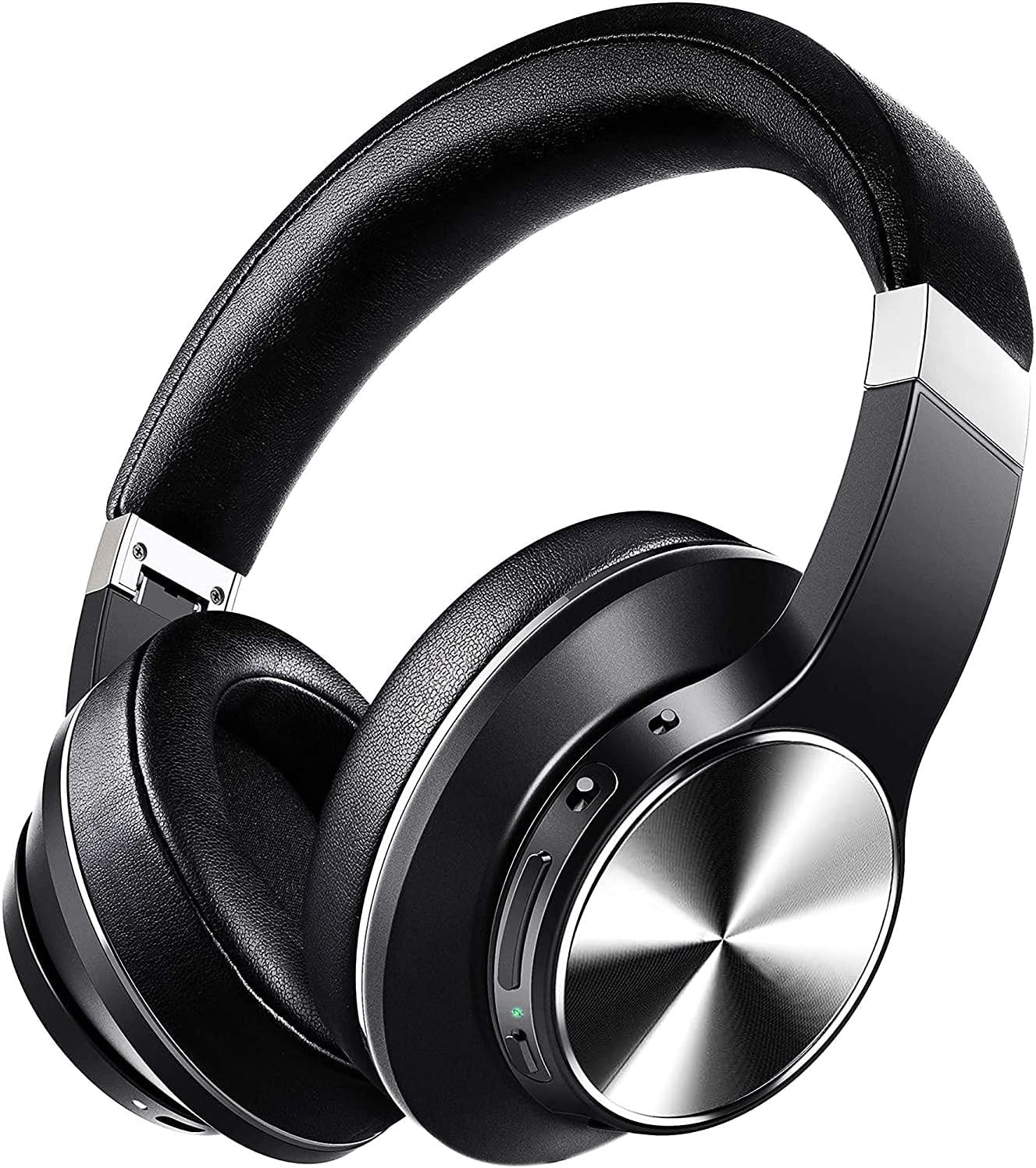
Image: The VANKYO C751 Hybrid Active Noise Cancelling Headphones, shown in black with silver accents, featuring over-ear cups and an adjustable headband.
2. പാക്കേജ് ഉള്ളടക്കം
താഴെ കൊടുത്തിരിക്കുന്ന എല്ലാ ഇനങ്ങളും നിങ്ങളുടെ പാക്കേജിൽ ഉണ്ടെന്ന് ഉറപ്പാക്കുക:
- VANKYO C751 Hybrid Active Noise Cancelling Headphones
- USB-C ചാർജിംഗ് കേബിൾ
- 3.5 എംഎം ഓഡിയോ കേബിൾ
- ചുമക്കുന്ന കേസ്
- ഉപയോക്തൃ മാനുവൽ (ഈ പ്രമാണം)

Image: The VANKYO C751 headphones, a hard carrying case, a USB-C charging cable, and a 3.5mm audio cable, laid out on a surface.
3. ഉൽപ്പന്നം കഴിഞ്ഞുview
Familiarize yourself with the various components and controls of your headphones.
3.1 നിയന്ത്രണങ്ങളും പോർട്ടുകളും
- പവർ ബട്ടൺ: പവർ ഓൺ/ഓഫ് ചെയ്യാൻ അമർത്തിപ്പിടിക്കുക.
- വോളിയം കൂട്ടുക/അടുത്ത ട്രാക്ക്: വോളിയം കൂട്ടാൻ ഷോർട്ട് പ്രസ്സ് ചെയ്യുക, അടുത്ത ട്രാക്കിനായി ദീർഘനേരം പ്രസ്സ് ചെയ്യുക.
- വോളിയം ഡൗൺ/മുൻ ട്രാക്ക്: Short press for volume down, long press for previous track. Double press to change EQ band.
- മൾട്ടി-ഫംഗ്ഷൻ ബട്ടൺ (MFB): കോളുകൾ പ്ലേ ചെയ്യുക/താൽക്കാലികമായി നിർത്തുക, മറുപടി നൽകുക/അവസാനിപ്പിക്കുക.
- ANC സ്വിച്ച്: ആക്ടീവ് നോയ്സ് റദ്ദാക്കൽ ഓൺ/ഓഫ് ടോഗിൾ ചെയ്യുക.
- USB-C ചാർജിംഗ് പോർട്ട്: ഹെഡ്ഫോണുകൾ ചാർജ് ചെയ്യുന്നതിനായി.
- 3.5mm ഓഡിയോ ജാക്ക്: വയർഡ് കണക്ഷനായി.
- മൈക്രോഫോൺ: കോളുകൾക്കും വോയ്സ് കമാൻഡുകൾക്കും.

Image: A woman wearing the VANKYO C751 headphones, with an inset showing a close-up of the control buttons on the earcup.
3.2 ഹെഡ്ഫോണുകൾ ധരിക്കൽ
Adjust the headband for a comfortable and secure fit. The earcups are designed with pressure-relieving memory-protein ear pads for extended wear.

ചിത്രം: ഒരു ക്ലോസ്-അപ്പ് view of the soft, black protein leather earpad of the VANKYO C751 headphones, highlighting its comfortable design.
4. സജ്ജീകരണം
4.1 ഹെഡ്ഫോണുകൾ ചാർജ് ചെയ്യുന്നു
- Connect the USB-C charging cable to the headphone's charging port.
- കേബിളിന്റെ മറ്റേ അറ്റം ഒരു USB പവർ അഡാപ്റ്ററുമായി (ഉൾപ്പെടുത്തിയിട്ടില്ല) അല്ലെങ്കിൽ ഒരു കമ്പ്യൂട്ടറിന്റെ USB പോർട്ടുമായി ബന്ധിപ്പിക്കുക.
- The LED indicator will show charging status. A full charge provides approximately 30 hours of playtime. A 10-minute quick charge provides up to 2 hours of listening.

Image: The VANKYO C751 headphones connected to a charging cable, with text indicating "30 Hours Playing Time" and "10 Mins USB-C turbo charging for 2 Hours use."
4.2 പവർ ഓൺ/ഓഫ്
- പവർ ഓണാക്കാൻ: Press and hold the Power button for 2-3 seconds until the LED indicator flashes.
- പവർ ഓഫ് ചെയ്യാൻ: LED ഇൻഡിക്കേറ്റർ ഓഫാകുന്നത് വരെ പവർ ബട്ടൺ 3-4 സെക്കൻഡ് അമർത്തിപ്പിടിക്കുക.
4.3 ബ്ലൂടൂത്ത് ജോടിയാക്കൽ
- ഹെഡ്ഫോണുകൾ ഓഫാണെന്ന് ഉറപ്പാക്കുക.
- Press and hold the Power button for approximately 5 seconds until the LED indicator flashes red and blue alternately, indicating pairing mode.
- നിങ്ങളുടെ ഉപകരണത്തിൽ ബ്ലൂടൂത്ത് പ്രവർത്തനക്ഷമമാക്കുക (സ്മാർട്ട്ഫോൺ, ടാബ്ലെറ്റ്, കമ്പ്യൂട്ടർ).
- ഇതിനായി തിരയുക "VANKYO C751" in the list of available Bluetooth devices and select it to connect.
- കണക്റ്റുചെയ്തുകഴിഞ്ഞാൽ, LED സൂചകം പതുക്കെ നീലയായി മിന്നുന്നു.
4.4 വയർഡ് കണക്ഷൻ
To use the headphones in wired mode, connect one end of the 3.5mm audio cable to the headphone's audio jack and the other end to your audio source. Bluetooth functionality will be disabled automatically when the audio cable is connected.

Image: A split image showing the VANKYO C751 headphones connected via a 3.5mm audio cable (Wired Mode) and a separate image of the headphones indicating wireless connectivity (Wireless Mode).
5. പ്രവർത്തന നിർദ്ദേശങ്ങൾ
5.1 സജീവ ശബ്ദം റദ്ദാക്കൽ (ANC)
Toggle the ANC switch to activate or deactivate the Hybrid Active Noise Cancellation feature. This function reduces ambient noises by up to 90%, ideal for travel or noisy environments.

Image: A woman wearing the VANKYO C751 headphones, looking out a window, with text indicating "Advanced Active Noise Cancellation" and its ability to block out up to 90% of low and mid-range frequency noises.

Image: A graphic representation of sound waves, with one side showing a complex waveform and the other side showing a simplified waveform, illustrating the effect of active noise cancellation.
5.2 ഓഡിയോ പ്ലേബാക്ക്
- പ്ലേ/താൽക്കാലികമായി നിർത്തുക: MFB ഒരിക്കൽ അമർത്തുക.
- വോളിയം കൂട്ടുക: വോളിയം അപ്പ് ബട്ടൺ ചുരുക്കി അമർത്തുക.
- വോളിയം താഴേക്ക്: വോളിയം ഡൗൺ ബട്ടൺ ചുരുക്കി അമർത്തുക.
- അടുത്ത ട്രാക്ക്: വോളിയം അപ്പ് ബട്ടൺ ദീർഘനേരം അമർത്തുക.
- മുമ്പത്തെ ട്രാക്ക്: വോളിയം ഡൗൺ ബട്ടൺ ദീർഘനേരം അമർത്തുക.
5.3 ഇക്വലൈസർ (EQ) ക്രമീകരണങ്ങൾ
Double press the Volume Down button to cycle through different EQ bands for an amplified listening experience, such as Pop, Classic, Rock, Jazz, and Voice modes.

Image: A collage of five images representing different music genres or sound profiles: Pop, Classic, Rock, Jazz, and Voice, illustrating the EQ modes available on the VANKYO C751 headphones.
5.4 ഫോൺ കോളുകൾ
The integrated CVC 8.0 noise-cancelling microphone ensures clear hands-free calls.
- ഉത്തരം/അവസാന കോൾ: MFB ഒരിക്കൽ അമർത്തുക.
- കോൾ നിരസിക്കുക: MFB 2 സെക്കൻഡ് അമർത്തിപ്പിടിക്കുക.
- അവസാന നമ്പർ വീണ്ടും ഡയൽ ചെയ്യുക: MFB രണ്ടുതവണ അമർത്തുക.

Image: A woman wearing the VANKYO C751 headphones while participating in a video conference call on a computer, illustrating the clear call quality provided by the CVC 8.0 microphone.
6. പരിപാലനം
6.1 വൃത്തിയാക്കൽ
- മൃദുവായതും ഉണങ്ങിയതുമായ തുണി ഉപയോഗിച്ച് ഹെഡ്ഫോണുകൾ തുടയ്ക്കുക.
- ഉരച്ചിലുകളുള്ള ക്ലീനറുകളോ ലായകങ്ങളോ ഉപയോഗിക്കരുത്.
- ഏതെങ്കിലും ദ്വാരങ്ങളിൽ ഈർപ്പം കയറുന്നത് ഒഴിവാക്കുക.
6.2 സംഭരണം
ഉപയോഗത്തിലില്ലാത്തപ്പോൾ, പൊടിയിൽ നിന്നും കേടുപാടുകളിൽ നിന്നും സംരക്ഷിക്കുന്നതിനായി നൽകിയിരിക്കുന്ന ചുമക്കുന്ന കേസിൽ ഹെഡ്ഫോണുകൾ സൂക്ഷിക്കുക. മടക്കാവുന്ന രൂപകൽപ്പന ഒതുക്കമുള്ള സംഭരണം അനുവദിക്കുന്നു.
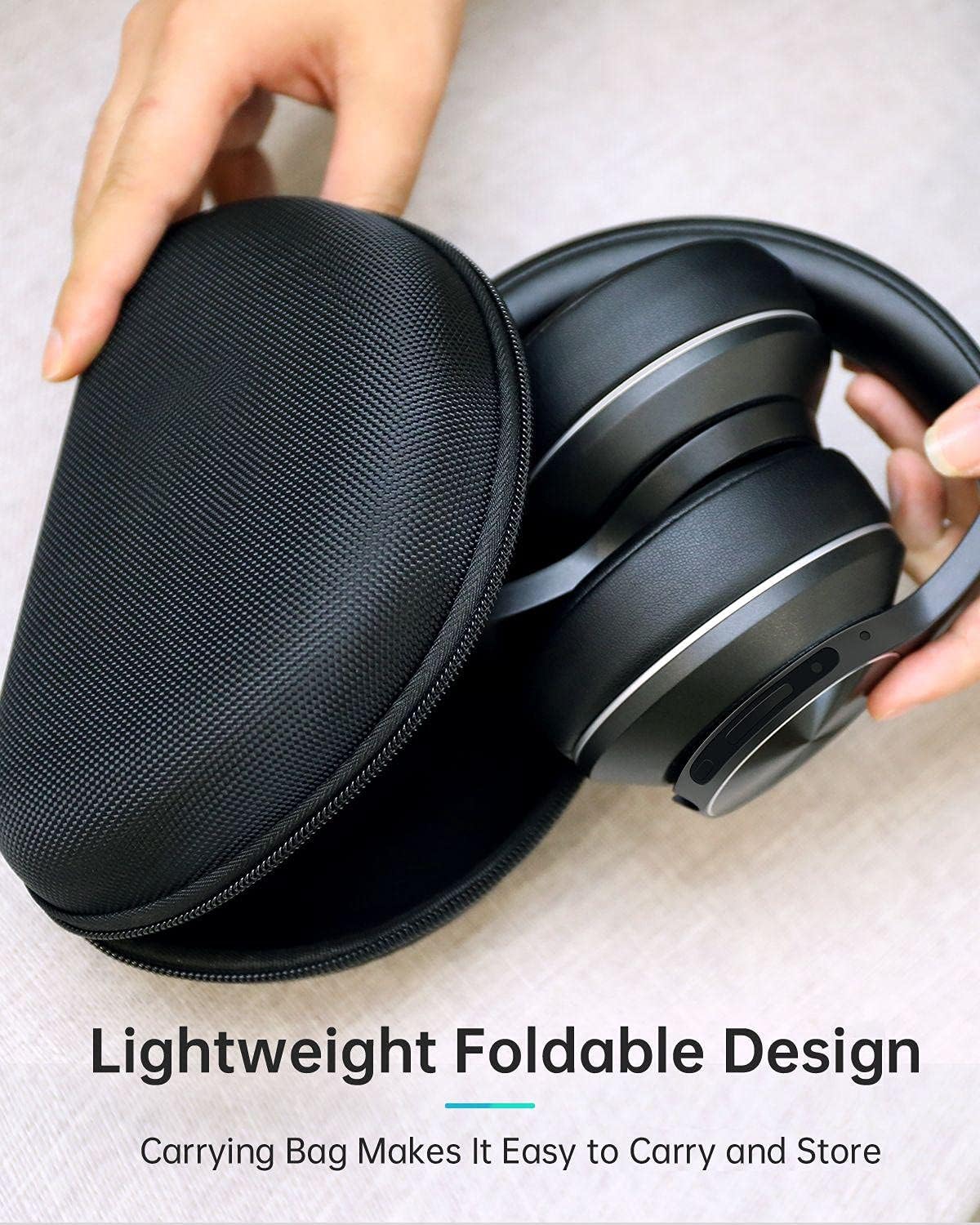
Image: The VANKYO C751 headphones, folded compactly, being placed into or removed from its black zippered carrying case, demonstrating its portable and protective design.
7. പ്രശ്നപരിഹാരം
- ശക്തിയില്ല: ഹെഡ്ഫോണുകൾ ചാർജ് ചെയ്തിട്ടുണ്ടെന്ന് ഉറപ്പാക്കുക. USB-C കേബിൾ ഉപയോഗിച്ച് ഒരു പവർ സ്രോതസ്സിലേക്ക് കണക്റ്റ് ചെയ്യുക.
- ജോടിയാക്കാൻ കഴിയില്ല: Ensure the headphones are in pairing mode (LED flashing red and blue). Turn off and on your device's Bluetooth, then try pairing again. Ensure the headphones are not connected to another device.
- ശബ്ദമില്ല: Check the volume level on both the headphones and your connected device. Ensure the headphones are properly paired or the 3.5mm audio cable is securely connected.
- മോശം ശബ്ദ നിലവാരം: തടസ്സങ്ങൾ ഒഴിവാക്കാൻ നിങ്ങളുടെ Bluetooth ഉപകരണത്തിന് അടുത്തേക്ക് നീങ്ങുക. മറ്റൊരു ഓഡിയോ ഉറവിടം പരീക്ഷിക്കുക അല്ലെങ്കിൽ file.
- ANC ഫലപ്രദമായി പ്രവർത്തിക്കുന്നില്ല: ANC സ്വിച്ച് 'ഓൺ' സ്ഥാനത്താണെന്ന് ഉറപ്പാക്കുക. കുറഞ്ഞ ഫ്രീക്വൻസി, സ്ഥിരമായ ശബ്ദത്തിനെതിരെ ANC ഏറ്റവും ഫലപ്രദമാണ്.
8 സ്പെസിഫിക്കേഷനുകൾ
| മോഡൽ | C751 |
| കണക്റ്റിവിറ്റി | ബ്ലൂടൂത്ത് 5.0, 3.5mm ഓഡിയോ ജാക്ക് |
| ശബ്ദ നിയന്ത്രണം | ഹൈബ്രിഡ് ആക്റ്റീവ് നോയ്സ് റദ്ദാക്കൽ |
| മൈക്രോഫോൺ | CVC 8.0 Noise Cancelling Mic |
| ഡ്രൈവർമാർ | Dual 40mm Large-Aperture Drivers |
| ബാറ്ററി ലൈഫ് | 30 മണിക്കൂർ വരെ പ്ലേ ടൈം |
| ചാർജിംഗ് പോർട്ട് | USB-C |
| ചെവി പ്ലേസ്മെൻ്റ് | ചെവിക്ക് മുകളിൽ |
| ഉൽപ്പന്ന അളവുകൾ | 15 x 6 x 10 സെ.മീ |
| ഭാരം | 718 ഗ്രാം |
9 സുരക്ഷാ വിവരങ്ങൾ
- ഹെഡ്ഫോണുകൾ തീവ്രമായ താപനിലയിലോ ഈർപ്പത്തിലോ തുറന്നുകാട്ടരുത്.
- ഹെഡ്ഫോണുകൾ താഴെയിടുകയോ ശക്തമായ ആഘാതങ്ങൾക്ക് വിധേയമാക്കുകയോ ചെയ്യുന്നത് ഒഴിവാക്കുക.
- ഹെഡ്ഫോണുകൾ ഡിസ്അസംബ്ലിംഗ് ചെയ്യരുത് അല്ലെങ്കിൽ സ്വയം നന്നാക്കാൻ ശ്രമിക്കരുത്.
- കേൾവിക്ക് കേടുപാടുകൾ സംഭവിക്കാതിരിക്കാൻ മിതമായ ശബ്ദത്തിൽ കേൾക്കുക.
- Do not use headphones while driving or in situations where you need to hear your surroundings.
10. വാറൻ്റിയും പിന്തുണയും
For warranty information or technical support, please refer to the contact details provided with your purchase documentation or visit the official VANKYO webസൈറ്റ്. വാറന്റി ക്ലെയിമുകൾക്കായി നിങ്ങളുടെ വാങ്ങലിന്റെ തെളിവ് സൂക്ഷിക്കുക.


