1. ആമുഖം
This manual provides detailed instructions for the setup, operation, and maintenance of your NOKLEAD Digital Alarm Clock Radio. Please read this manual thoroughly before using the product to ensure proper function and longevity.
The NOKLEAD Digital Alarm Clock Radio features a large 6.3-inch LED display with adjustable brightness, dual alarms, FM radio with sleep timer, and an intuitive interface for ease of use.
2. ഉൽപ്പന്നം കഴിഞ്ഞുview
പാക്കേജ് ഉള്ളടക്കം
- NOKLEAD Digital Alarm Clock Radio
- പവർ അഡാപ്റ്റർ (DC 5V)
- മൈക്രോ യുഎസ്ബി കേബിൾ
- ഉപയോക്തൃ മാനുവൽ
ഉൽപ്പന്ന ഡയഗ്രം
നിങ്ങളുടെ അലാറം ക്ലോക്ക് റേഡിയോയുടെ പ്രധാന ഘടകങ്ങളും നിയന്ത്രണങ്ങളും സ്വയം പരിചയപ്പെടുത്തുക.
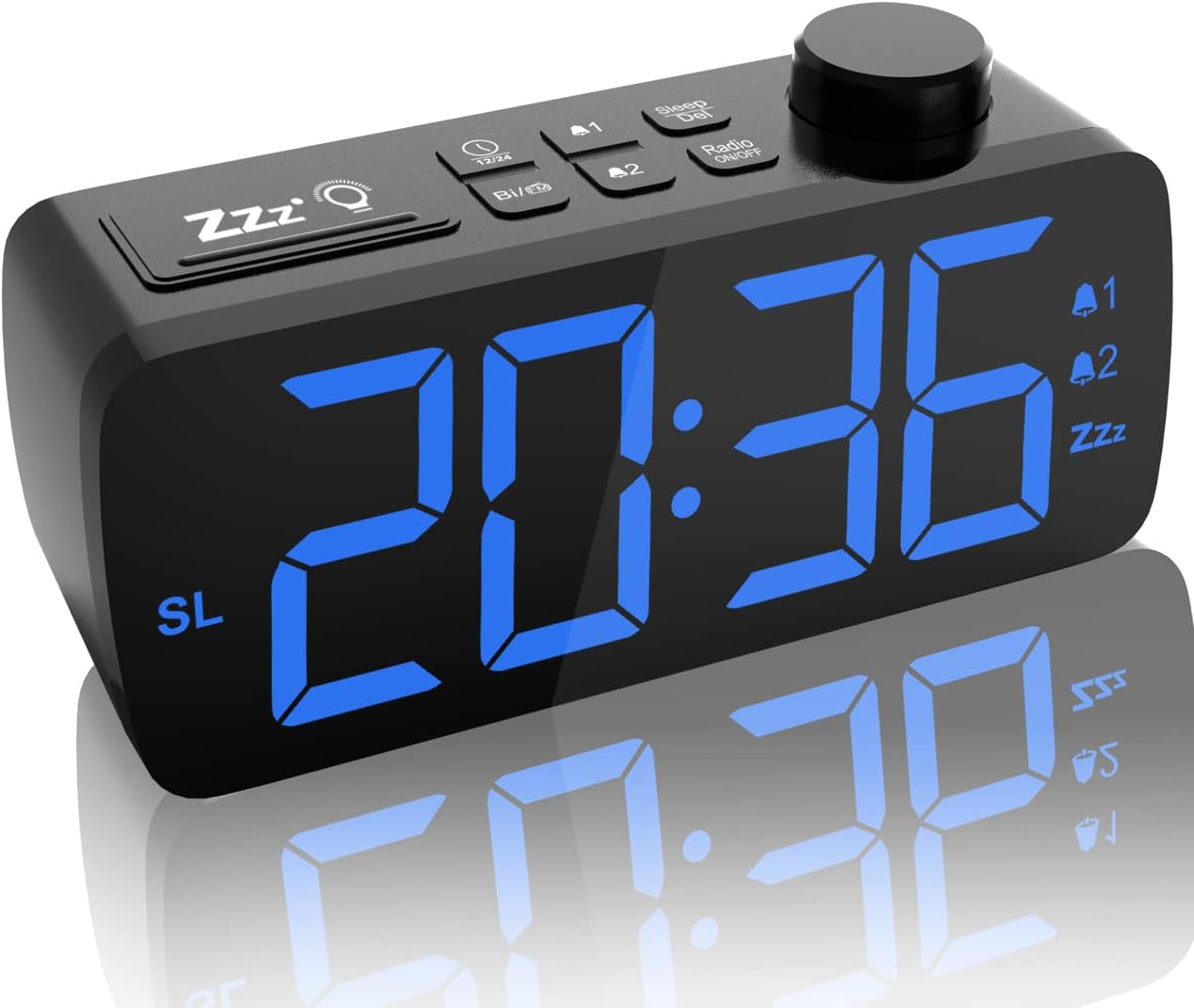
ചിത്രം 2.1: മുൻഭാഗം view of the NOKLEAD Digital Alarm Clock Radio, showing the large blue LED display and top control buttons.

ചിത്രം 2.2: മുകളിൽ view illustrating the intuitive function buttons and rotary knob for easy setting.
3. സജ്ജീകരണം
3.1 പ്രാരംഭ പവർ കണക്ഷൻ
- ബോക്സിൽ നിന്ന് എല്ലാ ഘടകങ്ങളും അൺപാക്ക് ചെയ്യുക.
- Connect the micro USB cable to the clock radio and the power adapter.
- Plug the power adapter into a standard electrical outlet. The display will light up.
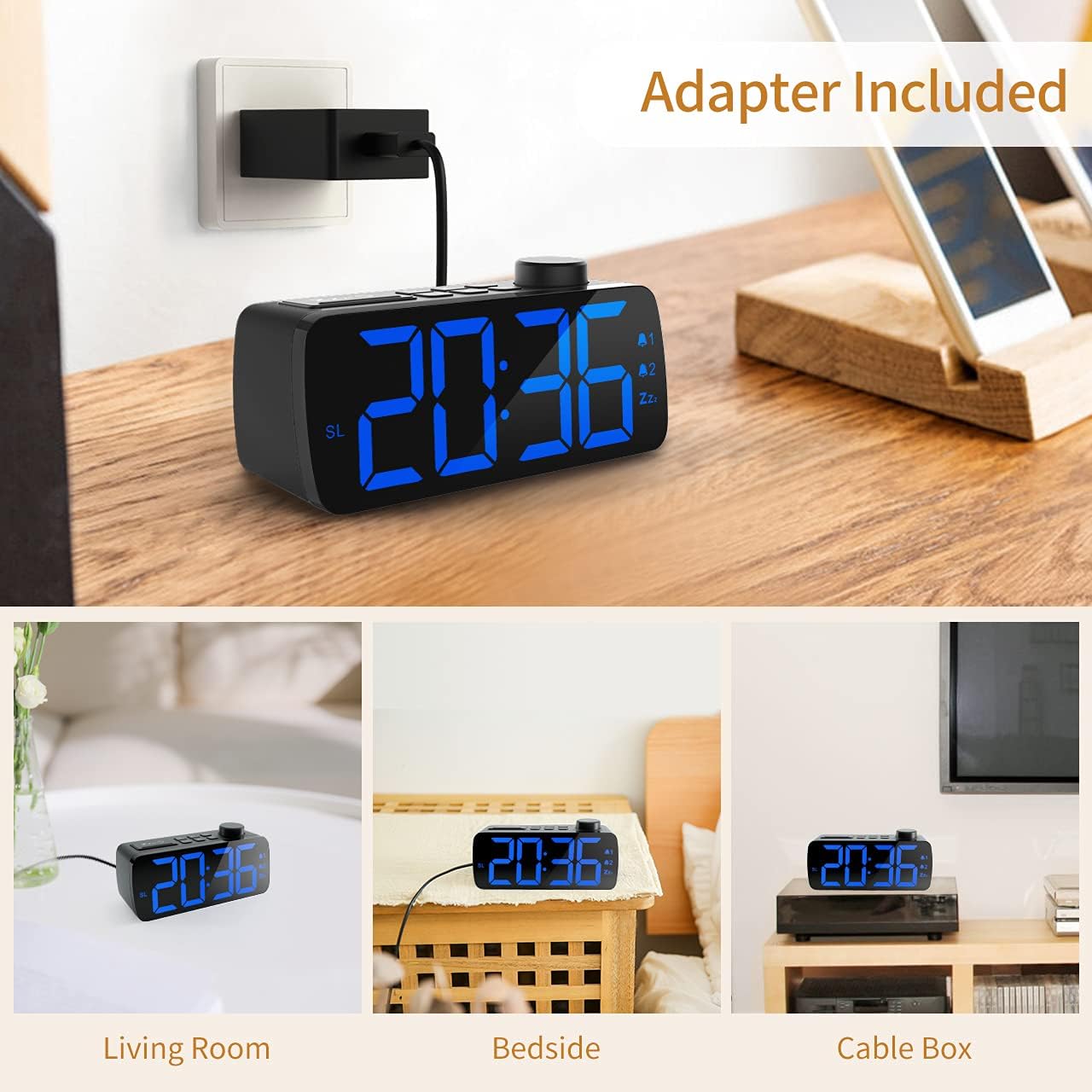
Figure 3.1: Connecting the alarm clock radio to the included power adapter.
3.2 സമയം ക്രമീകരിക്കുന്നു
The clock features a user-friendly knob for time adjustment.
- അമർത്തുക ടൈം സെറ്റ് button (refer to product diagram for exact button).
- Rotate the large knob on top to adjust the hour.
- അമർത്തുക ടൈം സെറ്റ് button again to confirm the hour and move to minutes.
- മിനിറ്റ് ക്രമീകരിക്കാൻ നോബ് തിരിക്കുക.
- അമർത്തുക ടൈം സെറ്റ് button one more time to save the time.
- 12 മണിക്കൂർ, 24 മണിക്കൂർ ഫോർമാറ്റുകൾക്കിടയിൽ മാറാൻ, അമർത്തുക 12/24എച്ച് ബട്ടൺ.
3.3 ഡിസ്പ്ലേ തെളിച്ചം ക്രമീകരിക്കൽ
The 6.3-inch LED display offers 5 levels of brightness, including an OFF setting.
- കണ്ടെത്തുക ഡിമ്മർ button (often integrated with the Snooze button).
- അമർത്തുക ഡിമ്മർ button repeatedly to cycle through the brightness levels: 100% > 60% > 20% > 5% > OFF.
- Select the desired brightness level for your environment.

Figure 3.2: Visual representation of the adjustable display brightness levels.
4. പ്രവർത്തന നിർദ്ദേശങ്ങൾ
4.1 ഇരട്ട അലാറങ്ങൾ സജ്ജീകരിക്കൽ
The clock radio supports two independent alarms.
- അമർത്തുക അലാറം 1 button to set the first alarm. The hour digits will flash.
- Rotate the knob to adjust the hour, then press അലാറം 1 സ്ഥിരീകരിക്കാൻ വീണ്ടും.
- Rotate the knob to adjust the minutes, then press അലാറം 1 സ്ഥിരീകരിക്കാൻ വീണ്ടും.
- Choose the alarm sound: standard buzz (BB) or FM radio. If FM radio is selected, the alarm will use the last set radio station and volume.
- എന്നതിനായുള്ള ഘട്ടങ്ങൾ ആവർത്തിക്കുക അലാറം 2 ഉപയോഗിക്കുന്നത് അലാറം 2 ബട്ടൺ.
- To turn off an active alarm, press any button except the Snooze button. The alarm will sound for 30 minutes if not turned off.

Figure 4.1: Illustration of the dual alarm functionality.
4.2 സ്നൂസ് ഫംഗ്ഷൻ ഉപയോഗിക്കൽ
അലാറം മുഴങ്ങുമ്പോൾ, വലിയ ബട്ടൺ അമർത്തുക സ്നൂസ് / ഡിമ്മർ button on top of the clock to activate snooze. This will pause the alarm for 9 minutes. You can repeat this function. To turn off the snooze function and the alarm completely, press any other button.
4.3 എഫ്എം റേഡിയോ പ്രവർത്തനം
The clock radio features an integrated FM radio (frequency range: 87.5-108.0MHz) with an attached 23-inch antenna for improved reception.
- അമർത്തുക റേഡിയോ ഓൺ/ഓഫ് റേഡിയോ ഓണാക്കാനോ ഓഫാക്കാനോ ഉള്ള ബട്ടൺ.
- യാന്ത്രിക സ്റ്റേഷൻ തിരയൽ: When first turned on, the radio may automatically search and store available FM stations.
- മാനുവൽ സ്റ്റേഷൻ തിരയൽ: Use the rotary knob to manually tune to a specific frequency.
- പ്രീസെറ്റ് സ്റ്റേഷനുകൾ: The clock allows for one-press radio preset and manual programming of your favorite stations. Refer to the product's quick start guide for specific button functions for saving and recalling presets.

ചിത്രം 4.2: ഓവർview of FM radio functionalities including station management.
4.4 വോളിയം ക്രമീകരണം
Adjust the speaker volume using the dedicated volume adjustment bar located on the side of the unit. Slide the bar to increase or decrease the volume from 0% to 100%. Note that the radio alarm volume will match the last set listening volume.

ചിത്രം 4.3: വശം view detail of the volume adjustment slider and FM sleep timer function.
4.5 സ്ലീപ്പ് ടൈമർ ഫംഗ്ഷൻ
സ്ലീപ്പ് ടൈമർ റേഡിയോയെ ഒരു നിശ്ചിത സമയത്തേക്ക് പ്ലേ ചെയ്യാൻ അനുവദിക്കുന്നു, തുടർന്ന് സ്വയമേവ ഓഫാകും.
- റേഡിയോ പ്ലേ ചെയ്യുമ്പോൾ, അമർത്തുക ഉറങ്ങുക ബട്ടൺ.
- ആവർത്തിച്ച് അമർത്തുക ഉറങ്ങുക button to cycle through the available sleep timer durations: 05, 10, 15, 30, 45, 60, 75, 90 minutes, or OFF.
- തിരഞ്ഞെടുത്ത സമയത്തിന് ശേഷം റേഡിയോ സ്വയമേവ ഓഫാകും.
5. പരിപാലനം
To ensure the longevity and optimal performance of your NOKLEAD Digital Alarm Clock Radio, follow these simple maintenance guidelines:
- വൃത്തിയാക്കൽ: Gently wipe the display and exterior surfaces with a soft, dry, lint-free cloth. Do not use abrasive cleaners, waxes, or solvents as they may damage the finish.
- ശക്തി: Always disconnect the power adapter from the wall outlet before cleaning or if the unit will be unused for an extended period.
- പരിസ്ഥിതി: Avoid placing the unit in direct sunlight, near heat sources, or in areas with high humidity or excessive dust.
6. പ്രശ്നപരിഹാരം
If you encounter issues with your NOKLEAD Digital Alarm Clock Radio, please refer to the following common problems and their solutions:
| പ്രശ്നം | സാധ്യമായ കാരണം | പരിഹാരം |
|---|---|---|
| ഡിസ്പ്ലേ ശൂന്യമാണ് അല്ലെങ്കിൽ പ്രകാശിക്കുന്നില്ല. | No power connection; Power outage; Display brightness set to OFF. | Ensure power adapter is securely plugged into the unit and wall outlet. Check the power source. Press the DIMMER button to increase brightness. |
| Radio reception is poor or static. | ആന്റിന നീട്ടിയിട്ടില്ല; ദുർബലമായ സിഗ്നൽ ഏരിയ; മറ്റ് ഇലക്ട്രോണിക്സിൽ നിന്നുള്ള ഇടപെടൽ. | Fully extend the FM antenna. Reposition the clock radio to find a better signal. Move the unit away from other electronic devices. |
| അലാറം മുഴങ്ങുന്നില്ല. | Alarm not set correctly; Alarm volume too low; Alarm turned off prematurely. | Verify alarm time and activation. Increase alarm volume using the side slider. Ensure alarm is not turned off before desired wake-up time. |
| Volume control not responding. | Volume slider malfunction. | Ensure the volume slider is not obstructed. If the issue persists, contact customer support. |
7 സ്പെസിഫിക്കേഷനുകൾ
| ഫീച്ചർ | വിശദാംശങ്ങൾ |
|---|---|
| ബ്രാൻഡ് | നോക്ക്ലീഡ് |
| മോഡൽ നമ്പർ | 5230F പ്രോ |
| നിറം | കറുപ്പ് |
| ഡിസ്പ്ലേ തരം | ഡിജിറ്റൽ LED |
| ഡിസ്പ്ലേ വലിപ്പം | 6.3 ഇഞ്ച് |
| തെളിച്ച നിലകൾ | 5 (0%, 5%, 20%, 60%, 100%) |
| പവർ ഉറവിടം | കോർഡഡ് ഇലക്ട്രിക് (DC 5V) |
| ഉൽപ്പന്ന അളവുകൾ | 2"ആംശം x 2"ആംശം |
| ഇനത്തിൻ്റെ ഭാരം | 10.2 ഔൺസ് |
| എഫ്എം ഫ്രീക്വൻസി റേഞ്ച് | 87.5-108.0MHz |
| സ്നൂസ് ദൈർഘ്യം | 9 മിനിറ്റ് |
| അലാറം ദൈർഘ്യം | 30 മിനിറ്റ് |
| ഫ്രെയിം മെറ്റീരിയൽ | അക്രിലോണിട്രൈൽ ബ്യൂട്ടാഡൈൻ സ്റ്റൈറൈൻ |
| ബാറ്ററികൾ ഉൾപ്പെടുത്തിയിട്ടുണ്ട് | ഇല്ല |
8. വാറൻ്റിയും പിന്തുണയും
For warranty information and customer support, please refer to the documentation included with your purchase or visit the official NOKLEAD webസൈറ്റ്. നിങ്ങൾക്ക് സന്ദർശിക്കാനും കഴിയും NOKLEAD Store on Amazon കൂടുതൽ സഹായത്തിനും ഉൽപ്പന്ന വിവരങ്ങൾക്കും.
ഏതെങ്കിലും വാറന്റി ക്ലെയിമുകൾക്കായി നിങ്ങളുടെ വാങ്ങിയതിന്റെ തെളിവ് സൂക്ഷിക്കുക.


