ആമുഖം
ആമസോൺ എക്കോ ഡോട്ട് (5th ജനറേഷൻ) എന്നത് അലക്സയുമായുള്ള മെച്ചപ്പെട്ട ഓഡിയോയും തടസ്സമില്ലാത്ത സംയോജനവും നൽകുന്നതിനായി രൂപകൽപ്പന ചെയ്തിരിക്കുന്ന ഒരു കോംപാക്റ്റ് സ്മാർട്ട് സ്പീക്കറാണ്. വോയ്സ് കമാൻഡുകൾ വഴി നിങ്ങളുടെ സ്മാർട്ട് ഹോം നിയന്ത്രിക്കാനും, സംഗീതം പ്ലേ ചെയ്യാനും, വിവരങ്ങൾ നേടാനും, അതിലേറെ കാര്യങ്ങൾ ചെയ്യാനും ഈ ഉപകരണം നിങ്ങളെ അനുവദിക്കുന്നു. ഇതിന്റെ മെച്ചപ്പെടുത്തിയ സ്പീക്കർ വ്യക്തമായ വോക്കലും ആഴത്തിലുള്ള ബാസും വാഗ്ദാനം ചെയ്യുന്നു, ഇത് അതിന്റെ വലുപ്പത്തിനനുസരിച്ച് സമ്പന്നമായ ഓഡിയോ അനുഭവം നൽകുന്നു. എക്കോ ഡോട്ടിൽ സ്വകാര്യതാ സവിശേഷതകളും ഉൾപ്പെടുത്തിയിട്ടുണ്ട്, കൂടാതെ സുസ്ഥിരത മനസ്സിൽ വെച്ചാണ് നിർമ്മിച്ചിരിക്കുന്നത്.
സജ്ജമാക്കുക
നിങ്ങളുടെ എക്കോ ഡോട്ട് (അഞ്ചാം തലമുറ) സജ്ജീകരിക്കുന്നത് വളരെ ലളിതമായ ഒരു പ്രക്രിയയാണ്. ആമസോണിന്റെ ലളിതമായ സജ്ജീകരണ സാങ്കേതികവിദ്യ ഉപയോഗിച്ച് നിങ്ങളുടെ വൈ-ഫൈ നെറ്റ്വർക്കിലേക്ക് എളുപ്പത്തിൽ കണക്റ്റ് ചെയ്യുന്നതിനാണ് ഉപകരണം രൂപകൽപ്പന ചെയ്തിരിക്കുന്നത്.
ബോക്സിൽ എന്താണുള്ളത്:
- എക്കോ ഡോട്ട് (നാലാം തലമുറ)
- വൈറ്റ് പവർ അഡാപ്റ്റർ (15 W)
- ദ്രുത ആരംഭ ഗൈഡ്
പ്രാരംഭ സജ്ജീകരണ ഘട്ടങ്ങൾ:
- ഉപകരണം അൺപാക്ക് ചെയ്യുക: പാക്കേജിംഗിൽ നിന്ന് എക്കോ ഡോട്ടും അതിന്റെ അനുബന്ധ ഉപകരണങ്ങളും ശ്രദ്ധാപൂർവ്വം നീക്കം ചെയ്യുക.
- പവർ ബന്ധിപ്പിക്കുക: ഉൾപ്പെടുത്തിയിരിക്കുന്ന പവർ അഡാപ്റ്റർ എക്കോ ഡോട്ടിലേക്കും തുടർന്ന് വാൾ ഔട്ട്ലെറ്റിലേക്കും പ്ലഗ് ചെയ്യുക. എക്കോ ഡോട്ടിലെ ലൈറ്റ് റിംഗ് നീലയും പിന്നീട് ഓറഞ്ചും ആയി മാറും, ഇത് സജ്ജീകരണത്തിന് തയ്യാറാണെന്ന് സൂചിപ്പിക്കുന്നു.
- Alexa ആപ്പ് ഡൗൺലോഡ് ചെയ്യുക: നിങ്ങളുടെ സ്മാർട്ട്ഫോണിലോ ടാബ്ലെറ്റിലോ ആമസോൺ അലക്സ ആപ്പ് ഡൗൺലോഡ് ചെയ്യുക. ഇത് ഫയർ ഒഎസ്, ഐഒഎസ്, ആൻഡ്രോയിഡ് ഉപകരണങ്ങൾ എന്നിവയുമായി പൊരുത്തപ്പെടുന്നു. നിങ്ങൾക്ക് ഇത് ഒരു വഴിയും ആക്സസ് ചെയ്യാൻ കഴിയും web നിങ്ങളുടെ കമ്പ്യൂട്ടറിലെ ബ്രൗസർ.
- ഇൻ-ആപ്പ് നിർദ്ദേശങ്ങൾ പാലിക്കുക: Alexa ആപ്പ് തുറന്ന് ഓൺ-സ്ക്രീൻ നിർദ്ദേശങ്ങൾ പാലിക്കുക, നിങ്ങളുടെ എക്കോ ഡോട്ട് നിങ്ങളുടെ വൈ-ഫൈ നെറ്റ്വർക്കുമായി ബന്ധിപ്പിച്ച് നിങ്ങളുടെ ആമസോൺ അക്കൗണ്ടുമായി ലിങ്ക് ചെയ്യുക.
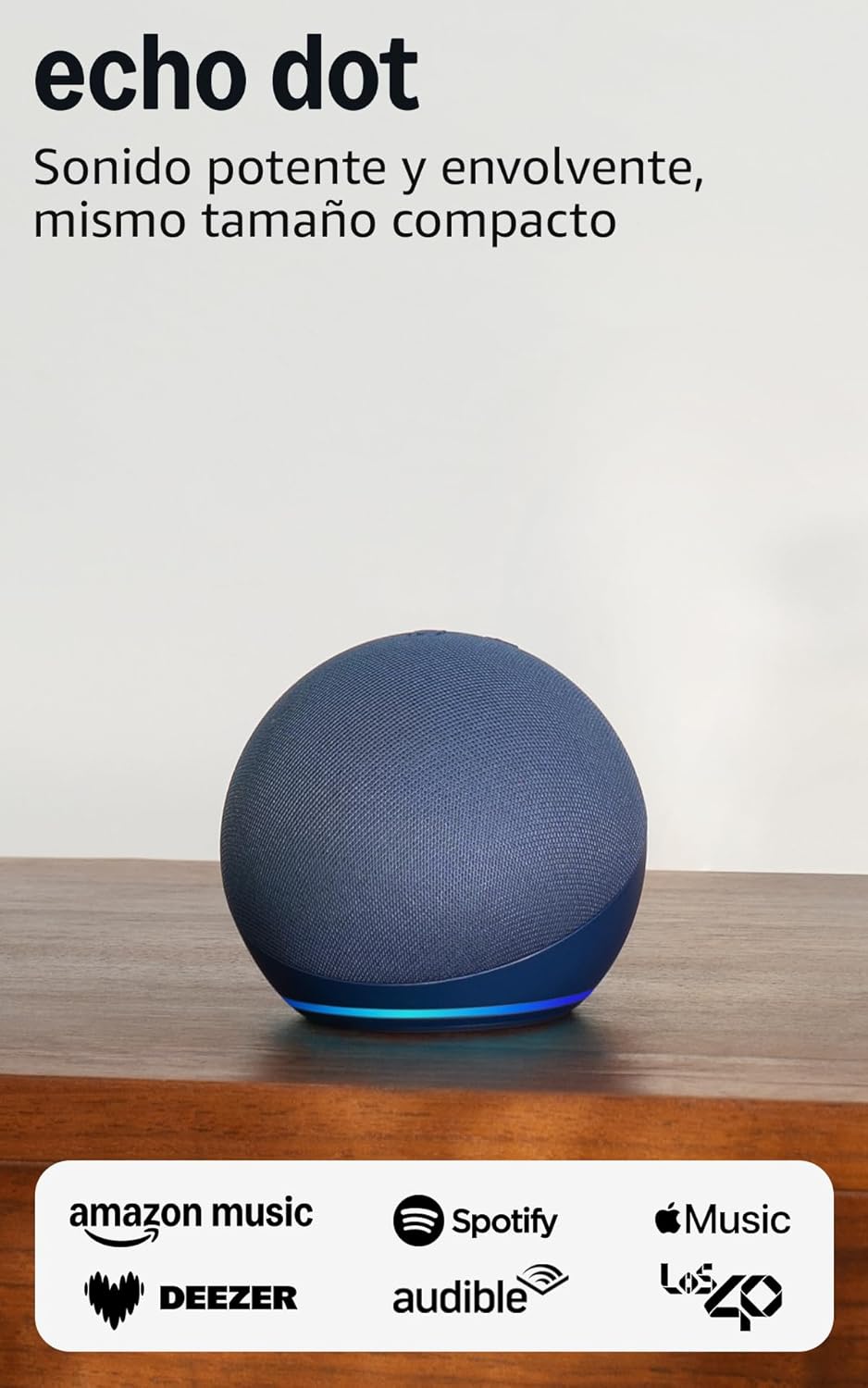
ചിത്രം: നീല നിറത്തിലുള്ള എക്കോ ഡോട്ട് (അഞ്ചാം തലമുറ), showcasing അതിന്റെ ഒതുക്കമുള്ള രൂപകൽപ്പനയും പ്രകാശിതമായ അടിത്തറയും, സജ്ജീകരണത്തിന് തയ്യാറാണ്.
നിങ്ങളുടെ എക്കോ ഡോട്ട് പ്രവർത്തിപ്പിക്കുന്നു
എക്കോ ഡോട്ട് (അഞ്ചാം തലമുറ) പ്രധാനമായും നിയന്ത്രിക്കുന്നത് അലക്സയുമായുള്ള നിങ്ങളുടെ ശബ്ദം ഉപയോഗിച്ചാണ്. സൗകര്യാർത്ഥം ഫിസിക്കൽ ബട്ടണുകളും ടച്ച് നിയന്ത്രണങ്ങളും ഇതിൽ ഉൾപ്പെടുന്നു.
അലക്സയുമായുള്ള വോയ്സ് കമാൻഡുകൾ:
"Alexa" എന്ന് പറഞ്ഞതിന് ശേഷം നിങ്ങളുടെ കമാൻഡ് അല്ലെങ്കിൽ ചോദ്യം പറയുക. Alexa-യ്ക്ക് വിവിധ ജോലികളിൽ സഹായിക്കാനാകും:
- സംഗീതവും പോഡ്കാസ്റ്റുകളും: ആമസോൺ മ്യൂസിക്, ഓഡിബിൾ, ആപ്പിൾ മ്യൂസിക്, സ്പോട്ടിഫൈ തുടങ്ങിയ സേവനങ്ങളിൽ നിന്നുള്ള സംഗീതം, ഓഡിയോബുക്കുകൾ, പോഡ്കാസ്റ്റുകൾ എന്നിവ പ്ലേ ചെയ്യുക. നിങ്ങൾക്ക് ബ്ലൂടൂത്ത് അല്ലെങ്കിൽ വൈ-ഫൈ വഴിയും സ്ട്രീം ചെയ്യാം.
- വിവരങ്ങൾ: കാലാവസ്ഥ, വാർത്തകൾ, ടൈമറുകൾ സജ്ജീകരിക്കുക, ചോദ്യങ്ങൾ ചോദിക്കുക തുടങ്ങിയ കാര്യങ്ങളെ കുറിച്ച് ചോദിക്കൂ.
- സ്മാർട്ട് ഹോം കൺട്രോൾ: നിങ്ങളുടെ ശബ്ദം ഉപയോഗിച്ച് അനുയോജ്യമായ സ്മാർട്ട് ഹോം ഉപകരണങ്ങൾ നിയന്ത്രിക്കുക അല്ലെങ്കിൽ താപനില സെൻസറുകൾ അടിസ്ഥാനമാക്കി ദിനചര്യകൾ സജ്ജമാക്കുക.
- ആശയവിനിമയം: ആശയവിനിമയ ഓപ്ഷൻ പ്രാപ്തമാക്കിയ മറ്റ് എക്കോ ഉപകരണങ്ങളിലേക്കോ കോൺടാക്റ്റുകളിലേക്കോ കോളുകൾ വിളിക്കുക.
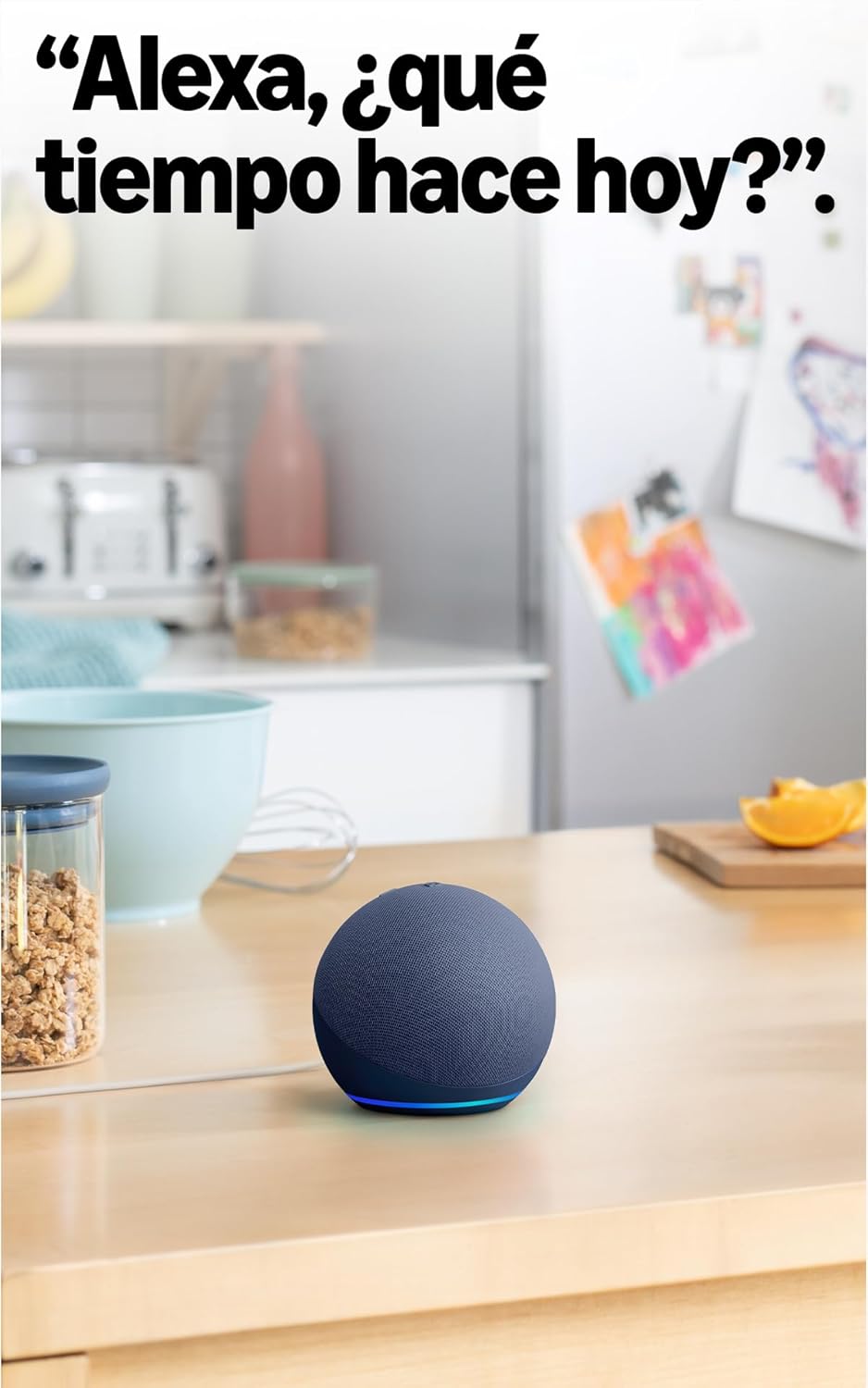
ചിത്രം: ഒരു അടുക്കളയിലെ എക്കോ ഡോട്ട് (അഞ്ചാം തലമുറ), അലക്സയോട് കാലാവസ്ഥയെക്കുറിച്ച് ചോദിക്കുന്നതിനുള്ള അതിന്റെ ഉപയോഗം പ്രദർശിപ്പിച്ചുകൊണ്ട്.
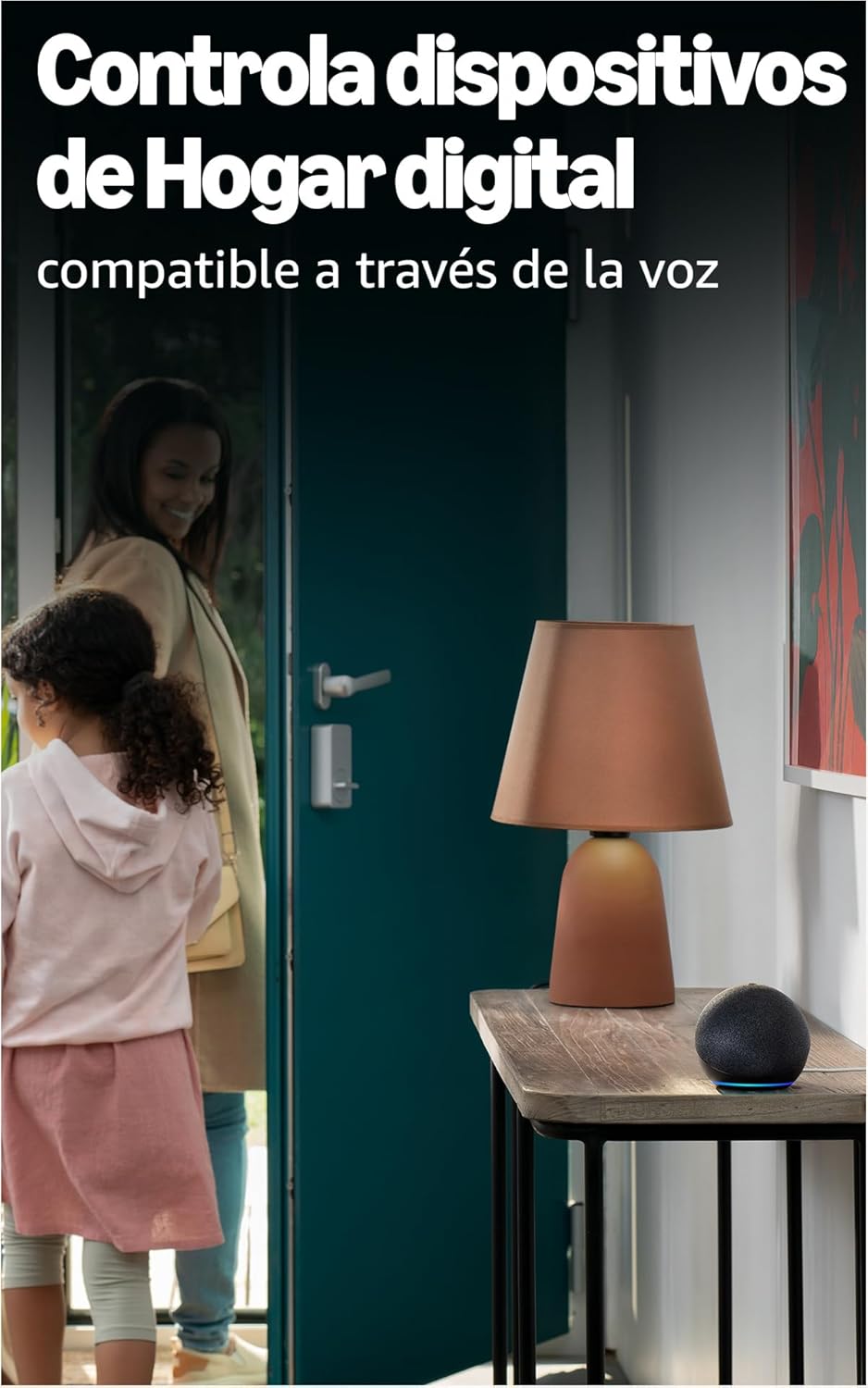
ചിത്രം: അൽ പോലുള്ള സ്മാർട്ട് ഹോം ഉപകരണങ്ങളെ നിയന്ത്രിക്കുന്നതിനായി സ്ഥാപിച്ചിരിക്കുന്ന എക്കോ ഡോട്ട് (അഞ്ചാം തലമുറ)amp, വോയ്സ് കമാൻഡുകൾ വഴി.
ശാരീരിക നിയന്ത്രണങ്ങൾ:
നിങ്ങളുടെ എക്കോ ഡോട്ടിന്റെ മുകളിൽ നിരവധി ബട്ടണുകൾ ഉണ്ട്:
- മൈക്രോഫോൺ ഓൺ/ഓഫ് ബട്ടൺ: ചുവന്ന ലൈറ്റ് റിംഗ് സൂചിപ്പിക്കുന്ന മൈക്രോഫോണുകൾ ഇലക്ട്രോണിക് ആയി വിച്ഛേദിക്കാൻ ഈ ബട്ടൺ അമർത്തുക. ഇത് നിങ്ങളുടെ സ്വകാര്യത ഉറപ്പാക്കുന്നു.
- വോളിയം മുകളിലേക്കും താഴേക്കും ബട്ടണുകൾ: സ്പീക്കർ ശബ്ദം ക്രമീകരിക്കുക.
- പ്രവർത്തന ബട്ടൺ: വേക്ക് എന്ന വാക്ക് ഉപയോഗിക്കാതെ അലക്സയെ സജീവമാക്കുന്നു, അല്ലെങ്കിൽ അലാറങ്ങൾ നിരസിക്കാൻ ഉപയോഗിക്കാം.

ചിത്രം: മൈക്രോഫോൺ മ്യൂട്ട് ബട്ടൺ സജീവമാക്കിയിരിക്കുന്ന എക്കോ ഡോട്ട് (അഞ്ചാം തലമുറ), സ്വകാര്യതയ്ക്കുള്ള ചുവന്ന സൂചകം കാണിക്കുന്നു.
ടച്ച് നിയന്ത്രണങ്ങൾ:
എക്കോ ഡോട്ട് (അഞ്ചാം തലമുറ) ലളിതമായ സ്പർശന ആംഗ്യങ്ങളെയും പിന്തുണയ്ക്കുന്നു:
- താൽക്കാലികമായി നിർത്താൻ/സ്നൂസ് ചെയ്യാൻ ടാപ്പ് ചെയ്യുക: ഉപകരണത്തിന്റെ മുകളിൽ ഒരു ലളിതമായ ടാപ്പ് വഴി സംഗീതം താൽക്കാലികമായി നിർത്താനോ അലാറം സ്നൂസ് ചെയ്യാനോ കഴിയും.
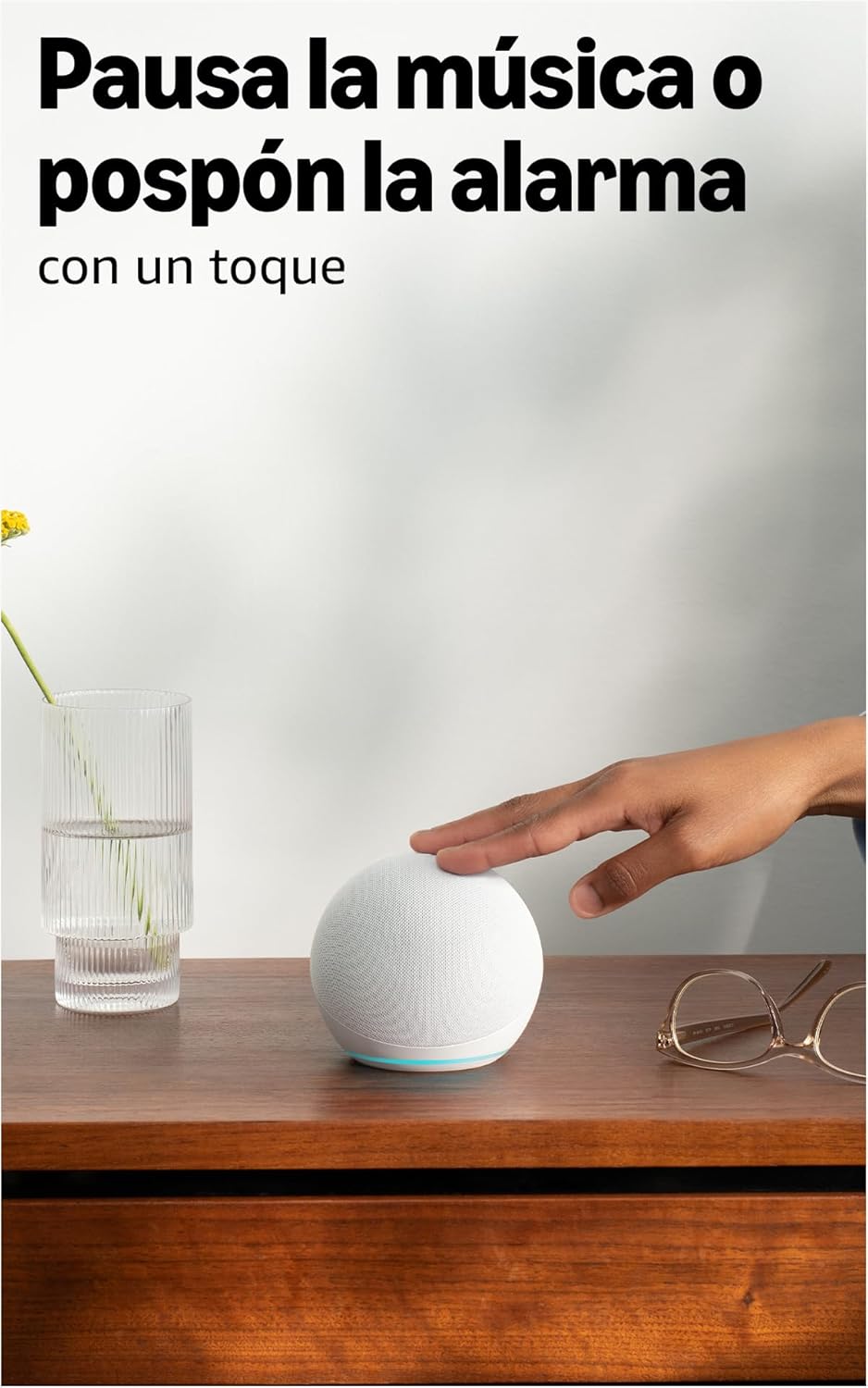
ചിത്രം: സംഗീതം താൽക്കാലികമായി നിർത്താനോ അലാറം സ്നൂസ് ചെയ്യാനോ എക്കോ ഡോട്ടിന്റെ (അഞ്ചാം തലമുറ) മുകളിലെ പ്രതലത്തിൽ ടാപ്പ് ചെയ്ത് ഒരു ഉപയോക്താവ് സംവദിക്കുന്നു.
മെച്ചപ്പെടുത്തിയ ഓഡിയോ:
അഞ്ചാം തലമുറ എക്കോ ഡോട്ടിൽ 44 mm (1.73") ഫ്രണ്ട്-ഫയറിംഗ് സ്പീക്കർ ഉണ്ട്, ഇത് മുൻ തലമുറകളെ അപേക്ഷിച്ച് കൂടുതൽ ശക്തവും ആഴത്തിലുള്ളതുമായ ശബ്ദാനുഭവം നൽകുന്നു, വ്യക്തമായ വോക്കലുകളും ആഴത്തിലുള്ള ബാസും ഇതിൽ ഉൾപ്പെടുന്നു.

ചിത്രം: ഒരു ആന്തരികം view മെച്ചപ്പെടുത്തിയ ഓഡിയോ ഡിസൈൻ ചിത്രീകരിക്കുന്ന, അതിന്റെ സ്പീക്കറിനെ ഹൈലൈറ്റ് ചെയ്യുന്ന എക്കോ ഡോട്ടിന്റെ (അഞ്ചാം തലമുറ) ഒരു പ്രത്യേക ശ്രേണി.
മെയിൻ്റനൻസ്
നിങ്ങളുടെ എക്കോ ഡോട്ടിന്റെ ദീർഘായുസ്സും മികച്ച പ്രകടനവും ഉറപ്പാക്കാൻ, ഈ ലളിതമായ പരിപാലന മാർഗ്ഗനിർദ്ദേശങ്ങൾ പാലിക്കുക:
- വൃത്തിയാക്കൽ: മൃദുവായതും ഉണങ്ങിയതും ലിന്റ് രഹിതവുമായ ഒരു തുണി ഉപയോഗിച്ച് ഉപകരണത്തിന്റെ പുറംഭാഗം സൌമ്യമായി തുടയ്ക്കുക. അബ്രസീവ് ക്ലീനറുകൾ, ലായകങ്ങൾ അല്ലെങ്കിൽ എയറോസോൾ സ്പ്രേകൾ ഉപയോഗിക്കുന്നത് ഒഴിവാക്കുക.
- പ്ലേസ്മെൻ്റ്: നിങ്ങളുടെ എക്കോ ഡോട്ട് നേരിട്ട് സൂര്യപ്രകാശം, താപ സ്രോതസ്സുകൾ, ഈർപ്പം എന്നിവയിൽ നിന്ന് അകലെ ഒരു സ്ഥിരതയുള്ളതും പരന്നതുമായ പ്രതലത്തിൽ സ്ഥാപിക്കുക. ആവശ്യത്തിന് വായുസഞ്ചാരം ലഭിക്കുന്നുണ്ടെന്ന് ഉറപ്പാക്കുക.
- സോഫ്റ്റ്വെയർ അപ്ഡേറ്റുകൾ: പ്രകടനം മെച്ചപ്പെടുത്തുന്നതിനും പുതിയ സവിശേഷതകൾ ചേർക്കുന്നതിനുമായി നിങ്ങളുടെ എക്കോ ഡോട്ടിന് ഓട്ടോമാറ്റിക് സോഫ്റ്റ്വെയർ അപ്ഡേറ്റുകൾ ലഭിക്കുന്നു. ഈ അപ്ഡേറ്റുകൾ സംഭവിക്കുന്നതിന് നിങ്ങളുടെ ഉപകരണം വൈഫൈയിലേക്ക് കണക്റ്റുചെയ്തിട്ടുണ്ടെന്ന് ഉറപ്പാക്കുക.
ട്രബിൾഷൂട്ടിംഗ്
നിങ്ങളുടെ എക്കോ ഡോട്ടിൽ പ്രശ്നങ്ങൾ നേരിടുകയാണെങ്കിൽ, ഇനിപ്പറയുന്ന പൊതുവായ പരിഹാരങ്ങൾ പരിശോധിക്കുക:
പവർ ഇല്ല/ഉപകരണം പ്രതികരിക്കുന്നില്ല:
- പവർ അഡാപ്റ്റർ എക്കോ ഡോട്ടിലും വർക്കിംഗ് വാൾ ഔട്ട്ലെറ്റിലും സുരക്ഷിതമായി പ്ലഗ് ചെയ്തിട്ടുണ്ടെന്ന് ഉറപ്പാക്കുക. എക്കോ ഡോട്ടിന് തുടർച്ചയായ വൈദ്യുതി ആവശ്യമാണ്, കൂടാതെ ആന്തരിക ബാറ്ററിയും ഇല്ല.
- മറ്റൊരു ഔട്ട്ലെറ്റിലേക്ക് അഡാപ്റ്റർ പ്ലഗ് ചെയ്യാൻ ശ്രമിക്കുക.
വൈഫൈ കണക്ഷൻ ഇല്ല:
- നിങ്ങളുടെ വൈഫൈ നെറ്റ്വർക്ക് സജീവമാണെന്നും പ്രവർത്തിക്കുന്നുണ്ടെന്നും ഉറപ്പാക്കുക.
- നിങ്ങളുടെ വൈഫൈ റൂട്ടറും മോഡവും പുനരാരംഭിക്കുക.
- നിങ്ങളുടെ എക്കോ ഡോട്ട് നിങ്ങളുടെ വൈഫൈ റൂട്ടറിന്റെ പരിധിയിലാണെന്ന് ഉറപ്പാക്കുക.
- ആവശ്യമെങ്കിൽ വൈ-ഫൈ ക്രമീകരണങ്ങൾ പുനഃക്രമീകരിക്കാൻ Alexa ആപ്പ് ഉപയോഗിക്കുക.
- കുറിപ്പ്: സമയവും അലാറങ്ങളും നൽകുന്നത് ഉൾപ്പെടെയുള്ള മിക്ക പ്രവർത്തനങ്ങൾക്കും എക്കോ ഡോട്ടിന് വൈ-ഫൈ ആവശ്യമാണ്. ഇത് വയർഡ് ഇന്റർനെറ്റ് കണക്ഷനുകളെ പിന്തുണയ്ക്കുന്നില്ല.
വോയ്സ് കമാൻഡുകളോട് അലക്സ പ്രതികരിക്കുന്നില്ല:
- മൈക്രോഫോൺ മ്യൂട്ട് ചെയ്തിട്ടുണ്ടോ എന്ന് പരിശോധിക്കുക (റെഡ് ലൈറ്റ് റിംഗ്). അൺമ്യൂട്ട് ചെയ്യാൻ മൈക്രോഫോൺ ഓൺ/ഓഫ് ബട്ടൺ അമർത്തുക.
- നിങ്ങൾ വ്യക്തമായി സംസാരിക്കുന്നുണ്ടെന്നും ഉപകരണത്തിന്റെ പരിധിക്കുള്ളിലാണെന്നും ഉറപ്പാക്കുക.
- ഉപകരണം സജീവമാണോ എന്ന് പരിശോധിക്കാൻ "അലക്സാ, നീ അവിടെയുണ്ടോ?" എന്ന് പറയാൻ ശ്രമിക്കുക.
മോശം ശബ്ദ നിലവാരം:
- വോയ്സ് കമാൻഡുകൾ അല്ലെങ്കിൽ ഫിസിക്കൽ ബട്ടണുകൾ ഉപയോഗിച്ച് വോളിയം ക്രമീകരിക്കുക.
- ഉപകരണം തടസ്സപ്പെട്ടിട്ടില്ലെന്നും സ്ഥിരതയുള്ള ഒരു പ്രതലത്തിൽ സ്ഥാപിച്ചിട്ടുണ്ടെന്നും ഉറപ്പാക്കുക.
- എക്സ്റ്റേണൽ സ്പീക്കറുകളിലേക്കോ ടിവിയിലേക്കോ കണക്റ്റ് ചെയ്യുകയാണെങ്കിൽ: നിങ്ങളുടെ ടിവി അനുയോജ്യമാണെങ്കിൽ ബ്ലൂടൂത്ത് വഴിയോ 3.5mm ഓഡിയോ കേബിൾ ഉപയോഗിച്ചോ കണക്റ്റ് ചെയ്യാം (നിങ്ങളുടെ മോഡലിൽ ലഭ്യമാണെങ്കിൽ, 5th Gen പ്രധാനമായും എക്സ്റ്റേണൽ ഓഡിയോയ്ക്കായി ബ്ലൂടൂത്ത് ഉപയോഗിക്കുന്നുണ്ടെങ്കിലും).
സ്പെസിഫിക്കേഷനുകൾ
| ഫീച്ചർ | വിശദാംശങ്ങൾ |
|---|---|
| അളവുകൾ | 100 x 100 x 89 മിമി |
| ഭാരം | 340 ഗ്രാം (യഥാർത്ഥ വലുപ്പവും ഭാരവും നിർമ്മാണ പ്രക്രിയയെ ആശ്രയിച്ച് വ്യത്യാസപ്പെടാം) |
| ഓഡിയോ | 44 എംഎം (1.73") ഫ്രണ്ട്-ഫയറിംഗ് സ്പീക്കർ |
| Wi-Fi കണക്റ്റിവിറ്റി | ഡ്യുവൽ-ബാൻഡ് വൈ-ഫൈ 802.11a/b/g/n/ac (2.4 ഉം 5 GHz ഉം) പിന്തുണയ്ക്കുന്നു. അഡ്-ഹോക് (പിയർ-ടു-പിയർ) വൈ-ഫൈ നെറ്റ്വർക്കുകളുമായി പൊരുത്തപ്പെടുന്നില്ല. |
| സ്മാർട്ട് ഹോം അനുയോജ്യത | വൈ-ഫൈ, ബ്ലൂടൂത്ത് ലോ എനർജി മെഷ്, മാറ്റർ |
| ബ്ലൂടൂത്ത് കണക്റ്റിവിറ്റി | വിപുലമായ ഓഡിയോ വിതരണ പ്രോfile നിങ്ങളുടെ മൊബൈൽ ഉപകരണത്തിൽ നിന്ന് എക്കോ ഡോട്ടിലേക്കും എക്കോ ഡോട്ടിൽ നിന്ന് നിങ്ങളുടെ ബ്ലൂടൂത്ത് സ്പീക്കറുകളിലേക്കും ഓഡിയോ സ്ട്രീമിംഗിനായി (A2DP). ഓഡിയോ/വീഡിയോ റിമോട്ട് കൺട്രോൾ പ്രോfile കണക്റ്റുചെയ്ത മൊബൈൽ ഉപകരണങ്ങളുടെ ശബ്ദ നിയന്ത്രണത്തിനായി (AVRCP). Mac OS X ഉപകരണങ്ങൾക്ക് ഹാൻഡ്സ്-ഫ്രീ ശബ്ദ നിയന്ത്രണം പിന്തുണയ്ക്കുന്നില്ല. പിൻ കോഡുകൾ ആവശ്യമുള്ള ബ്ലൂടൂത്ത് സ്പീക്കറുകളുമായി പൊരുത്തപ്പെടുന്നില്ല. |
| സിസ്റ്റം ആവശ്യകതകൾ | നിങ്ങളുടെ വൈ-ഫൈ നെറ്റ്വർക്കിലേക്ക് കണക്റ്റുചെയ്യാൻ എക്കോ ഡോട്ട് തയ്യാറാണ്. അലക്സാ ആപ്പ് ഫയർ ഒഎസ്, ഐഒഎസ്, ആൻഡ്രോയിഡ് ഉപകരണങ്ങൾ എന്നിവയുമായി പൊരുത്തപ്പെടുന്നു. നിങ്ങളുടെ കമ്പ്യൂട്ടറിന്റെ വഴിയും ലഭ്യമാണ് web ബ്രൗസർ. ചില സേവനങ്ങൾക്കും കഴിവുകൾക്കും അധിക സബ്സ്ക്രിപ്ഷനുകളോ ഫീസുകളോ ആവശ്യമായി വന്നേക്കാം. |
| സജ്ജീകരണ സാങ്കേതികവിദ്യ | ആമസോണിന്റെ ലളിതമായ സജ്ജീകരണ വൈ-ഫൈ സ്റ്റാൻഡേർഡ് നിങ്ങളുടെ സ്മാർട്ട് ഉപകരണങ്ങളെ ഏതാനും ഘട്ടങ്ങളിലൂടെ വൈ-ഫൈ നെറ്റ്വർക്കിലേക്ക് ബന്ധിപ്പിക്കാൻ അനുവദിക്കുന്നു. |
| പ്രവേശനക്ഷമത സവിശേഷതകൾ | കാഴ്ച, കേൾവി, ചലനശേഷി, സംസാരം എന്നിവയുമായി ബന്ധപ്പെട്ട പ്രവേശനക്ഷമത ആവശ്യങ്ങളുള്ള ഉപയോക്താക്കൾക്കായി അലക്സ ആപ്പിലും അലക്സാ-പ്രാപ്തമാക്കിയ ഉപകരണങ്ങളിലും വിവിധ പ്രവർത്തനങ്ങൾ ഉൾപ്പെടുന്നു. |
| തലമുറ | എക്കോ ഡോട്ട് (അഞ്ചാം തലമുറ, 2022 മോഡൽ) |
| സ്വകാര്യതാ സവിശേഷതകൾ | വേക്ക് വേഡ് ടെക്നോളജി, വോയ്സ് ട്രാൻസ്ഫർ ഇൻഡിക്കേറ്ററുകൾ, മൈക്രോഫോൺ ഓഫ് ബട്ടൺ, പുനഃസജ്ജമാക്കാനുള്ള ഓപ്ഷൻview വോയ്സ് റെക്കോർഡിംഗുകൾ ഇല്ലാതാക്കുക എന്നിവയും മറ്റും. |
| ഭാഷ | അലക്സ സ്പാനിഷ്, ഇംഗ്ലീഷ്, ഫ്രഞ്ച്, ഇറ്റാലിയൻ, ജർമ്മൻ എന്നീ ഭാഷകൾ സംസാരിക്കും. |
| സോഫ്റ്റ്വെയർ സുരക്ഷാ അപ്ഡേറ്റുകൾ | ഞങ്ങളുടെ പുതിയ യൂണിറ്റുകൾ വാങ്ങാൻ ലഭ്യമല്ലാത്തതിന് ശേഷം കുറഞ്ഞത് നാല് വർഷത്തേക്ക് ഈ ഉപകരണത്തിനായുള്ള സോഫ്റ്റ്വെയർ സുരക്ഷാ അപ്ഡേറ്റുകൾ ഉറപ്പുനൽകുന്നു. webസൈറ്റുകൾ. |
വാറൻ്റിയും പിന്തുണയും
പരിമിത വാറൻ്റി:
ആമസോൺ എക്കോ ഡോട്ട് (അഞ്ചാം തലമുറ) നിർമ്മാതാവ് നൽകുന്ന ഒരു വർഷത്തെ പരിമിത വാറണ്ടിയോടെയാണ് വരുന്നത്. ഈ പരിമിത വാറണ്ടി നിങ്ങളുടെ ഉപഭോക്തൃ അവകാശങ്ങൾക്ക് പൂരകമാണ്, അവയ്ക്ക് മുൻവിധി വരുത്തുന്നില്ല. പരിമിത വാറണ്ടി കാലഹരണപ്പെട്ടതിനുശേഷവും ബാധകമായ നിയമപ്രകാരം നിങ്ങൾക്ക് അധിക അവകാശങ്ങൾ ഉണ്ടായിരിക്കാമെന്നാണ് ഇതിനർത്ഥം.
ഉപയോഗ നിബന്ധനകൾ:
ആമസോൺ നൽകുന്ന ഔദ്യോഗിക ഡോക്യുമെന്റേഷനിൽ വിവരിച്ചിരിക്കുന്ന നിബന്ധനകൾക്ക് വിധേയമായാണ് എക്കോ ഡോട്ടിന്റെ ഉപയോഗം. ദയവായി ആമസോൺ കാണുക. webവിശദമായ നിബന്ധനകൾക്കും വ്യവസ്ഥകൾക്കും സൈറ്റ്.
ഉപഭോക്തൃ പിന്തുണ:
കൂടുതൽ സഹായം, സാങ്കേതിക പിന്തുണ അല്ലെങ്കിൽ വാറന്റി ക്ലെയിമുകൾ എന്നിവയ്ക്കായി, ദയവായി ഔദ്യോഗിക ആമസോൺ പിന്തുണ സന്ദർശിക്കുക. webആമസോൺ ഉപഭോക്തൃ സേവനത്തിനായി സൈറ്റിൽ ബന്ധപ്പെടുകയോ നേരിട്ട് ബന്ധപ്പെടുകയോ ചെയ്യുക. നിങ്ങളുടെ ആമസോൺ അക്കൗണ്ടിലെ ഉള്ളടക്കവും ഉപകരണങ്ങളും കൈകാര്യം ചെയ്യുന്നതിലൂടെ നിങ്ങളുടെ ഉപഭോക്തൃ അവകാശങ്ങളെയും ഉപകരണ-നിർദ്ദിഷ്ട വിശദാംശങ്ങളെയും കുറിച്ചുള്ള കൂടുതൽ വിവരങ്ങൾ നിങ്ങൾക്ക് കണ്ടെത്താനാകും.


