Xtreme Magnetic Smartphone Mount User Manual
Model: XPM5-0108-BLK
ആമുഖം
വാങ്ങിയതിന് നന്ദി.asing the Xtreme Magnetic Smartphone Mount. This manual provides essential information for the proper installation, operation, and maintenance of your new device. Please read this manual thoroughly before use to ensure optimal performance and safety.
This mount is designed to securely hold your smartphone on a dashboard, providing convenient access to your device while driving.
സുരക്ഷാ വിവരങ്ങൾ
- നിങ്ങളുടെ കാര്യം തടസ്സപ്പെടുത്തരുത് view of the road or any vehicle controls when installing the mount.
- Ensure the mount is securely attached before placing your smartphone.
- Do not attempt to adjust the mount or your smartphone while driving. Always pull over to a safe location if adjustments are necessary.
- Keep the magnetic mount away from sensitive electronic devices that may be affected by magnetic fields.
- Avoid exposing the mount to extreme temperatures or direct sunlight for prolonged periods, as this may affect its material integrity.
പാക്കേജ് ഉള്ളടക്കം
പാക്കേജിൽ എല്ലാ ഇനങ്ങളും ഉണ്ടെന്ന് ഉറപ്പാക്കുക:
- 1 x Xtreme Magnetic Smartphone Mount
- (Additional magnetic plates for phone/case may be included, check packaging)

Image: The Xtreme Magnetic Smartphone Mount shown alongside a smartphone, illustrating the two main components involved in its use.
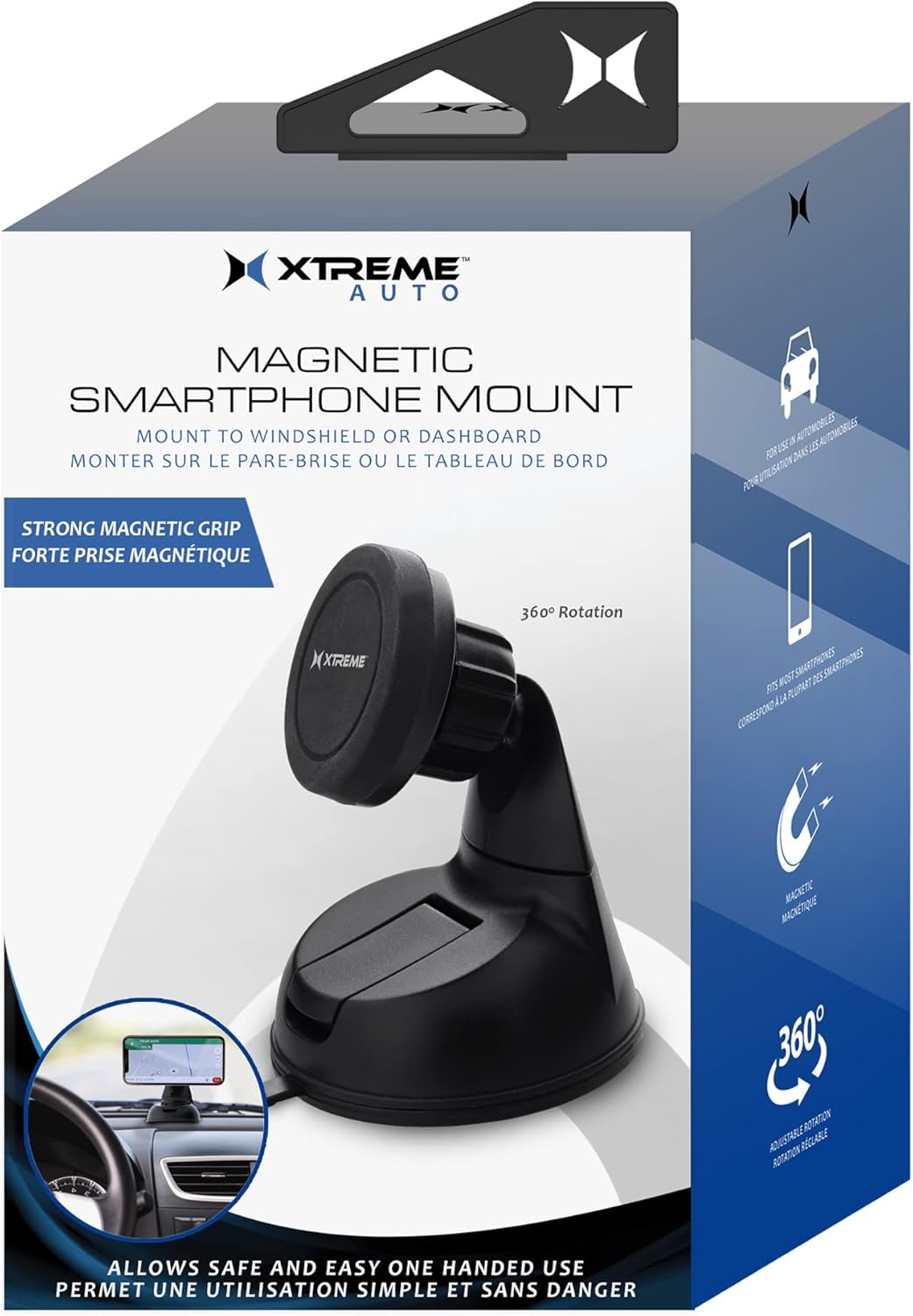
Image: The retail packaging for the Xtreme Magnetic Smartphone Mount, displaying product features and branding.
സജ്ജീകരണവും ഇൻസ്റ്റാളേഷനും
Follow these steps to properly install your magnetic smartphone mount:
- മൗണ്ടിംഗ് സ്ഥലം തിരഞ്ഞെടുക്കുക: നിങ്ങളുടെ ഡാഷ്ബോർഡിലോ വിൻഡ്ഷീൽഡിലോ തടസ്സമില്ലാത്തതും വൃത്തിയുള്ളതുമായ ഒരു പ്രതലം തിരഞ്ഞെടുക്കുക. view അല്ലെങ്കിൽ എയർബാഗുകളിൽ ഇടപെടുക.
- ഉപരിതലം വൃത്തിയാക്കുക: Wipe the chosen mounting surface with a clean cloth to remove any dust or debris. Allow it to dry completely.
- മൗണ്ട് ഘടിപ്പിക്കുക:
- Peel off the protective film from the suction cup base of the mount.
- Press the suction cup firmly onto the cleaned surface.
- Engage the locking lever (if present) on the base to create a strong vacuum seal.
- Prepare Your Smartphone:
- Attach the included metal plate to the back of your smartphone or inside its case. Ensure the plate is centered for optimal magnetic connection.
- Clean the back of your phone or case before applying the adhesive metal plate.
- ആംഗിൾ ക്രമീകരിക്കുക: Loosen the adjustment knob on the mount to position the magnetic head to your desired viewing angle. Tighten the knob to secure the angle.

ചിത്രം: ഒരു മുൻഭാഗം view of the Xtreme Magnetic Smartphone Mount, highlighting its suction cup base and adjustable magnetic head.

ചിത്രം: ഒരു ക്ലോസ്-അപ്പ് view of the adjustable ball joint mechanism on the mount, showing the tightening knob for angle adjustment.
പ്രവർത്തന നിർദ്ദേശങ്ങൾ
Once the mount is installed and your smartphone is prepared, using the mount is simple:
- Attach Smartphone: Gently bring your smartphone (with the metal plate attached) close to the magnetic head of the mount. The strong magnets will automatically align and secure your phone.
- ക്രമീകരിക്കുക Viewഇൻ ആംഗിൾ: If needed, slightly loosen the adjustment knob, reposition your phone to the desired viewing angle, and then tighten the knob to lock it in place. The mount supports 360-degree rotation.
- Remove Smartphone: To remove your smartphone, simply pull it away from the magnetic head.

Image: A smartphone securely mounted on a vehicle's dashboard using the Xtreme Magnetic Smartphone Mount, displaying a navigation application.
മെയിൻ്റനൻസ്
- വൃത്തിയാക്കൽ: മൗണ്ട് ഒരു സോഫ്റ്റ്, ഡി ക്ലീനർ ഉപയോഗിച്ച് തുടയ്ക്കുക.amp തുണി. കഠിനമായ രാസവസ്തുക്കളോ ഉരച്ചിലുകളുള്ള ക്ലീനറുകളോ ഉപയോഗിക്കരുത്.
- സക്ഷൻ കപ്പ് കെയർ: If the suction cup loses its grip, rinse it with warm water and let it air dry. This can help restore its adhesive properties.
- സംഭരണം: ദീർഘനേരം ഉപയോഗിക്കാത്തപ്പോൾ, നേരിട്ട് സൂര്യപ്രകാശം ഏൽക്കാത്ത ഒരു തണുത്ത, വരണ്ട സ്ഥലത്ത് മൗണ്ട് സൂക്ഷിക്കുക.
ട്രബിൾഷൂട്ടിംഗ്
| പ്രശ്നം | സാധ്യമായ കാരണം | പരിഹാരം |
|---|---|---|
| മൌണ്ട് ഉപരിതലത്തിൽ പറ്റിപ്പിടിക്കുന്നില്ല. | Surface is dirty or uneven; suction cup is dirty or damaged. | Clean the mounting surface and the suction cup. Ensure the surface is flat. Re-apply firmly and engage the lock. |
| Smartphone falls off mount. | Metal plate not properly attached or misaligned; magnetic head dirty; phone too heavy. | Ensure metal plate is centered and securely attached. Clean magnetic head. Verify phone weight is within reasonable limits for magnetic mounts. |
| Mount angle won't stay. | Adjustment knob is loose. | ആവശ്യമുള്ള ആംഗിൾ സജ്ജീകരിച്ചതിനുശേഷം ക്രമീകരണ നോബ് മുറുക്കുക. |
സ്പെസിഫിക്കേഷനുകൾ
| ഫീച്ചർ | വിശദാംശങ്ങൾ |
|---|---|
| മോഡൽ നമ്പർ | XPM5-0108-BLK |
| ബ്രാൻഡ് | എക്സ്ട്രീം ഡിജിറ്റൽ ലൈഫ്സ്റ്റൈൽ ആക്സസറികൾ |
| മൗണ്ടിംഗ് തരം | ഡാഷ്ബോർഡ് |
| അനുയോജ്യമായ ഉപകരണങ്ങൾ | സ്മാർട്ട്ഫോണുകൾ |
| അനുയോജ്യമായ ഫോൺ മോഡലുകൾ | All Smartphones |
| നിറം | കറുപ്പ് |
| ഇനത്തിൻ്റെ ഭാരം | 5.6 ഔൺസ് |
| പാക്കേജ് അളവുകൾ | 7.32 x 4.37 x 3.5 ഇഞ്ച് |
വാറൻ്റിയും പിന്തുണയും
For warranty information or technical support, please refer to the contact details provided on the product packaging or visit the official Xtreme Digital Lifestyle Accessories webസൈറ്റ്.
ഏതെങ്കിലും വാറന്റി ക്ലെയിമുകൾക്കായി നിങ്ങളുടെ വാങ്ങിയതിന്റെ തെളിവ് സൂക്ഷിക്കുക.


