Rfiver Mobile TV Cart User Manual
മോഡൽ: MT2005
1. ആമുഖം
Thank you for choosing the Rfiver Mobile TV Cart. This portable TV stand is designed to provide a versatile and convenient viewing experience for screens ranging from 23 to 60 inches. Its robust construction ensures stability, while features like height adjustment, tilt functionality, and smooth-rolling wheels offer optimal flexibility for various environments, including home offices, classrooms, and outdoor spaces. This manual provides essential information for safe assembly, operation, maintenance, and troubleshooting of your new TV cart.

Image: The Rfiver Mobile TV Cart with a television mounted, showcasing its sleek design and mobile base.
2 സുരക്ഷാ വിവരങ്ങൾ
Please read all instructions carefully before assembly and use. Failure to follow these instructions may result in property damage, serious injury, or death.
- ഭാരം ശേഷി: Do not exceed the maximum load capacity of 88 lbs (40 kg). This stand is designed for TVs between 23 and 60 inches.
- VESA അനുയോജ്യത: Ensure your TV's VESA pattern (mounting hole distance) is compatible with the stand (100x100mm to 400x400mm).
- സ്ഥിരത: Always ensure the base is stable and the wheels are locked when the cart is stationary, especially when a TV is mounted.
- പ്രസ്ഥാനം: When moving the cart, do so slowly and carefully, especially on uneven surfaces. Avoid sudden stops or turns.
- കുട്ടികൾ: Keep children away from the TV cart during assembly and ensure they do not climb on or play with the stand once assembled.
- അസംബ്ലി: Assemble the product on a soft, clean surface to prevent scratches. Two people are recommended for assembly and TV mounting.
- കേബിൾ മാനേജുമെന്റ്: Route all cables securely to prevent tripping hazards and damage to the cables or TV.
3. പാക്കേജ് ഉള്ളടക്കം
Verify that all parts are present and undamaged before beginning assembly. If any parts are missing or damaged, contact customer support.
| ഭാഗം | വിവരണം | അളവ് |
|---|---|---|
| പ്രധാന പോൾ | ലംബ പിന്തുണാ പോൾ | 1 |
| അടിസ്ഥാന കാലുകൾ | X-shaped base components | 4 |
| ചക്രങ്ങൾ | Lockable caster wheels | 4 |
| ടിവി മൗണ്ടിംഗ് ബ്രാക്കറ്റുകൾ | Brackets for attaching TV | 2 |
| ഹാർഡ്വെയർ കിറ്റ് | Screws, washers, spacers, tools | 1 സെറ്റ് |
| Apple TV Holder | ആക്സസറി ഹോൾഡർ | 1 |
| ഇൻസ്ട്രക്ഷൻ മാനുവൽ | ഈ പ്രമാണം | 1 |
4. സജ്ജീകരണവും അസംബ്ലിയും
Assembly is straightforward and typically takes about 30 minutes. Lay out all parts on a soft surface to prevent scratches. Follow the steps below carefully.
ഘട്ടം 1: അടിസ്ഥാനം കൂട്ടിച്ചേർക്കുക
Attach the four base legs to the central hub of the main pole. Ensure the longer front legs are positioned correctly for optimal stability. Secure them using the provided bolts and tools.

Image: Illustration of the stable X-shaped base design, highlighting its structural integrity.
ഘട്ടം 2: വീലുകൾ ഘടിപ്പിക്കുക
Screw the four lockable caster wheels into the ends of the base legs. Ensure they are tightened securely. The wheels allow for smooth movement and can be locked to keep the stand stationary.
Step 3: Install TV Mounting Brackets
Attach the TV mounting brackets to the back of your television. Select the appropriate screws, washers, and spacers from the hardware kit based on your TV's VESA pattern and depth. Ensure the brackets are securely fastened and level.

Image: Guide illustrating various VESA patterns (100x100mm to 400x400mm) and corresponding screw sizes for TV compatibility.
ഘട്ടം 4: ടിവി സ്റ്റാൻഡിൽ ഘടിപ്പിക്കുക
With assistance, carefully lift the TV and hook the mounted brackets onto the top bar of the TV cart's main pole. Gently lower the TV until it rests securely. Fasten the safety screws or clips at the bottom of the brackets to prevent accidental dislodgement.
5. പ്രവർത്തന നിർദ്ദേശങ്ങൾ
ഉയരം ക്രമീകരിക്കുന്നു
The TV cart offers 3 levels of height adjustment, ranging from 53 inches to 57 inches. To adjust the height, loosen the securing bolts on the main pole, carefully raise or lower the TV to the desired position, and then re-tighten the bolts firmly. Always ensure the TV is level after adjustment.
ടിൽറ്റ് ആംഗിൾ ക്രമീകരിക്കുന്നു
The TV can be tilted from -2° to +5° to optimize your viewing angle and reduce glare. To adjust the tilt, loosen the tilt knobs on the side of the TV mounting brackets, adjust the screen to the desired angle, and then tighten the knobs securely.

Image: Visual representation of the TV cart's tilt range (-2° to +5°) and three levels of height adjustment, enhancing group viewing.
Moving the TV Cart
The cart is equipped with silent, 360° rotating wheels for smooth movement on various floor types, including wood and carpet. To move the cart, unlock all four wheels by flipping their levers. Once in the desired position, lock the wheels to prevent accidental movement.

ചിത്രം: വിശദമായത് view of the silent, 360° rotating wheels, indicating the lock and unlock mechanisms for secure positioning.
കേബിൾ മാനേജ്മെൻ്റ്
Utilize the provided cable clips or straps to route and secure all power and HDMI cables along the main pole. This helps maintain a tidy appearance, prevents tangles, and reduces tripping hazards.
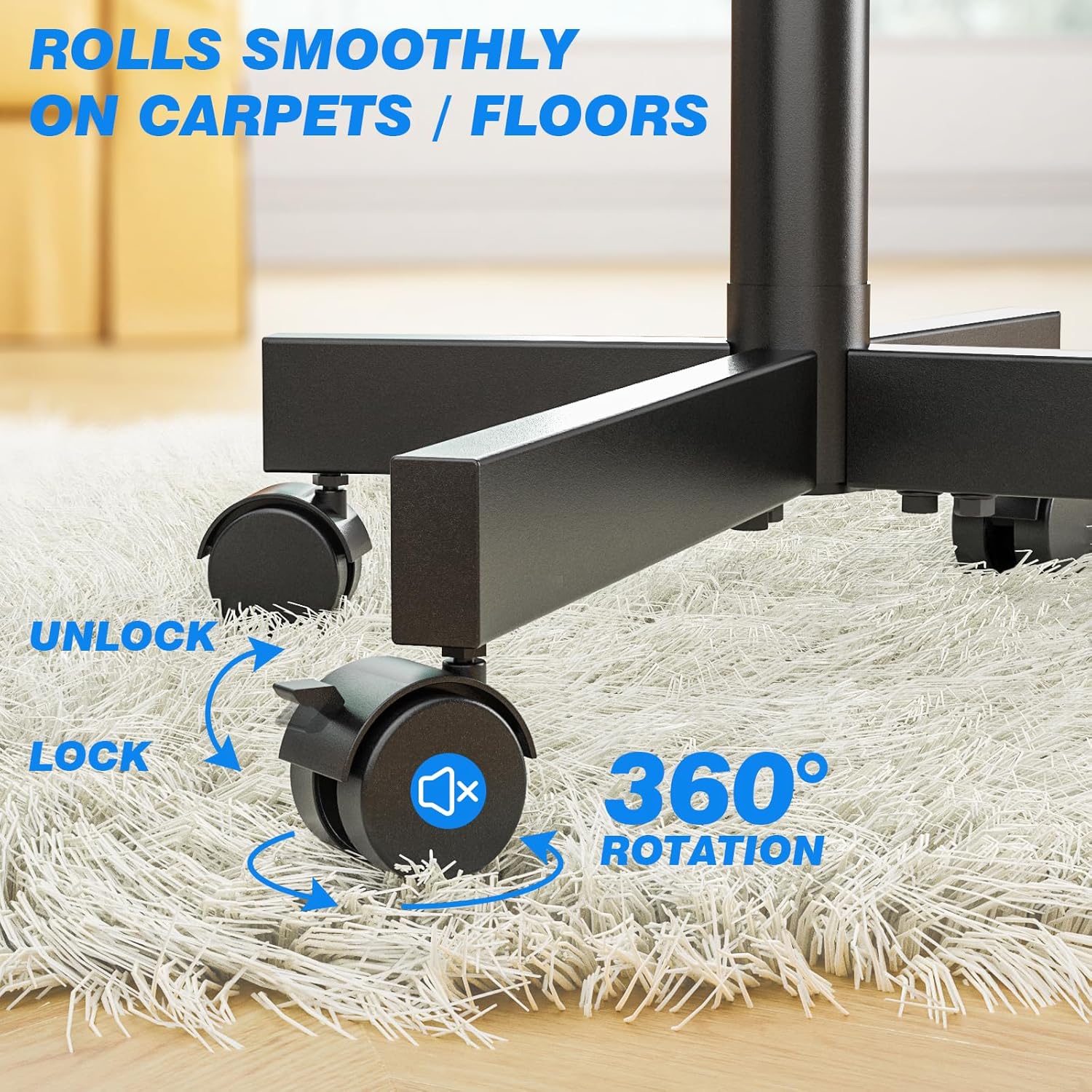
Image: A visual comparison demonstrating effective cable organization using cable clips along the stand's pole, contrasting with unmanaged cables.
6. പരിപാലനം
Regular maintenance ensures the longevity and safe operation of your Rfiver Mobile TV Cart.
- വൃത്തിയാക്കൽ: Wipe down the stand with a soft, dry cloth. For stubborn marks, use a slightly damp മൃദുവായ സോപ്പ് ഉപയോഗിച്ച് തുണിയിൽ തുടയ്ക്കുക, തുടർന്ന് നന്നായി ഉണക്കുക. ഉരച്ചിലുകളുള്ള ക്ലീനറുകളോ ലായകങ്ങളോ ഒഴിവാക്കുക.
- ഫാസ്റ്റനറുകൾ: എല്ലാ ബോൾട്ടുകളും സ്ക്രൂകളും ഇറുകിയതാണെന്ന് ഉറപ്പാക്കാൻ ഇടയ്ക്കിടെ പരിശോധിക്കുക. സ്ഥിരത നിലനിർത്താൻ ആവശ്യമെങ്കിൽ വീണ്ടും മുറുക്കുക.
- ചക്രങ്ങൾ: Keep the wheels free of debris (hair, dust, etc.) to ensure smooth rolling. Lubricate the wheel axles if they become stiff.
- സംഭരണം: If storing the TV cart for an extended period, ensure it is clean, dry, and stored in a stable position, preferably with the wheels locked.
7. പ്രശ്നപരിഹാരം
| പ്രശ്നം | സാധ്യമായ കാരണം | പരിഹാരം |
|---|---|---|
| TV cart is wobbly or unstable. | Loose fasteners; uneven floor; TV weight exceeds capacity. | Check and tighten all bolts. Move to a level surface. Ensure TV weight is within 88 lbs limit. |
| ചക്രങ്ങൾ സുഗമമായി ഉരുളുകയോ ലോക്ക് ചെയ്യുകയോ ചെയ്യുന്നില്ല. | Debris in wheels; lock mechanism engaged; wheels not tightened. | Clean wheels of any debris. Ensure lock levers are disengaged. Check if wheels are securely screwed into the base. |
| Cannot adjust TV height or tilt. | Adjustment knobs/bolts are too tight. | Loosen the relevant knobs or bolts before attempting to adjust. Re-tighten firmly after adjustment. |
| TV does not fit the mounting brackets. | തെറ്റായ VESA പാറ്റേൺ അല്ലെങ്കിൽ ടിവി വലുപ്പം. | Verify your TV's VESA pattern is between 100x100mm and 400x400mm. Ensure TV size is between 23-60 inches. |
8 സ്പെസിഫിക്കേഷനുകൾ
| ഫീച്ചർ | വിശദാംശങ്ങൾ |
|---|---|
| മോഡൽ നമ്പർ | MT2005 |
| അനുയോജ്യമായ ടിവി വലുപ്പങ്ങൾ | 23 - 60 ഇഞ്ച് |
| പരമാവധി ലോഡ് കപ്പാസിറ്റി | 88 പൗണ്ട് (40 കി.ഗ്രാം) |
| VESA അനുയോജ്യത | 100x100mm മുതൽ 400x400mm വരെ |
| ഉയരം ക്രമീകരിക്കൽ ശ്രേണി | 53 - 57 inches (3 levels) |
| ടിൽറ്റ് ആംഗിൾ | -2 ° മുതൽ +5 ° വരെ |
| മെറ്റീരിയൽ | അലോയ് സ്റ്റീൽ |
| ഉൽപ്പന്ന അളവുകൾ | 21.2 x 16.1 x 56 ഇഞ്ച് (ഏകദേശം, കൂട്ടിച്ചേർത്തത്) |
| ഇനത്തിൻ്റെ ഭാരം | 14 പൗണ്ട് |
| നിറം | കറുപ്പ് |
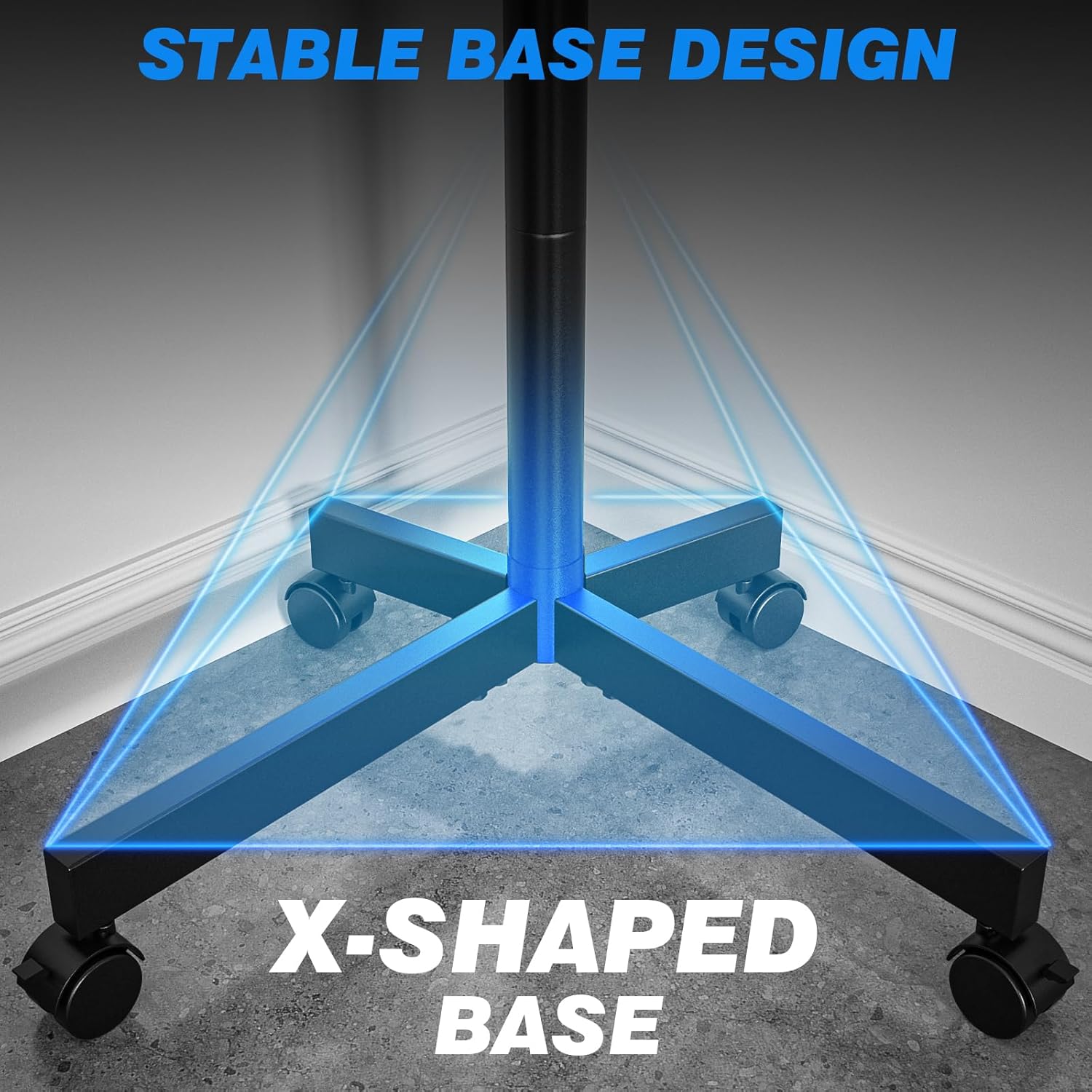
Image: Comprehensive product measurements including height, base dimensions, and mount capacity of 88 lbs.

Image: A comparison graphic illustrating the Rfiver stand's superior load capacity (88 lbs) and height adjustment range (53"-57") compared to other models.
9. വാറൻ്റിയും പിന്തുണയും
The Rfiver Mobile TV Cart comes with a 5-Year Manufacturer Warranty. For any questions, concerns, or assistance with assembly or operation, please contact our 24-hour online service team. Please have your model number (MT2005) and purchase information ready when contacting support.
ബന്ധപ്പെടാനുള്ള വിവരങ്ങൾ: Refer to the product packaging or the official Rfiver webഏറ്റവും പുതിയ ഉപഭോക്തൃ പിന്തുണ കോൺടാക്റ്റ് വിശദാംശങ്ങൾക്കായുള്ള സൈറ്റ്.


