Tuitager Bluetooth Headphones User Manual
മോഡൽ: 9S
1. ആമുഖം
Thank you for choosing Tuitager Bluetooth Headphones. These over-ear headphones are designed to provide a high-fidelity audio experience with deep bass and clear treble, featuring long battery life, multiple EQ modes, and versatile connectivity options. Please read this manual carefully before use to ensure proper operation and maintenance.

Image 1.1: Tuitager Bluetooth Headphones (Black)
2 സുരക്ഷാ വിവരങ്ങൾ
- ഹെഡ്ഫോണുകൾ തീവ്രമായ താപനില, ഈർപ്പം, അല്ലെങ്കിൽ നശിപ്പിക്കുന്ന വസ്തുക്കൾ എന്നിവയ്ക്ക് വിധേയമാക്കരുത്.
- ഹെഡ്ഫോണുകൾ താഴെയിടുകയോ ശക്തമായ ആഘാതങ്ങൾക്ക് വിധേയമാക്കുകയോ ചെയ്യുന്നത് ഒഴിവാക്കുക.
- ഹെഡ്ഫോണുകൾ വേർപെടുത്തുകയോ പരിഷ്ക്കരിക്കുകയോ ചെയ്യരുത്. ഇത് വാറന്റി അസാധുവാക്കും.
- മൃദുവായതും ഉണങ്ങിയതുമായ തുണി ഉപയോഗിച്ച് ഹെഡ്ഫോണുകൾ വൃത്തിയാക്കുക. ലിക്വിഡ് ക്ലീനറുകൾ ഉപയോഗിക്കരുത്.
- ഉയർന്ന ശബ്ദത്തിൽ ദീർഘനേരം കേൾക്കുന്നത് കേൾവിക്ക് കേടുപാടുകൾ വരുത്തിയേക്കാം. സുരക്ഷിതമായ തലത്തിലേക്ക് ശബ്ദം ക്രമീകരിക്കുക.
3. സജ്ജീകരണം
3.1 ഹെഡ്ഫോണുകൾ ചാർജ് ചെയ്യുന്നു
Before first use, fully charge the headphones. Connect the provided USB-C charging cable to the Type-C charging port on the headphones and the other end to a compatible USB power source (e.g., computer USB port, wall adapter). The LED indicator will show charging status.
- ചാർജിംഗ് സമയം: പൂർണ്ണമായി ചാർജ് ചെയ്യാൻ ഏകദേശം 2 മണിക്കൂർ.
- Battery Life: Up to 60 hours of playtime on a single charge.
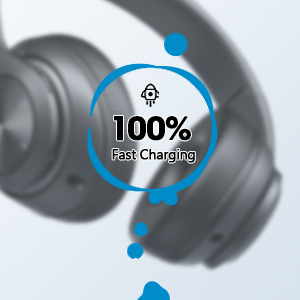
Image 3.1: Fast Charging Capability
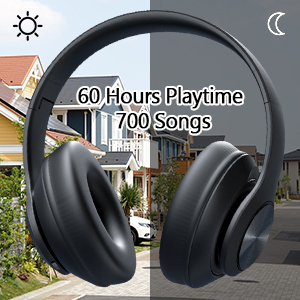
Image 3.2: Extended Playtime and Wired Option
3.2 ബ്ലൂടൂത്ത് ജോടിയാക്കൽ
- ഹെഡ്ഫോണുകൾ പൂർണ്ണമായും ചാർജ്ജ് ചെയ്തിട്ടുണ്ടെന്ന് ഉറപ്പാക്കുക.
- Press and hold the Power On/Off button until the LED indicator flashes, indicating pairing mode.
- നിങ്ങളുടെ ഉപകരണത്തിൽ (സ്മാർട്ട്ഫോൺ, ടാബ്ലെറ്റ്, ലാപ്ടോപ്പ്), ബ്ലൂടൂത്ത് പ്രവർത്തനക്ഷമമാക്കി ലഭ്യമായ ഉപകരണങ്ങൾക്കായി തിരയുക.
- Select "Tuitager 9S" (or similar name) from the list of devices.
- കണക്റ്റ് ചെയ്തുകഴിഞ്ഞാൽ, എൽഇഡി ഇൻഡിക്കേറ്റർ മിന്നുന്നത് നിർത്തുകയും കടും നീലയായി തുടരുകയും ചെയ്യും.
പവർ ഓൺ ചെയ്യുമ്പോൾ ഹെഡ്ഫോണുകൾ അവസാനം ജോടിയാക്കിയ ഉപകരണത്തിലേക്ക് വീണ്ടും കണക്റ്റുചെയ്യാൻ ശ്രമിക്കും.
3.3 Wired Connection (3.5mm Aux)
For a wired connection, use the included 3.5mm audio cable. Plug one end into the 3.5mm Aux plug-in port on the headphones and the other end into your audio device's 3.5mm jack. The headphones will automatically switch to wired mode when the cable is connected.
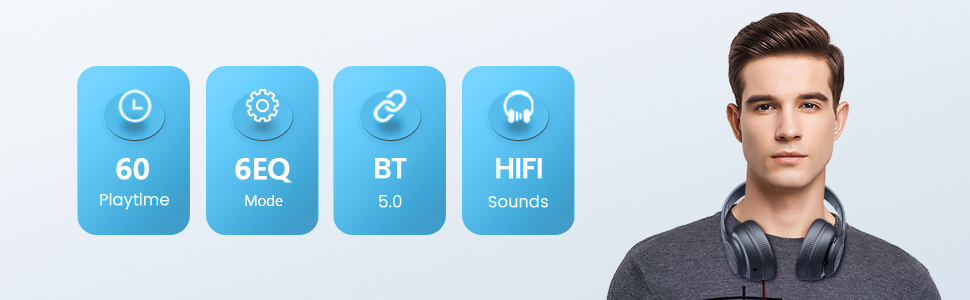
Image 3.3: Wide Compatibility and Usage (Wired & TF Card)
3.4 TF കാർഡ് ഉപയോഗം
The headphones support TF (Micro SD) cards up to 32GB for direct music playback. Insert the TF card into the TF Card slot on the headphones. The headphones will automatically switch to TF card mode and begin playing audio files.
Note: TF card is not included.
4. പ്രവർത്തന നിർദ്ദേശങ്ങൾ
4.1 ബട്ടൺ പ്രവർത്തനങ്ങൾ

Image 4.1: Easy Operation Button Layout
| ബട്ടൺ/പോർട്ട് | ഫംഗ്ഷൻ |
|---|---|
| പവർ ഓൺ/ഓഫ് | Press and hold to power on/off. Short press to play/pause (in Bluetooth mode). |
| പ്ലേ/താൽക്കാലികമായി നിർത്തുക/ഉത്തരം/ഹാംഗ് അപ്പ് | Short press to play/pause music or answer/end calls. Long press to reject calls. |
| മുമ്പത്തെ ട്രാക്ക് / വോളിയം താഴേക്ക് | മുമ്പത്തെ ട്രാക്കിനായി ഹ്രസ്വമായി അമർത്തുക. ശബ്ദം കുറയ്ക്കാൻ ദീർഘനേരം അമർത്തുക. |
| അടുത്ത ട്രാക്ക് / വോളിയം അപ്പ് | അടുത്ത ട്രാക്കിനായി ഷോർട്ട് പ്രസ്സ് ചെയ്യുക. വോളിയം കൂട്ടാൻ ദീർഘനേരം അമർത്തുക. |
| EQ ബട്ടൺ | Short press to cycle through 6 EQ modes (Bass/Jazz/Voice/Rock/Pop/Classic). |
| മോഡ് ബട്ടൺ (എം) | Short press to switch between Bluetooth Mode and FM Mode. |
| 3.5mm Aux Plug-in Port | വയർഡ് ഓഡിയോ കണക്ഷന്. |
| ടൈപ്പ്-സി ചാർജിംഗ് പോർട്ട് | ഹെഡ്ഫോണുകൾ ചാർജ് ചെയ്യുന്നതിനായി. |
| ടിഎഫ് കാർഡ് സ്ലോട്ട് | For direct music playback from a TF (Micro SD) card. |
4.2 EQ മോഡുകൾ
The headphones feature 6 distinct EQ modes to optimize your listening experience:
- ബാസ്: Enhanced low frequencies for powerful beats.
- ജാസ്: ബാലൻസ്ഡ് സൗണ്ട് പ്രോfile suitable for jazz music.
- ശബ്ദം: Clearer vocals, ideal for podcasts or audiobooks.
- പാറ: Dynamic sound for rock music.
- പോപ്പ്: Vibrant and energetic sound for pop music.
- ക്ലാസിക്: ശാസ്ത്രീയ സംഗീതത്തിന് സമ്പന്നവും വിശദവുമായ ശബ്ദം.
Press the EQ button to cycle through these modes.
4.3 കോളുകൾ ചെയ്യുന്നു
With the built-in microphone, you can make and receive calls when connected via Bluetooth:
- ഉത്തരം/അവസാന കോൾ: പ്ലേ/പോസ് ബട്ടൺ ഹ്രസ്വമായി അമർത്തുക.
- കോൾ നിരസിക്കുക: പ്ലേ/പോസ് ബട്ടൺ ദീർഘനേരം അമർത്തുക.
5. പരിപാലനം
- മൃദുവായതും ഉണങ്ങിയതുമായ തുണി ഉപയോഗിച്ച് തുടച്ച് ഹെഡ്ഫോണുകൾ വൃത്തിയായി സൂക്ഷിക്കുക.
- നേരിട്ടുള്ള സൂര്യപ്രകാശത്തിൽ നിന്നും കടുത്ത താപനിലയിൽ നിന്നും മാറി തണുത്തതും വരണ്ടതുമായ സ്ഥലത്ത് ഹെഡ്ഫോണുകൾ സൂക്ഷിക്കുക.
- When not in use, fold the headphones for compact storage and to protect them from damage.

Image 5.1: Ergonomic and Foldable Design for Comfort and Portability
6. പ്രശ്നപരിഹാരം
| പ്രശ്നം | പരിഹാരം |
|---|---|
| ഹെഡ്ഫോണുകൾ ഓണാകില്ല. | Ensure the headphones are fully charged. Press and hold the Power button for a few seconds. |
| ഉപകരണവുമായി ജോടിയാക്കാൻ കഴിയില്ല. | Ensure headphones are in pairing mode (flashing LED). Turn off and on Bluetooth on your device. Move headphones closer to the device. Clear previous Bluetooth connections on your device. |
| ശബ്ദമില്ല. | Check volume levels on both headphones and connected device. Ensure headphones are properly paired or the 3.5mm cable is fully inserted. Try a different audio source. |
| മോശം ശബ്ദ നിലവാരം. | Ensure there are no obstructions between headphones and device (in Bluetooth mode). Try a different EQ mode. Check audio source quality. |
| ഇടവിട്ടുള്ള കണക്ഷൻ. | Move closer to the connected device. Avoid environments with strong Wi-Fi or other wireless interference. Ensure headphones are fully charged. |
7 സ്പെസിഫിക്കേഷനുകൾ
- മോഡലിൻ്റെ പേര്: 9S
- കണക്റ്റിവിറ്റി ടെക്നോളജി: വയർഡ്, വയർലെസ്സ് (ബ്ലൂടൂത്ത്)
- വയർലെസ് കമ്മ്യൂണിക്കേഷൻ ടെക്നോളജി: ബ്ലൂടൂത്ത് 5.3
- ബ്ലൂടൂത്ത് ശ്രേണി: 32 അടി (10 മീറ്റർ) വരെ
- ഓഡിയോ ഡ്രൈവർ വലിപ്പം: 40 മില്ലിമീറ്റർ
- ബാറ്ററി ലൈഫ്: 60 മണിക്കൂർ വരെ
- ചാർജിംഗ് സമയം: ഏകദേശം 2 മണിക്കൂർ
- ഹെഡ്ഫോൺ ജാക്ക്: 3.5 mm ജാക്ക്
- മെറ്റീരിയൽ: പ്ലാസ്റ്റിക്
- ഇനത്തിൻ്റെ ഭാരം: 10.2 ഔൺസ് (ഏകദേശം 289 ഗ്രാം)
- നിയന്ത്രണ തരം: Volume Control, Button
- ഉൾപ്പെടുത്തിയ ഘടകങ്ങൾ: Headphones, USB Charging Cable, 3.5mm Audio Cable, User Manual
8. വാറൻ്റിയും പിന്തുണയും
Tuitager products come with a standard manufacturer's warranty. For detailed warranty information, please refer to the warranty card included in your product packaging or visit the official Tuitager webസൈറ്റ്.
If you encounter any issues or have questions regarding your Tuitager Bluetooth Headphones, please contact our customer support team:
- ഓൺലൈൻ പിന്തുണ: Visit the Tuitager Store on Amazon: Tuitagഈ സ്റ്റോർ
- ഉപയോക്തൃ ഗൈഡ് (PDF): ഉപയോക്തൃ ഗൈഡിന്റെ ഡിജിറ്റൽ പതിപ്പ് ഇവിടെ ലഭ്യമാണ്: PDF ഡൗൺലോഡ് ചെയ്യുക


