ആമുഖം
This manual provides detailed instructions for the Jabra Elite 2 True Wireless In-Ear Bluetooth Earbuds. It covers product setup, operation, maintenance, and troubleshooting to ensure optimal performance and user experience. Please read this manual carefully before using your earbuds.
ബോക്സിൽ എന്താണുള്ളത്
ജാബ്ര എലൈറ്റ് 2 പാക്കേജിൽ ഇനിപ്പറയുന്ന ഘടകങ്ങൾ ഉൾപ്പെടുന്നു:
- ജാബ്ര എലൈറ്റ് 2 ട്രൂ വയർലെസ് ഇയർബഡുകൾ
- ചാർജിംഗ് കേസ്
- USB-C ചാർജിംഗ് കേബിൾ
- EarGels (three sizes: Small, Medium, Large)
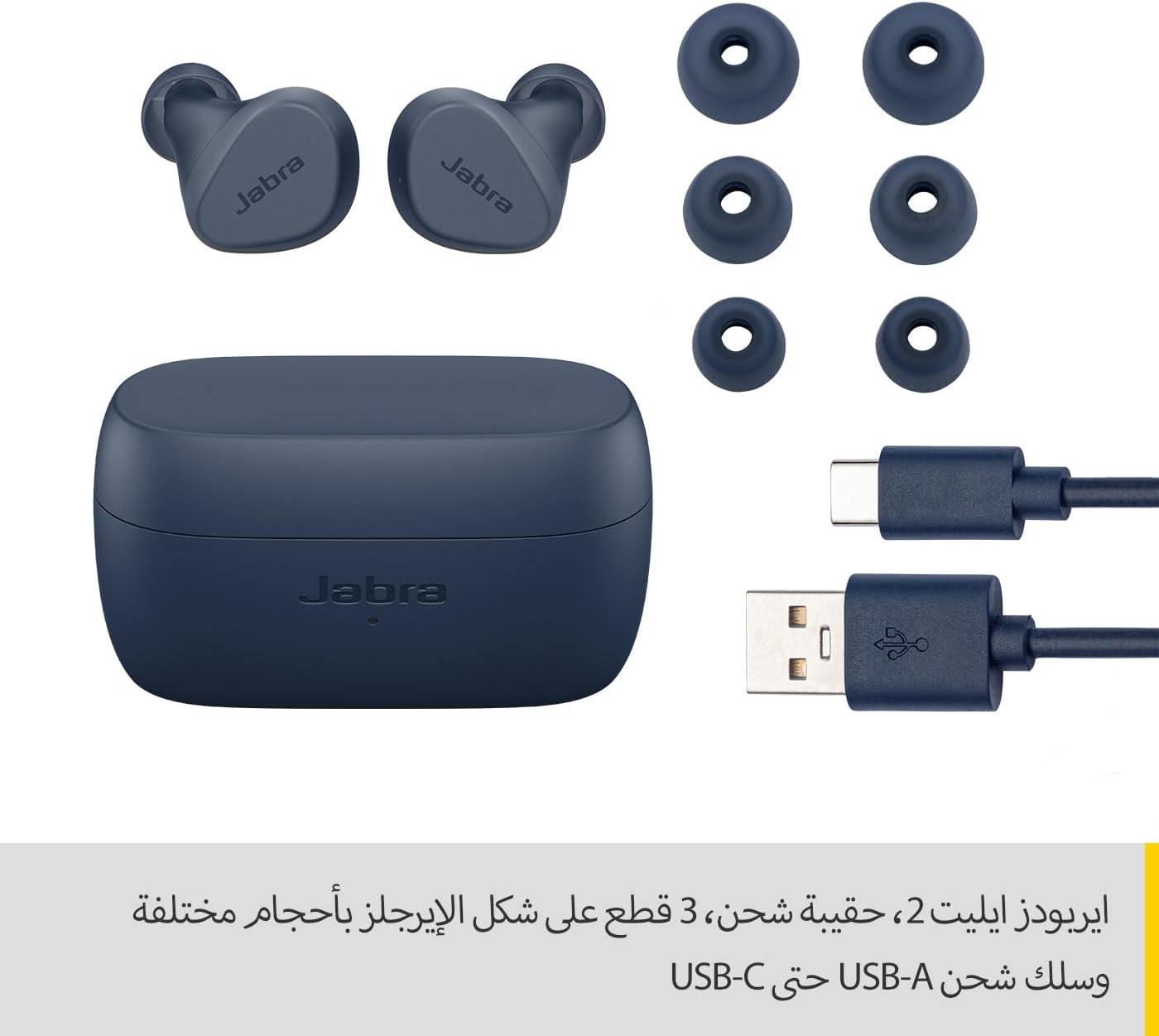
Image: Jabra Elite 2 earbuds, charging case, three sizes of EarGels, and USB-A to USB-C charging cable.
സജ്ജമാക്കുക
1. ഇയർബഡുകളും കേസും ചാർജ് ചെയ്യുന്നു
Before first use, fully charge the earbuds and the charging case. Place the earbuds into the charging case and connect the USB-C cable to the charging port on the case and a power source.
- ഒറ്റ ചാർജിൽ 7 മണിക്കൂർ വരെ കേൾക്കാൻ ഇയർബഡുകൾ സഹായിക്കുന്നു.
- The charging case extends the total battery life to up to 21 hours.

Image: Jabra Elite 2 earbuds inside their charging case, ready for charging.
2. ബ്ലൂടൂത്ത് ഉപകരണവുമായി ജോടിയാക്കുന്നു
- ഇയർബഡുകൾ ചാർജ് ചെയ്തിട്ടുണ്ടെന്നും ചാർജിംഗ് കെയ്സിലാണെന്നും ഉറപ്പാക്കുക.
- ചാർജിംഗ് കേസ് തുറക്കുക. ഇയർബഡുകൾ സ്വയമേവ ജോടിയാക്കൽ മോഡിലേക്ക് പ്രവേശിക്കും.
- നിങ്ങളുടെ സ്മാർട്ട്ഫോണിലോ മറ്റ് ബ്ലൂടൂത്ത് പ്രവർത്തനക്ഷമമാക്കിയ ഉപകരണത്തിലോ, ബ്ലൂടൂത്ത് ക്രമീകരണങ്ങളിലേക്ക് പോകുക.
- Select 'Jabra Elite 2' from the list of available devices.
- കണക്റ്റുചെയ്തുകഴിഞ്ഞാൽ, ഒരു വോയ്സ് പ്രോംപ്റ്റ് വിജയകരമായ ജോടിയാക്കൽ സ്ഥിരീകരിക്കും.
3. ഇയർബഡുകൾ ഘടിപ്പിക്കൽ
For optimal sound quality and comfort, choose the correct size of EarGels. Insert the earbuds into your ears and rotate them slightly to ensure a secure and comfortable fit.
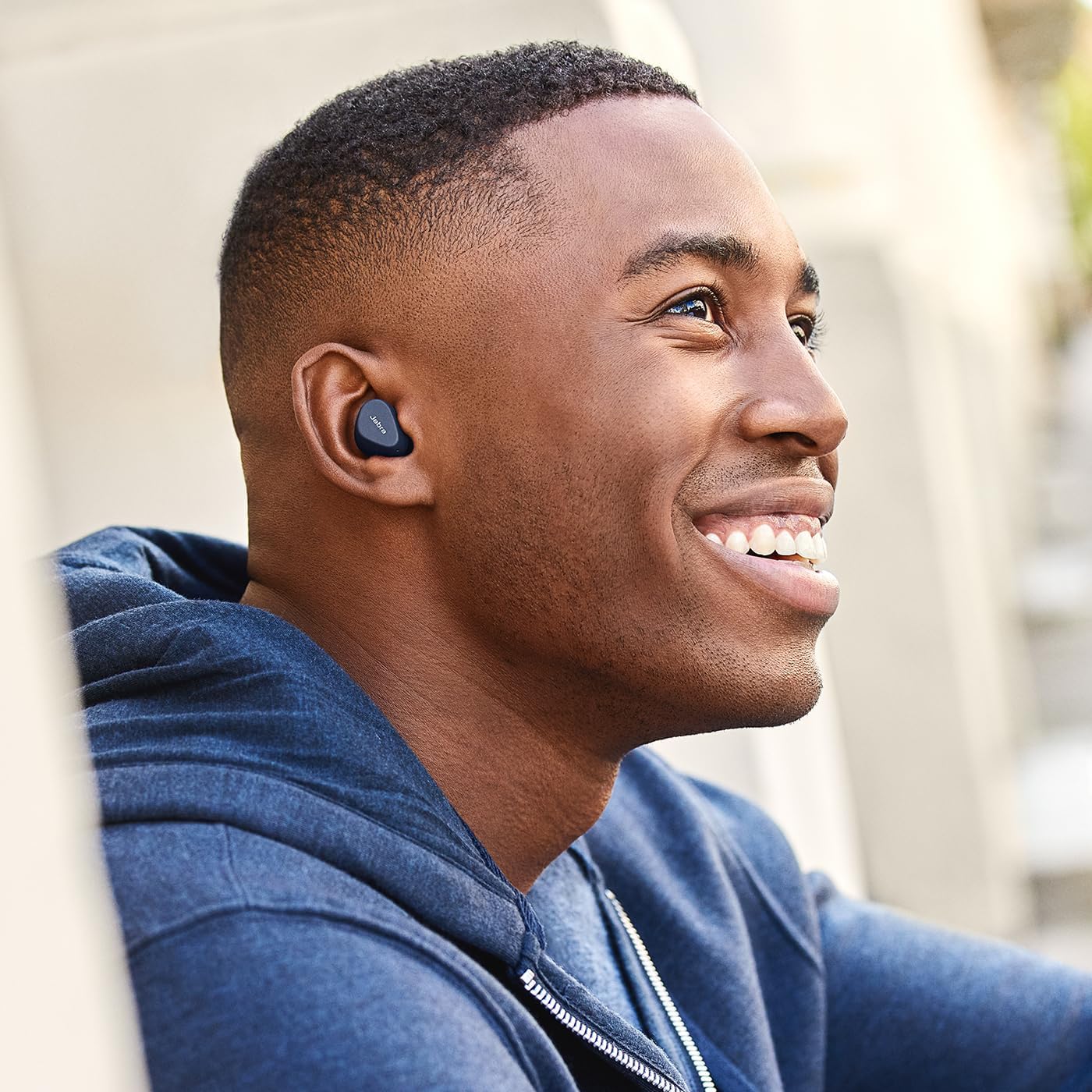
Image: A man wearing Jabra Elite 2 earbuds, demonstrating a proper fit.

Image: A woman wearing Jabra Elite 2 earbuds, demonstrating a proper fit.
പ്രവർത്തന നിർദ്ദേശങ്ങൾ
The Jabra Elite 2 earbuds feature intuitive controls for managing audio and calls.
സംഗീതവും കോൾ നിയന്ത്രണങ്ങളും
| ആക്ഷൻ | ഇടത് ഇയർബഡ് | വലത് ഇയർബഡ് |
|---|---|---|
| സംഗീതം പ്ലേ ചെയ്യുക/താൽക്കാലികമായി നിർത്തുക | സിംഗിൾ പ്രസ്സ് | സിംഗിൾ പ്രസ്സ് |
| ഉത്തരം / കോൾ അവസാനിപ്പിക്കുക | സിംഗിൾ പ്രസ്സ് | സിംഗിൾ പ്രസ്സ് |
| കോൾ നിരസിക്കുക | ഇരട്ട അമർത്തുക | ഇരട്ട അമർത്തുക |
| അടുത്ത ട്രാക്ക് | ഇരട്ട അമർത്തുക | N/A |
| മുമ്പത്തെ ട്രാക്ക് | ട്രിപ്പിൾ പ്രസ്സ് | N/A |
| Activate Voice Assistant (Alexa for Android) | N/A | ട്രിപ്പിൾ പ്രസ്സ് |

Image: Close-up of Jabra Elite 2 earbuds, highlighting the control surface.
മെയിൻ്റനൻസ്
Proper maintenance ensures the longevity and performance of your Jabra Elite 2 earbuds.
വൃത്തിയാക്കൽ
- ഇയർബഡുകളും ചാർജിംഗ് കെയ്സും മൃദുവായതും ഉണങ്ങിയതും ലിന്റ് രഹിതവുമായ തുണി ഉപയോഗിച്ച് പതിവായി വൃത്തിയാക്കുക.
- Remove EarGels and clean them with mild soap and water, then dry thoroughly before reattaching.
- കഠിനമായ രാസവസ്തുക്കളോ ഉരച്ചിലുകളോ ഉപയോഗിക്കുന്നത് ഒഴിവാക്കുക.
ജല പ്രതിരോധം
The Jabra Elite 2 earbuds are rated IP55 for resistance against dust and water splashes. This means they are protected against low-pressure water jets from any direction, making them suitable for use during light rain or workouts. They are not designed for submersion in water.

Image: A man wearing Jabra Elite 2 earbuds under an umbrella, illustrating their water resistance.
സംഭരണം
ഉപയോഗത്തിലില്ലാത്തപ്പോൾ, ഇയർബഡുകൾ സംരക്ഷിക്കുന്നതിനും ചാർജ്ജ് ചെയ്ത നിലയിൽ നിലനിർത്തുന്നതിനും അവ ചാർജിംഗ് കേസിൽ സൂക്ഷിക്കുക.
ട്രബിൾഷൂട്ടിംഗ്
If you encounter issues with your Jabra Elite 2 earbuds, refer to the following common solutions:
- ശബ്ദമില്ല/കുറഞ്ഞ ശബ്ദം: Ensure earbuds are properly seated in your ears, volume is turned up on both earbuds and connected device, and EarGels are the correct size.
- ജോടിയാക്കൽ പ്രശ്നങ്ങൾ: Make sure Bluetooth is enabled on your device and the earbuds are in pairing mode. Try unpairing and re-pairing the earbuds.
- ഇടവിട്ടുള്ള കണക്ഷൻ: Keep your device close to the earbuds. Avoid environments with strong Wi-Fi or other wireless interference.
- ഇയർബഡുകൾ ചാർജ് ചെയ്യുന്നില്ല: Ensure the charging cable is securely connected and the charging case has power. Clean the charging contacts on both the earbuds and the case.
- മൈക്രോഫോൺ പ്രശ്നങ്ങൾ: Ensure the microphones are not obstructed. Check the audio input settings on your connected device. The Elite 2 features 2 microphones for clear calls.
കൂടുതൽ സഹായത്തിന്, ഔദ്യോഗിക ജാബ്ര പിന്തുണ സന്ദർശിക്കുക. webസൈറ്റ്.
സ്പെസിഫിക്കേഷനുകൾ
| ഫീച്ചർ | വിശദാംശങ്ങൾ |
|---|---|
| മോഡലിൻ്റെ പേര് | ജാബ്ര എലൈറ്റ് 2 |
| മോഡൽ നമ്പർ | 100-91400003-60 |
| കണക്റ്റിവിറ്റി ടെക്നോളജി | വയർലെസ് (ബ്ലൂടൂത്ത്) |
| ഇയർബഡ് ബാറ്ററി ലൈഫ് | 7 മണിക്കൂർ വരെ |
| മൊത്തം ബാറ്ററി ലൈഫ് (കേസിനൊപ്പം) | 21 മണിക്കൂർ വരെ |
| മൈക്രോഫോണുകൾ | 2 അന്തർനിർമ്മിത മൈക്രോഫോണുകൾ |
| ശബ്ദ നിയന്ത്രണം | നോയ്സ് ഐസൊലേഷൻ |
| വാട്ടർ റെസിസ്റ്റൻസ് റേറ്റിംഗ് | IP55 (Rain, Dust, Water Resistant) |
| ശുപാർശ ചെയ്യുന്ന ഉപയോഗങ്ങൾ | Listening to audio (music, podcasts), phone calls, sports, fitness, travel |
| അനുയോജ്യമായ ഉപകരണങ്ങൾ | ബ്ലൂടൂത്ത് പ്രവർത്തനക്ഷമമാക്കിയ ഉപകരണങ്ങൾ |
| നിയന്ത്രണ തരം | Media/Volume Control, Remote Control |
| ഉൾപ്പെടുത്തിയ ഘടകങ്ങൾ | Protective case, USB-C cable, EarGels |
| നിറം | നാവികസേന |
വാറൻ്റിയും പിന്തുണയും
വാറൻ്റി വിവരങ്ങൾ
The Jabra Elite 2 earbuds come with a 2 വർഷത്തെ വാറൻ്റി. Product registration is required to activate the full warranty period. Please refer to the warranty card included in your package or visit the official Jabra webവിശദമായ നിബന്ധനകൾക്കും വ്യവസ്ഥകൾക്കും സൈറ്റ്.
ഉപഭോക്തൃ പിന്തുണ
For technical support, frequently asked questions, or to register your product, please visit the official Jabra support page:
You may also find additional resources and software updates on the Jabra webസൈറ്റ്.


