1. ഉൽപ്പന്നം കഴിഞ്ഞുview
The realme narzo 50A is a smartphone designed for performance and extended usage. It features a MediaTek Helio G85 Octa-core Processor, a large 6000 mAh battery, and a versatile 50MP AI Triple Camera system. The device runs on Android 11.0 and offers a 6.5-inch HD+ display for a clear visual experience.

ചിത്രം: മുന്നിലും പിന്നിലും view of the realme narzo 50A smartphone, highlighting its design and camera module.
2. ബോക്സിൽ എന്താണുള്ളത്?
Upon unboxing your realme narzo 50A, you should find the following items:
- Handset (realme narzo 50A)
- അഡാപ്റ്റർ
- USB Cable Type C
- സിം കാർഡ് ടൂൾ
- Screen Protect Film
- Important Info Booklet with Warranty Card
- ദ്രുത ഗൈഡ്
Video: An unboxing video of the realme narzo 50A, showing the contents of the retail package including the phone, charger, cable, and documentation.
3. സജ്ജീകരണ ഗൈഡ്
3.1. സിം കാർഡും മെമ്മറി കാർഡും ചേർക്കൽ
- നിങ്ങളുടെ ഉപകരണത്തിന്റെ വശത്ത് സിം ട്രേ കണ്ടെത്തുക.
- Insert the provided SIM ejector tool into the small hole on the SIM tray. Press firmly until the tray pops out.
- നിങ്ങളുടെ നാനോ-സിം കാർഡ്(കൾ) അല്ലെങ്കിൽ മൈക്രോ എസ്ഡി കാർഡ് ട്രേയിലെ നിയുക്ത സ്ലോട്ടുകളിൽ വയ്ക്കുക. സ്വർണ്ണ കോൺടാക്റ്റുകൾ താഴേക്ക് അഭിമുഖമാണെന്ന് ഉറപ്പാക്കുക.
- സിം ട്രേ ഫോണിലേക്ക് ക്ലിക്ക് ചെയ്യുന്നത് വരെ ശ്രദ്ധാപൂർവ്വം വീണ്ടും ചേർക്കുക.
3.2. നിങ്ങളുടെ ഉപകരണത്തിൽ പവർ ചെയ്യുന്നു
- Press and hold the Power button (located on the right side) until the realme logo appears on the screen.
- ഭാഷാ തിരഞ്ഞെടുപ്പ്, വൈ-ഫൈ കണക്ഷൻ, ഗൂഗിൾ അക്കൗണ്ട് സജ്ജീകരണം എന്നിവയുൾപ്പെടെയുള്ള പ്രാരംഭ സജ്ജീകരണം പൂർത്തിയാക്കാൻ ഓൺ-സ്ക്രീൻ നിർദ്ദേശങ്ങൾ പാലിക്കുക.
4. പ്രവർത്തന നിർദ്ദേശങ്ങൾ
4.1. അടിസ്ഥാന നാവിഗേഷൻ
- സ്പർശിക്കുക: ഒരു ആപ്പ് തുറക്കാൻ ഒരു ഐറ്റം തിരഞ്ഞെടുക്കാനോ ഐക്കണിൽ ടാപ്പ് ചെയ്യാനോ.
- സ്വൈപ്പ്: Slide your finger across the screen to scroll through pages or content.
- പിഞ്ച്: ഫോട്ടോകളിൽ സൂം ഇൻ അല്ലെങ്കിൽ ഔട്ട് ചെയ്യാൻ രണ്ട് വിരലുകൾ ഉപയോഗിക്കുക, web പേജുകൾ.
- ഹോം സ്ക്രീൻ: ആപ്പ് ഡ്രോയറിലേക്ക് പ്രവേശിക്കാൻ താഴെ നിന്ന് മുകളിലേക്ക് സ്വൈപ്പ് ചെയ്യുക.
4.2. വോളിയം, പവർ ബട്ടണുകൾ
- The Volume rocker is located on the right side of the device. Press the upper part to increase volume, and the lower part to decrease volume.
- The Power button is located below the Volume rocker. Press it once to lock/unlock the screen. Press and hold to access power options (Power off, Restart).
5. ക്യാമറ സവിശേഷതകൾ
The realme narzo 50A is equipped with a versatile camera system to capture your moments.
- പിൻ ക്യാമറ: 50MP + 2MP + 2MP AI Triple Camera setup. The 50MP primary sensor captures detailed photos, while the additional sensors assist with macro shots and depth effects.
- മുൻ ക്യാമറ: വ്യക്തമായ സെൽഫികൾക്കും വീഡിയോ കോളുകൾക്കും 8MP.
- ക്യാമറ മോഡുകൾ: Includes modes such as Photo, Video, Night, Portrait, and Macro.

ചിത്രം: വിശദമായത് view of the realme narzo 50A's rear camera array and integrated fingerprint sensor.
6. ഡിസ്പ്ലേ സവിശേഷതകൾ
Experience vibrant visuals on the realme narzo 50A's display.
- വലിപ്പം: 16.51 cm (6.5 inch) HD+ Display.
- റെസലൂഷൻ: 1600 x 720 പിക്സലുകൾ.
- സാങ്കേതികവിദ്യ: LCD with 269 PPI and 60Hz refresh rate.
- തെളിച്ചം: Up to 570 nits for clear visibility.
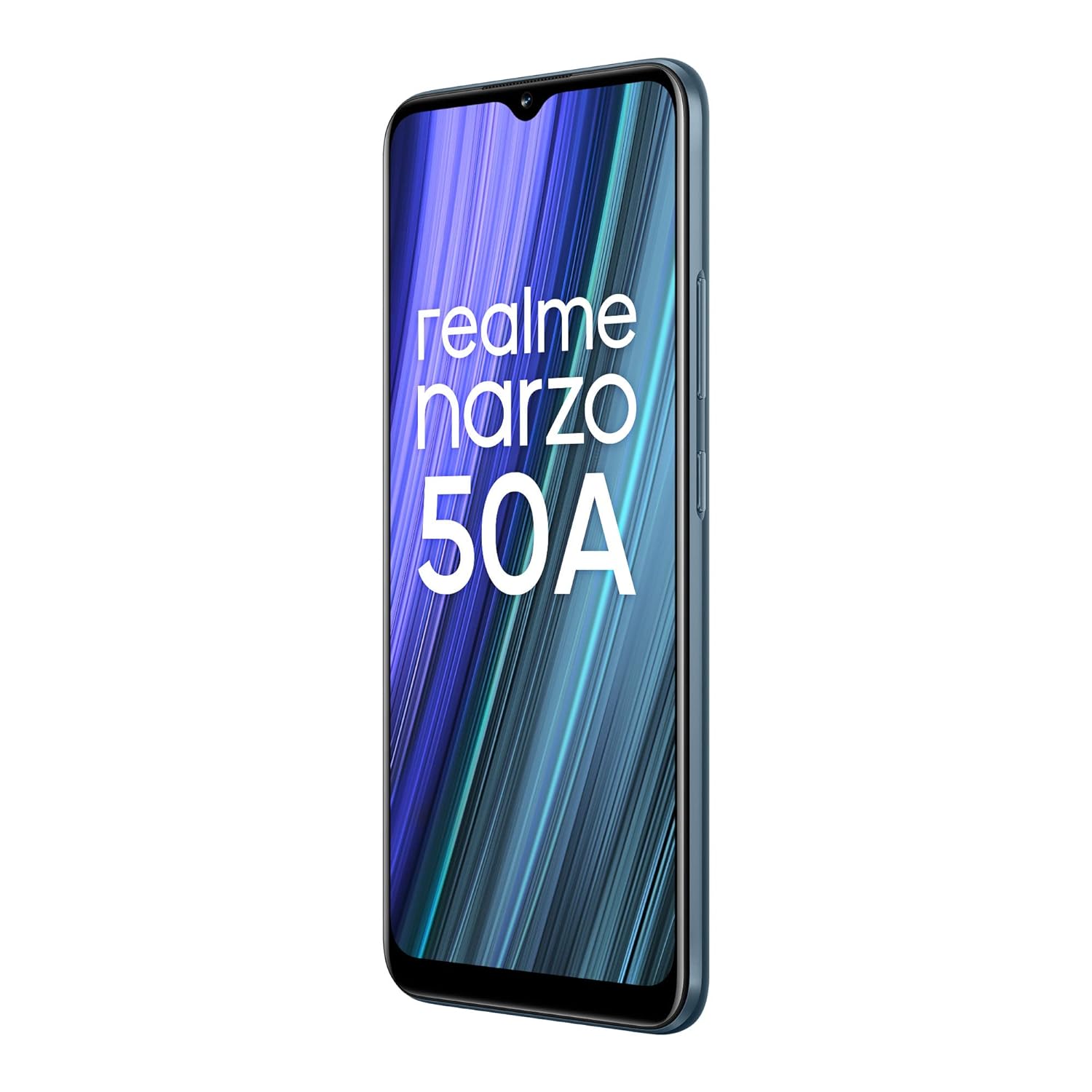
Image: The realme narzo 50A display showcasing a colorful interface.
7. ബാറ്ററിയും ചാർജിംഗും
The device is powered by a high-capacity battery and supports fast charging.
- ബാറ്ററി ശേഷി: 6000 mAh ലിഥിയം പോളിമർ ബാറ്ററി.
- ചാർജിംഗ്: Supports 18W Quick Charge via USB Type-C.
- ഉപയോഗം: Designed for extended talk time and standby.

Image: Graphic illustrating the 6000 mAh mega battery of the realme narzo 50A.
8 സാങ്കേതിക സവിശേഷതകൾ
| ഫീച്ചർ | സ്പെസിഫിക്കേഷൻ |
|---|---|
| മോഡൽ നമ്പർ | RMX3430 |
| ഓപ്പറേറ്റിംഗ് സിസ്റ്റം | ആൻഡ്രോയിഡ് 11.0 |
| പ്രോസസ്സർ | മീഡിയടെക് ഹീലിയോ G85 ഒക്ടാ-കോർ |
| റാം | 4 ജിബി |
| ആന്തരിക സംഭരണം | 64 GB (Expandable Upto 256 GB) |
| ഡിസ്പ്ലേ വലിപ്പം | 16.51 cm (6.5 inch) HD+ |
| ഡിസ്പ്ലേ റെസല്യൂഷൻ | 1600 x 720 പിക്സലുകൾ |
| പിൻ ക്യാമറ | 50MP + 2MP + 2MP Triple Camera |
| മുൻ ക്യാമറ | 8എംപി |
| ബാറ്ററി ശേഷി | 6000 mAh |
| ചാർജിംഗ് | 18W ദ്രുത ചാർജ്ജ് |
| കണക്റ്റിവിറ്റി | Bluetooth, Wi-Fi, Cellular |
| ഓഡിയോ ജാക്ക് | 3.5 മി.മീ |
| അളവുകൾ | 16.5 x 7.6 x 1 സെ.മീ |
| ഭാരം | 207 ഗ്രാം |
9. പ്രശ്നപരിഹാരം
If you encounter issues with your realme narzo 50A, consider the following common solutions:
- ഉപകരണം ഓണാക്കുന്നില്ല: ബാറ്ററി ചാർജ്ജ് ചെയ്തിട്ടുണ്ടെന്ന് ഉറപ്പാക്കുക. ഫോൺ ചാർജറുമായി ബന്ധിപ്പിച്ച് കുറച്ച് മിനിറ്റ് കാത്തിരുന്ന് വീണ്ടും പവർ ചെയ്യാൻ ശ്രമിക്കുക.
- ആപ്പുകൾ ക്രാഷാകുന്നു/ഫ്രീസാകുന്നു: Try clearing the cache of the problematic app (Settings > Apps > [App Name] > Storage > Clear Cache). If the issue persists, reinstall the app.
- മോശം ബാറ്ററി ലൈഫ്: Check background app usage (Settings > Battery). Reduce screen brightness, disable unnecessary features like GPS or Bluetooth when not in use.
- നെറ്റ്വർക്ക് കണക്റ്റിവിറ്റി പ്രശ്നങ്ങൾ: Ensure your SIM card is correctly inserted. Try restarting the device or toggling Airplane Mode on and off. Check with your service provider for network status.
- മന്ദഗതിയിലുള്ള പ്രകടനം: Close unused background apps. Clear unnecessary files and data to free up storage. Consider a factory reset as a last resort (back up your data first).
10. പരിപാലനം
To ensure the longevity and optimal performance of your realme narzo 50A, follow these maintenance tips:
- സോഫ്റ്റ്വെയർ അപ്ഡേറ്റ് ചെയ്യുക: പ്രകടന മെച്ചപ്പെടുത്തലുകളിൽ നിന്നും സുരക്ഷാ പാച്ചുകളിൽ നിന്നും പ്രയോജനം നേടുന്നതിന് സിസ്റ്റം അപ്ഡേറ്റുകൾ പതിവായി പരിശോധിച്ച് ഇൻസ്റ്റാൾ ചെയ്യുക.
- സ്ക്രീൻ പരിരക്ഷിക്കുക: Use the provided screen protect film or a third-party screen protector to prevent scratches.
- സൌമ്യമായി വൃത്തിയാക്കുക: ഫോണിന്റെ സ്ക്രീനും ബോഡിയും വൃത്തിയാക്കാൻ മൃദുവായ, ലിന്റ് രഹിത തുണി ഉപയോഗിക്കുക. കഠിനമായ രാസവസ്തുക്കൾ ഒഴിവാക്കുക.
- തീവ്രമായ താപനില ഒഴിവാക്കുക: Do not expose the device to very high or low temperatures, as this can affect battery life and internal components.
- ശരിയായി ചാർജ് ചെയ്യുക: Use only the original charger and cable provided with the device to prevent damage and ensure efficient charging.
11. വാറൻ്റിയും പിന്തുണയും
Your realme narzo 50A comes with a standard manufacturer's warranty. Please refer to the "Important Info Booklet with Warranty Card" included in your package for detailed terms and conditions.
- വാറൻ്റി കാലയളവ്: Typically 1 year from the date of purchase for the device, and 6 months for accessories.
- കസ്റ്റമർ സർവീസ്: For technical assistance, repairs, or warranty claims, please contact realme customer support. Contact details can usually be found on the official realme website or in the warranty booklet.
- ഓൺലൈൻ ഉറവിടങ്ങൾ: Visit the official realme support webപതിവുചോദ്യങ്ങൾ, ട്രബിൾഷൂട്ടിംഗ് ഗൈഡുകൾ, സോഫ്റ്റ്വെയർ ഡൗൺലോഡുകൾ എന്നിവയ്ക്കുള്ള സൈറ്റ്.


