ആമുഖം
This manual provides essential instructions for the safe and effective use of your Sony WF-C500 True Wireless Headphones. Please read this manual thoroughly before using the product and retain it for future reference. The WF-C500 headphones offer high-quality audio, sound customization, and a secure fit, designed for comfortable, all-day use with Bluetooth connectivity.
ബോക്സിൽ എന്താണുള്ളത്
താഴെ ലിസ്റ്റ് ചെയ്തിരിക്കുന്ന എല്ലാ ഇനങ്ങളും നിങ്ങളുടെ ഉൽപ്പന്ന പാക്കേജിംഗിൽ ഉൾപ്പെടുത്തിയിട്ടുണ്ടെന്ന് ഉറപ്പാക്കുക:
- Wireless Stereo Headset (Left and Right earbuds)
- ചാർജിംഗ് കേസ്
- Hybrid silicone rubber earbuds (SS/M/LL sizes, two of each)
- യുഎസ്ബി ടൈപ്പ്-സി കേബിൾ
- പ്രവർത്തന നിർദ്ദേശങ്ങൾ (ഈ മാനുവൽ)

Image: Contents of the Sony WF-C500 packaging, showing the two earbuds, the charging case, a USB Type-C charging cable, and three pairs of hybrid silicone rubber ear tips in different sizes.
സജ്ജമാക്കുക
1. ഹെഡ്ഫോണുകളും കേസും ചാർജ് ചെയ്യുന്നു
Before initial use, fully charge the headphones and the charging case. The charging case provides additional battery life for the earbuds.
- Place the left and right earbuds into their respective slots in the charging case.
- Connect the supplied USB Type-C cable to the charging case's USB port and then to a USB power adapter or a computer's USB port.
- The indicator light on the charging case will illuminate to show charging status. A full charge typically takes approximately 3 hours for the case and earbuds.
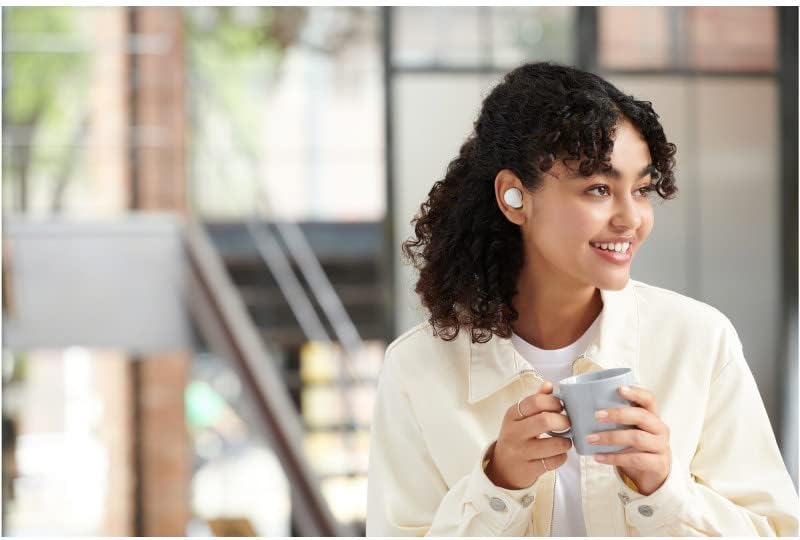
Image: The Sony WF-C500 earbuds are placed inside their open charging case, with orange indicator lights visible, signifying charging status.
2. ബ്ലൂടൂത്ത് ഉപകരണവുമായി ജോടിയാക്കുന്നു
To connect your WF-C500 headphones to a smartphone or other Bluetooth device:
- ഹെഡ്ഫോണുകൾ ചാർജ് ചെയ്തിട്ടുണ്ടെന്നും ചാർജിംഗ് കേസിൽ വച്ചിട്ടുണ്ടെന്നും ഉറപ്പാക്കുക.
- Open the charging case. The headphones will automatically enter pairing mode if it's their first time being used, or if you manually initiate pairing.
- On your Bluetooth device, go to the Bluetooth settings and enable Bluetooth.
- Select "WF-C500" from the list of available devices.
- Once connected, a voice guidance will confirm "Bluetooth connected."
കുറിപ്പ്: If pairing fails, place the headphones back in the case, close it, and then reopen it to restart the pairing process.
3. ഇയർബഡുകൾ ഘടിപ്പിക്കൽ
Proper fit is crucial for sound quality and comfort. Experiment with the different sizes of hybrid silicone rubber earbuds provided to find the best seal for your ears.
- ഓരോ ഇയർബഡും നിങ്ങളുടെ ഇയർ കനാലിലേക്ക് സൌമ്യമായി തിരുകുക.
- സുരക്ഷിതവും സുഖകരവുമാണെന്ന് തോന്നുന്നതുവരെ ഇയർബഡ് ചെറുതായി തിരിക്കുക.
- Ensure the ear tip forms a good seal to optimize bass response and noise isolation.

Image: A close-up of a person's ear with a white Sony WF-C500 earbud correctly inserted, illustrating a secure and comfortable fit.
പ്രവർത്തന നിർദ്ദേശങ്ങൾ
അടിസ്ഥാന നിയന്ത്രണങ്ങൾ
The WF-C500 headphones feature intuitive button controls on each earbud.
- പ്ലേ/താൽക്കാലികമായി നിർത്തുക: ഇയർബഡുകളിൽ ഏതിലെങ്കിലും ഒന്നിലെ ബട്ടൺ ഒരിക്കൽ അമർത്തുക.
- അടുത്ത ട്രാക്ക്: വലതുവശത്തെ ഇയർബഡിലെ ബട്ടൺ രണ്ടുതവണ അമർത്തുക.
- മുമ്പത്തെ ട്രാക്ക്: ഇടതുവശത്തെ ഇയർബഡിലെ ബട്ടൺ രണ്ടുതവണ അമർത്തുക.
- വോളിയം കൂട്ടുക: വലതുവശത്തെ ഇയർബഡിലെ ബട്ടൺ മൂന്ന് തവണ അമർത്തുക.
- വോളിയം താഴേക്ക്: ഇടതുവശത്തെ ഇയർബഡിലെ ബട്ടൺ മൂന്ന് തവണ അമർത്തുക.
- ഉത്തരം/അവസാന കോൾ: ഇൻകമിംഗ് കോൾ വരുമ്പോൾ രണ്ട് ഇയർബഡുകളിലെയും ബട്ടൺ ഒരിക്കൽ അമർത്തുക.
- കോൾ നിരസിക്കുക: Press and hold the button on either earbud for approximately 2 seconds during an incoming call.
- വോയ്സ് അസിസ്റ്റന്റിനെ സജീവമാക്കുക: Press and hold the button on either earbud for approximately 2 seconds.
Using the Sony | Headphones Connect App
Enhance your listening experience by downloading the Sony | Headphones Connect app. This application allows for sound customization, equalizer adjustments, and firmware updates.
- ശബ്ദ ഇഷ്ടാനുസൃതമാക്കൽ: Adjust sound quality with various presets or create your own using the EQ Custom feature.
- DSEE (Digital Sound Enhancement Engine): Restore high-frequency elements lost during compression for a richer sound.
- ഫേംവെയർ അപ്ഡേറ്റുകൾ: ഏറ്റവും പുതിയ സവിശേഷതകളും മെച്ചപ്പെടുത്തലുകളും ഉപയോഗിച്ച് നിങ്ങളുടെ ഹെഡ്ഫോണുകൾ അപ്ഡേറ്റ് ചെയ്ത് സൂക്ഷിക്കുക.

Image: A user wearing the Sony WF-C500 earbuds, demonstrating the integration with the Sony | Headphones Connect App for personalized sound settings.
മെയിൻ്റനൻസ്
വൃത്തിയാക്കൽ
പതിവായി വൃത്തിയാക്കുന്നത് ശബ്ദ നിലവാരവും ശുചിത്വവും നിലനിർത്താൻ സഹായിക്കുന്നു.
- Wipe the earbuds and charging case with a soft, dry cloth.
- ചെവിയുടെ അറ്റം നീക്കം ചെയ്ത് നേരിയ സോപ്പും വെള്ളവും ഉപയോഗിച്ച് വൃത്തിയാക്കുക, തുടർന്ന് നന്നായി കഴുകി വീണ്ടും ഘടിപ്പിക്കുന്നതിന് മുമ്പ് പൂർണ്ണമായും ഉണക്കുക.
- Gently remove any earwax or debris from the earbud nozzles using a small, dry brush or cotton swab.
- Ensure charging contacts on both earbuds and case are clean and free of dust.
സംഭരണം
ഉപയോഗത്തിലില്ലാത്തപ്പോൾ, ഹെഡ്ഫോണുകൾ സംരക്ഷിക്കുന്നതിനും ചാർജ് ചെയ്ത് നിലനിർത്തുന്നതിനും ചാർജിംഗ് കേസിൽ സൂക്ഷിക്കുക.
- ഹെഡ്ഫോണുകൾ തീവ്രമായ താപനിലയിലോ, ഈർപ്പംയിലോ, നേരിട്ടുള്ള സൂര്യപ്രകാശത്തിലോ തുറന്നുകാട്ടുന്നത് ഒഴിവാക്കുക.
- കുട്ടികൾക്കും വളർത്തുമൃഗങ്ങൾക്കും ലഭ്യമാകാതെ സൂക്ഷിക്കുക.
ട്രബിൾഷൂട്ടിംഗ്
If you encounter issues with your WF-C500 headphones, refer to the following common solutions:
| പ്രശ്നം | പരിഹാരം |
|---|---|
| No power/Cannot turn on | Charge the headphones and the charging case fully. Ensure the earbuds are correctly seated in the case. |
| ബ്ലൂടൂത്ത് ഉപകരണവുമായി ജോടിയാക്കാൻ കഴിയില്ല | Ensure Bluetooth is enabled on your device. Place earbuds back in the case, close, then reopen to re-enter pairing mode. Check if "WF-C500" appears in your device's Bluetooth list. |
| ശബ്ദമോ കുറഞ്ഞ വോളിയമോ ഇല്ല | Check volume levels on both the headphones and your connected device. Ensure earbuds are properly seated in your ears and form a good seal. Re-pair the headphones. |
| ശബ്ദം ഒഴിവാക്കുകയോ മുറിക്കുകയോ ചെയ്യുന്നു | Move closer to your Bluetooth device to reduce interference. Avoid placing obstacles between the headphones and the device. Close unnecessary apps on your device. |
| കോളുകൾക്കിടയിൽ മൈക്രോഫോൺ പ്രവർത്തിക്കുന്നില്ല | Ensure the headphones are selected as the audio input device on your phone. Check for any debris blocking the microphone ports. |
For further assistance, please visit the official Sony support webസൈറ്റ്.
സ്പെസിഫിക്കേഷനുകൾ
| ഫീച്ചർ | വിശദാംശങ്ങൾ |
|---|---|
| മോഡലിൻ്റെ പേര് | WF-C500 |
| കണക്റ്റിവിറ്റി ടെക്നോളജി | വയർലെസ്സ് (ബ്ലൂടൂത്ത് 5.0) |
| ബ്ലൂടൂത്ത് ശ്രേണി | 10 മീറ്റർ വരെ (33 അടി) |
| ബാറ്ററി ലൈഫ് (ഇയർബഡുകൾ) | 10 മണിക്കൂർ വരെ |
| മൊത്തം ബാറ്ററി ലൈഫ് (കേസിനൊപ്പം) | 20 മണിക്കൂർ വരെ |
| ചാർജിംഗ് സമയം (ഇയർബഡുകൾ) | ഏകദേശം 2.5 മണിക്കൂർ |
| ചാർജിംഗ് സമയം (കേസ്) | ഏകദേശം 3 മണിക്കൂർ |
| ഫ്രീക്വൻസി പ്രതികരണം | 20 ഹെർട്സ് - 20,000 ഹെർട്സ് |
| ഡ്രൈവർ തരം | ഡൈനാമിക് ഡ്രൈവർ |
| ഭാരം (ഓരോ ഇയർബഡും) | ഏകദേശം 5.4 ഗ്രാം (0.19 ഔൺസ്) |
| ജല പ്രതിരോധം | IPX4 (സ്പ്ലാഷ് പ്രൂഫ്) |
| ഉൾപ്പെടുത്തിയ ഘടകങ്ങൾ | Wireless Charging Case, Hybrid silicone rubber earbuds (SS/M/LL), USB Type-C Cable |
കുറിപ്പ്: അറിയിപ്പുകൾ കൂടാതെ സവിശേഷതകൾ മാറ്റത്തിന് വിധേയമാണ്.
സുരക്ഷാ വിവരങ്ങൾ
- Do not expose the headphones to excessive heat, direct sunlight, or fire.
- ഹെഡ്ഫോണുകൾ വേർപെടുത്തുകയോ പരിഷ്കരിക്കുകയോ ചെയ്യരുത്.
- കേൾവിക്ക് കേടുപാടുകൾ സംഭവിക്കുന്നത് തടയാൻ ദീർഘനേരം ഉയർന്ന ശബ്ദത്തിൽ കേൾക്കുന്നത് ഒഴിവാക്കുക.
- ആംബിയന്റ് ശബ്ദങ്ങൾ കേൾക്കാൻ കഴിയാത്തത് അപകടകരമായേക്കാവുന്ന സാഹചര്യങ്ങളിൽ (ഉദാ: ഡ്രൈവിംഗ്, സൈക്ലിംഗ്, ഗതാഗതത്തിൽ നടക്കുക) ഹെഡ്ഫോണുകൾ ഉപയോഗിക്കരുത്.
- The headphones are IPX4 water-resistant, meaning they are protected against splashes of water from any direction. They are not designed for submersion in water.
വാറൻ്റിയും പിന്തുണയും
വാറന്റി വിവരങ്ങൾ, ഉൽപ്പന്ന രജിസ്ട്രേഷൻ, സാങ്കേതിക പിന്തുണ എന്നിവയ്ക്കായി, ദയവായി ഔദ്യോഗിക സോണി പിന്തുണ സന്ദർശിക്കുക. webനിങ്ങളുടെ സോണി ഉപഭോക്തൃ സേവന കേന്ദ്രവുമായി ബന്ധപ്പെടുക അല്ലെങ്കിൽ സൈറ്റിൽ ബന്ധപ്പെടുക. വാറന്റി ക്ലെയിമുകൾക്കായി നിങ്ങളുടെ വാങ്ങിയതിന്റെ തെളിവ് സൂക്ഷിക്കുക.
ഔദ്യോഗിക സോണി പിന്തുണ: www.sony.com/electronics/support


