ആമുഖം
This manual provides comprehensive instructions for the setup, operation, and maintenance of your Peak Design Wireless Charging Stand, Model M-CS-BK-1. This device is designed to provide convenient and efficient wireless charging for MagSafe-compatible phones and Peak Design Mobile cases, offering a customizable viewഅനുഭവം.

Image: The Peak Design Wireless Charging Stand, black, in its upright position, connected to a charging cable.
ബോക്സിൽ എന്താണുള്ളത്
പാക്കേജിംഗിൽ എല്ലാ ഘടകങ്ങളും ഉണ്ടെന്ന് ഉറപ്പാക്കുക:
- 1x Peak Design Wireless Charging Stand
- 1x USB-C കേബിൾ

Image: The package contents, showing the black wireless charging stand, a USB-C to USB-C cable, and three small cable routing clips.
ഫീച്ചറുകൾ
- വയർലെസ് ചാർജിംഗ്: Supports Qi1 charging with capacities of 15W, 10W, 7.5W, and 5W, automatically adjusting to the device's profile.
- കാന്തിക മൗണ്ടിംഗ്: Features built-in magnetic technology for a secure and instant connection with MagSafe-enabled phones and Peak Design Mobile cases.
- ക്രമീകരിക്കാവുന്ന Viewഇൻ ആംഗിൾ: A silky-smooth friction hinge allows for infinite viewing angle adjustments, supporting both portrait and landscape modes.
- നീണ്ടുനിൽക്കുന്ന നിർമ്മാണം: Crafted from solid machined and anodized aluminum with a grippy silicone base for stability.
- പോർട്ടബിൾ ഡിസൈൻ: Folds flat for easy storage and transport.
സജ്ജമാക്കുക
- ഘടകങ്ങൾ അൺപാക്ക് ചെയ്യുക: Carefully remove the Wireless Charging Stand and USB-C cable from the packaging.
- സ്റ്റാൻഡ് സ്ഥാപിക്കുക: Place the stand on a stable, flat surface. The grippy silicone base will help prevent movement.
- പവർ ബന്ധിപ്പിക്കുക: Insert one end of the provided USB-C cable into the USB-C port located on the back of the charging stand. Connect the other end of the USB-C cable to a compatible USB-C power adapter (not included) and plug it into a wall outlet.
- ആംഗിൾ ക്രമീകരിക്കുക: Gently push or pull the top section of the stand to achieve your desired viewing angle. The friction hinge will hold it in place.
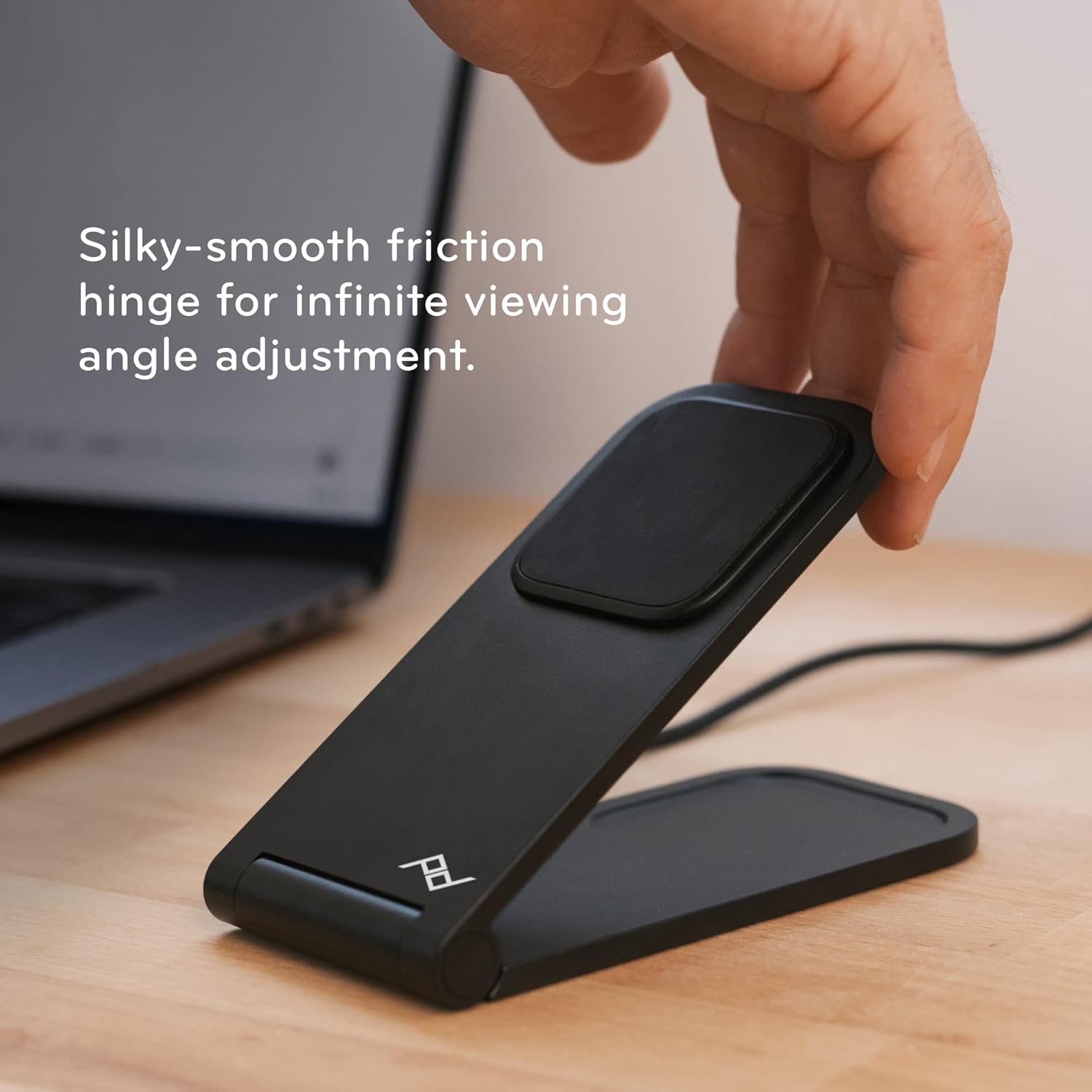
Image: A hand adjusting the angle of the charging stand, highlighting its flexible friction hinge.
പ്രവർത്തന നിർദ്ദേശങ്ങൾ
- Placing Your Device: Ensure your phone is MagSafe-compatible or housed in a Peak Design Mobile case. Align the back of your phone with the magnetic charging pad on the stand. The magnets will securely snap your phone into place.
- Charging Confirmation: Your phone should indicate that it is charging. The stand provides optimal charging alignment and heat dissipation for efficient power delivery.
- Adjusting Orientation: The stand supports both portrait and landscape orientations. Simply rotate your phone while it is magnetically attached to switch between modes.
- Folding Flat: For charging earbuds or other Qi-compatible devices, or for compact storage, the stand can be folded completely flat.

Image: A smartphone securely attached to the charging stand, demonstrating its magnetic hold and upright display.
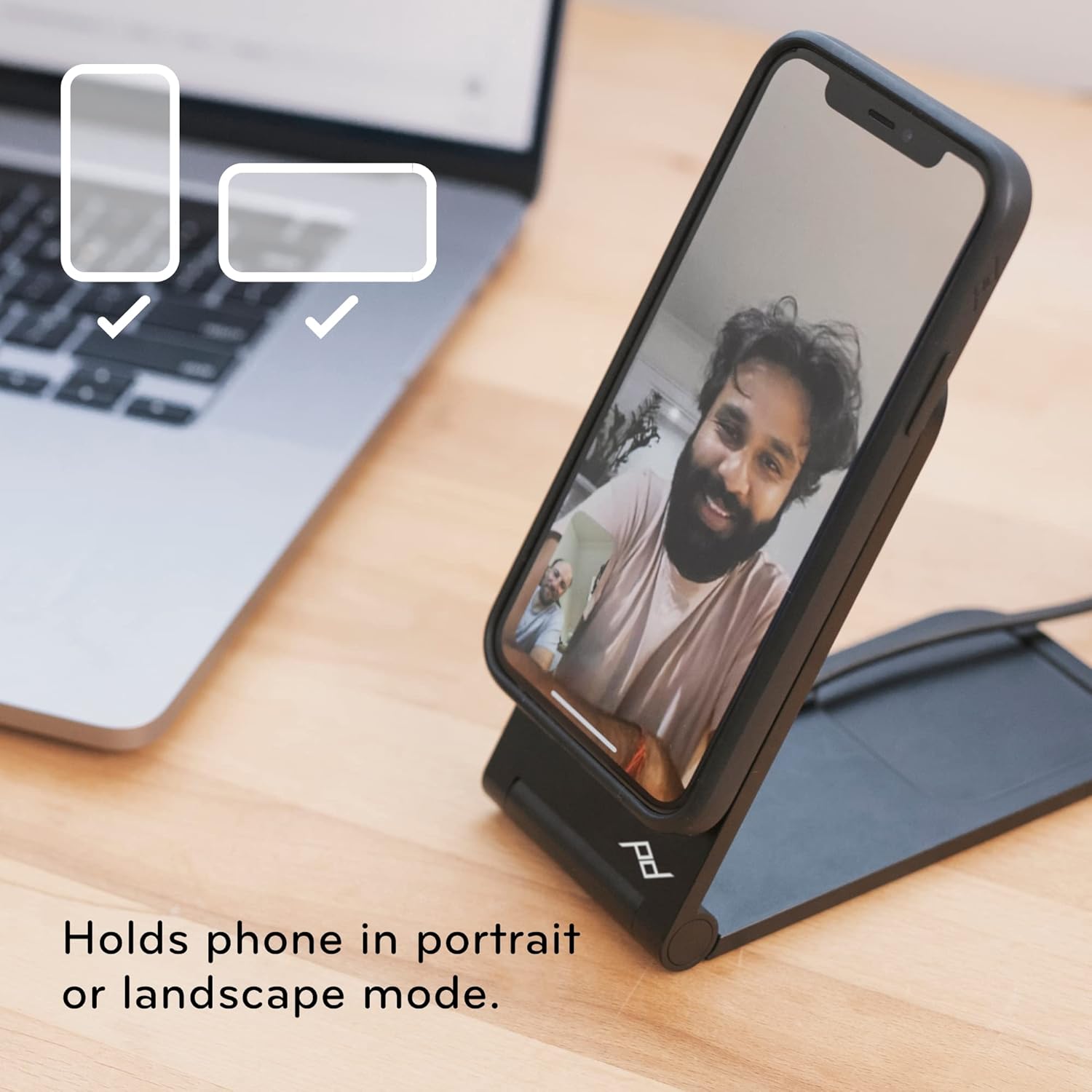
Image: The charging stand holding a smartphone, illustrating its versatility for both portrait and landscape viewing.
മെയിൻ്റനൻസ്
- വൃത്തിയാക്കൽ: Use a soft, dry cloth to wipe down the stand. Avoid abrasive cleaners or solvents that may damage the finish.
- കേബിൾ കെയർ: Ensure the USB-C cable is not kinked or bent sharply to prolong its lifespan.
- സംഭരണം: When not in use, the stand can be folded flat for compact storage.

Image: The charging stand folded into a flat, compact form, ideal for travel or discreet placement.
ട്രബിൾഷൂട്ടിംഗ്
- ഉപകരണം ചാർജ് ചെയ്യുന്നില്ല:
- Ensure the USB-C cable is securely connected to both the stand and a functioning power adapter.
- Verify that your phone is MagSafe-compatible or using a Peak Design Mobile case.
- ഫോണിനും ചാർജിംഗ് പാഡിനും ഇടയിൽ എന്തെങ്കിലും തടസ്സങ്ങൾ ഉണ്ടോയെന്ന് പരിശോധിക്കുക.
- Unstable Phone:
- Confirm the phone is properly aligned with the magnetic charging pad.
- സ്റ്റാൻഡ് പരന്നതും സ്ഥിരതയുള്ളതുമായ ഒരു പ്രതലത്തിലാണ് സ്ഥാപിച്ചിരിക്കുന്നതെന്ന് ഉറപ്പാക്കുക.
- Angle Adjustment Issues:
- The friction hinge is designed to be firm. Apply gentle, consistent pressure to adjust the angle.
സ്പെസിഫിക്കേഷനുകൾ
| ഉൽപ്പന്ന അളവുകൾ | 2.72 x 3.7 x 2.52 ഇഞ്ച് |
| ഇനത്തിൻ്റെ ഭാരം | 9.7 ഔൺസ് |
| മോഡൽ നമ്പർ | എം-സിഎസ്-ബികെ-1 |
| ബ്രാൻഡ് | പീക്ക് ഡിസൈൻ |
| കണക്റ്റർ തരം | Wireless (USB-C for power input) |
| അനുയോജ്യമായ ഉപകരണങ്ങൾ | Smartphones (MagSafe compatible), iPhone, Peak Design Mobile Cases |
| പ്രത്യേക ഫീച്ചർ | ക്രമീകരിക്കാവുന്ന Viewing Angle, Fast Charging, Magnetic Attachment |
| നിറം | കറുപ്പ് |
| ഇൻപുട്ട് വോളിയംtage | 12 വോൾട്ട് |
| Ampഉന്മേഷം | 1 Amps |
| മൊത്തം USB പോർട്ടുകൾ | 1 (USB-C for power input) |
വാറൻ്റിയും പിന്തുണയും
Peak Design products are designed for durability and are backed by a lifetime guarantee. For detailed warranty information or technical support, please visit the official Peak Design webസൈറ്റ് അല്ലെങ്കിൽ അവരുടെ ഉപഭോക്തൃ സേവനവുമായി നേരിട്ട് ബന്ധപ്പെടുക.
നിർമ്മാതാവ്: പീക്ക് ഡിസൈൻ


