ആമുഖം
The Koss TWS250i True Wireless Earbuds offer a seamless audio experience with Bluetooth 5.0 connectivity, intuitive touch controls, and a portable USB-C charging case. This manual provides essential information for setting up, operating, maintaining, and troubleshooting your earbuds.
ഉൽപ്പന്നം കഴിഞ്ഞുview
Your Koss TWS250i package includes the true wireless earbuds and a compact charging case. The earbuds are designed for comfort and secure fit, ensuring optimal sound delivery.

Image: Koss TWS250i True Wireless Earbuds and charging case on a wooden surface.
The charging case not only protects your earbuds but also provides additional battery life on the go. Inside the case, you'll find designated slots for each earbud (Left and Right).
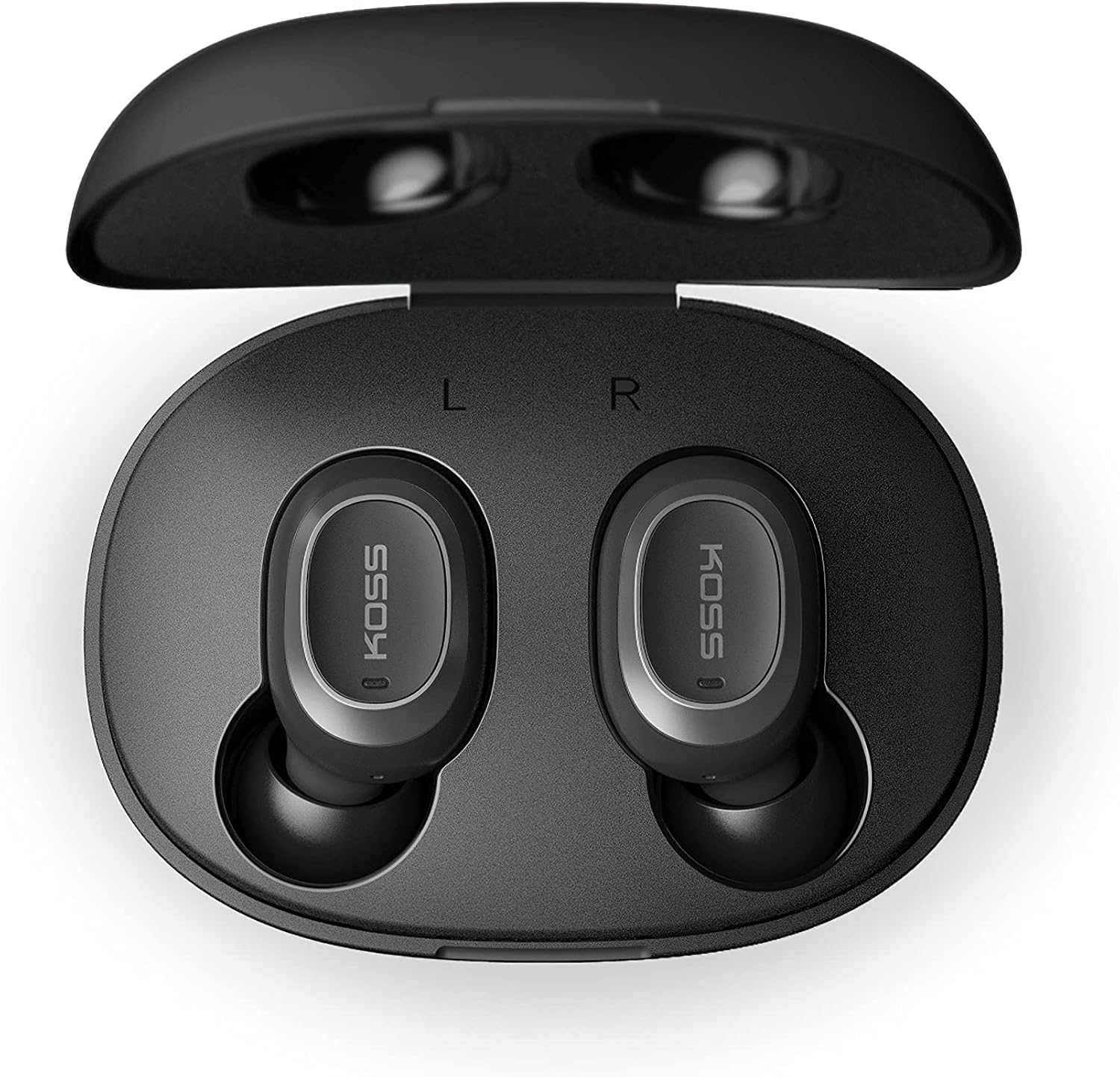
Image: Open Koss TWS250i charging case with both earbuds inside, showing L and R indicators.
To ensure the best fit and sound quality, the earbuds come with multiple sizes of silicone ear tips (Small, Medium, Large). Experiment with these to find the size that provides a comfortable and secure seal in your ear canal.

Image: Single Koss TWS250i earbud next to small, medium, and large silicone ear tips.
സജ്ജമാക്കുക
1. ചാർജിംഗ്
Before initial use, ensure both the earbuds and the charging case are fully charged. Connect the provided USB-C cable to the charging port on the case and to a power source. LED indicators on the front of the case will illuminate to show the charging status. When earbuds are placed inside the case, they will automatically begin charging.
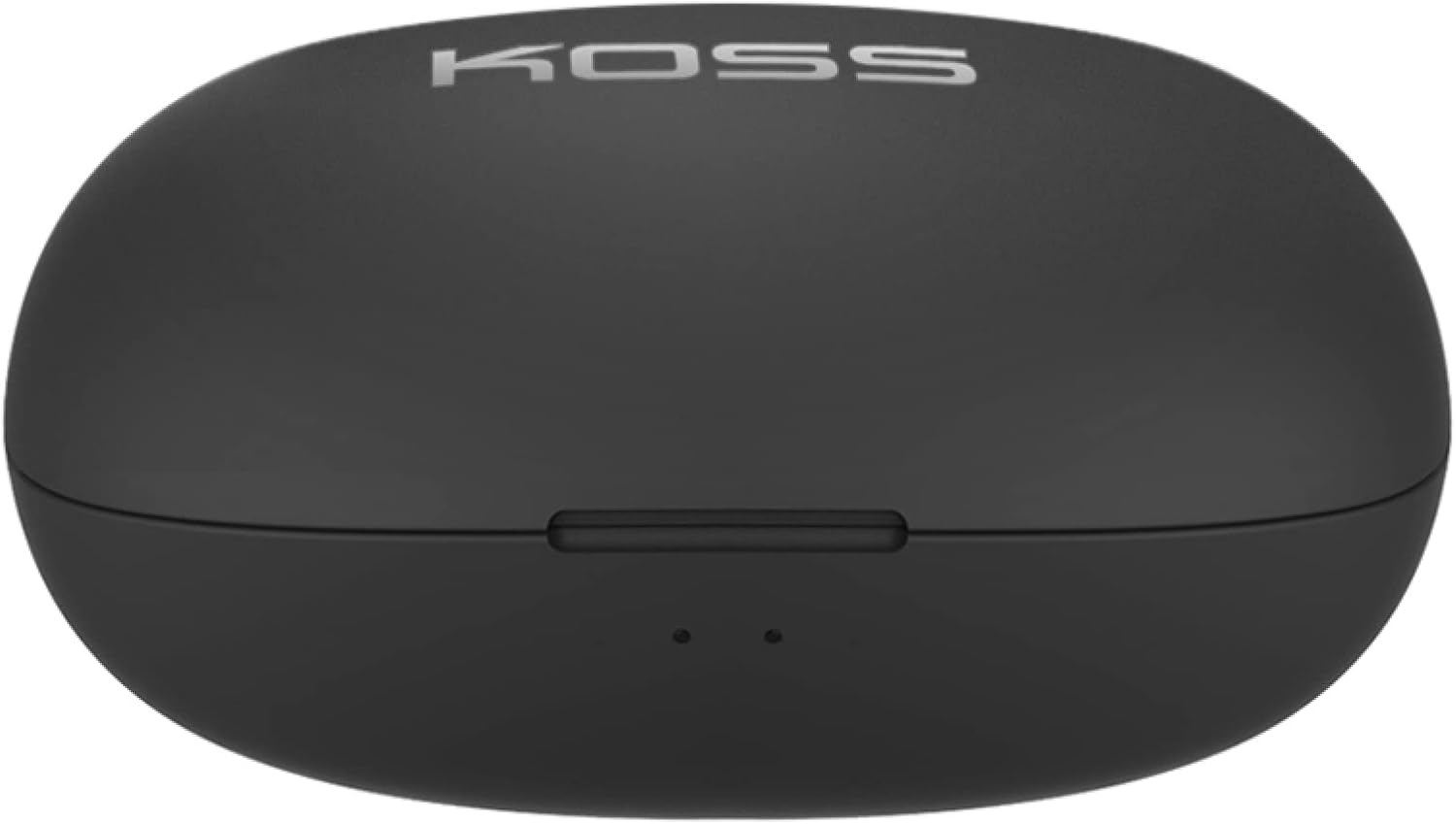
Image: Closed Koss TWS250i charging case, showing the USB-C charging port.
Video: Official product video demonstrating the Koss TWS250i True Wireless Earbuds, including their design, charging case, and basic features.
2. ജോടിയാക്കൽ
- Remove both earbuds from the charging case. They will automatically enter pairing mode, indicated by a flashing red and blue light on one of the earbuds.
- നിങ്ങളുടെ സ്മാർട്ട്ഫോണിലോ, ടാബ്ലെറ്റിലോ, അല്ലെങ്കിൽ മറ്റ് ബ്ലൂടൂത്ത് പ്രവർത്തനക്ഷമമാക്കിയ ഉപകരണത്തിലോ, ബ്ലൂടൂത്ത് ക്രമീകരണങ്ങളിലേക്ക് നാവിഗേറ്റ് ചെയ്യുക.
- Select "Koss TWS250i" from the list of available devices to connect.
- Once successfully paired, the earbuds will connect automatically to your device whenever they are removed from the charging case.
3. ഫിറ്റിംഗ്
Choosing the correct ear tip size is essential for both comfort and sound performance. Experiment with the included Small, Medium, and Large silicone ear tips to find the best fit for your ears. A proper seal will enhance bass response and passive noise isolation.

Image: Man wearing a Koss TWS250i earbud, smiling and looking at his phone.
പ്രവർത്തന നിർദ്ദേശങ്ങൾ
1. ടച്ച് നിയന്ത്രണങ്ങൾ
The Koss TWS250i earbuds feature intuitive touch controls on their outer surface:
- പവർ ഓൺ/ഓഫ്: Long press the touch surface until the earbuds power on or off.
- സംഗീതം പ്ലേ ചെയ്യുക/താൽക്കാലികമായി നിർത്തുക: ഇയർബഡുകളിൽ ഏതെങ്കിലുമൊന്നിൽ ഒറ്റ ടാപ്പ് ചെയ്യുക.
- ഉത്തരം/അവസാന കോൾ: ഇയർബഡുകളിൽ ഏതെങ്കിലുമൊന്നിൽ ഒറ്റ ടാപ്പ് ചെയ്യുക.
- വോളിയം കൂട്ടുക: Single tap on the ശരിയാണ് ഇയർബഡ്.
- വോളിയം താഴേക്ക്: Single tap on the ഇടത് ഇയർബഡ്.
- മുന്നോട്ട് ട്രാക്ക് ഒഴിവാക്കുക: Longer touch on the ശരിയാണ് ഇയർബഡ്.
- ട്രാക്ക് പിന്നിലേക്ക് ഒഴിവാക്കുക: Longer touch on the ഇടത് ഇയർബഡ്.
2. Dual Connect Functionality
The TWS250i earbuds support dual connect, allowing each earbud to function independently. This means you can use one earbud while the other charges, or share one earbud with a friend. Both earbuds have built-in microphones, ensuring clear communication regardless of whether you use one or both.
മെയിൻ്റനൻസ്
- വൃത്തിയാക്കൽ: ഇയർബഡുകളും ചാർജിംഗ് കെയ്സും മൃദുവായതും ഉണങ്ങിയതുമായ തുണി ഉപയോഗിച്ച് പതിവായി വൃത്തിയാക്കുക. ഉരച്ചിലുകളുള്ള വസ്തുക്കളോ കഠിനമായ രാസവസ്തുക്കളോ ഉപയോഗിക്കുന്നത് ഒഴിവാക്കുക.
- സംഭരണം: ഇയർബഡുകൾ ഉപയോഗിക്കാത്തപ്പോൾ അവ സംരക്ഷിക്കാനും ചാർജ്ജ് ചെയ്ത് നിലനിർത്താനും എപ്പോഴും ചാർജിംഗ് കേസിൽ തന്നെ സൂക്ഷിക്കുക.
- താപനില: ഇയർബഡുകളും കെയ്സും തീവ്രമായ താപനിലയിലോ, നേരിട്ടുള്ള സൂര്യപ്രകാശത്തിലോ, ഉയർന്ന ആർദ്രതയിലോ തുറന്നുവെക്കുന്നത് ഒഴിവാക്കുക.
ട്രബിൾഷൂട്ടിംഗ്
- ശബ്ദമില്ല അല്ലെങ്കിൽ മോശം ശബ്ദ നിലവാരം:
- Ensure earbuds are properly seated in your ears with a good seal. Try different ear tip sizes.
- നിങ്ങളുടെ കണക്റ്റ് ചെയ്തിരിക്കുന്ന ഉപകരണത്തിലെയും ഇയർബഡുകളിലെയും വോളിയം ലെവലുകൾ പരിശോധിക്കുക.
- Verify that the earbuds are correctly paired and within the Bluetooth range of your device.
- ഇയർബഡുകൾ ജോടിയാക്കുന്നില്ല:
- ഇയർബഡുകൾ പൂർണ്ണമായി ചാർജ്ജ് ചെയ്തിട്ടുണ്ടെന്ന് ഉറപ്പാക്കുക.
- Remove both earbuds from the case to activate pairing mode (indicated by flashing red/blue lights).
- നിങ്ങളുടെ ഉപകരണത്തിൽ,
അനുബന്ധ രേഖകൾ - TWS250i

KOSS TWS250i True Wireless Earbuds User Manual
User guide for KOSS TWS250i True Wireless Earbuds, covering setup, pairing, touch controls, charging, specifications, and safety warnings.
കോസ് ബ്ലൂടൂത്ത് ഹെഡ്സെറ്റുകൾ ഉപയോക്തൃ ഗൈഡ്, സ്പെസിഫിക്കേഷനുകൾ, സുരക്ഷാ വിവരങ്ങൾ
KOSS BT115i V2, KOSS BT232i V2, KOSS BT221i V2, KOSS KSC35 വയർലെസ് V2, KOSS UTILITY UBTA എന്നീ മോഡലുകൾ ഉൾപ്പെടെയുള്ള Koss ബ്ലൂടൂത്ത് ഹെഡ്സെറ്റുകൾക്കായുള്ള സമഗ്ര ഉപയോക്തൃ ഗൈഡ്. സുരക്ഷാ മുന്നറിയിപ്പുകൾ, വാറന്റി, സാങ്കേതിക സവിശേഷതകൾ, ബാറ്ററി പരിപാലനം എന്നിവ ഇതിൽ ഉൾപ്പെടുന്നു.
Koss TWS150i True Wireless Earbuds User Manual & Instructions
Comprehensive guide to using your Koss TWS150i True Wireless Earbuds, covering setup, pairing, controls, charging, and safety information.
കോസ് KPH30 വയർലെസ് ഹെഡ്ഫോണുകൾ ഉപയോക്തൃ ഗൈഡ്
കോസ് കെപിഎച്ച്30 വയർലെസ് ഹെഡ്ഫോണുകൾക്കായുള്ള ഉപയോക്തൃ ഗൈഡ്, സജ്ജീകരണം, പ്രവർത്തനം, സുരക്ഷ, സ്പെസിഫിക്കേഷനുകൾ എന്നിവ ഉൾക്കൊള്ളുന്നു.
KOSS BTS1 ബ്ലൂടൂത്ത് സ്പീക്കർ: ഉപയോക്തൃ ഗൈഡ്, സവിശേഷതകൾ, സുരക്ഷാ വിവരങ്ങൾ
KOSS BTS1 ബ്ലൂടൂത്ത് സ്പീക്കറിന്റെ സവിശേഷതകൾ, കണക്റ്റിവിറ്റി, ലിസണിംഗ് മോഡുകൾ, ചാർജിംഗ്, ലൈറ്റ് സൂചകങ്ങൾ, സുരക്ഷാ മുന്നറിയിപ്പുകൾ, വാറന്റി, അനുസരണ വിവരങ്ങൾ എന്നിവ വിശദമാക്കുന്ന ഒരു സമഗ്ര ഗൈഡ്.
കോസ് പോർട്ട പ്രോ വയർലെസ് ഓൺ-ഇയർ ഹെഡ്ഫോണുകൾ ഉപയോക്തൃ ഗൈഡ്
കോസ് പോർട്ട പ്രോ വയർലെസ് ഓൺ-ഇയർ ഹെഡ്ഫോണുകൾക്കായുള്ള ഉപയോക്തൃ ഗൈഡ്, ഫ്രണ്ട്, ബാക്ക് കൺട്രോളുകൾ, ചാർജിംഗ്, ബ്ലൂടൂത്ത് പെയറിംഗ്, മ്യൂസിക്/കോൾ ഫംഗ്ഷനുകൾ എന്നിവ ഉൾക്കൊള്ളുന്നു.