ആമുഖം
Thank you for choosing the ETA Vital Fit Digital Smart Scale. This analytical scale is designed to help you monitor your body composition with precision and convenience. By connecting to the Vital Body Plus application on your smartphone, you can track up to 18 body parameters, providing a comprehensive overview of your health and fitness journey. Please read this manual carefully before use to ensure proper operation and to maximize the benefits of your new scale.
സുരക്ഷാ വിവരങ്ങൾ
- Always place the scale on a hard, flat surface for accurate measurements. Avoid carpets or uneven floors.
- The scale surface is made of glass. Handle with care to prevent breakage. Do not jump on the scale.
- Keep the scale dry. Avoid contact with water or other liquids.
- This device is not intended for medical diagnosis or treatment. Consult a healthcare professional for medical advice.
- Individuals with pacemakers or other implanted medical devices should avoid using this scale, as it uses Bioelectrical Impedance Analysis (BIA) technology.
- Pregnant women should consult their doctor before using the scale for body composition analysis, as BIA readings may not be accurate.
- ബാറ്ററികൾ കുട്ടികൾക്ക് ലഭ്യമാകാതെ സൂക്ഷിക്കുക. വിഴുങ്ങിയാൽ ഉടൻ വൈദ്യസഹായം തേടുക.
പാക്കേജ് ഉള്ളടക്കം
- ETA Vital Fit Digital Smart Scale
- 3 x AAA ബാറ്ററികൾ
- ഇൻസ്ട്രക്ഷൻ മാനുവൽ
സജ്ജമാക്കുക
1. ബാറ്ററി ഇൻസ്റ്റാളേഷൻ
- Turn the scale over to access the battery compartment on the underside.
- ബാറ്ററി കമ്പാർട്ട്മെൻ്റ് കവർ തുറക്കുക.
- ശരിയായ പോളാരിറ്റി (+/-) ഉറപ്പാക്കിക്കൊണ്ട് 3 AAA ബാറ്ററികൾ ഇടുക.
- ബാറ്ററി കമ്പാർട്ട്മെൻ്റ് കവർ സുരക്ഷിതമായി അടയ്ക്കുക.
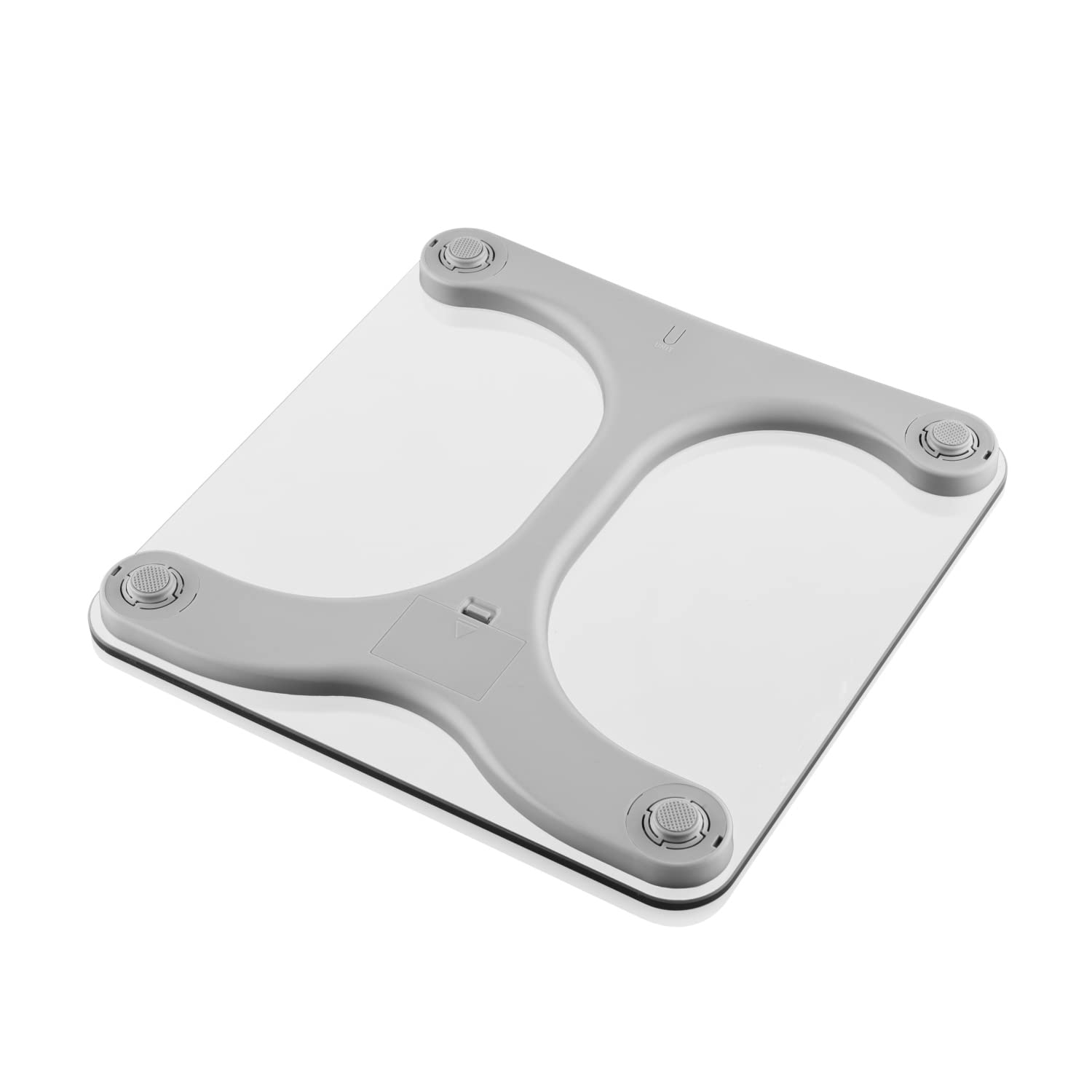
ചിത്രം: താഴെ view of the ETA Vital Fit scale, highlighting the battery compartment and non-slip feet.
2. സ്കെയിൽ പ്ലേസ്മെന്റ്
Place the scale on a hard, flat, and stable surface. Avoid placing it on carpets, rugs, or uneven flooring, as this can affect measurement accuracy.
3. ആപ്പ് ഡൗൺലോഡും ജോടിയാക്കലും
- ഡൗൺലോഡ് ചെയ്യുക Vital Body Plus application from your smartphone's app store (Google Play Store for Android or Apple App Store for iOS).
- നിങ്ങളുടെ സ്മാർട്ട്ഫോണിൽ ബ്ലൂടൂത്ത് പ്രവർത്തനക്ഷമമാക്കിയിട്ടുണ്ടെന്ന് ഉറപ്പാക്കുക.
- Open the Vital Body Plus app and follow the on-screen instructions to create your user profile. You will need to enter personal details such as height, age, and gender for accurate body composition analysis.
- Step onto the scale barefoot. The scale will automatically turn on and attempt to pair with the app via Bluetooth. Once connected, your measurements will be transferred to the app.

Image: The ETA Vital Fit scale next to a smartphone showing the Vital Body Plus app, illustrating the connectivity.
പ്രവർത്തന നിർദ്ദേശങ്ങൾ
ഒരു അളവ് എടുക്കൽ
- Place the scale on a firm, flat surface.
- Step onto the scale barefoot, ensuring your feet are positioned on the metal electrodes. Stand still.
- The scale display will show your weight. If connected to the app, the full body composition analysis will be performed and data transferred.
- Step off the scale. The display will turn off automatically after a few seconds.

ചിത്രം: മുകളിൽ view of the ETA Vital Fit scale, showing the digital display with a weight measurement.
ഡിസ്പ്ലേ മനസ്സിലാക്കുന്നു
The scale's integrated display shows your weight in kilograms (kg). It may also indicate Bluetooth connectivity status. For detailed body composition data, refer to the Vital Body Plus app.

Image: Close-up of the scale's display, showing a weight reading and the Bluetooth symbol, indicating active connection.
Vital Body Plus App
The Vital Body Plus app is your central hub for tracking and analyzing your health data. It provides a comprehensive breakdown of up to 18 body parameters, including:
- ഭാരം
- ബോഡി മാസ് ഇൻഡക്സ് (BMI)
- ശരീരത്തിലെ കൊഴുപ്പ് ശതമാനംtage
- മസിൽ പിണ്ഡം
- ശരീര ജലത്തിന്റെ ശതമാനംtage
- അസ്ഥി പിണ്ഡം
- വിസറൽ കൊഴുപ്പ്
- അടിസ്ഥാന ഉപാപചയ നിരക്ക് (BMR)
- ഉപാപചയ പ്രായം
- Protein Percentage
- സബ്ക്യുട്ടേനിയസ് കൊഴുപ്പ്
- കൂടുതൽ...
ആപ്പ് സവിശേഷതകൾ:
- Historical Data & Graphs: View your progress over time with intuitive charts and graphs.
- ഒന്നിലധികം ഉപയോക്തൃ പ്രോfiles: പ്രോ സൃഷ്ടിക്കുകfiles for family members to track their individual data.
- ഡാറ്റ സമന്വയം: Seamlessly sync your data with popular health platforms like Google Fit, Apple Health, and Fitbit.
- ഡാറ്റ പങ്കിടൽ: Share your progress with friends, family, or healthcare professionals.

Image: Multiple screenshots of the Vital Body Plus app interface, demonstrating its various features for tracking body parameters and progress.
മെയിൻ്റനൻസ്
വൃത്തിയാക്കൽ
To clean the scale, wipe the surface with a slightly damp cloth. Do not use abrasive cleaners, harsh chemicals, or immerse the scale in water. Ensure the scale is completely dry before storage or next use.
സംഭരണം
Store the scale in a cool, dry place away from direct sunlight and extreme temperatures. If the scale will not be used for an extended period, it is recommended to remove the batteries to prevent leakage.
ട്രബിൾഷൂട്ടിംഗ്
- ഡിസ്പ്ലേ ഇല്ല: Check if the batteries are correctly installed and not depleted. Replace batteries if necessary.
- കൃത്യമല്ലാത്ത വായനകൾ: Ensure the scale is on a hard, flat surface. Avoid moving the scale between measurements. Step on the scale barefoot and stand still.
- ആപ്പ് കണക്റ്റുചെയ്യുന്നില്ല: Make sure Bluetooth is enabled on your smartphone and the Vital Body Plus app is open. Ensure the scale is within range of your phone. Try restarting both the app and your phone.
- Body Composition Data Not Showing: Ensure you are stepping on the scale barefoot and your feet are making good contact with the electrodes. Verify your user profile in the app is complete with accurate personal information.
- കുറഞ്ഞ ബാറ്ററി അലേർട്ട്: The scale will indicate when batteries are low. Replace all 3 AAA batteries promptly.
സ്പെസിഫിക്കേഷനുകൾ
| ഫീച്ചർ | സ്പെസിഫിക്കേഷൻ |
|---|---|
| മോഡൽ നമ്പർ | ETA678190000 |
| ബ്രാൻഡ് | ETA |
| അളവുകൾ (L x W x H) | 30 x 30 x 2.5 സെ.മീ |
| ഭാരം | 1 കിലോഗ്രാം |
| മെറ്റീരിയൽ | Glass (6mm robust glass) |
| ഭാര പരിധി | 180 കിലോഗ്രാം |
| Reading Precision | 100 ഗ്രാം |
| ഡിസ്പ്ലേ തരം | Digital (Touch screen functionality mentioned in original, but likely refers to app interaction) |
| പ്രത്യേക ഫീച്ചർ | Smart Body Analysis |
| കണക്റ്റിവിറ്റി | Energy-saving wireless technology (Bluetooth) |
| പവർ ഉറവിടം | 3 x AAA ബാറ്ററികൾ |
| ശുപാർശ ചെയ്യുന്ന ഉപയോഗം | മുതിർന്നവർ |
വാറൻ്റിയും പിന്തുണയും
The ETA Vital Fit Digital Smart Scale comes with a standard manufacturer's warranty. Please refer to the warranty card included in your package for specific terms and conditions, including the warranty period and coverage details.
For technical support, troubleshooting assistance, or warranty claims, please contact the retailer where you purchased the product or visit the official ETA website for customer service contact information. When contacting support, please have your model number (ETA678190000) and proof of purchase readily available.


