ആമുഖം
This manual provides detailed instructions for the setup, operation, and maintenance of your Google Nest Cam (Wired, 2nd Generation) indoor security camera. Please read this guide thoroughly before using your device to ensure proper functionality and safety.
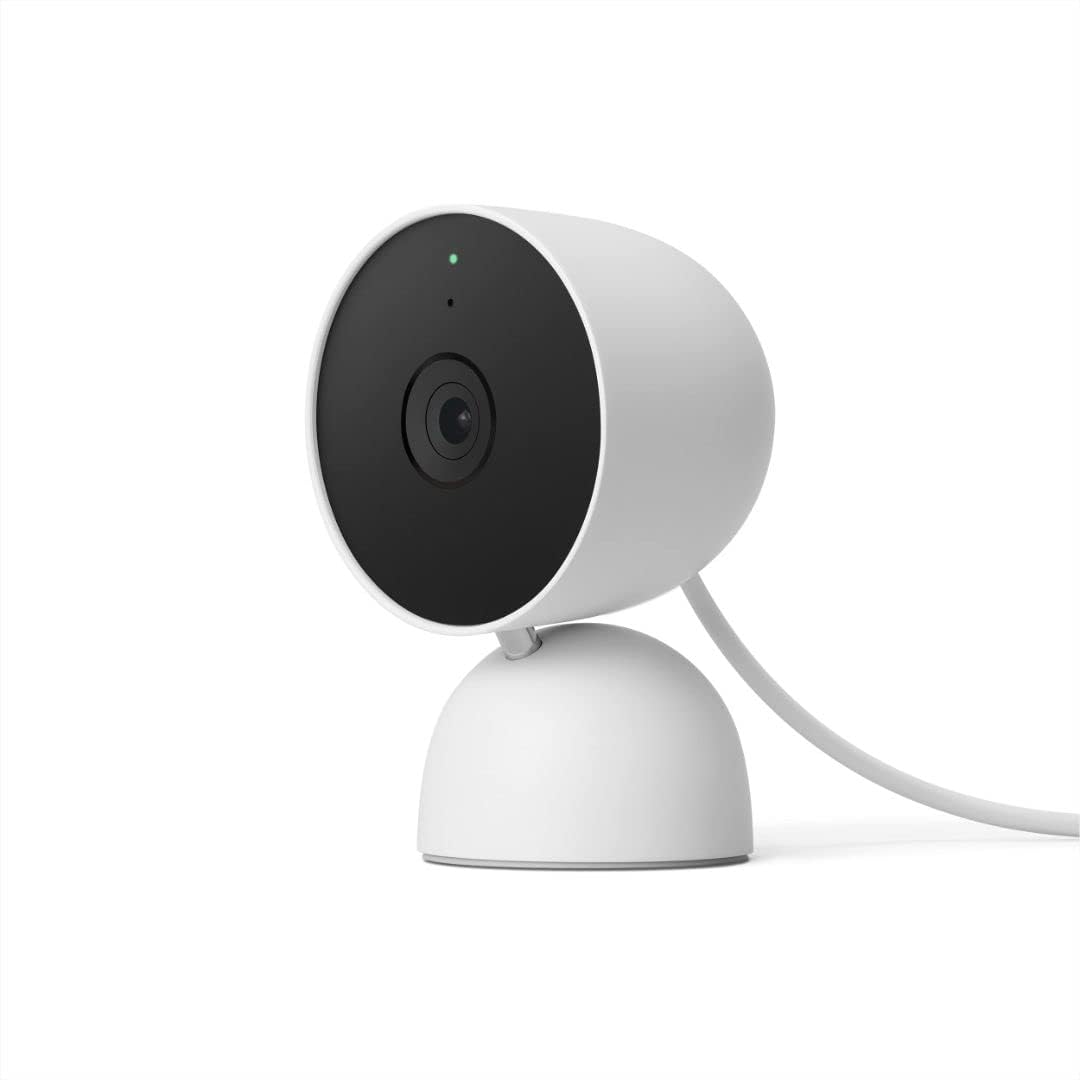
Image: Google Nest Cam (Wired, 2nd Gen) in Snow color, showing its compact design and integrated stand.
സജ്ജീകരണ ഗൈഡ്
Setting up your Google Nest Cam is a straightforward process designed for quick installation.
ബോക്സിൽ എന്താണുള്ളത്
- Nest Cam Camera with base
- പവർ അഡാപ്റ്റർ
- വാൾ ആങ്കറുകളും സ്ക്രൂകളും
ഇൻസ്റ്റലേഷൻ ഘട്ടങ്ങൾ
- ഒരു ലൊക്കേഷൻ തിരഞ്ഞെടുക്കുക: വ്യക്തമായ ഒരു ഇൻഡോർ സ്ഥലം തിരഞ്ഞെടുക്കുക view of the area you wish to monitor. The camera can be placed on a flat surface or mounted to a wall.
- പവർ കണക്ഷൻ: Plug the camera's power adapter into a standard indoor electrical outlet.
- ഗൂഗിൾ ഹോം ആപ്പ് ഡൗൺലോഡ് ചെയ്യുക: If you haven't already, download the Google Home app from your device's app store.
- ഉപകരണം ചേർക്കുക: Open the Google Home app, tap the '+' icon, and follow the on-screen instructions to add your new Nest Cam. You will be guided through connecting the camera to your Wi-Fi network.
- മൗണ്ടിംഗ് (ഓപ്ഷണൽ): If wall-mounting, use the provided wall anchors and screws to secure the base. Then, attach the camera to the mounted base.
പ്രധാന കുറിപ്പ്: The Google Nest Cam (2nd Gen) is exclusively compatible with the Google Home app and requires a free Google Account. It is not compatible with the legacy Nest app.

Image: A person placing the Google Nest Cam on a shelf, demonstrating easy setup.
നിങ്ങളുടെ Nest Cam പ്രവർത്തിപ്പിക്കുന്നു
Your Nest Cam provides continuous monitoring and intelligent alerts to keep you informed about activity in your home.
തത്സമയം View ഇവന്റ് ചരിത്രവും
- 24/7 Live View: Access a live HD video feed of your camera's view anytime, anywhere, through the Google Home app.
- Event Video History: The camera includes 3 hours of free event video history, allowing you to review recorded clips of detected activity.
- Nest Aware (Optional): For extended video history (up to 60 days) and advanced features like familiar face alerts, consider a Nest Aware subscription (sold separately).

Image: A smartphone screen showing a live 1080p HD video feed from the Nest Cam, capturing a dog eating cookies.

Image: A smartphone screen showing the Nest Cam's event video history timeline, allowing users to review കഴിഞ്ഞ സംഭവങ്ങൾ.
ഇന്റലിജന്റ് അലേർട്ടുകൾ
Your Nest Cam is equipped with built-in intelligence to differentiate between various types of activity:
- വ്യക്തി കണ്ടെത്തൽ: Receive alerts when a person is detected in the camera's view.
- Animal Detection: Get notifications when pets or other animals are identified.
- വാഹനം കണ്ടെത്തൽ: Alerts for vehicle movement (though primarily an indoor camera, this feature is present).
- പ്രവർത്തന മേഖലകൾ: ക്യാമറയ്ക്കുള്ളിലെ പ്രത്യേക ഭാഗങ്ങൾ ഇഷ്ടാനുസൃതമാക്കുക view to receive alerts only for activity in those zones.
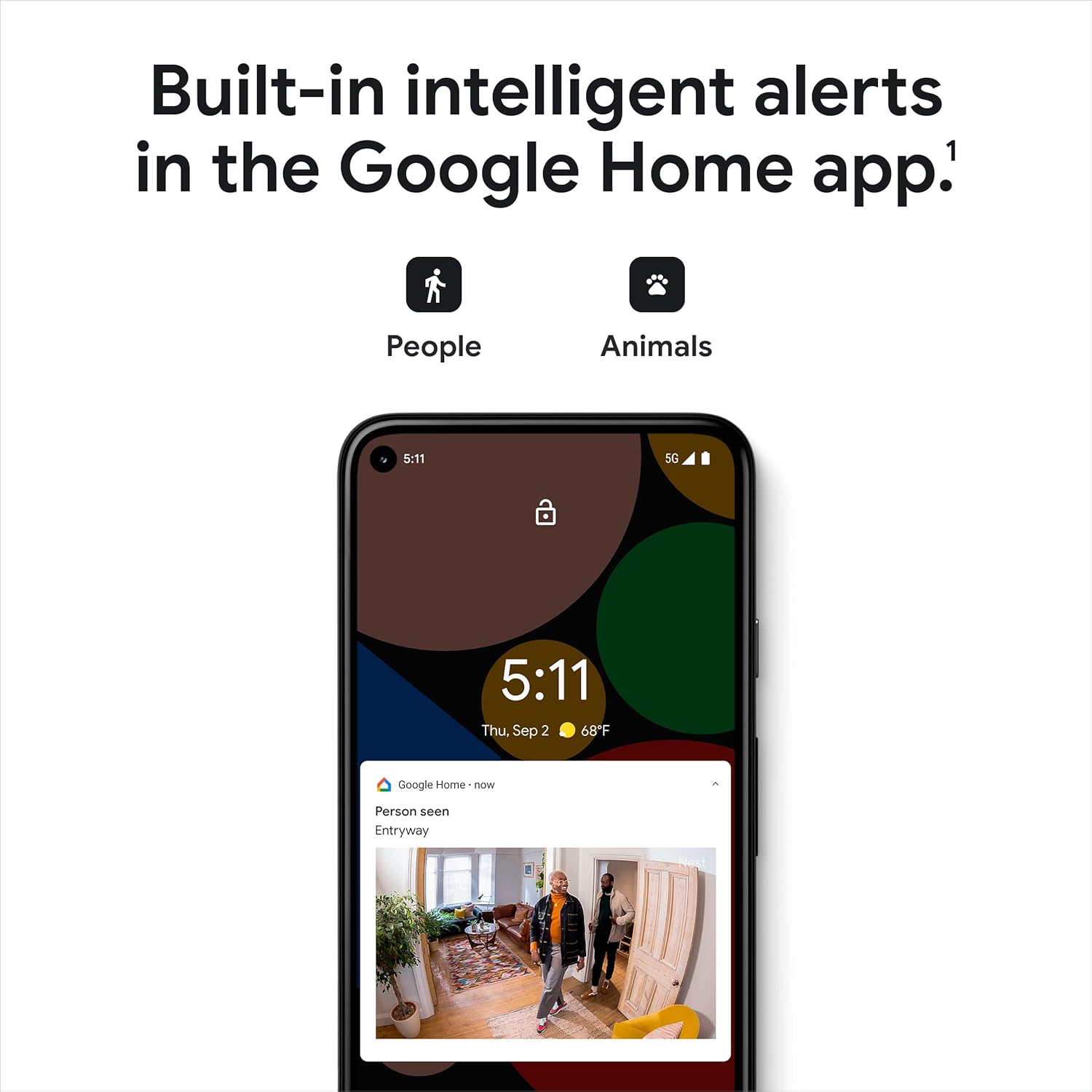
Image: A smartphone displaying an alert from the Google Home app, indicating a person has been detected by the Nest Cam.
Two-Way Communication and Voice Control
- Talk and Listen: Use the built-in microphone and speaker to communicate with individuals near the camera through the Google Home app.
- ശബ്ദ നിയന്ത്രണം: Integrate your Nest Cam with compatible smart displays using Google Assistant or Amazon Alexa to stream live video feeds hands-free.

Image: A smartphone screen showing the two-way communication interface within the Google Home app, allowing users to talk and listen through the camera.

Image: A person in a kitchen setting, using voice commands to control their Nest Cam, with the live feed displayed on a smart display.
Privacy and Security Features
- Encrypted Video: Your video feed is encrypted for enhanced security.
- Two-Step Verification: Protect your Google Account with two-step verification for added security.
- Home & Away Routines: Configure your camera to automatically turn off recording when you are home and resume when you leave, based on your phone's location.
- LED സൂചകം: A green LED light on the camera indicates when it is actively streaming or recording.

Image: A split image showing the Nest Cam with its green LED indicator on the left, and a smartphone displaying Google Home app privacy settings on the right, highlighting privacy features.
മെയിൻ്റനൻസ്
To ensure optimal performance and longevity of your Google Nest Cam, follow these simple maintenance guidelines:
- വൃത്തിയാക്കൽ: Gently wipe the camera lens and body with a soft, dry, lint-free cloth. Avoid using harsh chemicals or abrasive materials, as these can damage the device.
- സോഫ്റ്റ്വെയർ അപ്ഡേറ്റുകൾ: Ensure your Google Home app and Nest Cam firmware are always up to date. Updates often include performance improvements and security enhancements. The app will typically notify you of available updates.
- പവർ സൈക്കിൾ: If you experience minor issues, unplugging the camera from its power source for 10 seconds and then plugging it back in can often resolve them.
ട്രബിൾഷൂട്ടിംഗ്
If you encounter issues with your Nest Cam, refer to the following common problems and solutions:
Camera Offline or Disconnected
- പവർ പരിശോധിക്കുക: Ensure the camera is securely plugged into a working power outlet.
- Wi-Fi കണക്ഷൻ: Verify your Wi-Fi network is active and the camera is within range. Restart your Wi-Fi router if necessary.
- Google ഹോം ആപ്പ്: Confirm the Google Home app is updated to the latest version.
- Restart Camera: ക്യാമറ ഊരിമാറ്റുക, 10 സെക്കൻഡ് കാത്തിരിക്കുക, വീണ്ടും പ്ലഗ് ഇൻ ചെയ്യുക.
മോശം വീഡിയോ നിലവാരം
- ക്ലീൻ ലെൻസ്: Gently clean the camera lens with a soft cloth.
- നെറ്റ്വർക്ക് വേഗത: Ensure your internet connection meets the requirements for streaming HD video.
- ലൈറ്റിംഗ്: Adjust the camera's position to optimize lighting conditions. The camera features HDR and night vision for various light levels.

Image: A split image demonstrating the Nest Cam's ability to capture clear video in both bright sunlight (left) and low-light conditions using night vision (right).
No Alerts or Incorrect Alerts
- ആപ്പ് അറിയിപ്പുകൾ: Check your phone's notification settings to ensure the Google Home app is allowed to send alerts.
- പ്രവർത്തന മേഖലകൾ: Review your Activity Zone settings in the Google Home app to ensure they are configured correctly.
- Nest Aware: Remember that certain advanced alerts, like familiar face detection, require a Nest Aware subscription.
അനുയോജ്യത പ്രശ്നങ്ങൾ
- Google Home App Only: This 2nd Generation Nest Cam is only compatible with the Google Home app. It will not work with the older Nest app.
For further assistance, refer to the Google Home app's help section or visit the official Google Nest support webസൈറ്റ്.
സ്പെസിഫിക്കേഷനുകൾ
| ഫീച്ചർ | വിശദാംശങ്ങൾ |
|---|---|
| മോഡൽ നമ്പർ | GA01998-യുഎസ് |
| ഇൻഡോർ/ഔട്ട്ഡോർ ഉപയോഗം | ഇൻഡോർ |
| വീഡിയോ ക്യാപ്ചർ റെസല്യൂഷൻ | 1080p HD |
| ഫീൽഡ് View | 135 ഡിഗ്രി |
| ഫ്രെയിം റേറ്റ് | 30 fps |
| ലോ ലൈറ്റ് ടെക്നോളജി | Infrared/Color Night Vision |
| കണക്റ്റിവിറ്റി | 802.11a/b/g/n/ac (2.4GHz/5GHz) Wi-Fi, Bluetooth |
| പവർ ഉറവിടം | കോർഡഡ് ഇലക്ട്രിക് (5 വോൾട്ട്, 1 വാട്ട്) |
| കൺട്രോളർ തരം | Google അസിസ്റ്റൻ്റ് |
| മൗണ്ടിംഗ് തരം | മതിൽ/മേശ മൗണ്ട് |
| അളവുകൾ (L x W x H) | 2.24 x 2.52 x 3.88 ഇഞ്ച് |
| ഭാരം | 14.1 ഔൺസ് |
| നിറം | മഞ്ഞ് |
| ഉൾപ്പെടുത്തിയ ഘടകങ്ങൾ | Nest Cam Camera with base, Power Adapter, Wall Anchors and Screws |

Image: A comparison table illustrating features of different Nest camera models, including the Nest Cam Indoor (Wired).
വാറൻ്റി വിവരങ്ങൾ
Google provides a limited warranty for its Nest products. For specific details regarding the warranty period, coverage, and terms and conditions for your Google Nest Cam (Wired, 2nd Gen), please refer to the official Google Store website or the warranty documentation included with your product packaging.
You can typically find the most up-to-date warranty information on the official Google Nest support pages.
ഉപഭോക്തൃ പിന്തുണ
For additional support, technical assistance, or to access frequently asked questions, please utilize the following resources:
- Google ഹോം ആപ്പ്: The app includes a comprehensive help section and troubleshooting guides.
- Google Nest Help Center: സന്ദർശിക്കുക സപ്പോർട്ട്.ഗൂഗിൾ.കോം/നെസ്റ്റ് for online resources, articles, and community forums.
- പിന്തുണയുമായി ബന്ധപ്പെടുക: If you require direct assistance, contact Google Nest customer support through the options provided on their support webസൈറ്റ്.


