1. ആമുഖം
Thank you for choosing the Wyze Cordless Vacuum Cleaner. This lightweight and powerful stick vacuum is designed for efficient cleaning across various surfaces in your home. With its versatile attachments, multiple suction modes, and cordless convenience, maintaining a clean living space is simpler than ever.
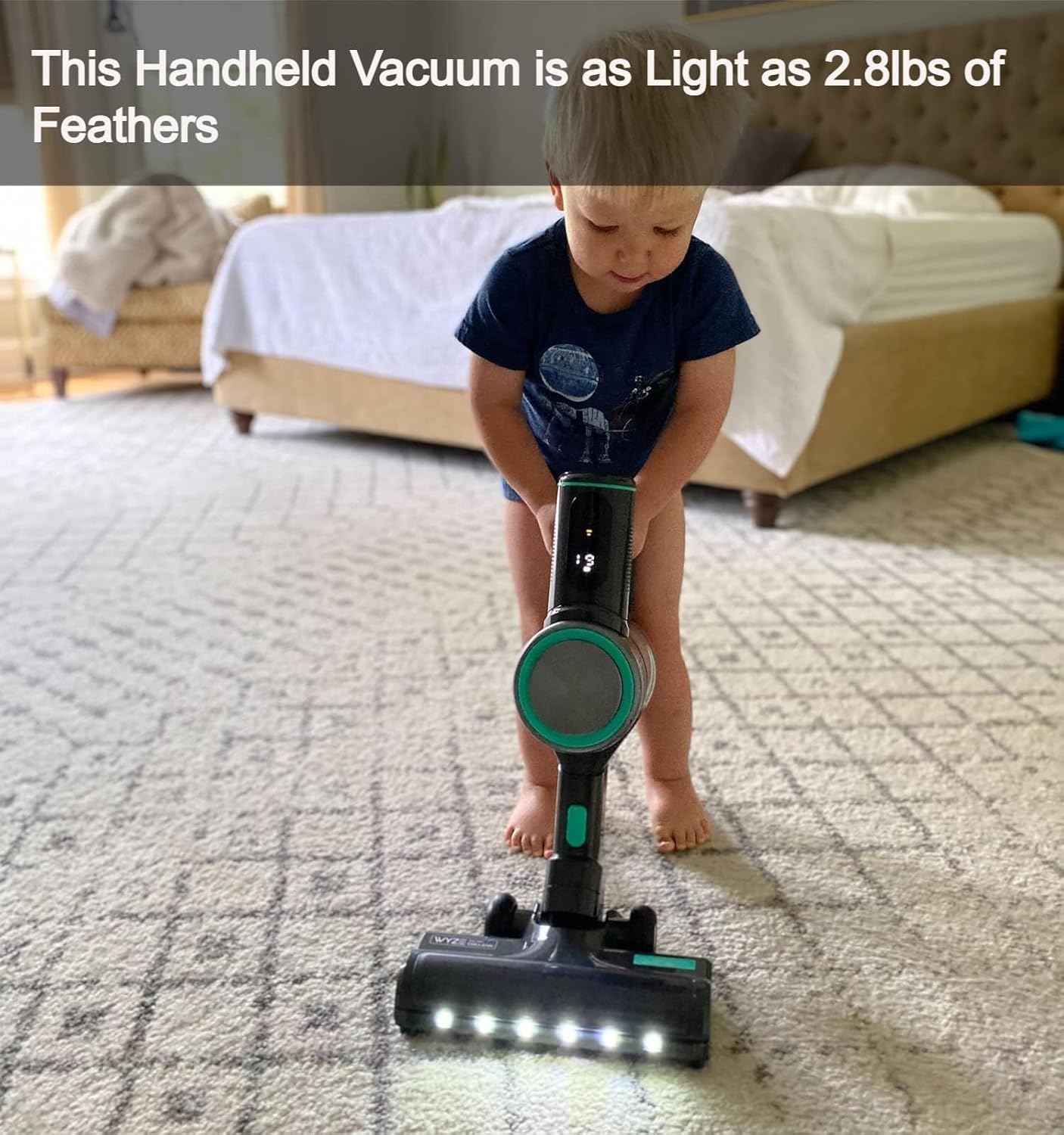
Figure 1: Fully assembled Wyze Cordless Vacuum Cleaner.
2. ബോക്സിൽ എന്താണുള്ളത്?
എല്ലാ ഇനങ്ങളും ഉണ്ടെന്ന് ഉറപ്പാക്കാൻ പാക്കേജ് ഉള്ളടക്കങ്ങൾ പരിശോധിക്കുക:
- Main Unit (Battery included) x1
- ചാർജർ x1
- Crevice Tool x1
- ഫ്ലോർ ബ്രഷ് x1
- Dust cap x1
- HEPA Filter x1
- Filter Housing x1
- Standard Tube x1
- ദ്രുത ആരംഭ ഗൈഡ് x1
3. സജ്ജീകരണം
3.1 അസംബ്ലി
- ബോക്സിൽ നിന്ന് എല്ലാ ഘടകങ്ങളും അൺപാക്ക് ചെയ്യുക.
- Attach the main unit to the standard tube.
- Connect the floor brush to the other end of the standard tube. Ensure all connections click securely into place.

Figure 2: The vacuum can be assembled with various attachments for different cleaning needs.
3.2 പ്രാരംഭ ചാർജിംഗ്
Before first use, fully charge the battery. The LED display on the main unit will show the current battery percentagചാർജിംഗ് സമയത്ത് ഇ ലെവൽ.
- ബാറ്ററി പാക്കിലേക്ക് ചാർജർ ബന്ധിപ്പിക്കുക.
- ഒരു പവർ ഔട്ട്ലെറ്റിൽ ചാർജർ പ്ലഗ് ചെയ്യുക.
- Allow the battery to charge completely before operating the vacuum.

Figure 3: The detachable battery pack allows for flexible charging.
4. പ്രവർത്തന നിർദ്ദേശങ്ങൾ
4.1 പവർ ഓൺ/ഓഫ്
വാക്വം ഓണാക്കാനോ ഓഫാക്കാനോ പ്രധാന യൂണിറ്റിലെ പവർ ബട്ടൺ അമർത്തുക.
4.2 സക്ഷൻ മോഡുകൾ
The Wyze Cordless Vacuum offers three suction levels to suit different cleaning needs. Select the desired mode using the control method on the main unit:
- Eco Mode (6,000 Pa, up to 40 mins runtime): Ideal for light cleaning and extended battery life.
- Medium Mode (9,000 Pa, up to 21 mins runtime): Balances suction power and battery life for general cleaning.
- Turbo Mode (20,000 Pa, up to 10 mins runtime): Provides maximum suction for intensive spot cleaning and stubborn debris.

Figure 4: The LED display shows the selected power mode and battery level.
4.3 എൽഇഡി ഹെഡ്ലൈറ്റുകൾ
The floor brush is equipped with 6 daylight-bright LED lights to illuminate dust and debris under furniture and in dimly lit areas, ensuring thorough cleaning.

Figure 5: LED headlights reveal hidden dust and debris.
4.4 അറ്റാച്ചുമെന്റുകൾ ഉപയോഗിക്കുന്നത്
The vacuum comes with various attachments for specialized cleaning:
- വിള്ളൽ ഉപകരണം: ഇടുങ്ങിയ ഇടങ്ങൾ, കോണുകൾ, അരികുകൾ എന്നിവയ്ക്ക് അനുയോജ്യം.
- ഫ്ലോർ ബ്രഷ്: Designed for general floor cleaning on hard floors and carpets.
To use an attachment, detach the main unit from the standard tube and connect the desired tool directly to the main unit or the standard tube, depending on the cleaning area.

Figure 6: The lightweight design makes it easy to maneuver.
5. പരിപാലനം
5.1 ഡസ്റ്റ് കപ്പ് ശൂന്യമാക്കൽ
To maintain optimal suction and performance, empty the dust cup regularly:
- വാക്വം ക്ലീനർ ഓഫാക്കിയിട്ടുണ്ടെന്ന് ഉറപ്പാക്കുക.
- Hold the main unit over a waste bin.
- Press the release button to open the dust cup and empty its contents.

Figure 7: Easy one-finger release for emptying the dust cup.
5.2 HEPA ഫിൽട്ടർ വൃത്തിയാക്കൽ
The HEPA filter should be cleaned periodically to ensure efficient filtration and prevent reduced suction:
- Remove the dust cup and then the HEPA filter.
- Tap the filter gently to dislodge dust and debris.
- The filter can be washed with water. Ensure it is completely dry before reinserting it into the vacuum.
5.3 ബാറ്ററി പരിപാലനം
Proper battery care extends the lifespan of your vacuum's battery:
- Fully charge the battery before its first use and whenever it is low.
- Avoid complete discharges of the battery.
- Store the vacuum and battery in a cool, dry place.
- For long-term storage, remove the battery from the main unit.
6. പ്രശ്നപരിഹാരം
If you encounter any issues with your Wyze Cordless Vacuum, refer to the following common solutions:
- Floor brush not working: Ensure the brush is properly installed and connected, the battery is charged, the dust cup is empty, and remove any hair or debris from the brush. Check for visible damage.
- Vacuum stopped working: Unplug the vacuum before turning it on. Ensure the battery is charged. Empty the dust cup to prevent protection mode from activating due to blockage.
- Vacuum switch not responding: Check that the dust cup is securely seated and the nozzle is properly attached. Clear any blockages in the vacuum path.
7 സ്പെസിഫിക്കേഷനുകൾ
| ഫീച്ചർ | വിശദാംശങ്ങൾ |
|---|---|
| ബ്രാൻഡ് | വൈസെ |
| മോഡലിൻ്റെ പേര് | WCLVAC |
| ഇനത്തിൻ്റെ ഭാരം | 2.8 പൗണ്ട് |
| ഉൽപ്പന്ന അളവുകൾ | 6.1"L x 4.9"W x 29.5"H |
| സക്ഷൻ പവർ | Up to 20,000 Pa (Turbo Mode) |
| വാട്ട്tage | 450 വാട്ട്സ് |
| മോട്ടോർ കുതിരശക്തി | 13.41 കുതിരശക്തി |
| ബാറ്ററി ലൈഫ് | 40 മിനിറ്റ് വരെ (ഇക്കോ മോഡ്) |
| ചാർജിംഗ് സമയം | 100 മിനിറ്റ് |
| ഫിൽട്ടർ തരം | HEPA ഫിൽട്ടർ |
| ശേഷി | 0.18 ഗാലൻ |
| ശബ്ദ നില | 65 ഡെസിബെൽ |
| പ്രത്യേക സവിശേഷതകൾ | Cordless, HEPA, Headlight, Lightweight |
| ഉപരിതല ശുപാർശ | എല്ലാ നിലകളും |
8. വാറൻ്റിയും പിന്തുണയും
വാറന്റി വിവരങ്ങൾക്കും ഉപഭോക്തൃ പിന്തുണയ്ക്കും, ദയവായി ഔദ്യോഗിക WYZE പരിശോധിക്കുക. webസൈറ്റിൽ ബന്ധപ്പെടുക അല്ലെങ്കിൽ അവരുടെ ഉപഭോക്തൃ സേവനവുമായി നേരിട്ട് ബന്ധപ്പെടുക. വാറന്റി ക്ലെയിമുകൾക്കായി നിങ്ങളുടെ വാങ്ങൽ രസീത് സൂക്ഷിക്കുക.


