ആമുഖം
വാങ്ങിയതിന് നന്ദി.asing the Fenton FT210LED Party Speaker. This manual provides essential information for the safe and correct operation of your device. Please read it thoroughly before use and retain it for future reference.
The FT210LED is a versatile portable party speaker designed for various audio needs, featuring Bluetooth connectivity, a built-in MP3 player, AUX input, and a microphone for karaoke. Its integrated battery and trolley system ensure portability, while colorful LED lighting enhances the atmosphere.
പ്രധാനപ്പെട്ട സുരക്ഷാ നിർദ്ദേശങ്ങൾ
- ഉപകരണം പ്രവർത്തിപ്പിക്കുന്നതിന് മുമ്പ് എല്ലാ നിർദ്ദേശങ്ങളും ശ്രദ്ധാപൂർവ്വം വായിക്കുക.
- ഭാവി റഫറൻസിനായി ഈ മാനുവൽ സൂക്ഷിക്കുക.
- തീയോ വൈദ്യുതാഘാതമോ തടയാൻ യൂണിറ്റ് മഴയിലോ ഈർപ്പത്തിലോ തുറന്നുകാട്ടരുത്.
- വൈദ്യുതി വിതരണം വോളിയം ഉറപ്പാക്കുകtage യൂണിറ്റിൽ വ്യക്തമാക്കിയ ആവശ്യകതകളുമായി പൊരുത്തപ്പെടുന്നു.
- സി തുറക്കരുത്.asing. ഉള്ളിൽ ഉപയോക്തൃ-സേവനയോഗ്യമായ ഭാഗങ്ങളൊന്നുമില്ല. എല്ലാ സേവനങ്ങളും യോഗ്യതയുള്ള ഉദ്യോഗസ്ഥർക്ക് റഫർ ചെയ്യുക.
- താപ സ്രോതസ്സുകൾക്ക് സമീപമോ നേരിട്ടുള്ള സൂര്യപ്രകാശത്തിലോ യൂണിറ്റ് സ്ഥാപിക്കുന്നത് ഒഴിവാക്കുക.
- ഉണങ്ങിയ തുണി ഉപയോഗിച്ച് മാത്രം വൃത്തിയാക്കുക.
- വെൻ്റിലേഷൻ ഓപ്പണിംഗുകളൊന്നും തടയരുത്.
- നിർമ്മാതാവ് വ്യക്തമാക്കിയ അറ്റാച്ച്മെൻ്റുകൾ/ആക്സസറികൾ മാത്രം ഉപയോഗിക്കുക.
- Disconnect the unit during lightning storms or when unused for long periods.
പാക്കേജ് ഉള്ളടക്കം
അൺപാക്ക് ചെയ്യുമ്പോൾ, താഴെ ലിസ്റ്റ് ചെയ്തിരിക്കുന്ന എല്ലാ ഇനങ്ങളും ഉണ്ടെന്നും നല്ല നിലയിലാണെന്നും ഉറപ്പാക്കുക:
- Fenton FT210LED Party Speaker
- വയർഡ് മൈക്രോഫോൺ
- റിമോട്ട് കൺട്രോൾ
- പവർ കേബിൾ
- ഉപയോക്തൃ മാനുവൽ (ഈ പ്രമാണം)

ചിത്രം 1: The Fenton FT210LED speaker shown with its accompanying remote control, power cable, and wired microphone.
സജ്ജമാക്കുക
1 ബാറ്ററി ചാർജ് ചെയ്യുന്നു
The FT210LED features an integrated rechargeable battery for portable use. Before first use, fully charge the speaker.
- Connect the provided power cable to the speaker's power input and a suitable wall outlet (230V / 50Hz).
- ചാർജിംഗ് ഇൻഡിക്കേറ്റർ ലൈറ്റ് പ്രകാശിക്കും.
- Allow several hours for a full charge. The indicator light may change or turn off when fully charged (refer to the specific behavior of your unit's indicator).
The speaker can be operated while charging.
2. സ്പീക്കറെ സ്ഥാനപ്പെടുത്തൽ
The FT210LED is designed for portability and can be used in various locations. It features a trolley system for easy transport.
- Using the Trolley System: Extend the retractable handle and tilt the speaker to roll it on its integrated wheels.
- ഒരു ട്രൈപോഡിൽ: The speaker is equipped with a hat (pole mount) for placement on a standard speaker tripod (not included). Ensure the tripod is stable and rated for the speaker's weight (11.55 kg).

ചിത്രം 2: The base of the speaker, illustrating the wheels, retractable handle, and the pole mount for tripod placement.
പ്രവർത്തന നിർദ്ദേശങ്ങൾ
നിയന്ത്രണ പാനൽ ഓവർview

ചിത്രം 3: The main control panel located on the rear of the speaker, featuring media player controls, volume, tone adjustments, and input ports.

ചിത്രം 4: എ വിശദമായി view of the input section and control knobs on the speaker's rear panel.
Familiarize yourself with the control panel (Figures 3 & 4) before operation. Key controls include:
- വൈദ്യുതി സ്വിച്ച്: സ്പീക്കർ ഓൺ/ഓഫ് ചെയ്യുന്നു.
- ലൈറ്റ് സ്വിച്ച്: LED ലൈറ്റിംഗ് നിയന്ത്രിക്കുന്നു.
- മീഡിയ പ്ലെയർ: USB/MicroSD slots, display, and playback controls (Play/Pause, Next, Previous, Mode).
- വോളിയം നോബ്: Adjusts the overall master volume.
- ട്രിബിൾ നോബ്: ഉയർന്ന ആവൃത്തികൾ ക്രമീകരിക്കുന്നു.
- ബാസ് നോബ്: കുറഞ്ഞ ആവൃത്തികൾ ക്രമീകരിക്കുന്നു.
- മൈക്ക് വോള്യ നോബ്: മൈക്രോഫോൺ വോളിയം ക്രമീകരിക്കുന്നു.
- എക്കോ നോബ്: മൈക്രോഫോണിനായി എക്കോ ഇഫക്റ്റ് ക്രമീകരിക്കുന്നു.
- മൈക്ക് ഇൻ: 6.3mm jack for microphone connection.
- AUX ഇതിൽ: ബാഹ്യ ഓഡിയോ ഉപകരണങ്ങൾക്കായി 3.5mm ജാക്ക്.
- ബാഹ്യ DC12V: Input for external 12V power source (e.g., car battery, not for charging).
1. പവർ ഓൺ/ഓഫ്
കണ്ടെത്തുക പവർ switch on the control panel and toggle it to the ON position to power on the speaker. Toggle to ഓഫ് പവർ ഓഫ് ചെയ്യാൻ.
2. ബ്ലൂടൂത്ത് കണക്ഷൻ
Stream audio wirelessly from your smartphone, tablet, or laptop.
- സ്പീക്കറിൽ പവർ.
- അമർത്തുക മോഡ് button on the control panel or remote control until "Bluetooth" or "BT" appears on the display. The speaker will enter pairing mode, indicated by a flashing Bluetooth icon or sound.
- നിങ്ങളുടെ ഉപകരണത്തിൽ, ബ്ലൂടൂത്ത് പ്രവർത്തനക്ഷമമാക്കി ലഭ്യമായ ഉപകരണങ്ങൾക്കായി തിരയുക.
- Select "Fenton FT210LED" from the list.
- Once connected, the speaker will emit a confirmation sound, and the Bluetooth indicator will stop flashing.
- ഇപ്പോൾ നിങ്ങളുടെ ഉപകരണത്തിൽ നിന്ന് സ്പീക്കറിലൂടെ ഓഡിയോ പ്ലേ ചെയ്യാൻ കഴിയും.
3. യുഎസ്ബി/മൈക്രോ എസ്ഡി പ്ലേബാക്ക്
MP3 ഓഡിയോ പ്ലേ ചെയ്യുക files directly from a USB flash drive or MicroSD card.
- ഇതിലേക്ക് ഒരു USB ഫ്ലാഷ് ഡ്രൈവ് ചേർക്കുക USB port or a MicroSD card into the മൈക്രോഎസ്ഡി സ്ലോട്ട്.
- The speaker will automatically switch to USB/MicroSD mode and begin playing audio. If not, press the മോഡ് ശരിയായ ഇൻപുട്ട് തിരഞ്ഞെടുക്കാൻ ബട്ടൺ അമർത്തുക.
- പ്ലേബാക്ക് നിയന്ത്രണങ്ങൾ ഉപയോഗിക്കുക (പ്ലേ/താൽക്കാലികമായി നിർത്തുക, അടുത്തത്, മുമ്പത്തെ) on the control panel or remote control to manage playback.
4. AUX ഇൻപുട്ട്
ഒരു 3.5mm ഓഡിയോ കേബിൾ ഉപയോഗിച്ച് ബാഹ്യ ഓഡിയോ ഉപകരണങ്ങൾ ബന്ധിപ്പിക്കുക.
- 3.5mm ഓഡിയോ കേബിളിന്റെ ഒരു അറ്റം (ഉൾപ്പെടുത്തിയിട്ടില്ല) ബന്ധിപ്പിക്കുക ഓക്സ് ഇൻ സ്പീക്കറിൽ പോർട്ട്.
- Connect the other end to the headphone jack or audio output of your external device (e.g., MP3 player, TV).
- അമർത്തുക മോഡ് ഡിസ്പ്ലേയിൽ "AUX" ദൃശ്യമാകുന്നതുവരെ ബട്ടൺ അമർത്തുക.
- Adjust the volume on both the speaker and your external device.
5. Microphone Usage (Karaoke)
The speaker comes with a wired microphone for karaoke or public address.
- Connect the wired microphone to the MIC IN jack on the control panel.
- Ensure the microphone's ON/OFF switch is in the ON സ്ഥാനം.
- ഉപയോഗിച്ച് മൈക്രോഫോൺ വോളിയം ക്രമീകരിക്കുക എംഐസി വോൾ മുട്ട്.
- Apply an echo effect using the ECHO മുട്ട്.

ചിത്രം 5: The wired microphone, model DM-100, with its power switch.
6. എൽഇഡി ലൈറ്റിംഗ്
The integrated colorful LED lights on the woofers can be turned on or off.
- കണ്ടെത്തുക വെളിച്ചം switch on the control panel.
- ഇതിലേക്ക് സ്വിച്ച് ടോഗിൾ ചെയ്യുക ON to activate the LED lights.
- ഇതിലേക്ക് സ്വിച്ച് ടോഗിൾ ചെയ്യുക ഓഫ് to deactivate the LED lights.

ചിത്രം 6: The speaker with its LED lights active, displaying blue and purple hues.

ചിത്രം 7: ഒരു കോണാകൃതിയിലുള്ള view of the speaker showcasing its dynamic green and blue LED lighting.
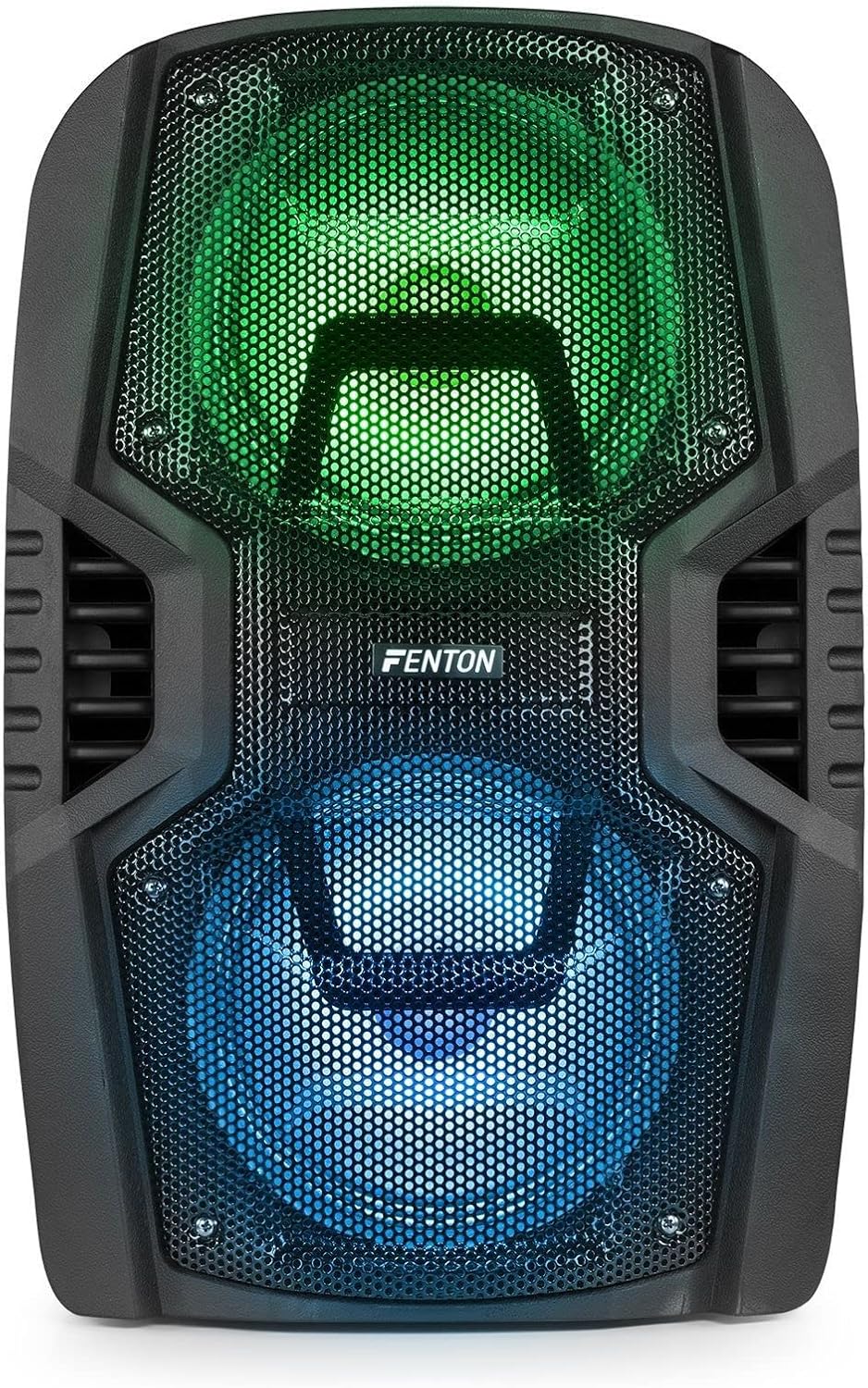
ചിത്രം 8: The front of the speaker with its LED lights displaying vibrant green and blue colors.

ചിത്രം 9: The speaker positioned in a room with low lighting, demonstrating the atmospheric effect of its blue LED lights.
മെയിൻ്റനൻസ്
- വൃത്തിയാക്കൽ: സ്പീക്കറിന്റെ പുറംഭാഗം വൃത്തിയാക്കാൻ മൃദുവായതും ഉണങ്ങിയതുമായ തുണി ഉപയോഗിക്കുക. അബ്രസീവ് ക്ലീനറുകൾ, മെഴുക് അല്ലെങ്കിൽ ലായകങ്ങൾ ഉപയോഗിക്കരുത്.
- സംഭരണം: ദീർഘനേരം ഉപയോഗിക്കാത്തപ്പോൾ, സ്പീക്കർ തണുത്തതും വരണ്ടതുമായ സ്ഥലത്ത് സൂക്ഷിക്കുക, നേരിട്ടുള്ള സൂര്യപ്രകാശത്തിൽ നിന്നും കടുത്ത താപനിലയിൽ നിന്നും അകറ്റി നിർത്തുക.
- ബാറ്ററി കെയർ: To prolong battery life, avoid fully discharging the battery frequently. Recharge the battery periodically if the speaker is stored for a long time.
- വെൻ്റിലേഷൻ: അമിതമായി ചൂടാകുന്നത് തടയാൻ വെന്റിലേഷൻ ഓപ്പണിംഗുകൾ പൊടിയും അവശിഷ്ടങ്ങളും ഇല്ലാത്തതാണെന്ന് ഉറപ്പാക്കുക.
ട്രബിൾഷൂട്ടിംഗ്
| പ്രശ്നം | സാധ്യമായ കാരണം | പരിഹാരം |
|---|---|---|
| ശക്തിയില്ല | Battery discharged; Power cable not connected; Power switch OFF. | Charge the battery; Connect power cable securely; Turn power switch ON. |
| ശബ്ദമില്ല | ശബ്ദം വളരെ കുറവാണ്; തെറ്റായ ഇൻപുട്ട് മോഡ് തിരഞ്ഞെടുത്തു; ഉപകരണം ശരിയായി കണക്റ്റുചെയ്തിട്ടില്ല. | Increase volume; Select correct input (Bluetooth, USB, AUX); Reconnect device. |
| ബ്ലൂടൂത്ത് ജോടിയാക്കുന്നില്ല | Speaker not in pairing mode; Device Bluetooth OFF; Too far from speaker. | Ensure speaker is in BT mode; Enable Bluetooth on device; Move device closer (within 10m). |
| മൈക്രോഫോൺ പ്രവർത്തിക്കുന്നില്ല | Microphone OFF; Mic Vol too low; Microphone not connected. | Turn microphone ON; Increase Mic Vol; Connect microphone securely. |
| LED വിളക്കുകൾ പ്രവർത്തിക്കുന്നില്ല | Light switch OFF. | Turn Light switch ON. |
സ്പെസിഫിക്കേഷനുകൾ
| ബ്രാൻഡ് | ഫെൻ്റൺ |
| മോഡൽ നമ്പർ | FT210LED (170.022) |
| പവർ ഔട്ട്പുട്ട് | 700 W |
| ഫ്രീക്വൻസി പ്രതികരണം | 50 ഹെർട്സ് - 18000 ഹെർട്സ് |
| വൂഫറുകൾ | ഇരട്ട 10-ഇഞ്ച് |
| ബാറ്ററി | 7.4 V / 3 Ah |
| കണക്ഷൻ വോളിയംtage | 230V / 50Hz |
| ഓഡിയോ ഇൻപുട്ടുകൾ | Bluetooth, USB, MicroSD, AUX (3.5mm), Wired Microphone (6.3mm) |
| പ്രത്യേക സവിശേഷതകൾ | Integrated LED lighting, Trolley system, Echo effect for microphone |
| ഉൽപ്പന്ന അളവുകൾ (L x W x H) | 48.5 x 39.5 x 75.5 സെ.മീ |
| ഇനത്തിൻ്റെ ഭാരം | 11.55 കി.ഗ്രാം |
| നിർമ്മാതാവ് | ട്രോണിയോസ് ബി.വി |
വാറൻ്റിയും പിന്തുണയും
വാറന്റി വിവരങ്ങൾക്കോ സാങ്കേതിക പിന്തുണയ്ക്കോ, വാങ്ങുന്ന സമയത്ത് നൽകിയിട്ടുള്ള ഡോക്യുമെന്റേഷൻ പരിശോധിക്കുകയോ നിങ്ങളുടെ റീട്ടെയിലറെ ബന്ധപ്പെടുകയോ ചെയ്യുക. ഏതെങ്കിലും വാറന്റി ക്ലെയിമുകൾക്കായി നിങ്ങളുടെ വാങ്ങിയതിന്റെ തെളിവ് സൂക്ഷിക്കുക.


