1. ആമുഖം
The Embr Wave 2 is a personal thermal wristband designed to provide immediate cooling or warming sensations to help manage various thermal discomforts. This device utilizes advanced thermal technology to deliver precisely calibrated temperature waves to the temperature-sensitive nerves on your wrist, influencing your overall perception of temperature.
It is intended to assist with conditions such as hot flashes, night sweats, sleep disturbances, tension, and general comfort. The device is rechargeable and integrates with a mobile application for personalized control and session management.

Image: The Embr Wave 2 Thermal Wristband in Rose Gold, showcasing its sleek design and Milanese loop band.

ചിത്രം: ഒരു ഓവർview of the Embr Wave 2's key features, including temperature relief, splash and sweat resistance, safety, sleep modes, adjustable band, and battery life.
2. ബോക്സിൽ എന്താണുള്ളത്?
Upon opening your Embr Wave 2 package, please verify that all the following components are included:
- Embr Wave 2 Device
- Stainless Steel Milanese Loop Band with Magnetic Clasp (matching finish)
- Magnetic Charger with USB Cable
- ദ്രുത ആരംഭ ഗൈഡ്
The Milanese loop band is designed to fit wrists approximately 5.3-9.25 inches (135-235mm) in size.
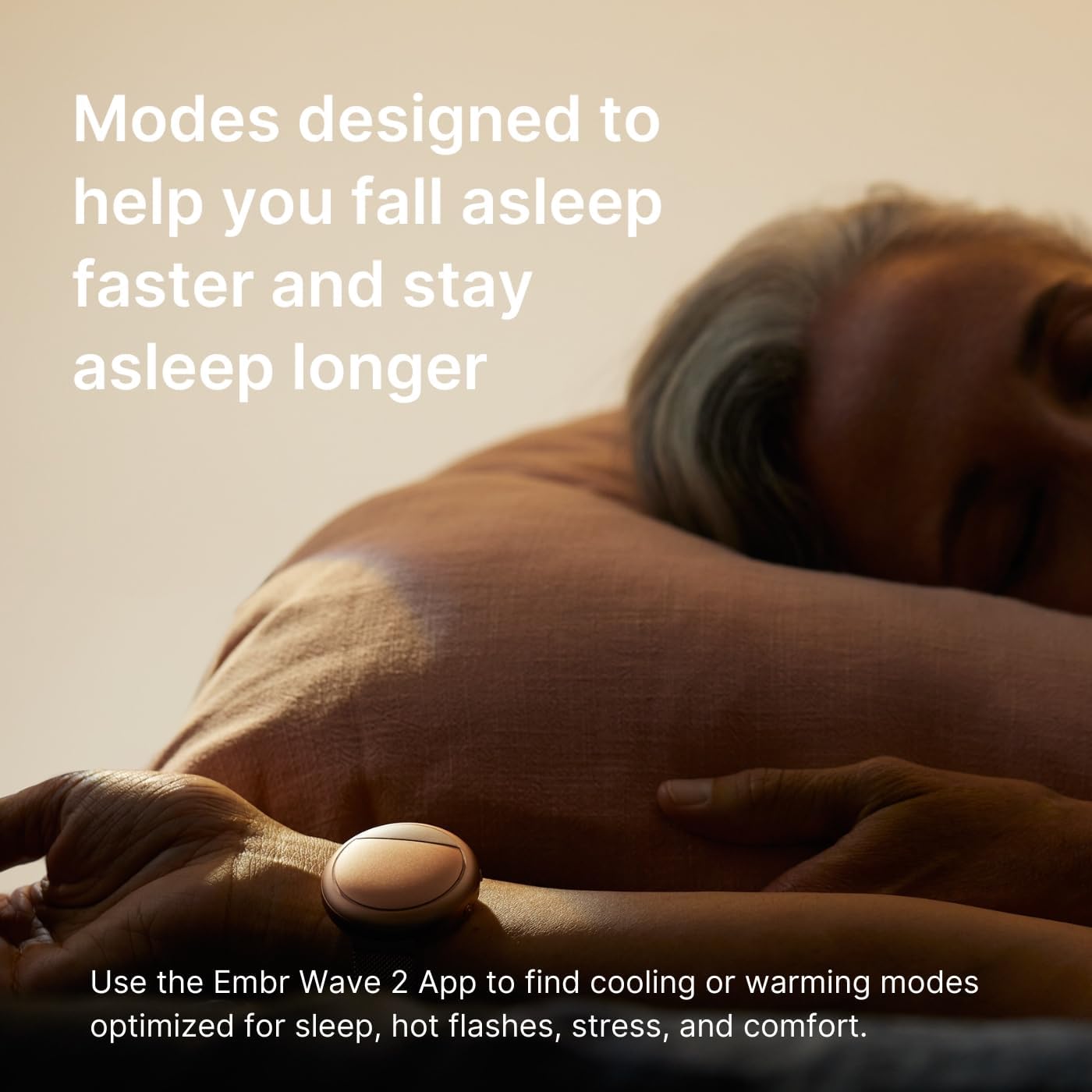
Image: The Embr Wave 2 device, its magnetic charger, and the Milanese loop band as packaged in the box.
3. സജ്ജീകരണം
3.1. പ്രാരംഭ ചാർജിംഗ്
Before first use, fully charge your Embr Wave 2. Connect the magnetic charger to the device and plug the USB cable into a compatible power source (e.g., computer USB port, USB wall adapter). A full charge typically takes approximately 2 hours.
3.2. ആപ്പ് ഇൻസ്റ്റാളേഷനും ജോടിയാക്കലും
To unlock the full functionality and personalization options of your Embr Wave 2, download the official Embr Wave 2 app from your device's app store (available for iOS and Android).
- Download and install the "Embr Wave 2" app on your smartphone.
- Ensure your Embr Wave 2 device is charged and powered on.
- Open the app and follow the on-screen instructions to pair your device via Bluetooth.
- Once paired, you can customize settings, explore various thermal sessions, and track usage patterns.

Image: A smartphone displaying the Embr Wave 2 app interface, highlighting options for personalizing thermal relief sessions.
4. പ്രവർത്തന നിർദ്ദേശങ്ങൾ
4.1. ഉപകരണം ധരിക്കുന്നു
Wear the Embr Wave 2 on the inside of your wrist. Ensure the device makes firm contact with your skin for optimal thermal transfer. The Milanese loop band allows for easy adjustment to achieve a snug fit.
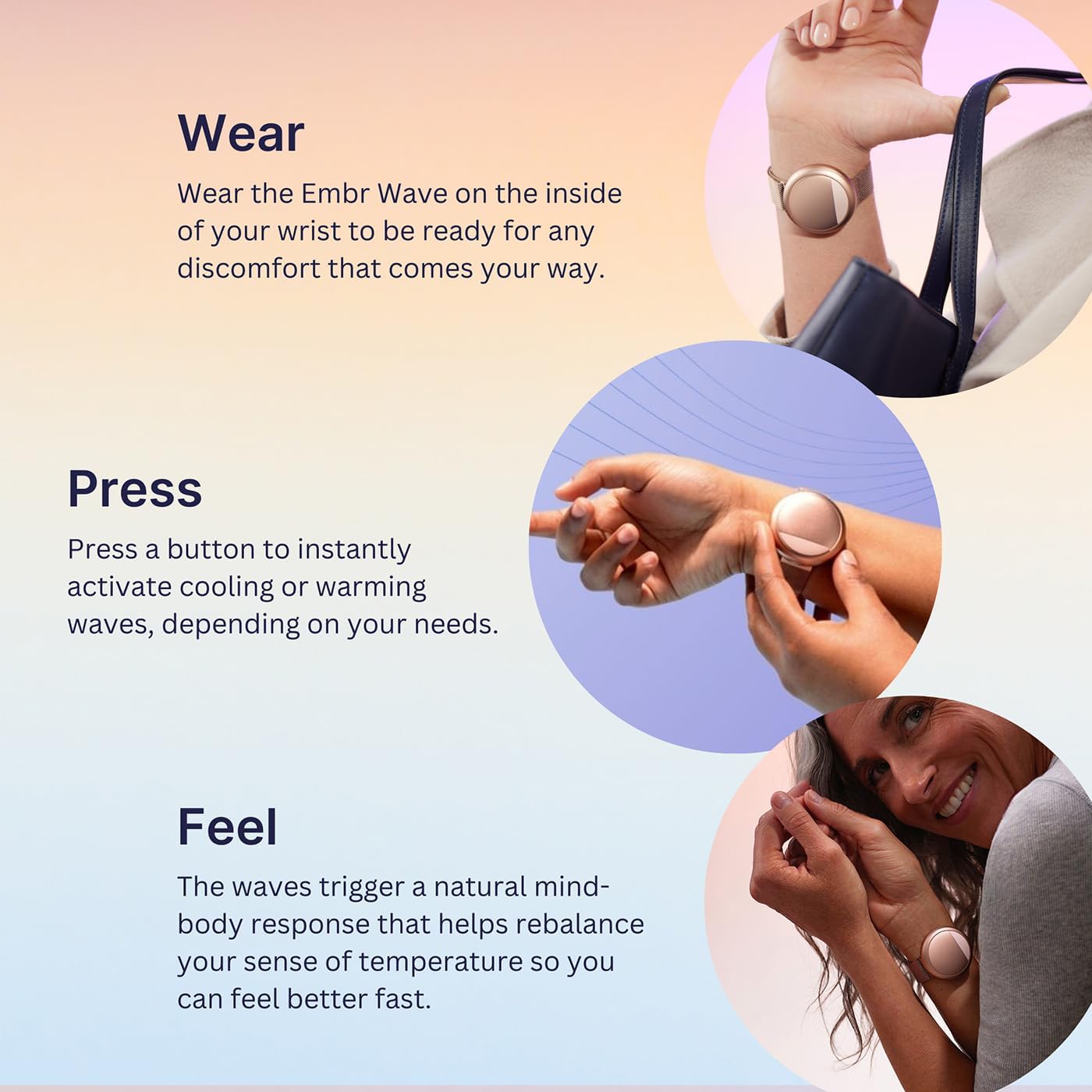
Image: A person demonstrating how to wear the Embr Wave 2 on the inside of the wrist for effective thermal sensation delivery.
4.2. Basic Button Functions
The Embr Wave 2 features two buttons on its side for quick access to thermal sessions:
- ടോപ്പ് ബട്ടൺ: Typically activates cooling sessions.
- താഴെയുള്ള ബട്ടൺ: Typically activates warming sessions.
The specific function and duration of these buttons can be customized via the Embr Wave 2 app.

ചിത്രം: ഒരു ക്ലോസ്-അപ്പ് വശം view of the Embr Wave 2 device, highlighting the two control buttons and the small indicator light.
4.3. Using the Embr Wave 2 App
The app provides extensive control and customization options:
- Expanded Sessions: Access a variety of cooling and warming sessions tailored for specific needs, including Focus, Temperature Tools, hot flashes, sleep, tension, and relaxation.
- ഇഷ്ടാനുസൃതമാക്കൽ: Adjust session durations, intensity levels, and reprogram the device buttons to suit your preferences.
- ഉപയോഗ ട്രാക്കിംഗ്: Monitor your usage patterns to optimize comfort and effectiveness over time.

Image: The Embr Wave 2 app displaying a usage tracking interface, allowing users to monitor and optimize their thermal relief patterns.
4.4. Understanding Thermal Relief
The Embr Wave 2 works by generating precise thermal waves that stimulate thermoreceptors on your wrist. These nerves send signals to your brain, influencing your perception of temperature and helping to rebalance your body's comfort response.
- Why the Wrist? The inside of your wrist has a high concentration of thermoreceptors, making it an ideal location for targeted thermal stimulation.
- Why in Waves? Delivering sensations in waves prevents your body from adapting to a constant temperature, maintaining the effectiveness of the relief for longer durations.

Image: A diagram illustrating how the Embr Wave 2 generates thermal waves to provide cooling or warming sensations.

Image: An explanation detailing the high concentration of thermoreceptors on the wrist, making it an effective point for thermal stimulation.
4.5. പ്രധാന ഉപയോഗ കുറിപ്പുകൾ
- അഡാപ്റ്റേഷൻ കാലയളവ്: It may take at least two weeks for your body to adjust and for you to experience the full effectiveness of the Embr Wave 2. Consistent use is recommended.
- ബാറ്ററി ലൈഫ്: Actual battery life (up to 9+ hours) varies based on device settings and usage patterns.
- പാരിസ്ഥിതിക പരിമിതികൾ: The Embr Wave 2 is optimized for moderate environments. It is not designed to replace air conditioning in extreme heat or heavy winter clothing in arctic conditions.

Image: A visual guide outlining scenarios where the Embr Wave 2 is effective and situations where it is not optimized, such as extreme temperatures or water activities.
5. പരിപാലനം
5.1. വൃത്തിയാക്കൽ
To clean your Embr Wave 2, gently wipe the device and band with a soft, damp cloth. Avoid using harsh chemicals, abrasive cleaners, or submerging the device in water. The device is splash and sweat resistant, but not waterproof.
5.2. സംഭരണം
Store your Embr Wave 2 in a cool, dry place when not in use. Avoid extreme temperatures and direct sunlight.
6. പ്രശ്നപരിഹാരം
If you encounter issues with your Embr Wave 2, refer to the following common solutions:
- ഉപകരണം ഓണാക്കുന്നില്ല: Ensure the device is fully charged. Connect it to the charger and wait for the indicator light to confirm charging.
- No Thermal Sensation: Verify the device is making firm contact with the inside of your wrist. Check the app to ensure a session is active and the intensity is set appropriately.
- ആപ്പ് കണക്റ്റിവിറ്റി പ്രശ്നങ്ങൾ: Ensure Bluetooth is enabled on your smartphone and the device is within range. Try restarting both the app and your Embr Wave 2. If issues persist, unpair and re-pair the device in the app settings.
- ബാറ്ററി വേഗത്തിൽ തീർന്നു: High-intensity or long-duration sessions consume more battery. Adjust session settings in the app to optimize battery life. Ensure the device is fully charged before extended use.
- Perceived Effectiveness: Remember that the Embr Wave 2 works by influencing your perception of temperature. It may take consistent use over several weeks for your body to fully adapt and for you to experience the maximum benefits.
For further assistance, consult the official Embr Labs support resources.
7 സ്പെസിഫിക്കേഷനുകൾ
| ഉൽപ്പന്ന അളവുകൾ | 5.5 x 4 x 2.5 ഇഞ്ച്; 0.63 ഔൺസ് |
| ഇനം മോഡൽ നമ്പർ | WAVE2-DEVC-RG |
| വകുപ്പ് | യുണിസെക്സ്-മുതിർന്നവർ |
| ബാറ്ററികൾ | 1 ലിഥിയം അയോൺ ബാറ്ററി ആവശ്യമാണ് (ഉൾപ്പെടുത്തിയിരിക്കുന്നു) |
| നിർമ്മാതാവ് | എംബ്രി ലാബുകൾ |
| ഓപ്പറേറ്റിംഗ് സിസ്റ്റം | iOS, Android |
| പ്രത്യേക ഫീച്ചർ | ഭാരം കുറഞ്ഞ |
| ബാറ്ററി ശേഷി | 580 മില്ലിamp മണിക്കൂറുകൾ |
| കണക്റ്റിവിറ്റി ടെക്നോളജി | USB, ബ്ലൂടൂത്ത് |
| ബാറ്ററി സെൽ കോമ്പോസിഷൻ | ലിഥിയം അയോൺ |
| ആകൃതി | വൃത്താകൃതി |
8. വാറൻ്റിയും പിന്തുണയും
8.1. ഉൽപ്പന്ന വാറൻ്റി
For detailed information regarding the product warranty, please refer to the official documentation provided with your Embr Wave 2 or visit the Embr Labs official webസൈറ്റ്. വാറന്റി നിബന്ധനകളും വ്യവസ്ഥകളും വ്യത്യാസപ്പെടാം.
8.2. ഉപഭോക്തൃ പിന്തുണ
If you require further assistance, have questions about your device, or need to report an issue, please contact Embr Labs customer support through their official webസൈറ്റ് അല്ലെങ്കിൽ നിങ്ങളുടെ ക്വിക്ക് സ്റ്റാർട്ട് ഗൈഡിൽ നൽകിയിരിക്കുന്ന കോൺടാക്റ്റ് വിവരങ്ങൾ.


