1. ആമുഖം
Thank you for choosing the Mission LX-4 MKII Tower Speaker. This manual provides essential information for the proper setup, operation, and maintenance of your new speakers. Please read it thoroughly before use to ensure optimal performance and longevity of your product.
The Mission LX-4 MKII series represents over 40 years of British Hi-Fi heritage, offering enhanced clarity in the midrange, refined treble detail, and improved micro-dynamics for a thrilling musical experience. These speakers feature Mission's classic Inverted Geometry Drive (IDG) driver format, positioning the high frequency unit below the bass/midrange driver for improved time alignment and transient performance.

ചിത്രം 1: മുൻഭാഗം view of the Mission LX-4 MKII Tower Speaker, showcasing its sleek design and driver configuration.
2. സജ്ജീകരണം
2.1 അൺപാക്കിംഗ്
Carefully remove the speakers from their packaging. Retain all packaging materials for future transport or storage. Inspect the speakers for any signs of damage. If damage is found, contact your dealer immediately.
2.2 പ്ലേസ്മെൻ്റ്
Optimal speaker placement is crucial for sound quality. Position the LX-4 MKII speakers on a stable, level surface. For stereo listening, place the speakers equidistant from your primary listening position, forming an equilateral triangle. Ensure there is adequate space around the speakers for proper air circulation and to minimize reflections from nearby walls or furniture.
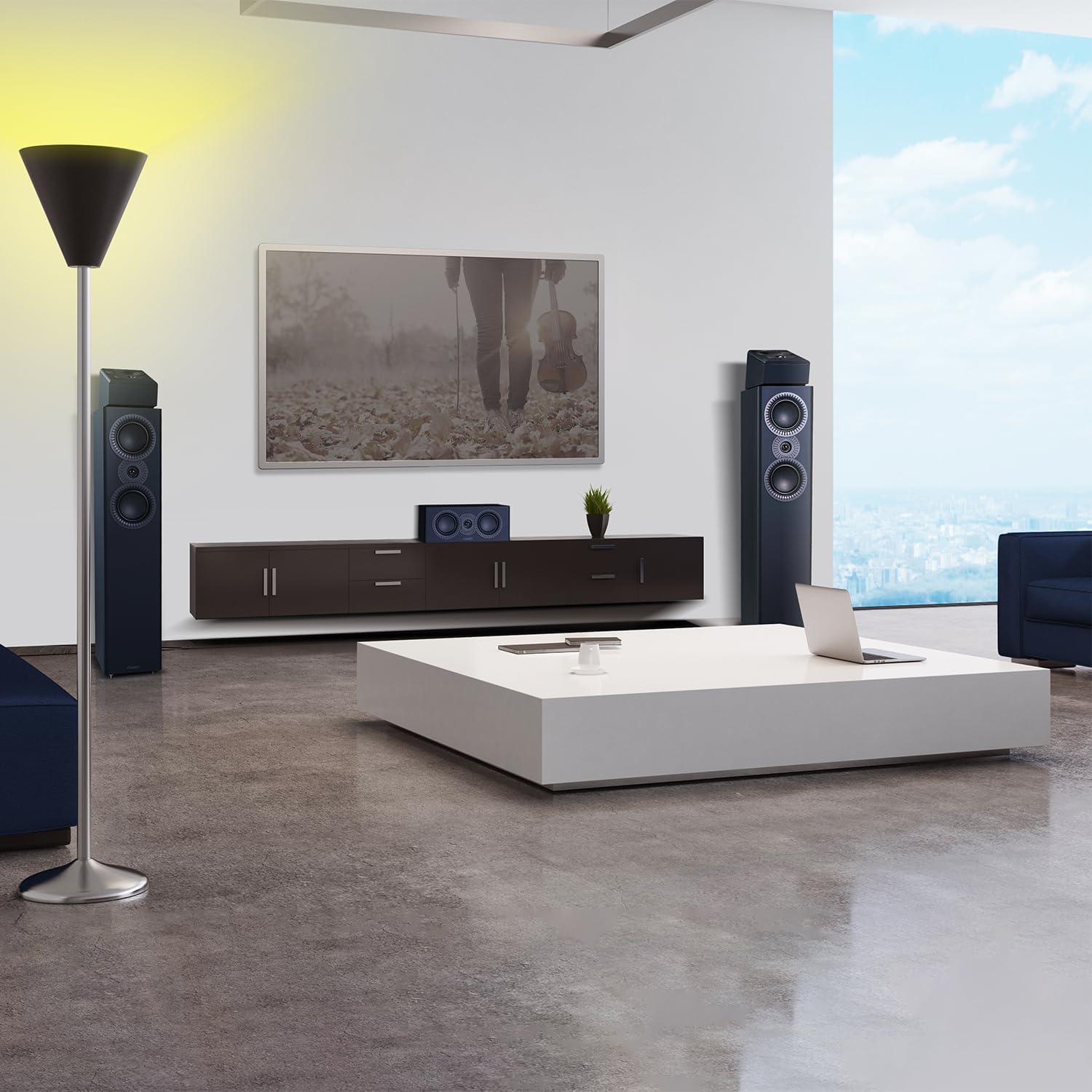
ചിത്രം 2: ഉദാample of Mission LX-4 MKII Tower Speakers integrated into a modern living room setup, demonstrating ideal placement for optimal audio experience.
2.3 കണക്ഷനുകൾ
The LX-4 MKII speakers are designed for connection to an amplifier. Use high-quality speaker cables to connect the speaker terminals to the corresponding output terminals on your amplifier. Ensure correct polarity: positive (+) on the speaker to positive (+) on the amplifier, and negative (-) on the speaker to negative (-) on the amplifier. Incorrect polarity can result in poor sound quality.
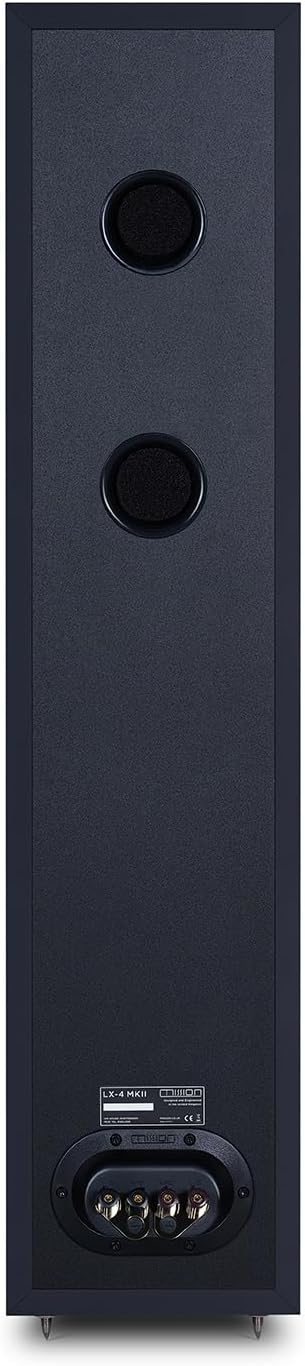
ചിത്രം 3: പിൻഭാഗം view of the Mission LX-4 MKII Tower Speaker, highlighting the robust speaker terminals for secure ampലൈഫയർ കണക്ഷനുകൾ.
3. പ്രവർത്തന നിർദ്ദേശങ്ങൾ
3.1 പ്രാരംഭ പ്ലേബാക്ക്
Once connected, ensure your amplifier's volume is set to a low level before powering on. Gradually increase the volume to a comfortable listening level. Allow a 'break-in' period of several hours of playback for the drivers to settle and achieve their optimal performance.
3.2 Ampലൈഫയർ അനുയോജ്യത
The Mission LX-4 MKII speakers are designed to work with a wide range of amplifiers. Refer to the specifications section for recommended amplifier power. Avoid overdriving the speakers with excessive volume, which can lead to distortion and potential damage.
4. പരിപാലനം
4.1 വൃത്തിയാക്കൽ
To clean the speaker cabinets, use a soft, dry, lint-free cloth. Avoid using abrasive cleaners, solvents, or polishes, as these can damage the finish. For the grilles, a soft brush or vacuum cleaner with a brush attachment can be used to remove dust.
4.2 പൊതു പരിചരണം
Keep the speakers away from direct sunlight, heat sources, and excessive moisture. Do not place heavy objects on top of the speakers. Ensure children and pets do not tamper with the speaker drivers.
5. പ്രശ്നപരിഹാരം
If you experience issues with your Mission LX-4 MKII speakers, consult the following common troubleshooting steps:
- ശബ്ദമില്ല: തമ്മിലുള്ള എല്ലാ കേബിൾ കണക്ഷനുകളും പരിശോധിക്കുക amplifier and speakers. Ensure the amplifier is powered on and the correct input is selected. Verify that the volume is not muted or set too low.
- വികലമായ ശബ്ദം: കുറയ്ക്കുക amplifier volume. Check speaker cable connections for loose strands or short circuits. Ensure the amplifier is not clipping (overdriving).
- അസന്തുലിതമായ ശബ്ദം: Check speaker placement and ensure both speakers are connected with correct polarity. Verify amplifier balance settings.
- Poor Bass Response: Ensure speakers are not placed too far from walls or in an overly large room without proper acoustic treatment. Check for loose connections.
If problems persist after attempting these steps, contact your authorized Mission dealer or customer support for further assistance.
6 സ്പെസിഫിക്കേഷനുകൾ
| ഫീച്ചർ | സ്പെസിഫിക്കേഷൻ |
|---|---|
| മോഡലിൻ്റെ പേര് | LX-4 MKII |
| സ്പീക്കർ തരം | ടവർ |
| സറൗണ്ട് സൗണ്ട് ചാനൽ കോൺഫിഗറേഷൻ | 2.0 |
| ഇനത്തിൻ്റെ ഭാരം | 40.3 പൗണ്ട് |
| വാട്ടർപ്രൂഫ് ആണ് | തെറ്റ് |
| നിയന്ത്രണ രീതി | Remote (via connected ampജീവപര്യന്തം) |
| സ്പീക്കർ വലിപ്പം | 200 Millimeters (Woofer) |
| പവർ ഉറവിടം | Corded Electric (via connected ampജീവപര്യന്തം) |
| യു.പി.സി | 840117503366 |
| നിർമ്മാതാവ് | Mission Hifi |
| ഉൽപ്പന്ന അളവുകൾ | 15.35 x 12.6 x 40.55 ഇഞ്ച് |
| ഇനത്തിൻ്റെ മോഡൽ നമ്പർ | LX4MKIIBK |
| സ്പീക്കർ പരമാവധി ഔട്ട്പുട്ട് പവർ | 120 വാട്ട്സ് |
| കണക്റ്റിവിറ്റി ടെക്നോളജി | Auxiliary (via speaker wire) |
| ഓഡിയോ put ട്ട്പുട്ട് മോഡ് | സ്റ്റീരിയോ |
| മൗണ്ടിംഗ് തരം | ഫ്ലോർ സ്റ്റാൻഡിംഗ് |
7. വാറൻ്റിയും പിന്തുണയും
Mission products are manufactured to the highest standards and are designed for reliable performance. For warranty information, please refer to the warranty card included with your product or visit the official Mission webസൈറ്റ്. വാറന്റി ക്ലെയിമുകൾക്കായി നിങ്ങളുടെ വാങ്ങലിന്റെ തെളിവ് സൂക്ഷിക്കുക.
For technical support, troubleshooting assistance, or service inquiries, please contact your authorized Mission dealer or the manufacturer's customer support. Contact information can typically be found on the Mission webസൈറ്റ് അല്ലെങ്കിൽ നിങ്ങളുടെ ഉൽപ്പന്ന ഡോക്യുമെന്റേഷനിൽ.
പ്രധാനപ്പെട്ടത്: Do not attempt to service the speakers yourself. Refer all servicing to qualified service personnel.


