1. ആമുഖം
The OSRAM BATTERYcharge 5PIN portable charging cable is designed for convenient charging of electric vehicles (EVs) and plug-in hybrid vehicles (PHEVs) equipped with a Type 1 connection. This cable allows charging from a standard 2-pin 230V Schuko socket, making it suitable for use at home or on the go. This manual provides essential information for safe and effective use of your charging cable.
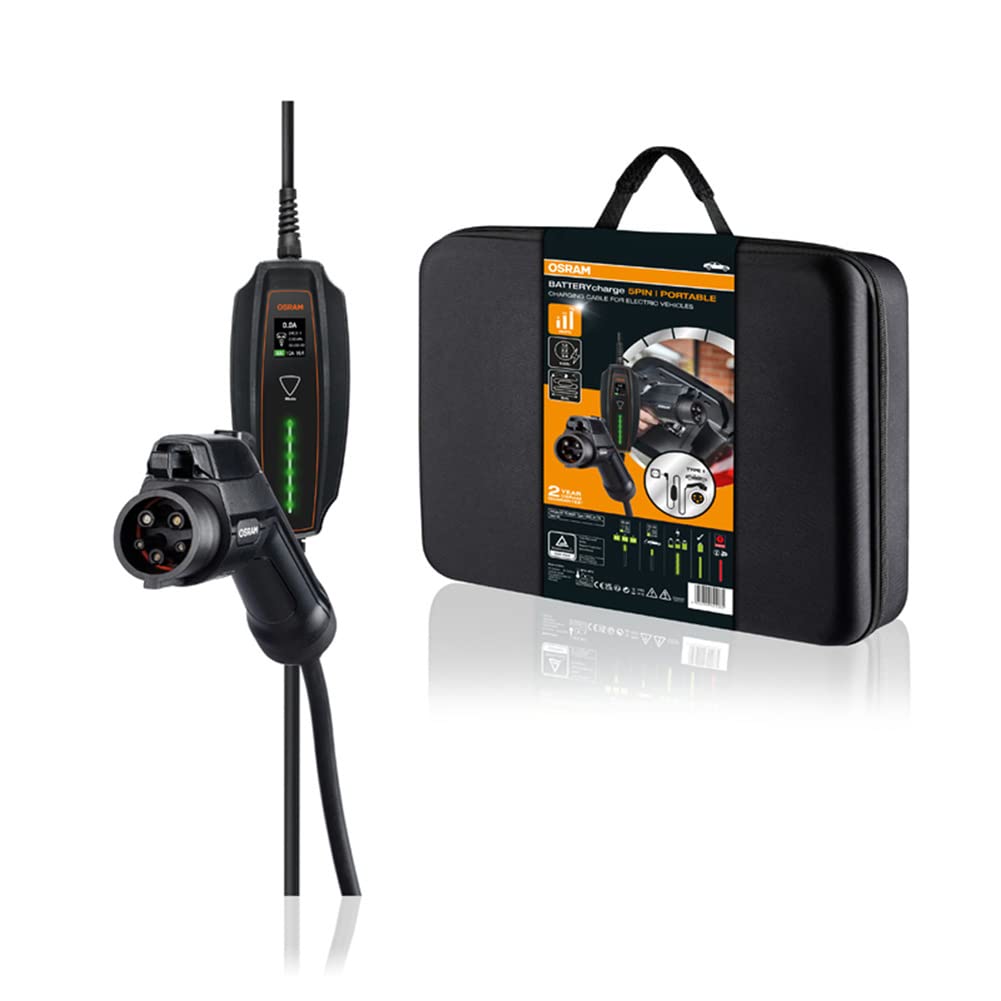
Image: The OSRAM BATTERYcharge 5PIN portable EV charging cable, displaying its main components: the Type 1 vehicle connector, the central control box, and the Schuko plug for wall outlets.
2. സുരക്ഷാ നിർദ്ദേശങ്ങൾ
Read all safety instructions carefully before using the charging cable. Failure to follow these instructions may result in electric shock, fire, or serious injury.
- ഉപയോഗിക്കരുത് the cable if it is damaged, frayed, or shows any signs of wear.
- ഉപയോഗിക്കരുത് the cable in wet conditions or immerse it in water. The cable and connectors are rated IP65 for dust and splash protection, but are not designed for submersion.
- Ensure the power outlet is properly grounded and rated for the required voltagഇയും കറൻ്റും.
- നിർബന്ധിക്കരുത് the connectors into the vehicle or wall socket.
- കുട്ടികളെയും വളർത്തുമൃഗങ്ങളെയും അകറ്റി നിർത്തുക from the charging area during operation.
- എല്ലായ്പ്പോഴും വിച്ഛേദിക്കുക the cable from the vehicle first, then from the wall socket.
- Avoid using extension cords or adapters with the charging cable.
- നന്നാക്കാൻ ശ്രമിക്കരുത് or modify the charging cable. Contact qualified personnel for service.
3. ഉൽപ്പന്നം കഴിഞ്ഞുview
The OSRAM BATTERYcharge 5PIN cable consists of three main components:
- Type 1 Vehicle Connector (SAE J1772): Connects to your electric vehicle's charging port.
- കൺട്രോൾ ബോക്സ്: Contains the charging electronics and indicators.
- Schuko Plug (IEC TR 60083): Connects to a standard 230V wall socket.
ചിത്രം: വിശദമായ ഒരു ചിത്രം view of the Type 1 vehicle connector and the Schuko plug, highlighting their design and connection points.

Image: A close-up of the charging cable's control box, showing its display and indicator lights for charging status.
4. സജ്ജീകരണം
Before charging, ensure your vehicle is parked in a safe, well-ventilated area and turned off.
- കേബിൾ അൺപാക്ക് ചെയ്യുക: Remove the charging cable from its storage bag.
- Inspect the cable: Visually check the entire cable, connectors, and control box for any damage. Do not use if damaged.
- പവർ ഔട്ട്ലെറ്റിലേക്ക് കണക്റ്റുചെയ്യുക: Insert the Schuko plug firmly into a standard 230V, properly grounded wall socket. The control box will power on.
- Prepare vehicle: നിങ്ങളുടെ വാഹനത്തിന്റെ ചാർജിംഗ് പോർട്ട് കവർ തുറക്കുക.

Image: An electric car is parked, with the charging cable extending from its charging port to a wall socket, illustrating a typical setup.
5. പ്രവർത്തന നിർദ്ദേശങ്ങൾ
നിങ്ങളുടെ ഇലക്ട്രിക് വാഹനം ചാർജ് ചെയ്യാൻ ഈ ഘട്ടങ്ങൾ പാലിക്കുക:
- വാഹനവുമായി ബന്ധിപ്പിക്കുക: Insert the Type 1 vehicle connector firmly into your vehicle's charging port. Ensure it clicks into place.
- Initiate charging: The control box will automatically detect the vehicle and begin the charging process. The indicators on the control box will show the charging status.
- മോണിറ്റർ ചാർജിംഗ്: Observe the control box indicators and your vehicle's dashboard for charging status.
- End charging: Once charging is complete, or if you need to stop charging, first disconnect the Type 1 connector from the vehicle. Most vehicles require unlocking the charging port via the car's key fob or interior button before removal.
- Disconnect from power: After disconnecting from the vehicle, unplug the Schuko plug from the wall socket.

Image: A hand holds the Type 1 connector, preparing to insert it into the electric vehicle's charging port.

Image: The Type 1 connector is securely plugged into the vehicle's charging port, indicating a successful connection.
6. പരിപാലനം
ശരിയായ അറ്റകുറ്റപ്പണി നിങ്ങളുടെ ചാർജിംഗ് കേബിളിന്റെ ദീർഘായുസ്സും സുരക്ഷിതമായ പ്രവർത്തനവും ഉറപ്പാക്കുന്നു.
- വൃത്തിയാക്കൽ: Wipe the cable and connectors with a dry or slightly damp cloth. Do not use harsh chemicals or abrasive cleaners. Ensure connectors are dry before use.
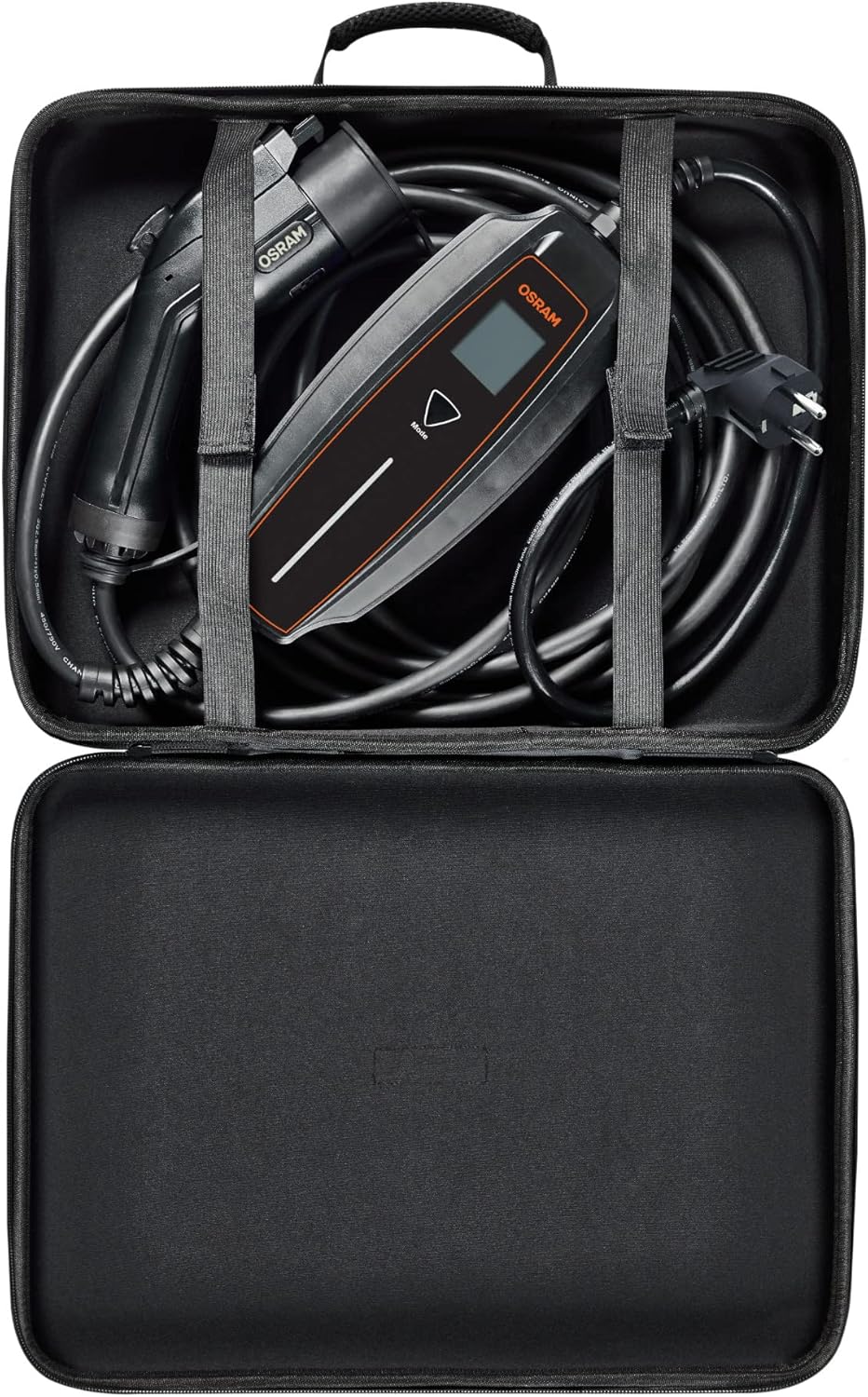
- സംഭരണം: After use, coil the cable neatly and store it in the provided durable, compact storage bag. Store in a dry, cool place, away from direct sunlight and extreme temperatures.
- പരിശോധന: Regularly inspect the cable for any signs of damage, cuts, or fraying. Check the connectors for corrosion or bent pins.
- പൊടി സംരക്ഷണം: Utilize the dust protection caps for the connectors when the cable is not in use.

Image: The OSRAM BATTERYcharge 5PIN charging cable neatly stored inside its compact, durable carrying bag.
7. പ്രശ്നപരിഹാരം
നിങ്ങൾക്ക് പ്രശ്നങ്ങൾ നേരിടുകയാണെങ്കിൽ, ഇനിപ്പറയുന്ന പൊതുവായ പ്രശ്നങ്ങളും പരിഹാരങ്ങളും പരിശോധിക്കുക:
| പ്രശ്നം | സാധ്യമായ കാരണം | പരിഹാരം |
|---|---|---|
| ചാർജ്ജുചെയ്യൽ ആരംഭിക്കുന്നില്ല. | Cable not fully connected; vehicle not ready for charging; power outlet issue; cable damage. | Ensure both ends are securely connected. Check vehicle's charging settings. Test the wall socket with another appliance. Inspect cable for damage. |
| Control box indicators are off. | No power from the wall socket; cable not plugged in. | Verify the Schuko plug is fully inserted. Check the wall socket's power supply (e.g., circuit breaker). |
| ചാർജിംഗ് അപ്രതീക്ഷിതമായി നിലയ്ക്കുന്നു. | Vehicle fault; power interruption; overheating. | Check vehicle's dashboard for error messages. Ensure stable power supply. Allow cable to cool down if it feels hot. |
| Connector is stuck in vehicle. | Vehicle's locking mechanism engaged. | Refer to your vehicle's manual for unlocking the charging port. Typically, this involves using the key fob or an interior button. |
If the problem persists after attempting these solutions, contact OSRAM customer support.
8 സ്പെസിഫിക്കേഷനുകൾ
| ഫീച്ചർ | വിശദാംശങ്ങൾ |
|---|---|
| മോഡൽ നമ്പർ | OPC10A05 |
| Connector Type (Vehicle) | ടൈപ്പ് 1 (SAE J1772) |
| Connector Type (Wall) | Schuko (IEC TR 60083) |
| ഇൻപുട്ട് വോളിയംtage | 230V |
| കേബിൾ നീളം | 5 മീറ്റർ |
| ഇൻഗ്രെസ്സ് പ്രൊട്ടക്ഷൻ (IP) റേറ്റിംഗ് | IP65 (പൊടി, തെറിക്കൽ പ്രതിരോധം) |
| Impact Resistance (IK) Rating | IK10 |
| സർട്ടിഫിക്കേഷനുകൾ | TÜV, CE |
| ഇനത്തിൻ്റെ ഭാരം | 5.76 പൗണ്ട് (ഏകദേശം 2.61 കിലോഗ്രാം) |
| ഉൽപ്പന്ന അളവുകൾ | 216.54 x 4.72 x 5.12 ഇഞ്ച് (ഏകദേശം 550 x 12 x 13 സെ.മീ) |
9. വാറൻ്റിയും പിന്തുണയും
The OSRAM BATTERYcharge 5PIN portable charging cable comes with a 2 വർഷത്തെ വാറൻ്റി. For exact conditions and to register your product, please visit osram.com/am-guarantee.
For technical support, troubleshooting assistance, or warranty claims, please contact OSRAM customer service through their official webസൈറ്റ് അല്ലെങ്കിൽ നിങ്ങളുടെ ഉൽപ്പന്ന പാക്കേജിംഗിനൊപ്പം നൽകിയിരിക്കുന്ന ബന്ധപ്പെടാനുള്ള വിവരങ്ങൾ.


