1. ആമുഖം
This manual provides instructions for the safe and efficient operation of your MIFA S2118 WildRod Portable Bluetooth Speaker. Please read this manual thoroughly before using the product and retain it for future reference.
2. പാക്കേജ് ഉള്ളടക്കം
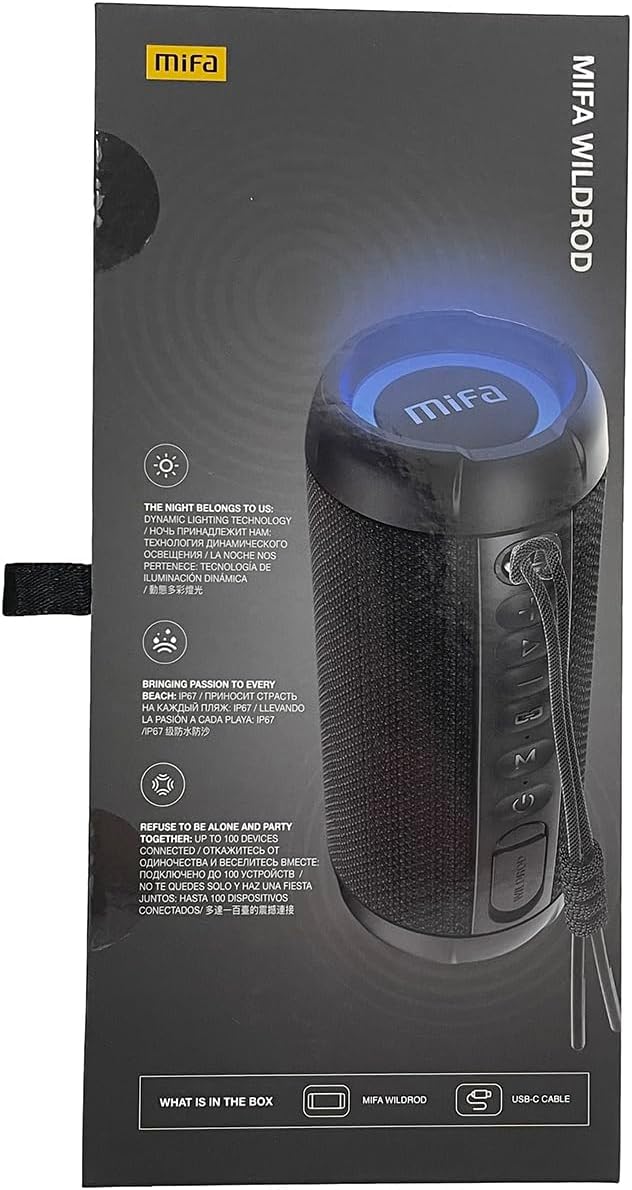
പാക്കേജിൽ എല്ലാ ഇനങ്ങളും ഉണ്ടെന്ന് ഉറപ്പാക്കുക:
- MIFA WildRod Speaker
- യുഎസ്ബി-സി കേബിൾ
- ഉപയോക്തൃ മാനുവൽ (ഈ പ്രമാണം)
3. ഉൽപ്പന്നം കഴിഞ്ഞുview
The MIFA S2118 WildRod is a portable Bluetooth speaker designed for outdoor use, featuring robust construction and dynamic audio capabilities.
പ്രധാന സവിശേഷതകൾ:
- IP67 വാട്ടർപ്രൂഫ് ആൻഡ് ഡസ്റ്റ് പ്രൂഫ്: Designed to withstand immersion in water up to 1 meter for 30 minutes and protected against dust ingress.
- 30W ഔട്ട്പുട്ട് പവർ: Delivers clear and powerful sound with a 2-way speaker system, including a racetrack-shaped woofer and a separate tweeter.
- Dynamic LED Light: Features 16.8 million Aurora colors and 36 mixed color flashing lights that synchronize with music.
- ബ്ലൂടൂത്ത് 5.3: For stable wireless connectivity.
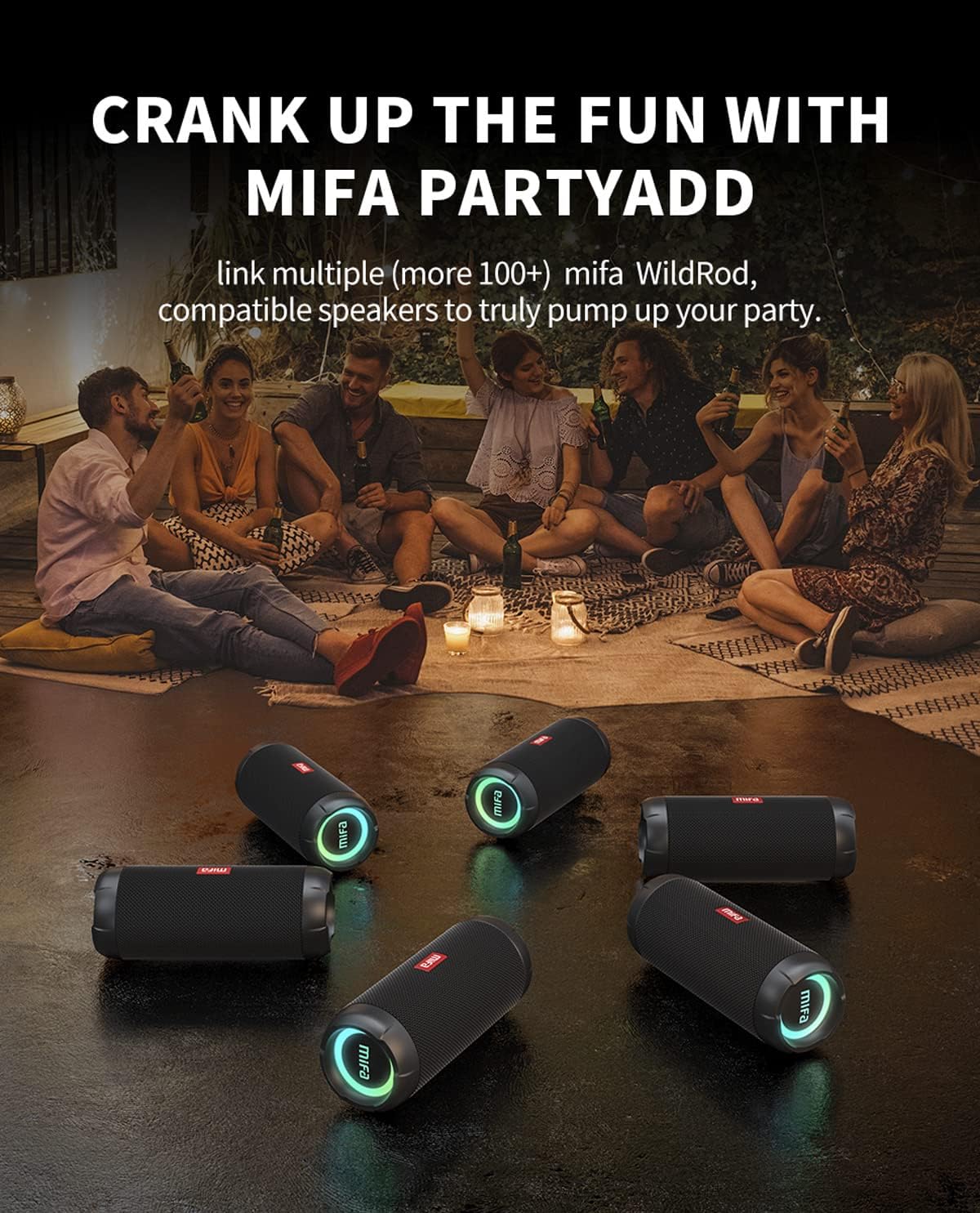
- MIFA PartyAdd: Allows linking multiple (100+) compatible speakers for synchronized audio.
- 12 മണിക്കൂർ കളിസമയം: Equipped with a 5000mAh lithium battery.
- ഒന്നിലധികം ഇൻപുട്ട് ഓപ്ഷനുകൾ: Supports Bluetooth and Micro SD card playback.


4. സജ്ജീകരണം
4.1 പ്രാരംഭ ചാർജിംഗ്
- Before first use, fully charge the speaker using the provided USB-C cable.
- Connect the USB-C cable to the charging port on the speaker and the other end to a compatible USB power adapter (not included).
- LED ഇൻഡിക്കേറ്റർ ചാർജിംഗ് സ്റ്റാറ്റസ് കാണിക്കുകയും പൂർണ്ണമായി ചാർജ് ചെയ്യുമ്പോൾ അത് ഓഫാക്കുകയോ നിറം മാറ്റുകയോ ചെയ്യും.

5. പ്രവർത്തന നിർദ്ദേശങ്ങൾ
5.1 പവർ ഓൺ/ഓഫ്
- പവർ ഓൺ ചെയ്യാൻ, ഇൻഡിക്കേറ്റർ ലൈറ്റ് പ്രകാശിക്കുന്നത് വരെ പവർ ബട്ടൺ അമർത്തിപ്പിടിക്കുക.
- പവർ ഓഫ് ചെയ്യാൻ, ഇൻഡിക്കേറ്റർ ലൈറ്റ് ഓഫ് ആകുന്നതുവരെ പവർ ബട്ടൺ അമർത്തിപ്പിടിക്കുക.
5.2 ബ്ലൂടൂത്ത് ജോടിയാക്കൽ
- സ്പീക്കർ ഓണാണെന്നും ബ്ലൂടൂത്ത് ജോടിയാക്കൽ മോഡിലാണെന്നും ഉറപ്പാക്കുക (ഇൻഡിക്കേറ്റർ ലൈറ്റ് മിന്നിമറയും).
- നിങ്ങളുടെ ഉപകരണത്തിൽ (സ്മാർട്ട്ഫോൺ, ടാബ്ലെറ്റ് മുതലായവ), ബ്ലൂടൂത്ത് പ്രവർത്തനക്ഷമമാക്കി ലഭ്യമായ ഉപകരണങ്ങൾക്കായി തിരയുക.
- Select "MIFA S2118" or "MIFA WildRod" from the list of devices.
- Once paired, the speaker will indicate a successful connection, and the indicator light will become solid.
5.3 പ്ലേബാക്ക് നിയന്ത്രണങ്ങൾ
- പ്ലേ/താൽക്കാലികമായി നിർത്തുക: പ്ലേ/പോസ് ബട്ടൺ അമർത്തുക.
- വോളിയം കൂട്ടുക: വോളിയം + ബട്ടൺ അമർത്തുക.
- വോളിയം താഴേക്ക്: വോളിയം ബട്ടൺ അമർത്തുക.
- അടുത്ത ട്രാക്ക്: വോളിയം + ബട്ടൺ അമർത്തിപ്പിടിക്കുക.
- മുമ്പത്തെ ട്രാക്ക്: വോളിയം ബട്ടൺ അമർത്തിപ്പിടിക്കുക.
5.4 LED ലൈറ്റ് മോഡുകൾ
The speaker features dynamic LED lights. Refer to the specific button on your speaker (often marked with a light icon) to cycle through different light modes or turn them off.
5.5 MIFA PartyAdd (True Wireless Stereo Pairing)
To connect multiple MIFA WildRod speakers for a synchronized audio experience:
- രണ്ട് സ്പീക്കറുകളും ഓണാക്കിയിട്ടുണ്ടെന്നും ഏതെങ്കിലും ബ്ലൂടൂത്ത് ഉപകരണവുമായി ബന്ധിപ്പിച്ചിട്ടില്ലെന്നും ഉറപ്പാക്കുക.
- On one speaker, press the PartyAdd button (or designated TWS button). It will enter pairing mode.
- Repeat the process on the second speaker.
- Once connected, the speakers will indicate successful pairing. You can then connect your device to one of the speakers via Bluetooth.

5.6 മൈക്രോ എസ്ഡി കാർഡ് പ്ലേബാക്ക്
ഓഡിയോ ഉള്ള ഒരു മൈക്രോ എസ്ഡി കാർഡ് ഇടുക files into the designated slot. The speaker will automatically switch to Micro SD card playback mode. Use the playback controls to manage your music.
6. പരിപാലനം
- വൃത്തിയാക്കൽ: ഒരു സോഫ്റ്റ് ഉപയോഗിക്കുക, ഡിamp സ്പീക്കറിന്റെ പുറംഭാഗം വൃത്തിയാക്കാൻ തുണി ഉപയോഗിക്കുക. കഠിനമായ രാസവസ്തുക്കളോ അബ്രസീവ് ക്ലീനറുകളോ ഉപയോഗിക്കരുത്.
- സംഭരണം: നേരിട്ടുള്ള സൂര്യപ്രകാശത്തിൽ നിന്നും കടുത്ത താപനിലയിൽ നിന്നും മാറി തണുത്തതും വരണ്ടതുമായ സ്ഥലത്ത് സ്പീക്കർ സൂക്ഷിക്കുക.
- ബാറ്ററി കെയർ: ബാറ്ററി ലൈഫ് വർദ്ധിപ്പിക്കുന്നതിന്, ദീർഘനേരം പ്രവർത്തിക്കാതിരിക്കുന്നതിന് മുമ്പ് സ്പീക്കർ പൂർണ്ണമായും ചാർജ് ചെയ്യുക. ഇടയ്ക്കിടെ ബാറ്ററി പൂർണ്ണമായും ചാർജ് ചെയ്യുന്നത് ഒഴിവാക്കുക.
7. പ്രശ്നപരിഹാരം
| പ്രശ്നം | സാധ്യമായ കാരണം | പരിഹാരം |
|---|---|---|
| സ്പീക്കർ പവർ ഓൺ ചെയ്യുന്നില്ല. | കുറഞ്ഞ ബാറ്ററി. | സ്പീക്കർ പൂർണ്ണമായും ചാർജ് ചെയ്യുക. |
| ബ്ലൂടൂത്ത് വഴി ജോടിയാക്കാൻ കഴിയില്ല. | സ്പീക്കർ ജോടിയാക്കൽ മോഡിൽ ഇല്ല; ഉപകരണം ബ്ലൂടൂത്ത് ഓഫാണ്; സ്പീക്കറിൽ നിന്ന് വളരെ അകലെയാണ്. | Ensure speaker is in pairing mode. Turn device Bluetooth off and on. Move device closer to speaker. |
| ശബ്ദമില്ല. | Volume too low; device not connected; incorrect input source. | Increase volume on both speaker and device. Re-pair Bluetooth. Check if Micro SD card is inserted. |
| ശബ്ദ വികൃതത. | വോളിയം വളരെ കൂടുതലാണ്; ബാറ്ററി കുറവാണ്. | ശബ്ദം കുറയ്ക്കുക. സ്പീക്കർ ചാർജ് ചെയ്യുക. |
8 സ്പെസിഫിക്കേഷനുകൾ
- മോഡലിൻ്റെ പേര്: വൈൽഡ്റോഡ്
- ഇനം മോഡൽ നമ്പർ: എസ് 2118
- ബ്രാൻഡ്: മിഫ
- സ്പീക്കർ പരമാവധി ഔട്ട്പുട്ട് പവർ: 30 വാട്ട്സ്
- ഫ്രീക്വൻസി പ്രതികരണം: 20000 Hz
- കണക്റ്റിവിറ്റി ടെക്നോളജി: USB (for charging), Bluetooth 5.3
- ഓഡിയോ putട്ട്പുട്ട് മോഡ്: സ്റ്റീരിയോ
- ഇൻപുട്ട് വോളിയംtage: 5 വോൾട്ട്
- മൗണ്ടിംഗ് തരം: ടേബിൾടോപ്പ്
- മെറ്റീരിയൽ: Waterproof and dustproof plastic with LED lights
- സ്പീക്കർ തരം: ഔട്ട്ഡോർ
- ബാറ്ററികൾ: 1 ലിഥിയം അയോൺ ബാറ്ററി (ഉൾപ്പെടുത്തിയിരിക്കുന്നു)
- ഉൽപ്പന്ന അളവുകൾ: 7 x 7 x 19 സെ.മീ
- ഭാരം: 600 ഗ്രാം
- വാട്ടർപ്രൂഫ് റേറ്റിംഗ്: IP67
- പൊടി പ്രൂഫ് റേറ്റിംഗ്: IP6X
- കളിസമയം: 12 മണിക്കൂർ വരെ
9 സുരക്ഷാ വിവരങ്ങൾ
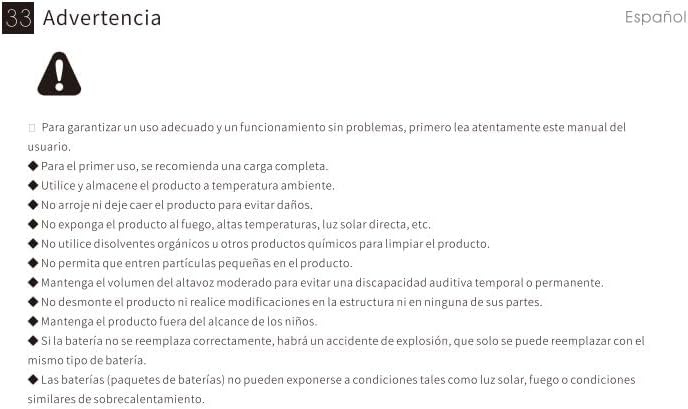
⚠ മുന്നറിയിപ്പ്: For proper use and trouble-free operation, please read this user manual carefully first.
- For first use, a full charge is recommended.
- ഊഷ്മാവിൽ ഉൽപ്പന്നം ഉപയോഗിക്കുക, സൂക്ഷിക്കുക.
- കേടുപാടുകൾ ഒഴിവാക്കാൻ ഉൽപ്പന്നം ഉപേക്ഷിക്കരുത്.
- തീ, ഉയർന്ന താപനില, നേരിട്ടുള്ള സൂര്യപ്രകാശം മുതലായവ ഉൽപ്പന്നത്തെ തുറന്നുകാട്ടരുത്.
- Do not use organic solvents or other chemical products to clean the product.
- ചെറിയ കണികകൾ ഉൽപ്പന്നത്തിൽ പ്രവേശിക്കാൻ അനുവദിക്കരുത്.
- Maintain moderate speaker volume to avoid temporary or permanent hearing impairment.
- Do not disassemble the product or make modifications to the structure or any of its parts.
- ഉൽപ്പന്നം കുട്ടികൾക്ക് ലഭ്യമാകാതെ സൂക്ഷിക്കുക.
- If the battery is not replaced correctly, there will be an explosion accident, and it can only be replaced with the same type of battery.
- Batteries (battery packs) cannot be exposed to conditions such as light, fire, or overheating.
10. വാറൻ്റിയും പിന്തുണയും
MIFA products are covered by a limited warranty. For detailed warranty information and support, please visit the official MIFA webസൈറ്റ് അല്ലെങ്കിൽ ഉപഭോക്തൃ സേവനവുമായി ബന്ധപ്പെടുക.
- നിർമ്മാതാവ്: മിഫ ഇന്നൊവേഷൻസ് എൽഎൽസി
- Webസൈറ്റ്: www.mifa.net
- ബന്ധപ്പെടുക: 4007-881-899


