ആമുഖം
This manual provides comprehensive instructions for the installation, operation, and maintenance of your Eonon R0020 HD 720P Dashcam. Designed for seamless integration with compatible Android car stereos, this dashcam enhances your driving experience by recording road conditions. Please read this manual thoroughly before use to ensure proper functionality and safety.
ഉൽപ്പന്നം കഴിഞ്ഞുview
പ്രധാന സവിശേഷതകൾ
- High-Definition 720P Recording: വ്യക്തമായ വീഡിയോ ഫൂ പകർത്തുന്നുtage 1280x720 റെസല്യൂഷനിൽ.
- Android Head Unit Compatibility: Integrates with various Eonon Android car stereos for viewഇംഗും നിയന്ത്രണവും.
- തടസ്സമില്ലാത്ത ലൂപ്പ് റെക്കോർഡിംഗ്: Automatically overwrites older footage when the storage card is full, ensuring continuous recording.
- G-Sensor for Emergency Recording: Automatically locks important video clips to prevent overwriting during sudden impacts or events.
- ക്രമീകരിക്കാവുന്ന ലെൻസ് ആംഗിൾ: Allows for optimal recording angle adjustment.
- എളുപ്പമുള്ള ഇൻസ്റ്റാളേഷൻ: Plug-and-play USB connection with automatic power on/off.
ഘടകങ്ങൾ
- Eonon R0020 Dashcam Unit
- സക്ഷൻ മൗണ്ട്
- USB കേബിൾ
- ഉപയോക്തൃ മാനുവൽ
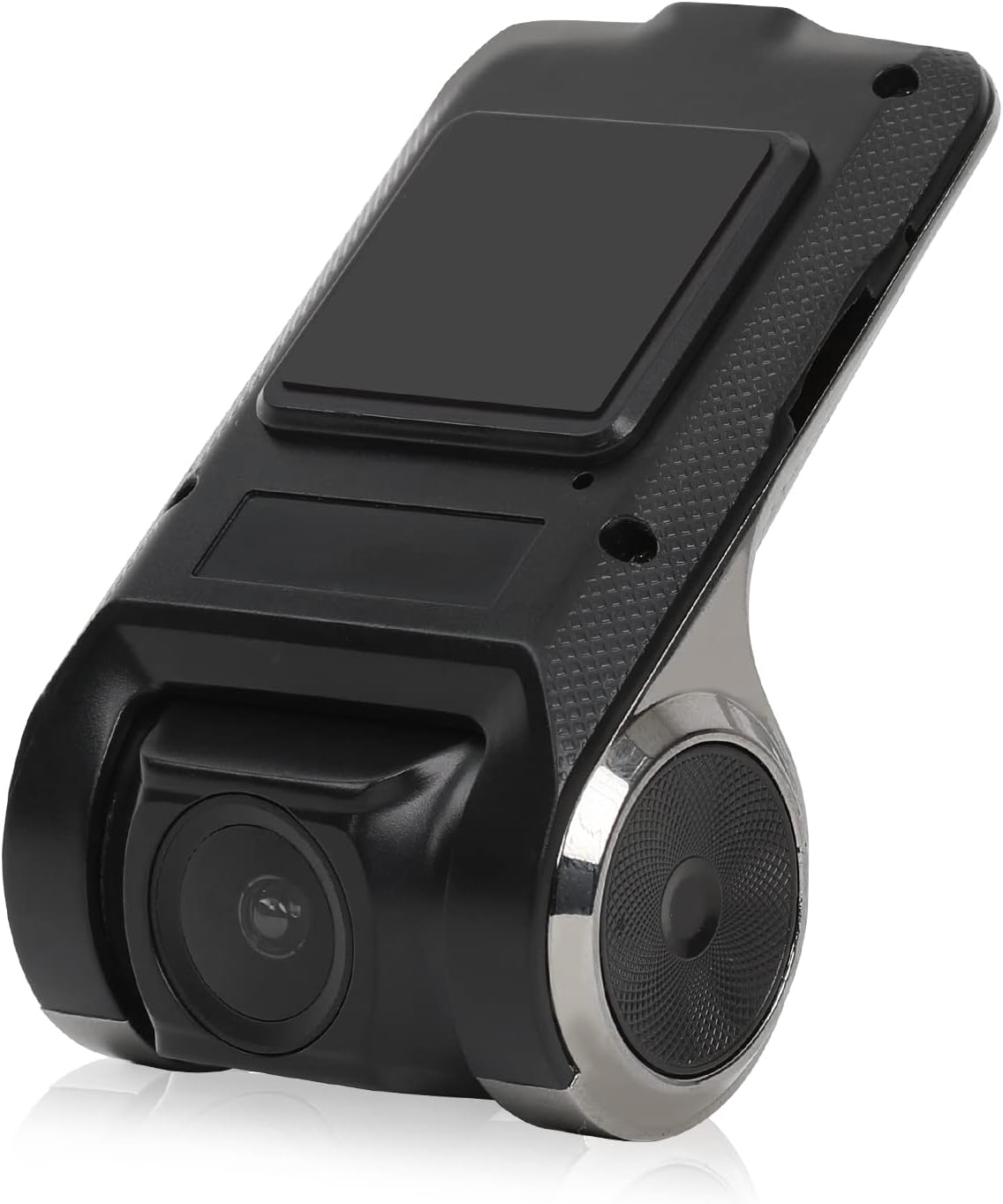
Figure 1: Eonon R0020 Dashcam Unit. This image displays the compact design of the dashcam, highlighting its lens and mounting area.
സജ്ജമാക്കുക
ബോക്സിൽ എന്താണുള്ളത്
- 1x Eonon R0020 Dashcam
- 1x സക്ഷൻ മൗണ്ട്
- 1x ഉപയോക്തൃ മാനുവൽ
ഇൻസ്റ്റലേഷൻ ഘട്ടങ്ങൾ
- മൗണ്ടിംഗ് ഏരിയ തയ്യാറാക്കുക: Clean the area on your windshield where you intend to mount the dashcam. Ensure it is free of dust and grease for optimal adhesion of the suction mount.
- സക്ഷൻ മൗണ്ട് അറ്റാച്ചുചെയ്യുക: Securely attach the suction mount to the dashcam unit. Then, press the suction mount firmly onto the cleaned windshield area, ensuring a stable position that does not obstruct your view.
- മൈക്രോ എസ്ഡി കാർഡ് ചേർക്കുക: Insert a compatible MicroSD card (up to 32GB, not included) into the dashcam's card slot. Ensure it is inserted correctly until it clicks into place.
- USB കേബിൾ ബന്ധിപ്പിക്കുക: Connect one end of the provided USB cable to the dashcam unit. Route the cable neatly along the windshield trim and dashboard to avoid interference with driving.
- Connect to Android Head Unit: Plug the other end of the USB cable into an available USB port on your compatible Eonon Android car stereo.
- പവർ ഓൺ: The dashcam is designed for plug-and-play operation and will automatically power on/off with your vehicle's ignition.
- ലെൻസ് ആംഗിൾ ക്രമീകരിക്കുക: Once powered on, adjust the lens angle up or down to capture the desired view റോഡിൻ്റെ.
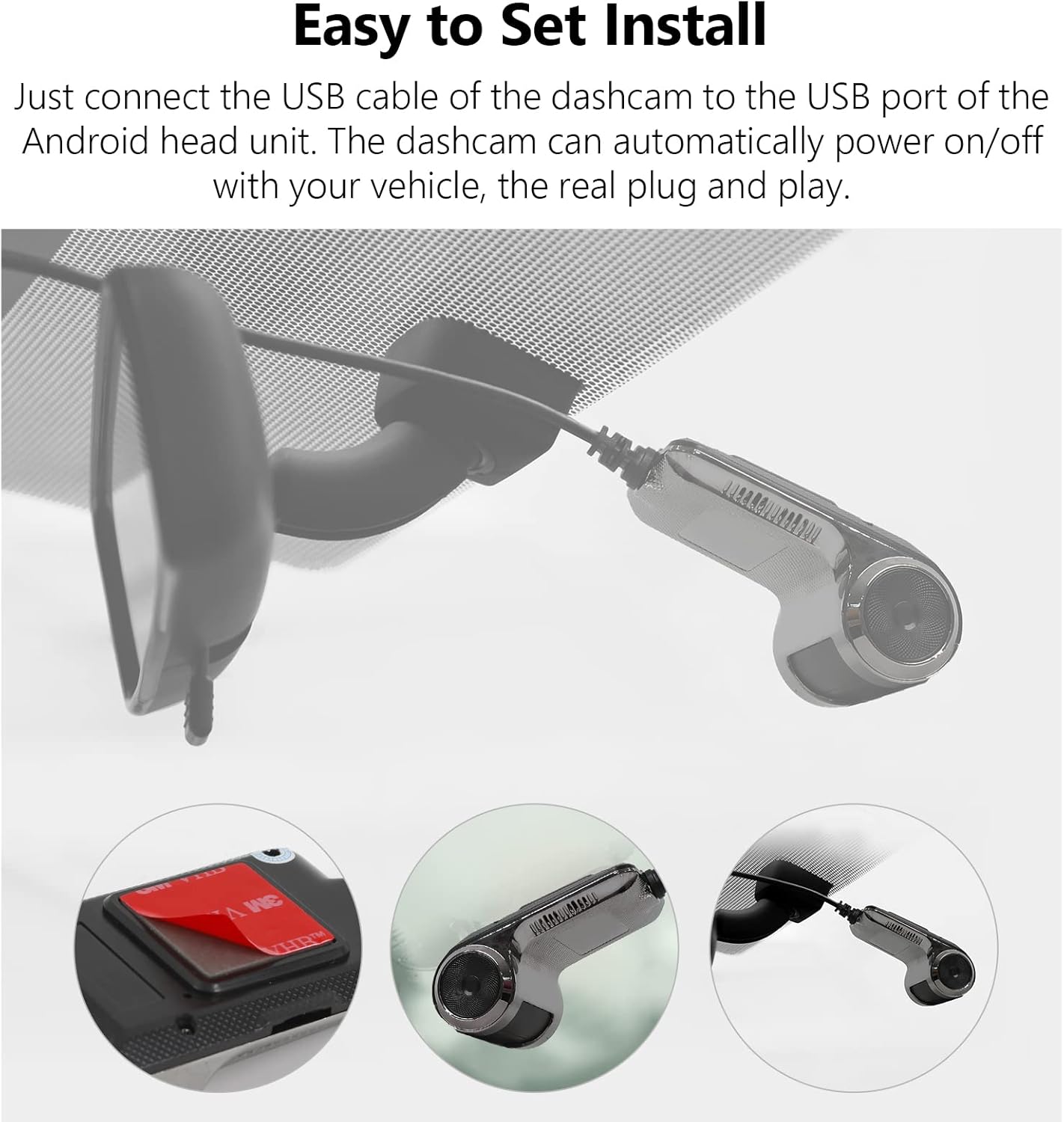
Figure 2: Easy Installation. This image illustrates the simple steps for mounting the dashcam and connecting it via USB.
പ്രവർത്തന നിർദ്ദേശങ്ങൾ
അടിസ്ഥാന പ്രവർത്തനം
- യാന്ത്രിക റെക്കോർഡിംഗ്: The dashcam begins recording automatically when your vehicle's ignition is turned on and stops when the ignition is turned off.
- Viewഫൂtage: Access recorded videos directly through the interface on your compatible Eonon Android car stereo. The dashcam's application will typically launch automatically or can be found in your stereo's app menu.
- തത്സമയ നിരീക്ഷണം: View live road conditions on the large screen of your head unit for enhanced awareness.

Figure 3: Compatible with Android Head Units. The dashcam's live feed is displayed on a car stereo screen, showing integration.
ലൂപ്പ് റെക്കോർഡിംഗ്
The dashcam utilizes seamless loop recording. When the MicroSD card reaches its full capacity, the oldest video files are automatically overwritten by new recordings. This ensures continuous operation without manual intervention.
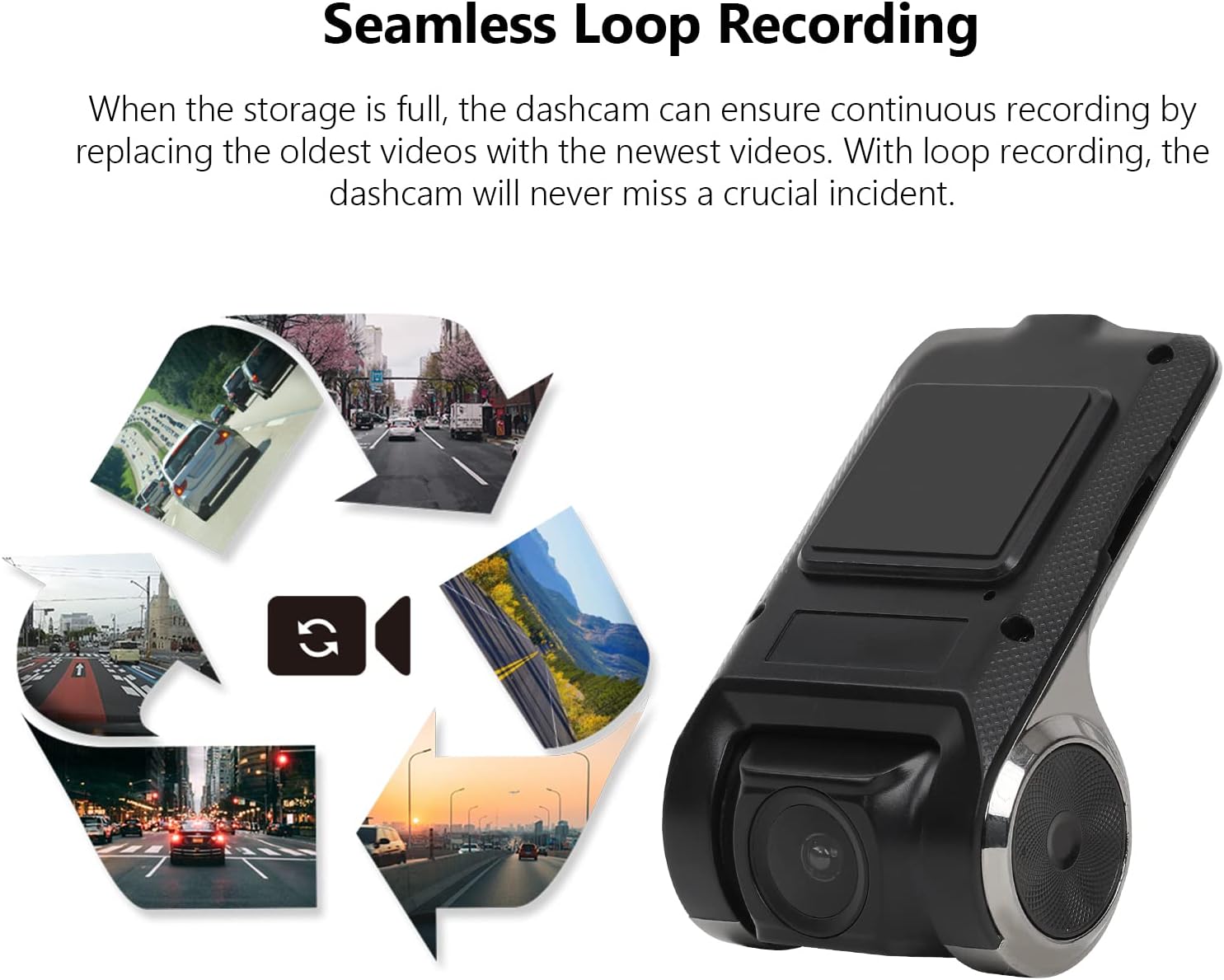
Figure 4: Seamless Loop Recording. This image visually explains how older footage is replaced by new recordings to maintain continuous operation.
Locking Important Footage
In the event of a sudden impact or emergency, the built-in G-Sensor will automatically detect the event and lock the current video segment. This prevents the footage from being overwritten by loop recording, preserving critical evidence.

Figure 5: Retain the Important Footage. A lock icon on the screen indicates that a video segment has been protected from overwriting.
മെയിൻ്റനൻസ്
- മൈക്രോ എസ്ഡി കാർഡ് മാനേജ്മെൻ്റ്: Regularly check the MicroSD card for errors or degradation. It is recommended to format the card periodically (e.g., monthly) through the dashcam's settings to maintain optimal performance. The dashcam supports MicroSD cards up to 32GB.
- ലെൻസ് വൃത്തിയാക്കൽ: Use a soft, lint-free cloth to gently clean the dashcam lens. Avoid abrasive materials or harsh chemicals that could scratch the lens.
- ഫേംവെയർ അപ്ഡേറ്റുകൾ: Check the Eonon website periodically for any available firmware updates for your R0020 Dashcam. Keeping the firmware updated ensures the best performance and access to new features.
ട്രബിൾഷൂട്ടിംഗ്
- ഡാഷ്ക്യാം ഓണാക്കുന്നില്ല:
- Ensure the USB cable is securely connected to both the dashcam and the Android head unit.
- Verify that the Android head unit is powered on and functioning correctly.
- Test the USB port on the head unit with another device to confirm it is supplying power.
- MicroSD card not detected or recording:
- Ensure the MicroSD card is inserted correctly and fully seated in the slot.
- Verify that the MicroSD card is 32GB or less. Larger capacity cards may not be recognized.
- Try formatting the MicroSD card through the dashcam's settings menu on the Android head unit.
- Test with a different, known-good MicroSD card to rule out card failure.
- മോശം വീഡിയോ നിലവാരം:
- Clean the dashcam lens with a soft, lint-free cloth.
- Ensure the windshield area in front of the dashcam is clean and free of obstructions.
- Adjust the lens angle to avoid glare or reflections.
സ്പെസിഫിക്കേഷനുകൾ
| ഫീച്ചർ | സ്പെസിഫിക്കേഷൻ |
|---|---|
| ബ്രാൻഡ് | ഇയോണൺ |
| മോഡലിൻ്റെ പേര് | R0020 |
| വീഡിയോ ക്യാപ്ചർ റെസല്യൂഷൻ | 720പി (1280x720) |
| പ്രത്യേക ഫീച്ചർ | ലൂപ്പ് റെക്കോർഡിംഗ് |
| കണക്റ്റിവിറ്റി ടെക്നോളജി | USB |
| മൗണ്ടിംഗ് തരം | സക്ഷൻ മൗണ്ട് |
| നിയന്ത്രണ രീതി | Touch (via Android Head Unit) |
| നിറം | കറുപ്പ് |
| ഇനത്തിൻ്റെ ഭാരം | 6.7 ഔൺസ് |
| പാക്കേജ് അളവുകൾ | 6.65 x 4.96 x 2.05 ഇഞ്ച് |
വാറൻ്റിയും പിന്തുണയും
For warranty information, technical support, or service inquiries, please refer to the contact details provided in the packaging or visit the official Eonon webസൈറ്റ്. ഏതെങ്കിലും വാറന്റി ക്ലെയിമുകൾക്ക് വാങ്ങിയതിന്റെ തെളിവായി നിങ്ങളുടെ വാങ്ങൽ രസീത് സൂക്ഷിക്കുക.


