1. ആമുഖം
The TNVTEC Wireless CarPlay Adapter (Model: YDL-SMT-9B) is designed to convert your vehicle's existing wired CarPlay system into a wireless one. This device allows for seamless integration of your iPhone's CarPlay features without the need for a physical cable connection, enhancing convenience and reducing clutter in your vehicle. It supports a wide range of vehicles with factory-installed wired CarPlay from model years 2017-2022 and is compatible with iPhones running iOS 12 to 16.

Figure 1: TNVTEC Wireless CarPlay Adapter with included USB-C cable.
2. സജ്ജീകരണ ഗൈഡ്
Follow these steps for the initial setup of your TNVTEC Wireless CarPlay Adapter:
- വയേർഡ് കാർപ്ലേ പരിശോധിച്ചുറപ്പിക്കുക: Ensure your vehicle has a factory-installed wired CarPlay function. This adapter is designed to convert wired CarPlay to wireless, not to add CarPlay functionality to vehicles that do not already have it.
- അഡാപ്റ്റർ ബന്ധിപ്പിക്കുക: Plug the TNVTEC Wireless CarPlay Adapter into your car's USB data port (the same port you would normally use for wired CarPlay).
- Access CarPlay Interface: On your car's screen, navigate to the CarPlay interface. The adapter will display a "smartBox" interface.
- Enable Bluetooth & WLAN on iPhone: On your iPhone, go to Settings and turn on both WLAN (Wi-Fi) and Bluetooth.
- അഡാപ്റ്ററുമായി ജോടിയാക്കുക: In your iPhone's Bluetooth settings, search for the Bluetooth name displayed on your car screen (e.g., "smartBox-xxxx") and connect to it.
- Allow Sync: A notification will appear on your iPhone asking to "Use CarPlay." Press "Allow" or "Use CarPlay" to confirm the connection and allow data synchronization.
- Initial Connection Time: The first connection may take approximately 20-50 seconds. Subsequent connections will be faster, typically taking 5-20 seconds after engine start.

Figure 2: Visual guide for connecting the TNVTEC Wireless CarPlay Adapter.
Video 1: Detailed installation steps for the TNVTEC Wireless CarPlay Adapter.
3. പ്രവർത്തന നിർദ്ദേശങ്ങൾ
The TNVTEC Wireless CarPlay Adapter provides a stable and responsive connection, allowing you to use all standard CarPlay functions wirelessly. The experience is similar to wired CarPlay, maintaining familiar controls and features.
- തടസ്സമില്ലാത്ത കണക്റ്റിവിറ്റി: Once paired, your iPhone will automatically connect to the adapter every time you start your car, typically within 5-20 seconds.
- Voice Control (Siri): Utilize Siri for hands-free commands, including navigation, making calls, sending messages, and playing music. The adapter uses your car's original microphones for clear voice input.
- നാവിഗേഷൻ: Access real-time GPS navigation apps directly on your car's display. Voice commands can be used to search for destinations and get directions.
- സംഗീതവും മാധ്യമവും: Stream music and other audio content from your favorite online music apps.
- Phone Calls & Messaging: Make and receive phone calls, and send/receive messages using voice commands or the car's touchscreen.
- Original Car Controls: The adapter supports your car's original control methods, including touchscreen operation, OEM knob control, and steering wheel controls.
- എപ്പോഴും ഓണാണ്: CarPlay remains active even if you switch to other car functions like FM radio. You can easily switch back to the CarPlay interface when needed.
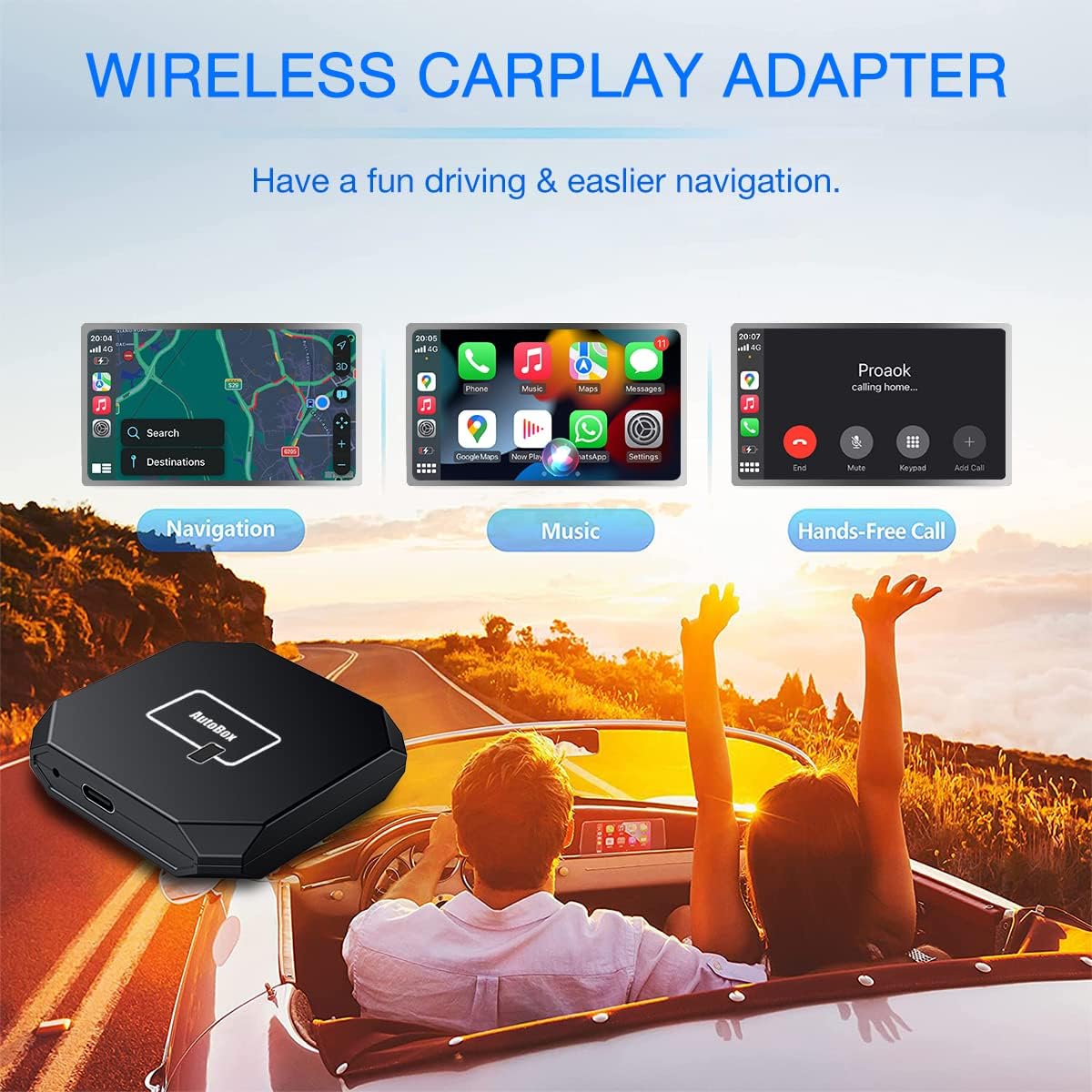
Figure 3: Key features of Wireless CarPlay: Navigation, Music, and Hands-Free Calling.

Figure 4: Wireless CarPlay supports original car control methods for seamless interaction.
Video 2: Demonstration of daily functions with the TNVTEC Wireless CarPlay Adapter.
4. പരിപാലനം
To ensure optimal performance and longevity of your TNVTEC Wireless CarPlay Adapter, consider the following:
- ഫേംവെയർ അപ്ഡേറ്റുകൾ: Only perform firmware updates if the adapter is experiencing issues or if specifically instructed by TNVTEC support. If the adapter is functioning normally, it is recommended not to upgrade the firmware, as new versions may not always be perfectly compatible with your specific car model.
- വൃത്തിയാക്കൽ: Keep the adapter clean and free from dust and debris. Use a soft, dry cloth for cleaning. Avoid using liquid cleaners.
- സംഭരണം: If storing the adapter for an extended period, disconnect it from the car's USB port and store it in a cool, dry place.

Figure 5: The adapter features a responsive premium 5G chip-set for stable performance.
5. പ്രശ്നപരിഹാരം
If you encounter any issues with your TNVTEC Wireless CarPlay Adapter, refer to the following common solutions:
- കണക്ഷൻ പ്രശ്നങ്ങൾ:
- Ensure your car has wired CarPlay functionality.
- Verify that Bluetooth and WLAN are enabled on your iPhone and correctly paired with the "smartBox-xxxx" device.
- Try unplugging the adapter from the USB port and plugging it back in.
- Restart your iPhone and your car's infotainment system.
- Voice Delay: A slight voice delay (1-3 seconds) may occur in wireless technology. This is normal and generally does not affect functionality.
- Firmware Update for Breakdowns: If the adapter experiences a breakdown or significant malfunction, you may attempt a firmware upgrade. Please wait 1-2 minutes after the screen displays "UPGRADE SUCCESSFUL" before disconnecting.
Video 3: Guide on the firmware upgrade process for the TNVTEC Wireless CarPlay Adapter.
6 സ്പെസിഫിക്കേഷനുകൾ
| ഫീച്ചർ | വിശദാംശങ്ങൾ |
|---|---|
| ഉൽപ്പന്ന അളവുകൾ | 2.36 x 2.36 x 0.5 ഇഞ്ച് |
| ഇനത്തിൻ്റെ ഭാരം | 3.2 ഔൺസ് |
| മോഡൽ നമ്പർ | YDL-SMT-9B |
| നിർമ്മാതാവ് | ടിഎൻവിടിഇസി |
| അനുയോജ്യമായ ഉപകരണങ്ങൾ | Vehicles with factory-installed wired CarPlay (2017-2022 models), iPhone (iOS 12-16) |
| കണക്റ്റിവിറ്റി | Bluetooth & 5GHz Wi-Fi |
| നിറം | കറുപ്പ് |
| ആദ്യം ലഭ്യമായ തീയതി | 29 ജനുവരി 2022 |

ചിത്രം 6: പിൻഭാഗം view of the product packaging, displaying model and manufacturer information.
7. വാറൻ്റി വിവരങ്ങൾ
The TNVTEC Wireless CarPlay Adapter comes with a one-year global warranty from the date of purchase. This warranty covers manufacturing defects and ensures the product meets its specified performance standards. Please retain your proof of purchase for warranty claims.
8. ഉപഭോക്തൃ പിന്തുണ
For technical assistance, troubleshooting, or any inquiries regarding your TNVTEC Wireless CarPlay Adapter, please contact TNVTEC seller support via Amazon email. Our team is dedicated to providing high-quality after-sales solutions and technical service support.
ബന്ധപ്പെടാനുള്ള രീതി:
- Via Amazon messaging system (recommended for direct seller support).


