ഉൽപ്പന്നം കഴിഞ്ഞുview
The Core Innovations 14-inch Portable DVD Player offers versatile entertainment on the go. Featuring a 14.1-inch 1280x800 high-resolution display, the screen can tilt and swivel 180 degrees for optimal viewing. Enjoy audio through built-in stereo speakers or the included headphones. Connect to a TV for a larger display, and play media from discs, micro SD cards, or USB devices. The rechargeable battery ensures portability, and the included carrying bag makes transport easy.
പാക്കേജ് ഉള്ളടക്കം
അൺബോക്സിംഗ് ചെയ്യുമ്പോൾ എല്ലാ ഇനങ്ങളും ഉണ്ടെന്ന് ഉറപ്പാക്കുക:
- 14-inch Portable DVD Player
- ഹെഡ്ഫോണുകൾ
- റിമോട്ട് കൺട്രോളർ
- ചുമക്കുന്ന ബാഗ്
- Charger (AC Adapter)
- എവി കേബിൾ
- ഉപയോക്തൃ മാനുവൽ
- വാറൻ്റി കാർഡ്
പ്രധാന സവിശേഷതകൾ
- ക്രിസ്റ്റൽ ക്ലിയർ Viewing: Enjoy stunning visuals on the 14.1” 1280x800 high-resolution display, with a tilt-and-swivel screen that adjusts 180 degrees for the perfect viewing angle from any position.
- Enhanced Sound Options: Experience rich audio through the built-in stereo speakers or immerse yourself in sound with the included headphones for a more personal entertainment experience.
- ബഹുമുഖ മീഡിയ പ്ലേബാക്ക്: Connect to your TV to share photos, music, and videos from discs or micro SD cards. The included remote control allows for effortless navigation and control from your seat.
- പോർട്ടബിൾ & സൗകര്യപ്രദം: The rechargeable battery ensures entertainment on the go. When not in use, pack the DVD player in the stylish carrying bag for easy transport.
- സമഗ്രമായ ആക്സസറി കിറ്റ്: The Core Innovations Portable DVD Player comes with everything you need – matching headphones, carrying bag, remote control, charger, AV cable, and a user manual for a complete, ready-to-use setup.
ആമുഖം
1 ഉപകരണം ചാർജ് ചെയ്യുന്നു
Before first use, fully charge the portable DVD player. Connect the included AC adapter to the DC IN port on the device and plug it into a standard wall outlet. The charging indicator light will illuminate. Once fully charged, the light may change color or turn off, depending on the model.
2. പവർ ഓൺ/ഓഫ്
Locate the POWER switch on the side of the device. Slide it to the 'ON' position to power on the player. To power off, slide the switch to the 'OFF' position.
3. Inserting a DVD/CD
Gently open the disc cover. Place your DVD or CD onto the spindle with the label side facing up. Press down gently on the center of the disc until it clicks into place. Close the disc cover securely.
Using Your DVD Player
1. അടിസ്ഥാന പ്ലേബാക്ക് നിയന്ത്രണങ്ങൾ
- പ്ലേ/താൽക്കാലികമായി നിർത്തുക: അമർത്തുക പ്ലേ/താൽക്കാലികമായി നിർത്തുക പ്ലേബാക്ക് ആരംഭിക്കുന്നതിനോ താൽക്കാലികമായി നിർത്തുന്നതിനോ ഉള്ള ബട്ടൺ.
- നിർത്തുക: അമർത്തുക നിർത്തുക പ്ലേബാക്ക് അവസാനിപ്പിക്കാൻ ബട്ടൺ.
- ഒഴിവാക്കുക: ഉപയോഗിക്കുക PREV/അടുത്തത് buttons to skip between tracks or chapters.
- ഫാസ്റ്റ് ഫോർവേഡ്/റിവൈൻഡ്: അമർത്തിപ്പിടിക്കുക PREV/അടുത്തത് വേഗത്തിൽ മുന്നോട്ട് പോകാനോ പിന്നോട്ട് പോകാനോ ഉള്ള ബട്ടണുകൾ.
- വോളിയം: ഉപയോഗിച്ച് വോളിയം ക്രമീകരിക്കുക VOL + / VOL- ബട്ടണുകൾ.
2. സ്ക്രീൻ ക്രമീകരണം
The 14.1-inch screen can be tilted and swiveled up to 180 degrees. Adjust the screen to your preferred viewing angle for comfort and optimal visibility.

Image: The portable DVD player's screen is shown tilting and swiveling, demonstrating its 180-degree rotational capability for flexible viewകോണുകൾ.
3. Media Playback from USB/SD Card
Insert a USB flash drive into the USB port or a micro SD card into the CARD slot. Use the 'Source' button on the device or remote control to select the appropriate media source (USB or CARD). Navigate through your files using the control buttons and select the desired media to play.
4. ഒരു ടിവിയിലേക്ക് കണക്റ്റുചെയ്യുന്നു
Use the included AV cable to connect the portable DVD player to your television. Plug one end of the AV cable into the AV OUT port on the DVD player and the other end into the corresponding AV IN ports on your TV (typically yellow for video, red for right audio, white for left audio). Select the correct AV input on your TV to view the DVD player's output.
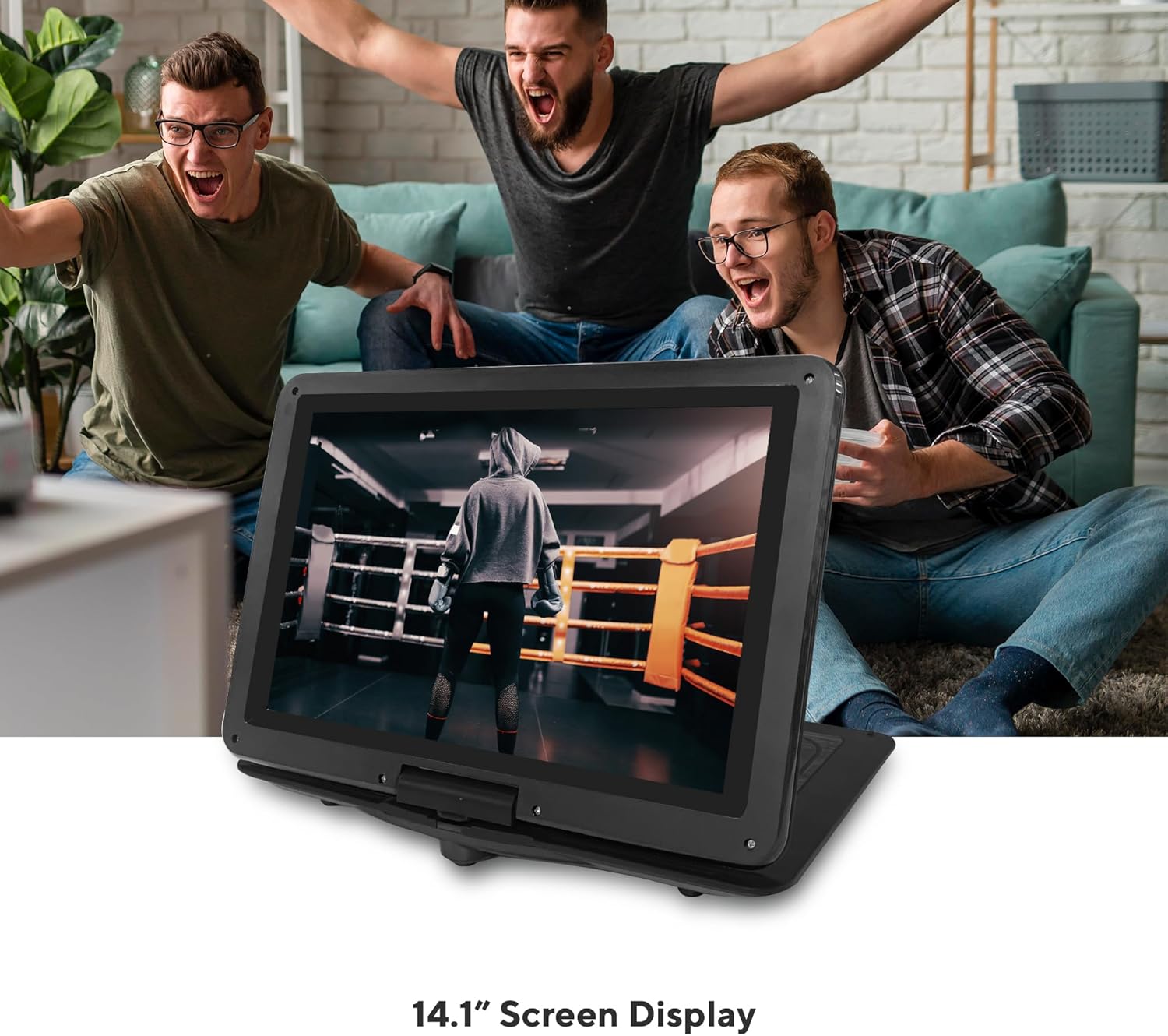
Image: The Core Innovations 14-inch Portable DVD Player is displayed open, showing its screen and control panel, alongside its remote control, headphones, and carrying case.
പരിചരണവും പരിപാലനവും
- ഉപകരണം വെള്ളം, ഈർപ്പം, നേരിട്ടുള്ള സൂര്യപ്രകാശം എന്നിവയിൽ നിന്ന് അകറ്റി നിർത്തുക.
- Clean the screen and exterior with a soft, dry cloth. Do not use liquid cleaners or aerosols.
- ഉപകരണം ഉപേക്ഷിക്കുകയോ ശക്തമായ ആഘാതങ്ങൾക്ക് വിധേയമാക്കുകയോ ചെയ്യരുത്.
- Store the device in its carrying bag when not in use to protect it from dust and scratches.
- For optimal battery life, fully charge the device before long periods of storage and recharge it periodically.
ട്രബിൾഷൂട്ടിംഗ്
പവർ ഇല്ല
- Ensure the device is fully charged or connected to the AC adapter.
- Check that the POWER switch is in the 'ON' position.
No Disc Detected
- Verify the disc is inserted correctly with the label side facing up and seated properly on the spindle.
- ഡിസ്ക് വൃത്തിയുള്ളതും പോറലുകളോ പാടുകളോ ഇല്ലാത്തതുമാണെന്ന് ഉറപ്പാക്കുക.
- Check if the disc format is supported (CD-R, CD-RW, DVD-R, SVCD, VCD).
ശബ്ദമില്ല
- Increase the volume using the VOL+ button.
- If using headphones, ensure they are properly plugged into the headphone jack.
- If connected to a TV, check the TV's volume and input settings.
മോശം ചിത്ര നിലവാരം
- Adjust the screen's tilt and swivel for better viewing.
- ഡിസ്ക് വൃത്തിയുള്ളതും കേടുകൂടാത്തതുമാണെന്ന് ഉറപ്പാക്കുക.
- If connected to a TV, check the AV cable connections and TV input settings.
സാങ്കേതിക സവിശേഷതകൾ
| സ്പെസിഫിക്കേഷൻ | മൂല്യം |
|---|---|
| ഉൽപ്പന്ന അളവുകൾ | 10 x 14.6 x 1.8 ഇഞ്ച് |
| ഇനത്തിൻ്റെ ഭാരം | 3.26 പൗണ്ട് |
| ഇനം മോഡൽ നമ്പർ | CPD144BL |
| ബാറ്ററികൾ | 1 ലിഥിയം പോളിമർ ബാറ്ററി ആവശ്യമാണ് |
| ബ്രാൻഡ് | കോർ ഇന്നൊവേഷൻസ് |
| മീഡിയ തരം | CD-R, CD-RW, DVD-R, SVCD, VCD |
| നിറം | കറുപ്പ് |
| സ്ക്രീൻ വലിപ്പം | 14.1 ഇഞ്ച് |
| ഡിസ്പ്ലേ തരം | എൽസിഡി |
വാറൻ്റിയും പിന്തുണയും
Your Core Innovations Portable DVD Player comes with a limited manufacturer's warranty. Please refer to the included Warranty Card for specific terms and conditions. For technical support or service inquiries, please contact Core Innovations customer service through the contact information provided in your product documentation or on the official Core Innovations webസൈറ്റ്.


