1. ഉൽപ്പന്നം കഴിഞ്ഞുview
The Galax PC Case (REV-05) Revolution 05 Black is a versatile computer chassis designed to accommodate various motherboard form factors including ATX, M-ATX, and ITX. Standing at 470mm, this case offers a spacious interior, allowing for flexible component placement and optimized cooling solutions for your PC build.
പ്രധാന സവിശേഷതകൾ:
- Compatible with ATX, M-ATX, ITX motherboards.
- Tall design (470mm) providing ampലെ ഇന്റീരിയർ സ്പേസ്.
- Supports vertical or horizontal graphics card mounting.
- Designed for maximized cooling and storage potential.
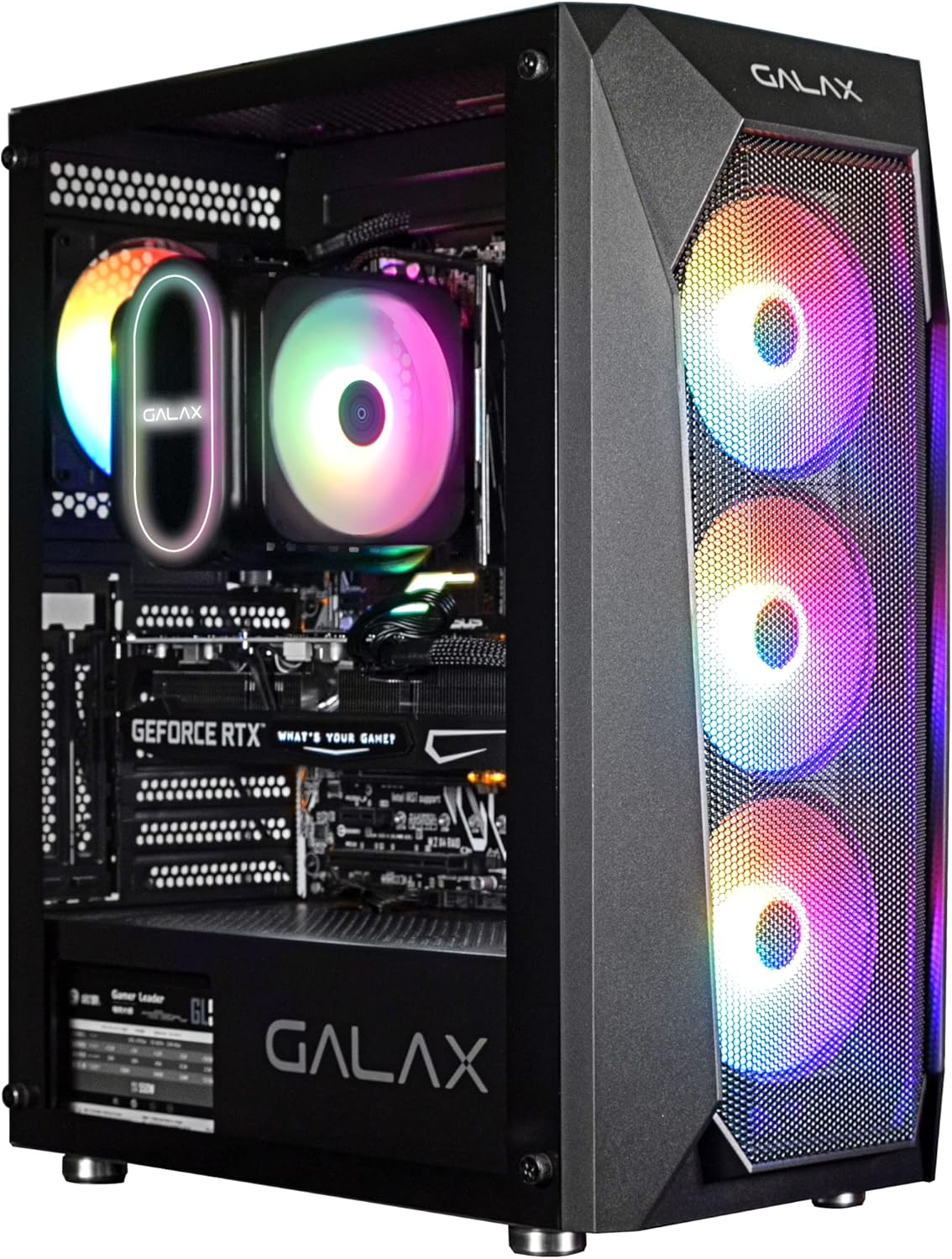
ചിത്രം 1: ഫ്രണ്ടൽ view of the Galax REV-05 PC Case, showcasing its internal components and vibrant RGB fans.
2. സജ്ജീകരണവും ഇൻസ്റ്റാളേഷനും
Before beginning installation, ensure you have all necessary components and tools. Refer to your motherboard and component manuals for specific installation steps.
2.1 കേസ് തയ്യാറാക്കൽ
- Carefully unbox the PC case and remove all packaging materials.
- കേസ് ഒരു സ്ഥിരതയുള്ളതും പരന്നതുമായ പ്രതലത്തിൽ വയ്ക്കുക.
- Remove the side panels to access the interior. Typically, these are secured with thumbscrews at the rear.
2.2 മദർബോർഡ് ഇൻസ്റ്റാളേഷൻ
- കേസിന്റെ പിൻഭാഗത്തുള്ള നിയുക്ത ദ്വാരത്തിൽ I/O ഷീൽഡ് സ്ഥാപിക്കുക.
- Align your ATX, M-ATX, or ITX motherboard with the standoffs inside the case. Ensure all standoffs match the screw holes on your motherboard.
- നൽകിയിരിക്കുന്ന സ്ക്രൂകൾ ഉപയോഗിച്ച് മദർബോർഡ് സുരക്ഷിതമാക്കുക.
2.3 ഘടക ഇൻസ്റ്റാളേഷൻ
- പവർ സപ്ലൈ യൂണിറ്റ് (പിഎസ്യു): Install the PSU into its dedicated compartment, usually at the bottom rear of the case. Secure it with screws.
- സ്റ്റോറേജ് ഡ്രൈവുകൾ: Install 2.5-inch SSDs or 3.5-inch HDDs into the designated drive bays. The REV-05 offers ampസംഭരണശേഷി.
- ഗ്രാഫിക്സ് കാർഡ് (GPU): Install your graphics card into the appropriate PCIe slot on your motherboard. The case supports both vertical and horizontal mounting options for the GPU.
- കൂളിംഗ് ഫാനുകൾ: The case comes with pre-installed fans. Ensure all fan cables are properly connected. Note that the pre-installed fans may be daisy-chained by Molex connectors, requiring direct connection to the power supply instead of the motherboard for power.

Figure 2: Internal layout of the Galax REV-05 PC Case, showing space for various components.
2.4 കേബിൾ മാനേജ്മെന്റ്
Utilize the cable routing cutouts and tie-down points behind the motherboard tray to manage cables effectively. This improves airflow and aesthetics.
3. പിസി കേസ് പ്രവർത്തിപ്പിക്കൽ
എല്ലാ ഘടകങ്ങളും ഇൻസ്റ്റാൾ ചെയ്ത് ബന്ധിപ്പിച്ചുകഴിഞ്ഞാൽ, നിങ്ങളുടെ സിസ്റ്റം ഓൺ ചെയ്യാൻ കഴിയും.
3.1 ഫ്രണ്ട് പാനൽ നിയന്ത്രണങ്ങൾ
The top panel of the Galax REV-05 case typically includes:
- പവർ ബട്ടൺ: To turn your PC on or off.
- റീസെറ്റ് ബട്ടൺ: To restart your PC.
- USB പോർട്ടുകൾ: For connecting peripherals (e.g., USB 3.0, USB 2.0).
- ഓഡിയോ ജാക്കുകൾ: ഹെഡ്ഫോണുകൾക്കും മൈക്രോഫോണുകൾക്കും.

Figure 3: Top panel of the Galax REV-05 PC Case, highlighting the I/O ports and control buttons.
3.2 വായുപ്രവാഹവും തണുപ്പിക്കലും
The REV-05 case is designed with optimal airflow in mind. Ensure that the front mesh panel is not obstructed to allow for proper air intake by the front fans. The rear and top fan mounts facilitate exhaust, creating efficient cooling for your components.
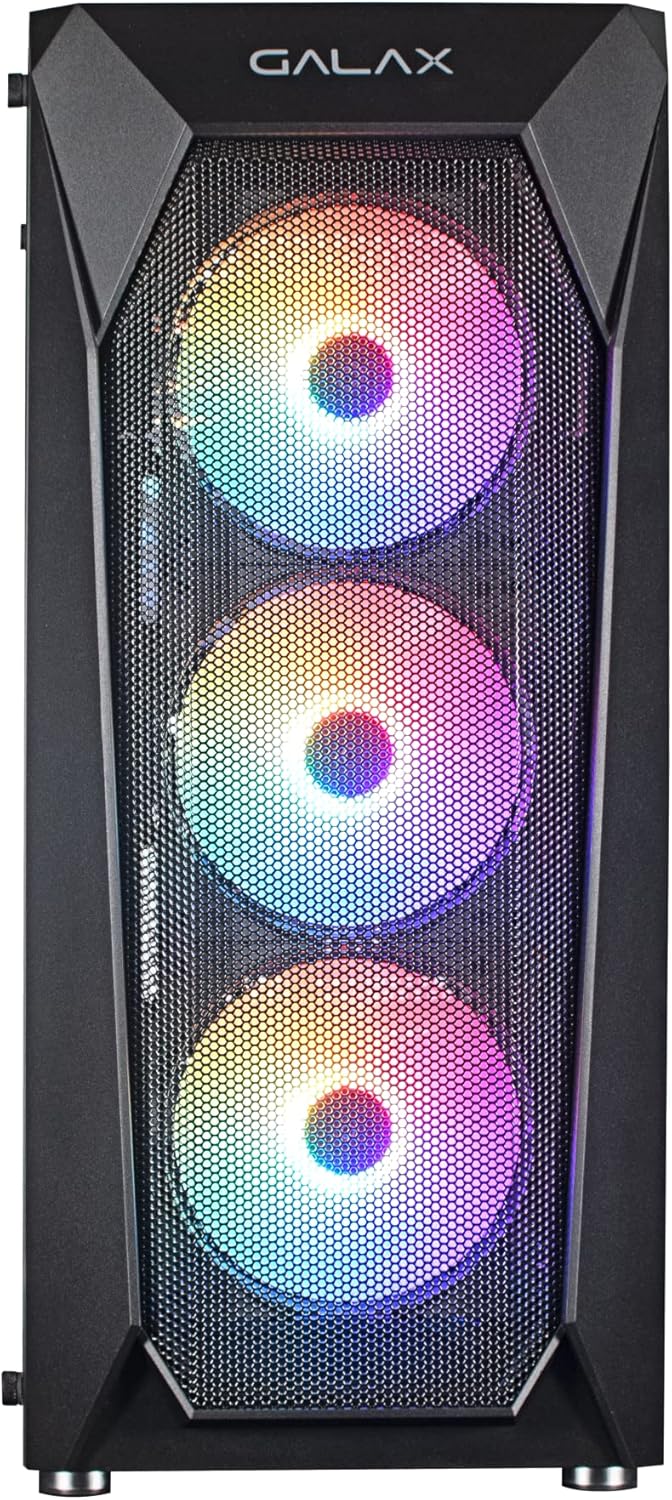
ചിത്രം 4: മുൻഭാഗം view of the Galax REV-05 PC Case, showcasing the mesh design and pre-installed RGB fans for optimal airflow.
4. പരിപാലനം
നിങ്ങളുടെ പിസി കേസിന്റെയും അതിന്റെ ഘടകങ്ങളുടെയും ദീർഘായുസ്സും ഒപ്റ്റിമൽ പ്രകടനവും ഉറപ്പാക്കാൻ പതിവ് അറ്റകുറ്റപ്പണികൾ സഹായിക്കുന്നു.
- പൊടി വൃത്തിയാക്കൽ: Periodically clean dust filters (if present) and the interior of the case using compressed air or a soft brush. Pay attention to fan blades and heatsinks.
- കേബിൾ മാനേജ്മെന്റ് പരിശോധന: Ensure cables remain neatly organized and do not obstruct airflow.
- ഫാൻ പരിശോധന: Check fans for any unusual noises or reduced performance. Ensure they are spinning freely.
5. പ്രശ്നപരിഹാരം
നിങ്ങൾ നേരിട്ടേക്കാവുന്ന പൊതുവായ പ്രശ്നങ്ങളെ ഈ വിഭാഗം അഭിസംബോധന ചെയ്യുന്നു.
- പിസി ഓണാക്കുന്നില്ല:
- പിഎസ്യു ഓണാക്കിയിട്ടുണ്ടെന്നും വാൾ ഔട്ട്ലെറ്റുമായി ശരിയായി ബന്ധിപ്പിച്ചിട്ടുണ്ടെന്നും ഉറപ്പാക്കുക.
- മദർബോർഡിന്റെ മുൻ പാനൽ ഹെഡറുമായി ഫ്രണ്ട് പാനൽ പവർ ബട്ടൺ കേബിൾ ശരിയായി ബന്ധിപ്പിച്ചിട്ടുണ്ടെന്ന് ഉറപ്പാക്കുക.
- Check all internal power connections (24-pin ATX, CPU power, GPU power).
- Fans Not Spinning / RGB Not Working:
- Confirm that fan power cables are securely connected. For pre-installed fans, check if they are connected via Molex directly to the PSU, as some models require this.
- If RGB is not working, ensure the RGB controller (if present) is powered and connected correctly. Some RGB systems require software control or a dedicated button on the case.
- If fans are daisy-chained, ensure the primary connection point is secure.
- ഡിസ്പ്ലേ ഔട്ട്പുട്ട് ഇല്ല:
- Ensure your monitor cable is connected to the graphics card (GPU) output, not the motherboard's integrated graphics port (unless you are using integrated graphics).
- ഗ്രാഫിക്സ് കാർഡ് അതിന്റെ PCIe സ്ലോട്ടിൽ വീണ്ടും സ്ഥാപിക്കുക.
- Check the graphics card's power connections.
6 സ്പെസിഫിക്കേഷനുകൾ
| ബ്രാൻഡ് | Galax |
| മോഡൽ നമ്പർ | CGG5ANBA4B0 |
| ഉൽപ്പന്ന അളവുകൾ | 41 x 21 x 49 സെ.മീ; 3 കി.ഗ്രാം |
| മദർബോർഡ് അനുയോജ്യത | എ.ടി.എക്സ്, എം-എ.ടി.എക്സ്, ഐ.ടി.എക്സ് |
| കേസ് തരം | ടവർ |
| നിറം | കറുപ്പ് |
| നിർമ്മാതാവ് | Galax |
| ആദ്യം ലഭ്യമായ തീയതി | 9 ഏപ്രിൽ 2022 |
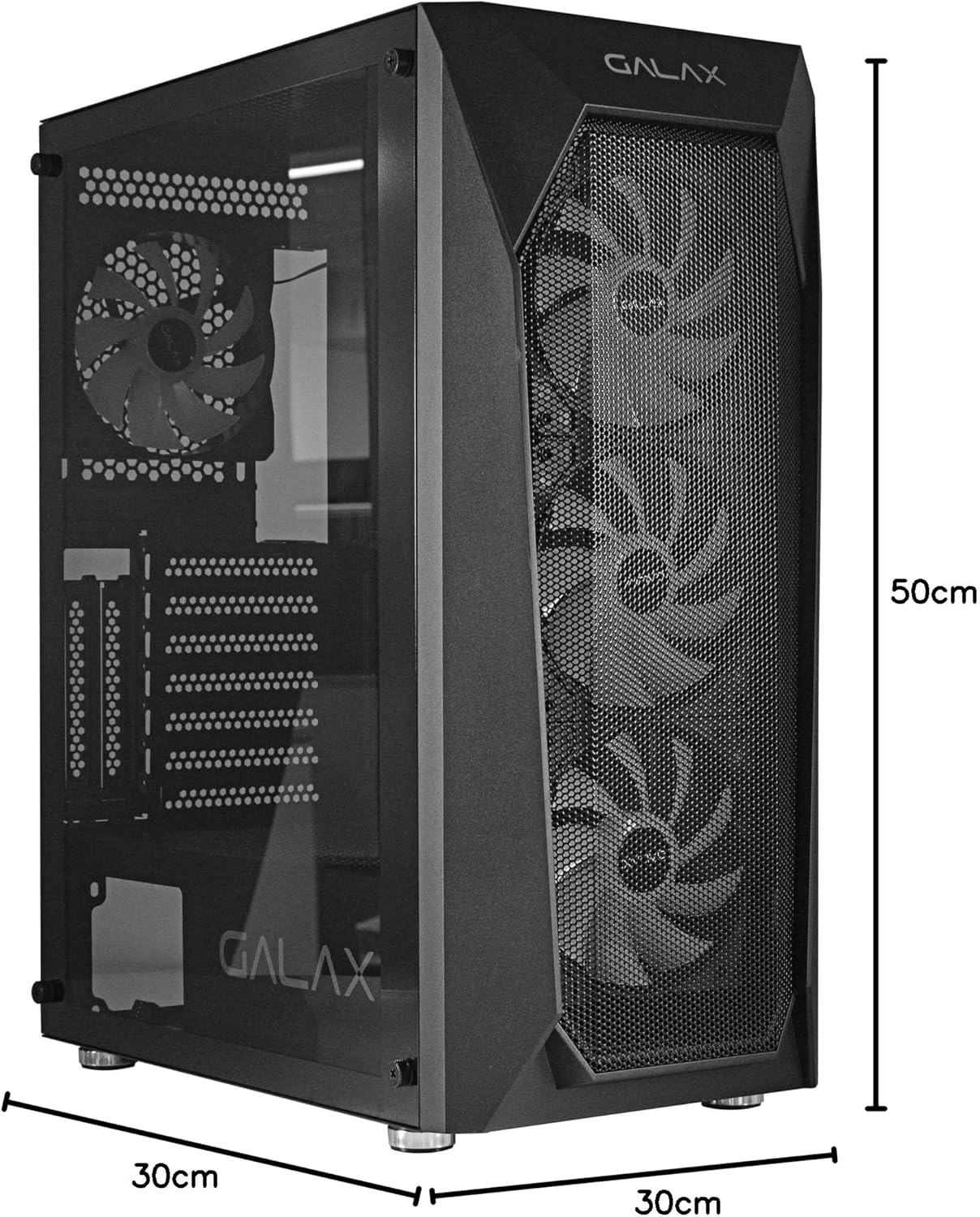
Figure 5: Visual representation of the Galax REV-05 PC Case dimensions.
7. വാറൻ്റിയും പിന്തുണയും
For warranty information and technical support, please refer to the official Galax webസൈറ്റിൽ ബന്ധപ്പെടുകയോ അവരുടെ ഉപഭോക്തൃ സേവന വിഭാഗവുമായി ബന്ധപ്പെടുകയോ ചെയ്യുക. വാറന്റി ക്ലെയിമുകൾക്കായി നിങ്ങളുടെ വാങ്ങിയതിന്റെ തെളിവ് സൂക്ഷിക്കുക.
ഓൺലൈൻ ഉറവിടങ്ങൾ: