1. ആമുഖം
The ZWILLING Enfinigy Wireless Charging Scale is a modern appliance designed for precise ingredient measurement and convenient smart device charging. It is an indispensable tool for achieving accurate results in baking and cooking, as well as for portion control and converting measurements. This scale features a slim, lightweight design with a seamless glass surface for easy cleaning.
2 പ്രധാന സവിശേഷതകൾ
- ഉയർന്ന ശേഷി: Weighs up to 22lb/10kg.
- ഉയർന്ന കൃത്യത: Accurate to 0.1oz/0.1g for precise measurements.
- Integrated Wireless Charging: Charge your smartphone or tablet by simply placing it in the center of the scale surface.
- വൃത്തിയാക്കാൻ എളുപ്പമുള്ള ഉപരിതലം: Hygienic, seamless glass surface allows direct weighing and easy cleanup.
- വലിയ ഭാരമുള്ള ഉപരിതലം: Ensures the LCD display remains visible even with large quantities and containers.
- ടാരെ പ്രവർത്തനം: Allows you to factor in container weight for accurate net measurements.
- റീചാർജ് ചെയ്യാവുന്ന ബാറ്ററി: Built-in rechargeable battery, powered via included micro USB cord.
3. സജ്ജീകരണം
3.1 അൺപാക്കിംഗ്
Carefully remove the ZWILLING Enfinigy Wireless Charging Scale from its packaging. Ensure all components, including the scale and micro USB charging cable, are present.
3.2 പ്രാരംഭ ചാർജിംഗ്
Before first use, fully charge the scale's internal battery using the provided micro USB cable. Connect the cable to the scale's charging port and a suitable USB power adapter (not included). The charging indicator lights will show the charging status.
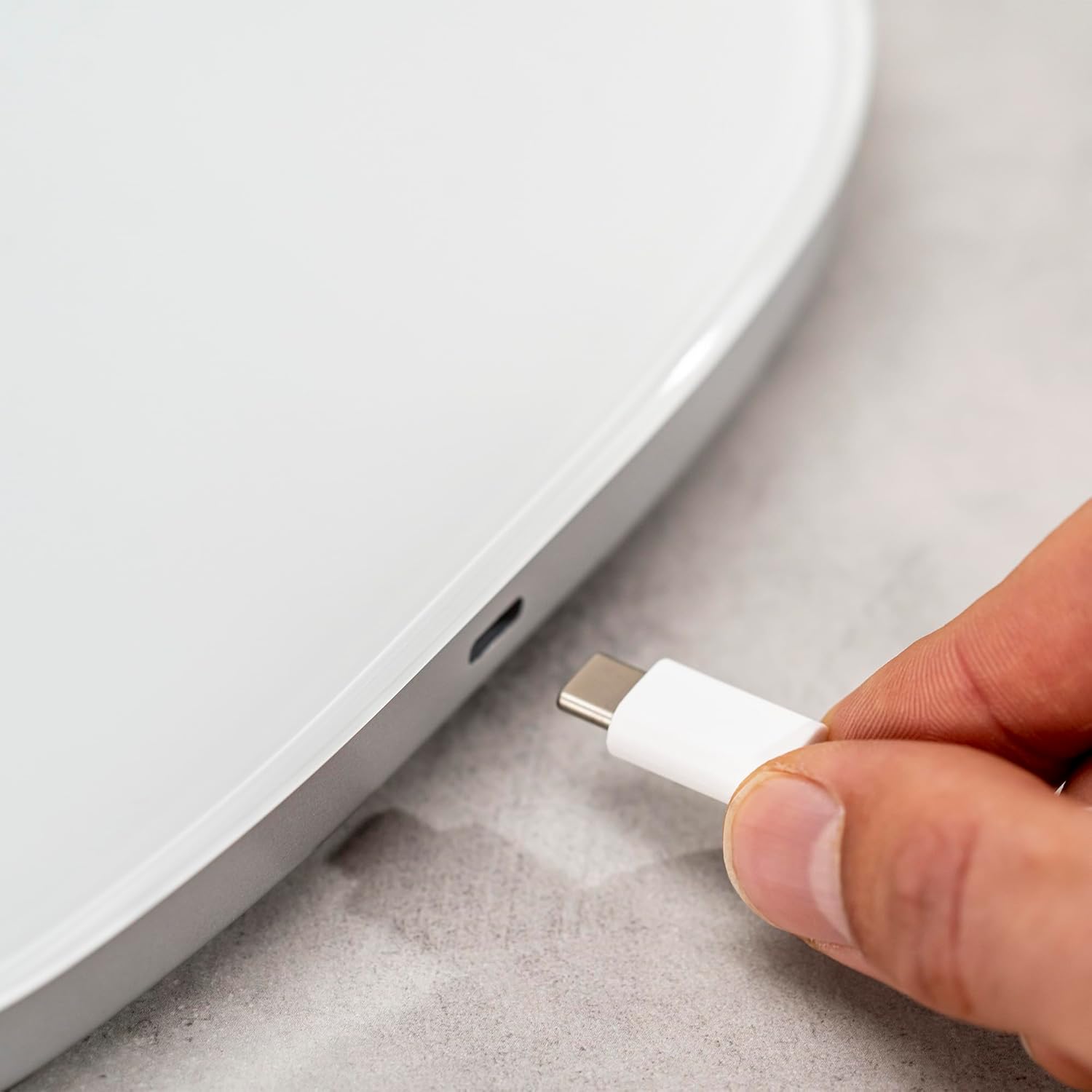
4. പ്രവർത്തന നിർദ്ദേശങ്ങൾ
4.1 പവർ ഓൺ/ഓഫ്
To turn the scale on, press the power button located on the front edge. The LCD display will illuminate. To turn off, press and hold the power button until the display turns off. The scale will automatically shut off after a period of inactivity to conserve battery.

4.2 അളവെടുപ്പ് യൂണിറ്റുകൾ മാറ്റുന്നു
The scale can measure in grams (g) and ounces (oz). To switch between units, press the unit button (often integrated with the power button or a separate button) while the scale is on. The display will show the currently selected unit.
4.3 ടാരെ ഫംഗ്ഷൻ
The tare function allows you to weigh ingredients in a container without including the container's weight. Place an empty container on the scale, then press the "Tare" button (often labeled "Zero"). The display will reset to zero. You can then add ingredients, and only their weight will be shown.

4.4 Wireless Charging Your Smart Device
To use the wireless charging feature, ensure the scale is sufficiently charged. Place your compatible smartphone or tablet directly on the center of the scale's surface. The wireless charging indicator light on the scale will illuminate, and your device should begin charging. For optimal charging, ensure the device is centered on the charging pad.
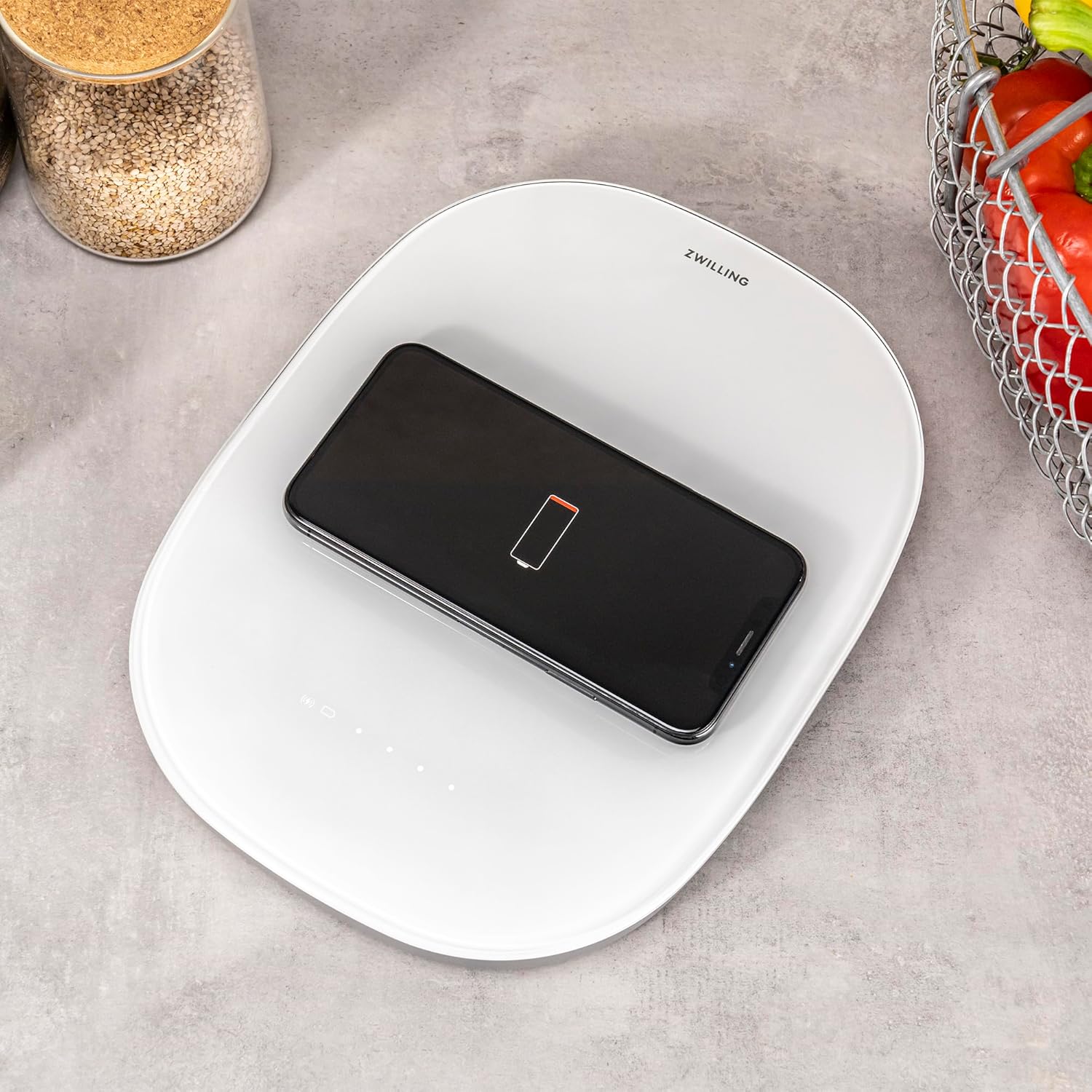

Video: This video demonstrates how to properly place a smart device on the ZWILLING Enfinigy Wireless Charging Scale to initiate wireless charging. It highlights the correct alignment for effective power transfer.
വീഡിയോ: ഒരു ചെറിയ വീഡിയോ പ്രദർശനംasing the dual functionality of the ZWILLING Enfinigy as both a food scale and a wireless charging station. It quickly illustrates the convenience of having both features in one device.
5. പരിപാലനം
5.1 വൃത്തിയാക്കൽ
The ZWILLING Enfinigy Wireless Charging Scale features a seamless glass surface that is easy to clean. Wipe the surface with a damp cloth and mild detergent. Avoid abrasive cleaners or harsh chemicals that could damage the glass or electronic components. Ensure the scale is completely dry before storage or next use.
5.2 സംഭരണം
Store the scale in a dry place away from extreme temperatures and humidity. Its slim design allows for easy storage in drawers or on shelves.
6. പ്രശ്നപരിഹാരം
- കൃത്യമല്ലാത്ത വായനകൾ: Ensure the scale is placed on a flat, stable surface. Avoid placing it near vibrating appliances or in drafty areas. Recalibrate if necessary (refer to manufacturer's specific instructions if available, as general scales may not have user calibration).
- സ്കെയിൽ ഓണാക്കുന്നില്ല: Check the battery level. If the scale is rechargeable, ensure it is fully charged.
- വയർലെസ് ചാർജിംഗ് പ്രവർത്തിക്കുന്നില്ല:
- Ensure your smart device is compatible with Qi wireless charging.
- Verify the scale's battery is charged.
- Ensure your device is centered correctly on the scale's charging area.
- വയർലെസ് ചാർജിംഗിന് തടസ്സമായേക്കാവുന്ന കട്ടിയുള്ള ഫോൺ കേസുകൾ നീക്കം ചെയ്യുക.
- ഡിസ്പ്ലേ പ്രശ്നങ്ങൾ: If the display shows an error message or is unresponsive, try turning the scale off and on again. If the issue persists, contact customer support.
7 സ്പെസിഫിക്കേഷനുകൾ
| ബ്രാൻഡ് | ട്വിൻ |
| മോഡൽ നമ്പർ | 53104-400-0 |
| നിറം | വെള്ളി |
| മെറ്റീരിയൽ | സ്റ്റെയിൻലെസ്സ് സ്റ്റീൽ |
| ഭാര പരിധി | 22 പൗണ്ട് / 10 കിലോഗ്രാം |
| വായനാ കൃത്യത | 0.1 ഗ്രാം |
| ഡിസ്പ്ലേ തരം | എൽസിഡി |
| പ്രത്യേക ഫീച്ചർ | വയർലെസ് ചാർജിംഗ് സ്റ്റേഷൻ |
| ഉൽപ്പന്ന അളവുകൾ | 9.4 x 11.5 x 1.8 ഇഞ്ച് |
| ഇനത്തിൻ്റെ ഭാരം | 2 പൗണ്ട് |
8. വാറൻ്റിയും പിന്തുണയും
For warranty information and customer support, please refer to the official ZWILLING webസൈറ്റിൽ ബന്ധപ്പെടുകയോ അവരുടെ ഉപഭോക്തൃ സേവനവുമായി നേരിട്ട് ബന്ധപ്പെടുകയോ ചെയ്യുക. ഏതെങ്കിലും വാറന്റി ക്ലെയിമുകൾക്കായി നിങ്ങളുടെ വാങ്ങലിന്റെ തെളിവ് സൂക്ഷിക്കുക.
കൂടുതൽ ഉൽപ്പന്ന വിവരങ്ങൾക്കും പിന്തുണയ്ക്കും, സന്ദർശിക്കുക ZWILLING Store on Amazon.


