ആമുഖം
This manual provides essential instructions for the setup, operation, and maintenance of your MODDEDZONE Carbon Custom Controller for Nintendo PRO Switch. This controller is an authentic Nintendo PRO Switch controller, professionally customized with a unique carbon design shell. Each unit undergoes quality testing before shipment.
പ്രധാന കുറിപ്പ്: This package includes the custom original controller only. Cables or other accessories are not included and must be acquired separately if needed.
സജ്ജീകരണ നിർദ്ദേശങ്ങൾ
1 അൺപാക്ക് ചെയ്യുന്നു
Carefully remove the controller from its packaging. Inspect the controller for any visible damage.
2. കൺട്രോളർ ചാർജ് ചെയ്യുന്നു
The controller requires 1 Lithium Ion battery (included and pre-installed). To charge the controller, connect a compatible USB-C cable (not included) to the USB-C port on the top of the controller and the other end to a Nintendo Switch dock or a USB power source.
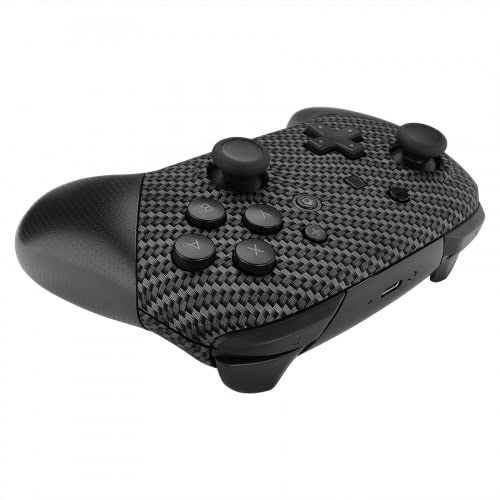
ചിത്രം: മുകളിൽ view of the controller, highlighting the USB-C charging port.
3. നിന്റെൻഡോ സ്വിച്ചുമായി ജോടിയാക്കൽ
- From the Nintendo Switch HOME Menu, select "Controllers".
- Select "Change Grip/Order".
- While the screen displays "Press L + R on the controller", press and hold the SYNC Button on the top of the MODDEDZONE controller for a few seconds. The player indicator lights will begin to flash.
- Once paired, the player indicator light(s) corresponding to the controller number will remain lit.
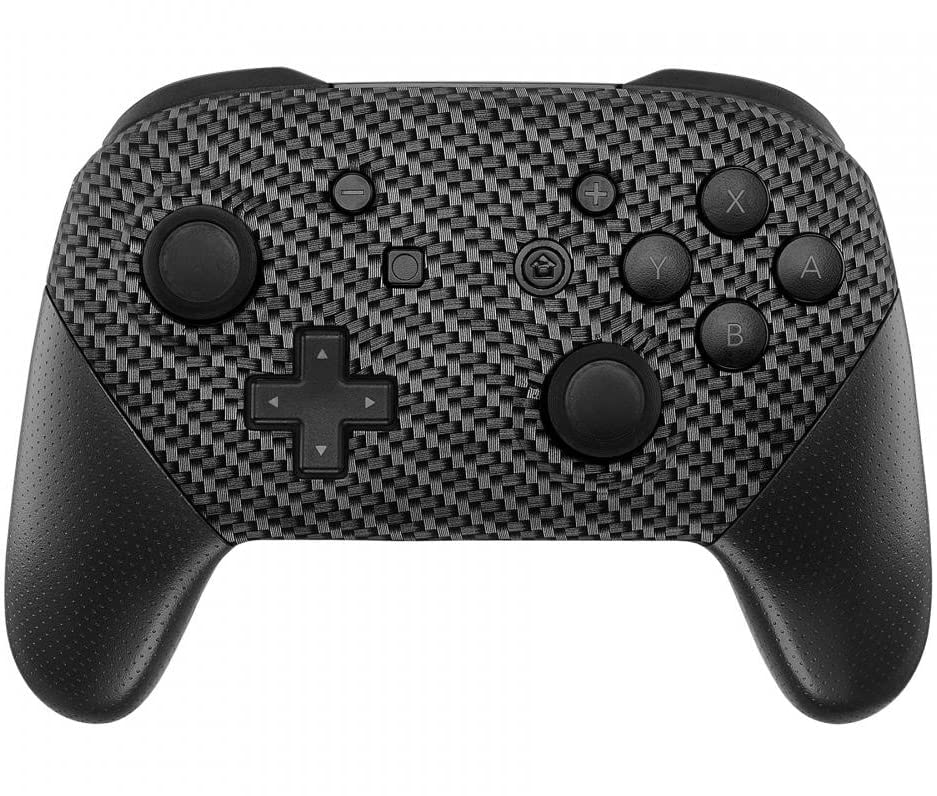
ചിത്രം: മുൻഭാഗം view of the controller, showing buttons and joysticks.
കൺട്രോളർ പ്രവർത്തിപ്പിക്കുന്നു
The MODDEDZONE Carbon Custom Controller functions identically to a standard Nintendo Switch PRO Controller. It features all standard buttons, joysticks, and triggers for gameplay.
- ഇടത് ജോയിസ്റ്റിക്: ചലനവും ക്യാമറ നിയന്ത്രണവും.
- വലത് ജോയിസ്റ്റിക്: ക്യാമറ നിയന്ത്രണവും ലക്ഷ്യവും.
- ദിശാസൂചന പാഡ് (ഡി-പാഡ്): Menu navigation and specific in-game actions.
- A/B/X/Y ബട്ടണുകൾ: Action buttons for various in-game commands.
- എൽ/ആർ ബട്ടണുകൾ: തോളിലെ ബട്ടണുകൾ.
- ZL/ZR ബട്ടണുകൾ: ട്രിഗർ ബട്ടണുകൾ.
- മൈനസ് (-) ബട്ടൺ: Access in-game menus or specific functions.
- പ്ലസ് (+) ബട്ടൺ: Access in-game menus or specific functions.
- ഹോം ബട്ടണ്: Return to the Nintendo Switch HOME Menu.
- ക്യാപ്ചർ ബട്ടൺ: Take screenshots or record video clips.
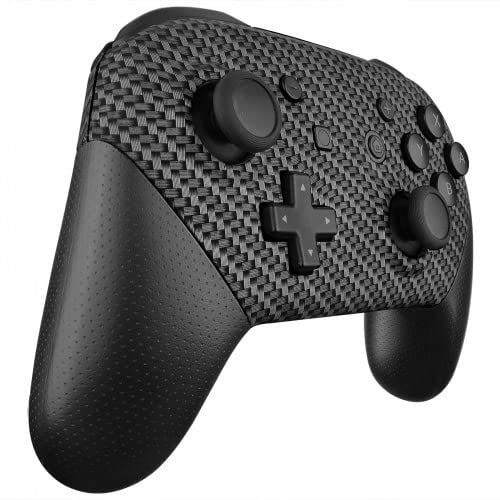
Image: Left angled view of the controller, showing the left joystick, D-pad, and shoulder buttons.
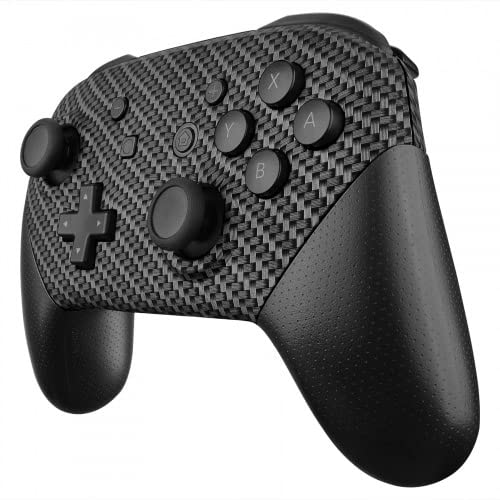
Image: Right angled view of the controller, showing the right joystick, A/B/X/Y buttons, and shoulder buttons.
പരിചരണവും പരിപാലനവും
- വൃത്തിയാക്കൽ: കൺട്രോളർ തുടയ്ക്കാൻ മൃദുവായതും ഉണങ്ങിയതുമായ തുണി ഉപയോഗിക്കുക. കഠിനമായ അഴുക്കിന്, ചെറുതായി dampതുണിയിൽ വെള്ളം ഒഴിക്കുക. കഠിനമായ രാസവസ്തുക്കളോ ഉരച്ചിലുകളുള്ള ക്ലീനറുകളോ ഒഴിവാക്കുക.
- സംഭരണം: കൺട്രോളർ നേരിട്ട് സൂര്യപ്രകാശം ഏൽക്കാത്തതും തീവ്രമായ താപനില ഏൽക്കാത്തതുമായ ഒരു തണുത്ത വരണ്ട സ്ഥലത്ത് സൂക്ഷിക്കുക.
- കൈകാര്യം ചെയ്യൽ: Avoid dropping the controller or subjecting it to strong impacts. Do not attempt to disassemble the controller, as this may void any applicable warranty.
- ബാറ്ററി കെയർ: If the controller will not be used for an extended period, ensure it is fully charged before storage and periodically recharged to maintain battery health.
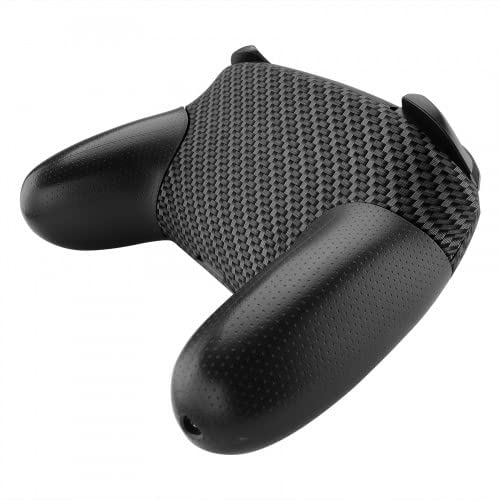
ചിത്രം: പിന്നിലേക്ക് view of the controller, showing the textured grips.
ട്രബിൾഷൂട്ടിംഗ്
| ഇഷ്യൂ | സാധ്യമായ പരിഹാരം |
|---|---|
| കൺട്രോളർ ഓണാക്കുന്നില്ല. | Ensure the controller is charged. Connect it to a power source using a USB-C cable. |
| Controller does not pair with Nintendo Switch. |
|
| ബട്ടണുകളോ ജോയ്സ്റ്റിക്കുകളോ പ്രതികരിക്കുന്നില്ല. |
|
| കൺട്രോളർ ഇടയ്ക്കിടെ വിച്ഛേദിക്കപ്പെടുന്നു. |
|
ഉൽപ്പന്ന സവിശേഷതകൾ
- ബ്രാൻഡ്: MODDEDZONE
- മോഡൽ: Carbon Custom Controller
- ASIN: B09S2KL84Z
- അനുയോജ്യത: നിൻ്റെൻഡോ സ്വിച്ച്
- ഊർജ്ജ സ്രോതസ്സ്: 1 Lithium Ion battery (required, included)
- കണക്റ്റിവിറ്റി: വയർലെസ് (ബ്ലൂടൂത്ത്)
- ഇനത്തിൻ്റെ ഭാരം: 12.8 ഔൺസ് (ഏകദേശം 362 ഗ്രാം)
- പാക്കേജ് അളവുകൾ: 8 x 6 x 3 ഇഞ്ച് (ഏകദേശം 20.3 x 15.2 x 7.6 സെ.മീ)
- നിർമ്മാതാവ്: മോഡേഡ്സോൺ
- ആദ്യം ലഭ്യമായ തീയതി: ഫെബ്രുവരി 2, 2022
വാറൻ്റിയും പിന്തുണയും
For warranty information and technical support, please refer to the documentation provided with your purchase or contact MODDEDZONE directly through their official channels. Unauthorized modification or disassembly of the controller may void the product warranty.
കൂടുതൽ സഹായത്തിന്, നിങ്ങൾക്ക് സന്ദർശിക്കാവുന്നതാണ് MODDEDZONE Store on Amazon.


