1. ആമുഖം
This manual provides detailed instructions for the Precision Pro Ace Smart GPS Golf Speaker, Model S1. This device combines a high-quality Bluetooth speaker with advanced GPS golf features, including audible distances, personalized yardages, and a magnetic cart mount. Please read this manual thoroughly to ensure proper use and maintenance of your device.
ബോക്സിൽ എന്താണുള്ളത്
- Precision Pro Ace Smart GPS Golf Speaker (S1 Unit)
- വേർപെടുത്താവുന്ന റിമോട്ട്
- USB-C ചാർജിംഗ് കേബിൾ
- സോഫ്റ്റ് ക്യാരി ബാഗ്
- ഉൽപ്പന്ന മാനുവൽ

Figure 1: Included items in the Precision Pro Ace Smart GPS Golf Speaker package.
Video 1: An unboxing video demonstrating the contents of the Precision Pro Ace Smart GPS Golf Speaker package.
2. സജ്ജീകരണം
2.1 പ്രാരംഭ ചാർജിംഗ്
Before first use, fully charge the Ace Smart GPS Golf Speaker using the provided USB-C cable. Connect the cable to the charging port on the device and a compatible USB power source.
2.2 ആപ്പ് ഡൗൺലോഡും ജോടിയാക്കലും
- ഡൗൺലോഡ് ചെയ്യുക പ്രിസിഷൻ പ്രോ ഗോൾഫ് നിങ്ങളുടെ ഉപകരണത്തിന്റെ ആപ്പ് സ്റ്റോറിൽ നിന്നുള്ള ആപ്പ്.
- ഒരു അക്കൗണ്ട് സൃഷ്ടിക്കുന്നതിനോ ലോഗിൻ ചെയ്യുന്നതിനോ ആപ്പ് തുറന്ന് ഓൺ-സ്ക്രീൻ നിർദ്ദേശങ്ങൾ പാലിക്കുക.
- Turn on your Ace Smart GPS Golf Speaker.
- Within the app, navigate to the device pairing section and select your Ace speaker to establish a Bluetooth connection.
- Ensure your phone's Bluetooth is enabled and the speaker is within range.
The app is pre-loaded with over 37,000 courses. You can search for your specific course within the app. If your course is not listed, you can request its addition through the app, which typically takes 2-3 weeks.
3. പ്രവർത്തന നിർദ്ദേശങ്ങൾ
3.1 അടിസ്ഥാന പ്രവർത്തനങ്ങൾ
- പവർ ഓൺ/ഓഫ്: Press and hold the power button located on the side of the speaker.
- വോളിയം നിയന്ത്രണം: Use the '+' and '-' buttons on the side to adjust the speaker volume.
- പ്ലേ/താൽക്കാലികമായി നിർത്തുക: Use the dedicated play/pause button for music playback control.

ചിത്രം 2: മുൻഭാഗം view of the speaker with LCD display and controls.
3.2 GPS Features
The Ace Smart GPS Golf Speaker provides accurate distances to enhance your game. Ensure your device is paired with the Precision Pro Golf app and GPS is active.
- LCD ഡിസ്പ്ലേ: The integrated LCD shows Front, Middle, and Back distances to the green. It also displays slope and wind assist data.
- Audible Distances: A single click of the large button on the detachable remote will announce Front, Center, and Back distances.
- ദ്വാര ക്രമീകരണം: Use the left and right arrow buttons on the speaker to navigate between holes if the device is displaying an incorrect hole.
- MySlope™ Technology: Provides personalized yardage numbers customized to your game, taking into account your ball data.
- Personal Layups: Double-click the large button on the detachable remote to create and receive distances for your own layups on any hole.

Figure 3: LCD display showing GPS distances.

Figure 4: Detailed LCD display with distance information.
വീഡിയോ 2: ഒരു ഓവർview of the Precision Pro Ace Smart GPS Golf Speaker's features, including GPS and music capabilities.
3.3 മ്യൂസിക് പ്ലേബാക്ക്
Connect your smartphone via Bluetooth to stream music through the Ace speaker. The speaker offers premium audio quality for an enjoyable experience on the course.
3.4 Golf Shot Celebrations
The small button on the detachable remote can be single or double-clicked to activate one of the many programmable golf shot celebration sounds.
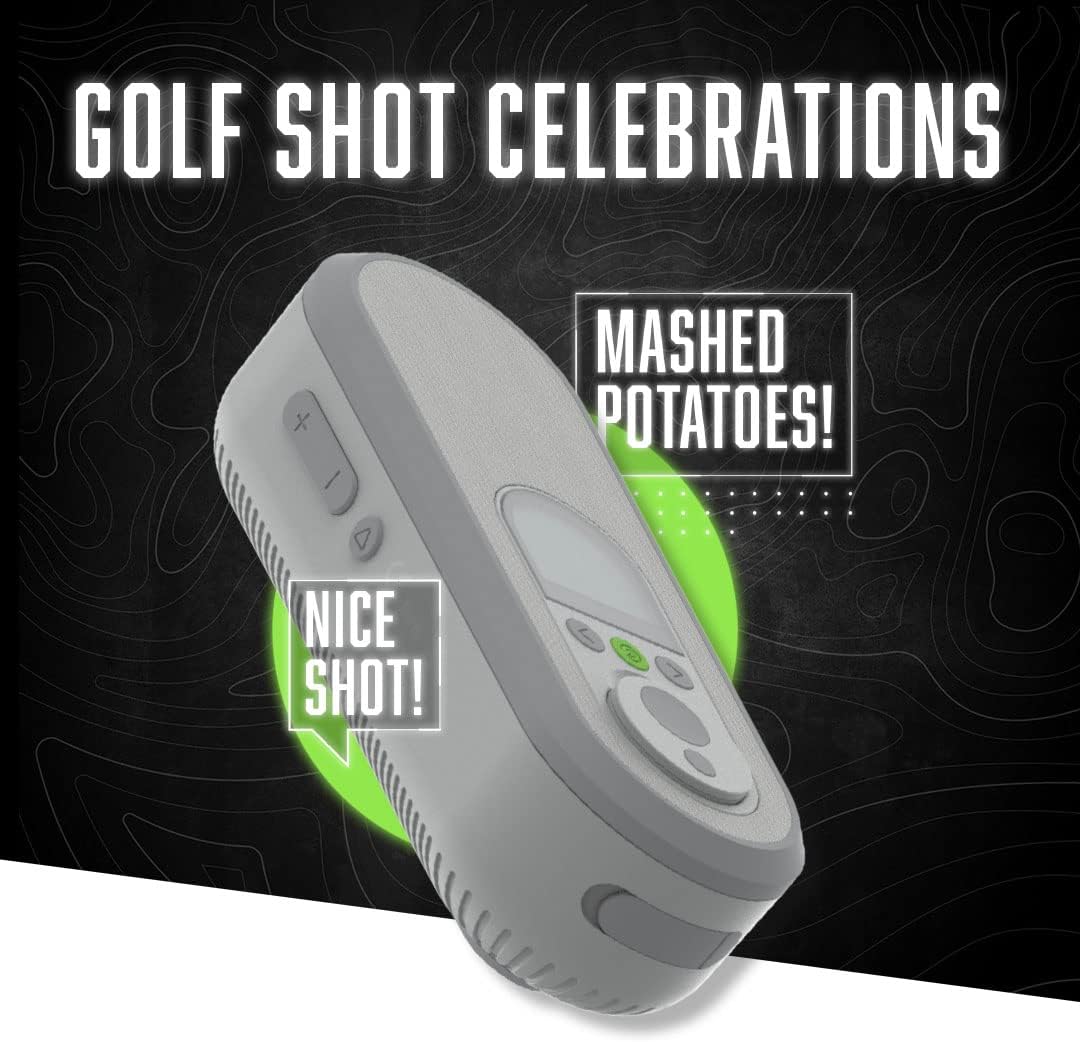
Figure 5: Golf Shot Celebrations feature.
3.5 Magnetic Cart Mount
The Ace speaker features a strong magnetic grip, allowing it to be securely mounted to a golf cart frame or any metallic surface.

Figure 6: Speaker mounted on a golf cart.
3.6 Find My Precision Pro
Utilize the 'Find My Precision Pro' feature through the app to locate your speaker if it is misplaced on the course.
4. പരിപാലനം
4.1 ബാറ്ററി ലൈഫ്
The Ace Smart GPS Golf Speaker provides 18-24 hours of battery life on a single full charge. Actual battery duration may vary based on volume level and frequency of audio caddie requests.
4.2 ജല പ്രതിരോധം
The device is water-resistant, meaning it can withstand light to moderate rain. It is not waterproof; do not submerge the speaker in water.
5. പ്രശ്നപരിഹാരം
- Ace Disconnected and Won't Reconnect: Unpair the Ace and disconnect it in your phone's Bluetooth settings. Then, restart the connection process from the beginning within the Precision Pro Golf app.
- Incorrect Yardage: Check if 'SLOPE' is turned on in the Precision Pro Golf app, as this adjusts distances. If the Ace is providing distances for the wrong hole, use the directional arrows on the device to navigate to the correct hole.
- Phone Disconnection Distance: The Ace Smart GPS Golf Speaker should maintain a strong connection within 25 to 50 yards of your phone, depending on environmental factors and obstacles.
- Course Not Included: Download the Precision Pro Golf app and search for your course. If it's not available, you can request its addition through the app. Please allow 2-3 weeks for new courses to be added.
6 സ്പെസിഫിക്കേഷനുകൾ
| ഫീച്ചർ | വിശദാംശങ്ങൾ |
|---|---|
| മോഡലിൻ്റെ പേര് | Ace Smart GPS Golf Speaker |
| ഇനം മോഡൽ നമ്പർ | S1 |
| ബ്രാൻഡ് | പ്രിസിഷൻ പ്രോ |
| ഇനത്തിൻ്റെ ഭാരം | 1.83 പൗണ്ട് |
| ഉൽപ്പന്ന അളവുകൾ | 8 x 3 x 3.5 ഇഞ്ച് |
| ഡിസ്പ്ലേ വലിപ്പം | 2 ഇഞ്ച് |
| ബാറ്ററി ലൈഫ് | 18-24 Hours (typical) |
| വോയ്സ് കമാൻഡ് | ബട്ടണുകൾ |
| കണക്റ്റിവിറ്റി ടെക്നോളജി | ബ്ലൂടൂത്ത് |
| മാപ്പ് തരം | North America (37,000+ courses) |
| പ്രത്യേക സവിശേഷതകൾ | Find My Precision Pro, Golf Shot Celebration, Magnetic Grip, MySlope™ |
| ഉൾപ്പെടുത്തിയ ഘടകങ്ങൾ | Manual, Carry Bag, USB-C Cable |
7. വാറൻ്റിയും പിന്തുണയും
Every Ace Smart GPS Golf Speaker includes the Precision Care Package, an industry-leading product protection plan. This package provides:
- ആജീവനാന്ത ഉപഭോക്തൃ പിന്തുണ: Access to dedicated support for any questions or issues.
- 30% Trade-In Discount: A discount towards future Precision Pro product upgrades.
For further assistance, please refer to the contact information provided in your product manual or visit the official Precision Pro webസൈറ്റ്.


