1. ആമുഖം
Thank you for choosing the Lamax Sphere2 Portable Speaker. This manual provides essential information for setting up, operating, and maintaining your device. Please read it carefully to ensure optimal performance and longevity of your speaker.
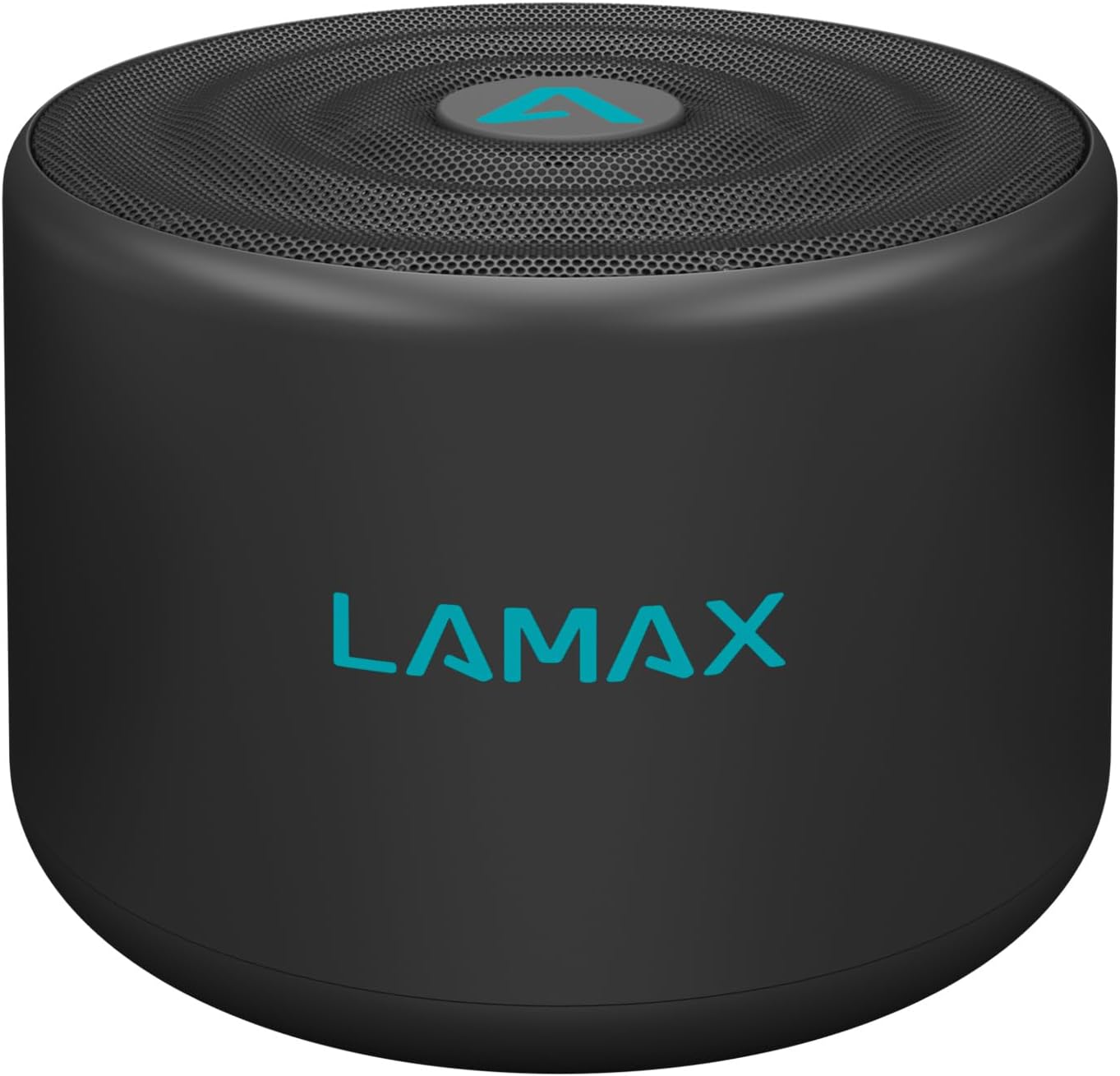
Image 1.1: The Lamax Sphere2 portable speaker, black with a teal Lamax logo on the front and top.
2. പാക്കേജ് ഉള്ളടക്കം
പാക്കേജിൽ ഇനിപ്പറയുന്ന ഇനങ്ങൾ ഉണ്ടോ എന്ന് പരിശോധിക്കുക:
- Lamax Sphere2 Portable Speaker
- മൈക്രോ യുഎസ്ബി ചാർജിംഗ് കേബിൾ
- ഉപയോക്തൃ മാനുവൽ
3. ഉൽപ്പന്നം കഴിഞ്ഞുview
Familiarize yourself with the speaker's buttons and ports:
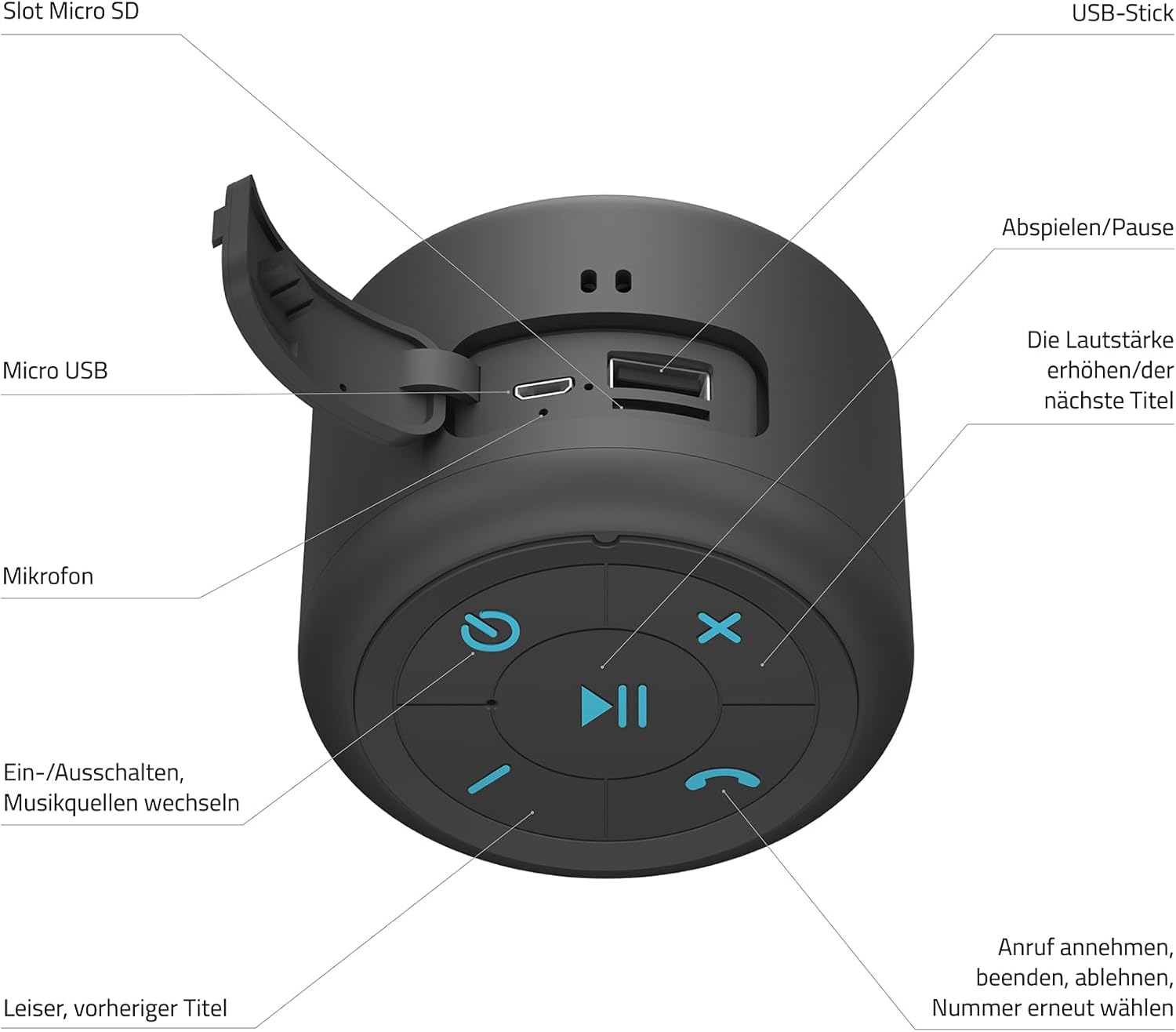
Image 3.1: Detailed diagram of the Lamax Sphere2 speaker's ports and control buttons.
- മൈക്രോ എസ്ഡി സ്ലോട്ട്: Insert a Micro SD card for music playback.
- USB-A പോർട്ട്: Connect a USB flash drive for music playback.
- മൈക്രോ യുഎസ്ബി പോർട്ട്: സ്പീക്കർ ചാർജ് ചെയ്തതിന്.
- മൈക്രോഫോൺ: ഹാൻഡ്സ് ഫ്രീ കോളിംഗിനായി.
- Power Button / Mode Switch: Press and hold to power on/off. Short press to switch between input modes (Bluetooth, Micro SD, USB, FM Radio).
- പ്ലേ/താൽക്കാലികമായി നിർത്തുക ബട്ടൺ: Play or pause music. Answer/end calls.
- വോളിയം കൂട്ടുക / അടുത്ത ട്രാക്ക് ബട്ടൺ: അടുത്ത ട്രാക്കിനായി ഷോർട്ട് പ്രസ്സ് ചെയ്യുക. വോളിയം കൂട്ടാൻ അമർത്തിപ്പിടിക്കുക.
- ശബ്ദം കുറയ്ക്കുക / മുമ്പത്തെ ട്രാക്ക് ബട്ടൺ: മുമ്പത്തെ ട്രാക്കിനായി ഹ്രസ്വമായി അമർത്തുക. ശബ്ദം കുറയ്ക്കാൻ അമർത്തിപ്പിടിക്കുക.
- Call Management Button: Answer, end, or reject calls. Double-press to redial the last number.
4. സജ്ജീകരണം
4.1 സ്പീക്കർ ചാർജ് ചെയ്യുന്നു
Before first use, fully charge the speaker. Connect the Micro USB charging cable to the speaker's Micro USB port and the other end to a USB power adapter (not included) or a computer's USB port. The charging indicator light will show the charging status.
4.2 പവർ ഓൺ/ഓഫ്
- പവർ ഓണാക്കാൻ: Press and hold the Power Button (5) for approximately 3 seconds until you hear an audible prompt.
- പവർ ഓഫ് ചെയ്യാൻ: Press and hold the Power Button (5) for approximately 3 seconds until you hear an audible prompt.
4.3 ബ്ലൂടൂത്ത് ജോടിയാക്കൽ
- Ensure the speaker is powered on and in Bluetooth mode (indicated by a flashing LED). If not, short press the Power Button (5) to cycle modes until Bluetooth mode is active.
- നിങ്ങളുടെ ഉപകരണത്തിൽ (സ്മാർട്ട്ഫോൺ, ടാബ്ലെറ്റ് മുതലായവ) ബ്ലൂടൂത്ത് പ്രവർത്തനക്ഷമമാക്കുക.
- ഇതിനായി തിരയുക available Bluetooth devices and select "LAMAX Sphere2" from the list.
- Once paired, the speaker will emit an audible confirmation, and the LED indicator will stop flashing.
4.4 ട്രൂ വയർലെസ് സ്റ്റീരിയോ (TWS) ജോടിയാക്കൽ
You can pair two Lamax Sphere2 speakers together for a stereo sound experience.

Image 4.1: Two Lamax Sphere2 speakers paired for True Wireless Stereo sound.
- Ensure both Lamax Sphere2 speakers are powered on and not connected to any other Bluetooth device.
- On one of the speakers (this will be the primary speaker), double-press the Play/Pause Button (6). The speaker will search for another Sphere2 speaker.
- Once connected, both speakers will emit an audible confirmation, and their LEDs will indicate a successful TWS connection.
- ഇപ്പോൾ, വിഭാഗം 4.3-ൽ വിവരിച്ചിരിക്കുന്നതുപോലെ ബ്ലൂടൂത്ത് വഴി നിങ്ങളുടെ ഉപകരണം പ്രാഥമിക സ്പീക്കറുമായി ബന്ധിപ്പിക്കുക. രണ്ട് സ്പീക്കറുകളും സ്റ്റീരിയോയിൽ ഓഡിയോ പ്ലേ ചെയ്യും.
4.5 മറ്റ് പ്ലേബാക്ക് മോഡുകൾ
The speaker supports playback from Micro SD cards, USB flash drives, and FM radio.
- മൈക്രോ എസ്ഡി കാർഡ്: Insert a Micro SD card into the Micro SD Slot (1). The speaker will automatically switch to Micro SD mode and begin playback.
- യുഎസ് ബി ഫ്ളാഷ് ഡ്രെവ്: Insert a USB flash drive into the USB-A Port (2). The speaker will automatically switch to USB mode and begin playback.
- എഫ്എം റേഡിയോ: Short press the Power Button (5) to cycle through modes until FM Radio mode is active. Use the Volume Up/Down buttons (7, 8) to tune stations.
5. പ്രവർത്തിക്കുന്നു
5.1 മ്യൂസിക് പ്ലേബാക്ക്
- പ്ലേ/താൽക്കാലികമായി നിർത്തുക: Short press the Play/Pause Button (6).
- അടുത്ത ട്രാക്ക്: Short press the Volume Up / Next Track Button (7).
- മുമ്പത്തെ ട്രാക്ക്: Short press the Volume Down / Previous Track Button (8).
- വോളിയം കൂട്ടുക: Press and hold the Volume Up / Next Track Button (7).
- വോളിയം താഴേക്ക്: Press and hold the Volume Down / Previous Track Button (8).
5.2 കോൾ മാനേജ്മെന്റ്
When connected via Bluetooth to a smartphone:
- മറുപടി കോൾ: Short press the Call Management Button (9).
- കോൾ അവസാനിപ്പിക്കുക: Short press the Call Management Button (9) during a call.
- കോൾ നിരസിക്കുക: Press and hold the Call Management Button (9) when an incoming call rings.
- അവസാന നമ്പർ വീണ്ടും ഡയൽ ചെയ്യുക: Double-press the Call Management Button (9).
6. പരിപാലനം
6.1 വൃത്തിയാക്കൽ
Wipe the speaker with a soft, dry cloth. Do not use abrasive cleaners, alcohol, or other chemical substances, as these may damage the surface or internal components.
6.2 സംഭരണം
Store the speaker in a cool, dry place away from direct sunlight and extreme temperatures. If storing for an extended period, charge the battery periodically (e.g., every 3 months) to maintain battery health.
6.3 ബാറ്ററി കെയർ
സ്പീക്കറിൽ ഒരു ബിൽറ്റ്-ഇൻ റീചാർജ് ചെയ്യാവുന്ന ബാറ്ററി അടങ്ങിയിരിക്കുന്നു. അതിന്റെ ആയുസ്സ് വർദ്ധിപ്പിക്കുന്നതിന്:
- ബാറ്ററി ഇടയ്ക്കിടെ പൂർണ്ണമായും ഡിസ്ചാർജ് ചെയ്യുന്നത് ഒഴിവാക്കുക.
- Do not expose the speaker to high temperatures.
- നൽകിയിരിക്കുന്ന ചാർജിംഗ് കേബിളോ സാക്ഷ്യപ്പെടുത്തിയ തത്തുല്യമായതോ മാത്രം ഉപയോഗിക്കുക.
7. പ്രശ്നപരിഹാരം
If you encounter issues with your Lamax Sphere2 speaker, refer to the following common problems and solutions:
| പ്രശ്നം | സാധ്യമായ കാരണം | പരിഹാരം |
|---|---|---|
| സ്പീക്കർ ഓണാക്കുന്നില്ല. | കുറഞ്ഞ ബാറ്ററി. | സ്പീക്കർ പൂർണ്ണമായും ചാർജ് ചെയ്യുക. |
| ബ്ലൂടൂത്ത് വഴി ജോടിയാക്കാൻ കഴിയില്ല. | സ്പീക്കർ ജോടിയാക്കൽ മോഡിൽ ഇല്ല; ഉപകരണം ബ്ലൂടൂത്ത് ഓഫാണ്; സ്പീക്കറിൽ നിന്ന് വളരെ അകലെയാണ്. | Ensure speaker is in Bluetooth pairing mode. Turn device Bluetooth off/on. Move device closer to speaker. |
| ശബ്ദമില്ല. | ശബ്ദം വളരെ കുറവാണ്; തെറ്റായ ഇൻപുട്ട് മോഡ്; ഉപകരണം പ്ലേ ചെയ്യുന്നില്ല. | Increase speaker and device volume. Check input mode. Ensure music is playing on your device. |
| TWS ജോടിയാക്കൽ പരാജയപ്പെടുന്നു. | സ്പീക്കറുകൾ ഇതിനകം മറ്റൊരു ഉപകരണവുമായി ജോടിയാക്കി; വളരെ അകലെയാണ്. | Ensure both speakers are disconnected from other devices. Place speakers close together. |
8 സ്പെസിഫിക്കേഷനുകൾ
Technical details for the Lamax Sphere2 Portable Speaker:
- മോഡൽ: SPHERE2
- ഔട്ട്പുട്ട് പവർ: 5 വാട്ട്സ്
- ഓഡിയോ putട്ട്പുട്ട് മോഡ്: മോണോ
- കണക്റ്റിവിറ്റി ടെക്നോളജി: ബ്ലൂടൂത്ത്, യുഎസ്ബി, വൈ-ഫൈ
- പ്രത്യേക സവിശേഷതകൾ: പോർട്ടബിൾ
- ഊർജ്ജ സ്രോതസ്സ്: ബാറ്ററി പ്രവർത്തിക്കുന്നു
- അളവുകൾ (L x W x H): 25.4 x 5.08 x 6.86 സെ.മീ
- ഭാരം: 190 ഗ്രാം
- മെറ്റീരിയൽ: 85% polyester, 15% EVA
9 സുരക്ഷാ വിവരങ്ങൾ
ഇനിപ്പറയുന്ന സുരക്ഷാ മാർഗ്ഗനിർദ്ദേശങ്ങൾ പാലിക്കുക:
- സ്പീക്കറിനെ വെള്ളം, ഈർപ്പം അല്ലെങ്കിൽ തീവ്രമായ താപനില എന്നിവയിൽ തുറന്നുകാട്ടരുത്.
- സ്പീക്കർ ഡിസ്അസംബ്ലിംഗ് ചെയ്യാനോ പരിഷ്ക്കരിക്കാനോ ശ്രമിക്കരുത്.
- സ്പീക്കർ താപ സ്രോതസ്സുകളിൽ നിന്നും തുറന്ന തീജ്വാലകളിൽ നിന്നും അകറ്റി നിർത്തുക.
- പ്രാദേശിക നിയന്ത്രണങ്ങൾ അനുസരിച്ച് സ്പീക്കറും അതിന്റെ ബാറ്ററിയും ഉത്തരവാദിത്തത്തോടെ നിർമാർജനം ചെയ്യുക.
10. വാറൻ്റിയും പിന്തുണയും
For warranty information, technical support, or customer service, please refer to the official Lamax webനിങ്ങളുടെ പ്രാദേശിക റീട്ടെയിലറെ ബന്ധപ്പെടുക അല്ലെങ്കിൽ സൈറ്റിൽ ബന്ധപ്പെടുക. വാറന്റി ക്ലെയിമുകൾക്കായി നിങ്ങളുടെ വാങ്ങിയതിന്റെ തെളിവ് സൂക്ഷിക്കുക.


