ആമുഖം
Welcome to the instruction manual for your new Lava Probuds 21 Wireless In-Ear Earbuds. This guide provides essential information on setting up, operating, maintaining, and troubleshooting your earbuds to ensure optimal performance and longevity. Please read this manual thoroughly before using the product.
ഉൽപ്പന്നം കഴിഞ്ഞുview
The Lava Probuds 21 are advanced wireless in-ear earbuds designed for an immersive audio experience. Key features include:
- വിപുലീകരിച്ച കളിസമയം: Up to 45 hours of total playtime with the charging case, and 9 hours on a single charge for the earbuds.
- അവബോധജന്യമായ ടച്ച് നിയന്ത്രണങ്ങൾ: Manage music playback, calls, and activate voice assistants with simple touch gestures.
- കുറഞ്ഞ ലേറ്റൻസി ഗെയിമിംഗ്: Experience smooth online and offline gaming with ultra-low 75ms latency.
- ഇമ്മേഴ്സീവ് ഓഡിയോ: Equipped with 12mm dynamic drivers for rich sound quality across various music genres.
- ശബ്ദ ഒറ്റപ്പെടൽ: Enjoy clear calls and music by minimizing external noise.
- ഫാസ്റ്റ് ചാർജിംഗ്: Type-C fast charging provides 100 minutes of playback from just 10 minutes of charging.
- വെള്ളം, വിയർപ്പ് പ്രതിരോധം: IPX4 rating ensures durability against splashes and sweat.
- വോയ്സ് അസിസ്റ്റന്റ് പിന്തുണ: Compatible with Siri and Google Assistant for hands-free control.
പാക്കേജ് ഉള്ളടക്കം
അൺബോക്സിംഗ് ചെയ്യുമ്പോൾ, നിങ്ങൾ ഇനിപ്പറയുന്ന ഇനങ്ങൾ കണ്ടെത്തണം:
- Lava Probuds 21 Wireless In-Ear Earbuds (Left and Right)
- ചാർജിംഗ് കേസ്
- യുഎസ്ബി ടൈപ്പ്-സി ചാർജിംഗ് കേബിൾ
- ഇയർ കുഷ്യനുകൾ (വിവിധ വലുപ്പങ്ങൾ)
- നിർദ്ദേശ മാനുവൽ (ഈ പ്രമാണം)

Figure 1: Lava Probuds 21 Earbuds in their charging case.
സജ്ജീകരണവും പ്രാരംഭ ഉപയോഗവും
1. ഇയർബഡുകളും കേസും ചാർജ് ചെയ്യുന്നു
- Place both earbuds into the charging case. Ensure they are correctly seated in their respective slots (L for left, R for right).
- Connect the provided USB Type-C charging cable to the charging port on the case and the other end to a compatible USB power source (e.g., wall adapter, computer USB port).
- The indicator light on the charging case will illuminate to show charging status. A full charge for the case and earbuds provides approximately 45 hours of total playtime. The earbuds themselves offer up to 9 hours of playback on a single charge.
- Benefit from fast charging: 10 minutes of charging can provide up to 100 minutes of playback.

Figure 2: The charging case connected via a Type-C cable for fast charging.

Figure 3: Diagram illustrating 45 hours total playtime with the case and 9 hours per earbud charge.
2. ബ്ലൂടൂത്ത് ജോടിയാക്കൽ
- ഇയർബഡുകൾ ചാർജ്ജ് ചെയ്തിട്ടുണ്ടെന്ന് ഉറപ്പാക്കുക.
- ചാർജിംഗ് കേസ് തുറക്കുക. ഇയർബഡുകൾ സ്വയമേവ ജോടിയാക്കൽ മോഡിലേക്ക് പ്രവേശിക്കും, ഇയർബഡുകളിൽ മിന്നുന്ന LED ലൈറ്റ് ഇത് സൂചിപ്പിക്കും.
- നിങ്ങളുടെ ഉപകരണത്തിൽ (സ്മാർട്ട്ഫോൺ, ടാബ്ലെറ്റ്, ലാപ്ടോപ്പ്), ബ്ലൂടൂത്ത് ക്രമീകരണങ്ങളിലേക്ക് പോകുക.
- ഇതിനായി തിരയുക available devices and select "Lava Probuds 21" from the list.
- കണക്റ്റ് ചെയ്തുകഴിഞ്ഞാൽ, ഇയർബഡുകളിലെ LED ഇൻഡിക്കേറ്റർ മിന്നുന്നത് നിർത്തും, കൂടാതെ നിങ്ങൾ ഒരു സ്ഥിരീകരണ ടോൺ കേൾക്കുകയും ചെയ്യും.
- The earbuds will automatically reconnect to the last paired device when taken out of the case, provided Bluetooth is enabled on the device.
പ്രവർത്തന നിർദ്ദേശങ്ങൾ
ടച്ച് നിയന്ത്രണങ്ങൾ
The Lava Probuds 21 feature intuitive touch controls on each earbud. The specific functions may vary slightly, but common controls include:
- പ്ലേ/താൽക്കാലികമായി നിർത്തുക: ഇയർബഡുകളിൽ ഏതെങ്കിലുമൊന്നിൽ ഒറ്റ ടാപ്പ് ചെയ്യുക.
- അടുത്ത ട്രാക്ക്: വലതുവശത്തെ ഇയർബഡിൽ രണ്ടുതവണ ടാപ്പ് ചെയ്യുക.
- മുമ്പത്തെ ട്രാക്ക്: ഇടതുവശത്തെ ഇയർബഡിൽ രണ്ടുതവണ ടാപ്പ് ചെയ്യുക.
- ഉത്തരം/അവസാന കോൾ: ഇയർബഡുകളിൽ ഏതെങ്കിലുമൊന്നിൽ ഒറ്റ ടാപ്പ് ചെയ്യുക.
- കോൾ നിരസിക്കുക: ഇയർബഡുകളിൽ ഏതെങ്കിലുമൊന്നിൽ ദീർഘനേരം അമർത്തുക.
- വോയ്സ് അസിസ്റ്റന്റിനെ സജീവമാക്കുക: Triple tap on either earbud (Siri & Google Enabled).
വോയ്സ് അസിസ്റ്റൻ്റ്
Your Lava Probuds 21 support voice assistants like Siri and Google Assistant. Triple tap an earbud to activate your device's voice assistant and issue commands hands-free.
ഗെയിമിംഗ് മോഡ് (കുറഞ്ഞ ലേറ്റൻസി)
For an enhanced gaming experience, the earbuds offer ultra-low 75ms latency. Refer to your device's settings or the earbuds' specific touch control gestures (if available) to activate gaming mode for reduced audio delay.
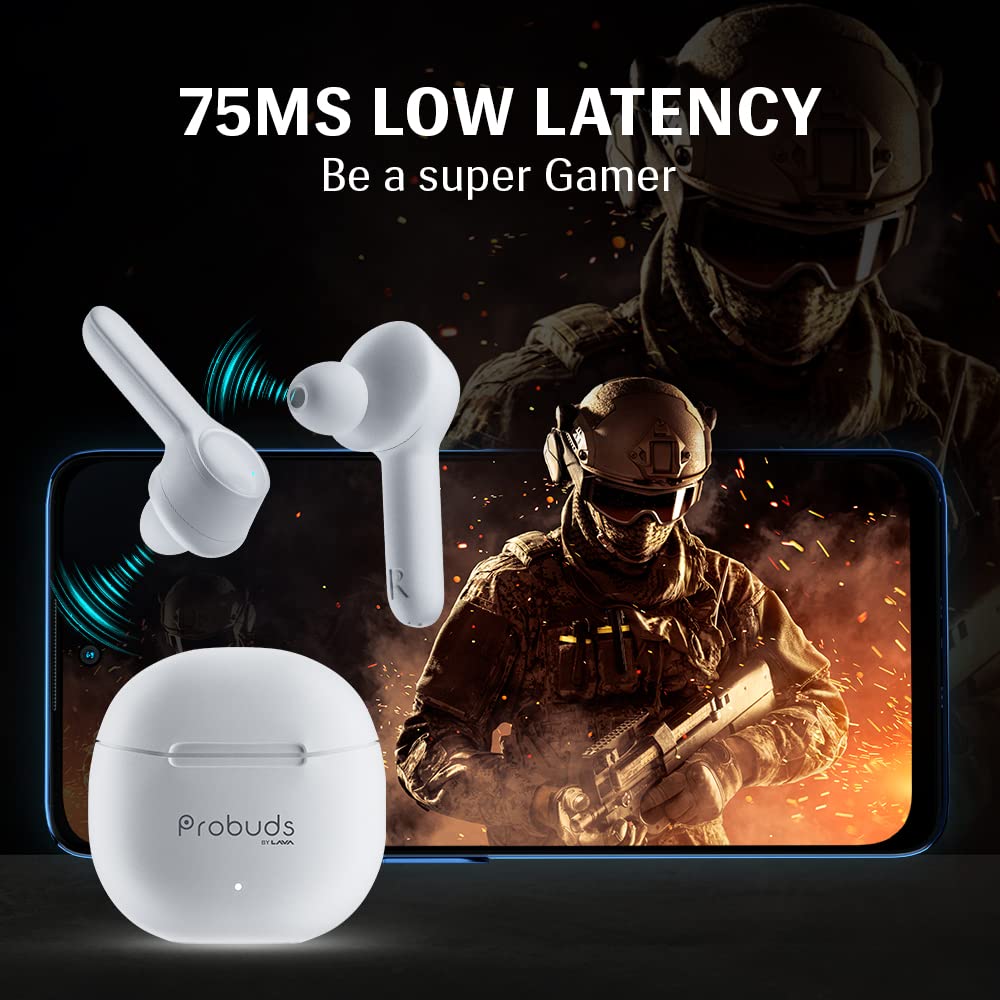
Figure 4: The earbuds provide ultra-low 75ms latency for an optimized gaming experience.
പരിപാലനവും പരിചരണവും
- വൃത്തിയാക്കൽ: ഇയർബഡുകളും ചാർജിംഗ് കെയ്സും മൃദുവായതും ഉണങ്ങിയതും ലിന്റ് രഹിതവുമായ തുണി ഉപയോഗിച്ച് പതിവായി വൃത്തിയാക്കുക. ഉരച്ചിലുകളുള്ള വസ്തുക്കളോ കഠിനമായ രാസവസ്തുക്കളോ ഉപയോഗിക്കുന്നത് ഒഴിവാക്കുക.
- ചെവി ടിപ്പുകൾ: ചെവിയുടെ അറ്റങ്ങൾ ഇടയ്ക്കിടെ നീക്കം ചെയ്ത് വൃത്തിയാക്കുക, അങ്ങനെ മെഴുക് അടിഞ്ഞുകൂടുന്നത് ശബ്ദ നിലവാരത്തെ ബാധിക്കും. വീണ്ടും ഘടിപ്പിക്കുന്നതിന് മുമ്പ് അവ പൂർണ്ണമായും ഉണങ്ങിയെന്ന് ഉറപ്പാക്കുക.
- ജല പ്രതിരോധം: The earbuds are IPX4 water and sweat resistant, meaning they can withstand splashes and light sweat. Do not submerge them in water or expose them to heavy rain. Ensure the charging port is dry before charging.
- സംഭരണം: ഉപയോഗത്തിലില്ലാത്തപ്പോൾ, ഇയർബഡുകൾ ചാർജിംഗ് കേസിൽ സൂക്ഷിക്കുക, അതുവഴി അവയെ സംരക്ഷിക്കുകയും ചാർജ്ജ് ആയി നിലനിർത്തുകയും ചെയ്യുക. ഉയർന്ന താപനിലയിൽ നിന്ന് മാറി തണുത്തതും വരണ്ടതുമായ സ്ഥലത്ത് സൂക്ഷിക്കുക.

Figure 5: The earbuds are IPX4 rated for water and sweat resistance.
ട്രബിൾഷൂട്ടിംഗ്
If you encounter issues with your Lava Probuds 21, try the following solutions:
| പ്രശ്നം | പരിഹാരം |
|---|---|
| ഇയർബഡുകൾ ജോടിയാക്കുന്നില്ല/കണക്റ്റ് ചെയ്യുന്നില്ല. |
|
| ശബ്ദമില്ല അല്ലെങ്കിൽ കുറഞ്ഞ ശബ്ദമില്ല. |
|
| ചാർജിംഗ് കേസ് ചാർജ് ചെയ്യുന്നില്ല. |
|
| ഇയർബഡുകൾ ചാർജ് ചെയ്യുന്നില്ല, എന്തെങ്കിലും പ്രശ്നമുണ്ടോ? |
|
പ്രശ്നം നിലനിൽക്കുകയാണെങ്കിൽ, കൂടുതൽ സഹായത്തിനായി ഉപഭോക്തൃ പിന്തുണയുമായി ബന്ധപ്പെടുക.
സ്പെസിഫിക്കേഷനുകൾ
| ഫീച്ചർ | വിശദാംശങ്ങൾ |
|---|---|
| മോഡലിൻ്റെ പേര് | Probuds 21 by Lava |
| ഇനം മോഡൽ നമ്പർ | T001A |
| കണക്റ്റിവിറ്റി ടെക്നോളജി | വയർലെസ് |
| വയർലെസ് കമ്മ്യൂണിക്കേഷൻ ടെക്നോളജി | ബ്ലൂടൂത്ത് |
| ബ്ലൂടൂത്ത് പതിപ്പ് | 5.1 |
| ഓഡിയോ ഡ്രൈവർ തരം | ഡൈനാമിക് ഡ്രൈവർ (12mm) |
| ബാറ്ററി ലൈഫ് (ഇയർബഡുകൾ) | 9 മണിക്കൂർ (ഒറ്റ ചാർജ്) |
| ആകെ പ്ലേടൈം (കേസിനൊപ്പം) | 45 മണിക്കൂർ |
| ഫാസ്റ്റ് ചാർജിംഗ് | 10 mins charge = 100 mins playback |
| ജല പ്രതിരോധ നില | IPX4 (വാട്ടർ റെസിസ്റ്റൻ്റ്) |
| നിയന്ത്രണ രീതി | സ്പർശിക്കുക |
| വോയ്സ് അസിസ്റ്റൻ്റ് | Siri & Google Enabled |
| ഇനത്തിൻ്റെ ഭാരം | 50.5 ഗ്രാം |
| ഉൽപ്പന്ന അളവുകൾ | 5.6 x 5 x 1.5 സെ.മീ |
| നിർമ്മാതാവ് | Lava International Ltd. |
| മാതൃരാജ്യം | ഇന്ത്യ |
വാറൻ്റിയും പിന്തുണയും
Your Lava Probuds 21 come with a standard brand warranty. For specific warranty terms, conditions, and duration, please refer to the warranty card included in your package or visit the official Lava webസൈറ്റ്.
ഉപഭോക്തൃ പിന്തുണ
For any product-related queries, technical assistance, or service requests, please contact Lava customer support:
- ഇമെയിൽ: lavacare@lavainternational.in
- സേവന ശൃംഖല: Lava maintains a network of over 700 service centers for your convenience.
സുരക്ഷാ വിവരങ്ങൾ
Please observe the following safety guidelines to prevent damage to your earbuds or personal injury:
- ഇയർബഡുകളോ ചാർജിംഗ് കേസോ ഡിസ്അസംബ്ലിംഗ് ചെയ്യുകയോ നന്നാക്കുകയോ പരിഷ്കരിക്കുകയോ ചെയ്യരുത്.
- Avoid exposing the product to extreme temperatures, direct sunlight, or fire.
- Keep the product away from water and liquids, except for the specified IPX4 resistance.
- കേൾവിക്കുറവ് തടയാൻ ഉൽപ്പന്നം ഉയർന്ന അളവിൽ ദീർഘനേരം ഉപയോഗിക്കരുത്.
- കുട്ടികൾക്കും വളർത്തുമൃഗങ്ങൾക്കും ലഭ്യമാകാതെ സൂക്ഷിക്കുക.
- പ്രാദേശിക നിയന്ത്രണങ്ങൾ അനുസരിച്ച് ഉൽപ്പന്നവും അതിന്റെ ബാറ്ററിയും ഉത്തരവാദിത്തത്തോടെ നിർമാർജനം ചെയ്യുക.
Product Features Demonstration
Watch this video for a visual demonstration of the Lava Probuds 21's key features and color variants.
വീഡിയോ 1: ഒരു ഓവർview of Lava Probuds 21 features, including low latency, dynamic drivers, noise isolation, extended playtime, touch controls, and voice assistant compatibility. It also showcases available color options.


