1. ആമുഖം
The AUSDOM Trucker Bluetooth Headset is designed to provide clear and stable communication, especially in noisy environments. Featuring AI-powered noise cancellation, extended battery life, and multipoint connectivity, this headset is ideal for home office work, call centers, and on-the-go professionals.
Its lightweight design and comfortable earcups ensure prolonged wear without discomfort. The rotatable boom microphone offers flexibility and includes a convenient mute function.
2. ബോക്സിൽ എന്താണുള്ളത്?
- 1 x Mono Wireless Headset
- 1 x ടൈപ്പ് സി ചാർജിംഗ് കേബിൾ
- 1 x USB-A to USB-C Converter
- 1 x ക്യാരി ബാഗ്
- ഉപയോക്തൃ മാനുവൽ

Image: Contents of the AUSDOM headset package.
3. ഉൽപ്പന്ന സവിശേഷതകൾ
3.1 AI-Powered Noise Cancelling
The headset incorporates AI Voip Fence technology and dual microphones to effectively block out up to 95% of environmental background noise. This ensures your voice is transmitted clearly and smoothly, making it ideal for noisy environments like call centers or busy offices.

Image: Demonstrates the 95% noise cancellation capability of the headset.

Image: Visual representation of how VoipFence Technology reduces background noise.
3.2 Advanced Bluetooth 5.1 Technology
Equipped with Bluetooth 5.1 and a Qualcomm QCC3020 chip, the headset offers improved transmission speed, low latency, and enhanced stability. This allows for a seamless listening and communication experience.

ചിത്രം: ആന്തരികം view highlighting the advanced Bluetooth 5.1 and Qualcomm chip.
3.3 മൾട്ടിപോയിന്റ് കണക്റ്റിവിറ്റി
Connect the headset to two Bluetooth devices simultaneously, such as a cellphone and a laptop. This feature allows for seamless switching between devices, ensuring you never miss important calls or notifications.

Image: Illustration of the headset's multipoint connectivity with a laptop and a smartphone.
3.4 All-Day Comfort & Design
Weighing only 75 grams (2.6 oz), this headset is designed for lightweight comfort during long working hours. It features soft, breathable earcups and a 270° rotatable boom microphone for flexible positioning on either ear.

ചിത്രം: വിശദമായത് view of the headset's comfortable design elements and controls.

Image: Demonstrates the 270-degree rotatable microphone for use on either ear.
3.5 നീണ്ട ബാറ്ററി ലൈഫ്
Enjoy up to 32 hours of talk time and 50 hours of music playtime on a single charge. A quick 5-minute charge provides approximately 2 hours of standby time.
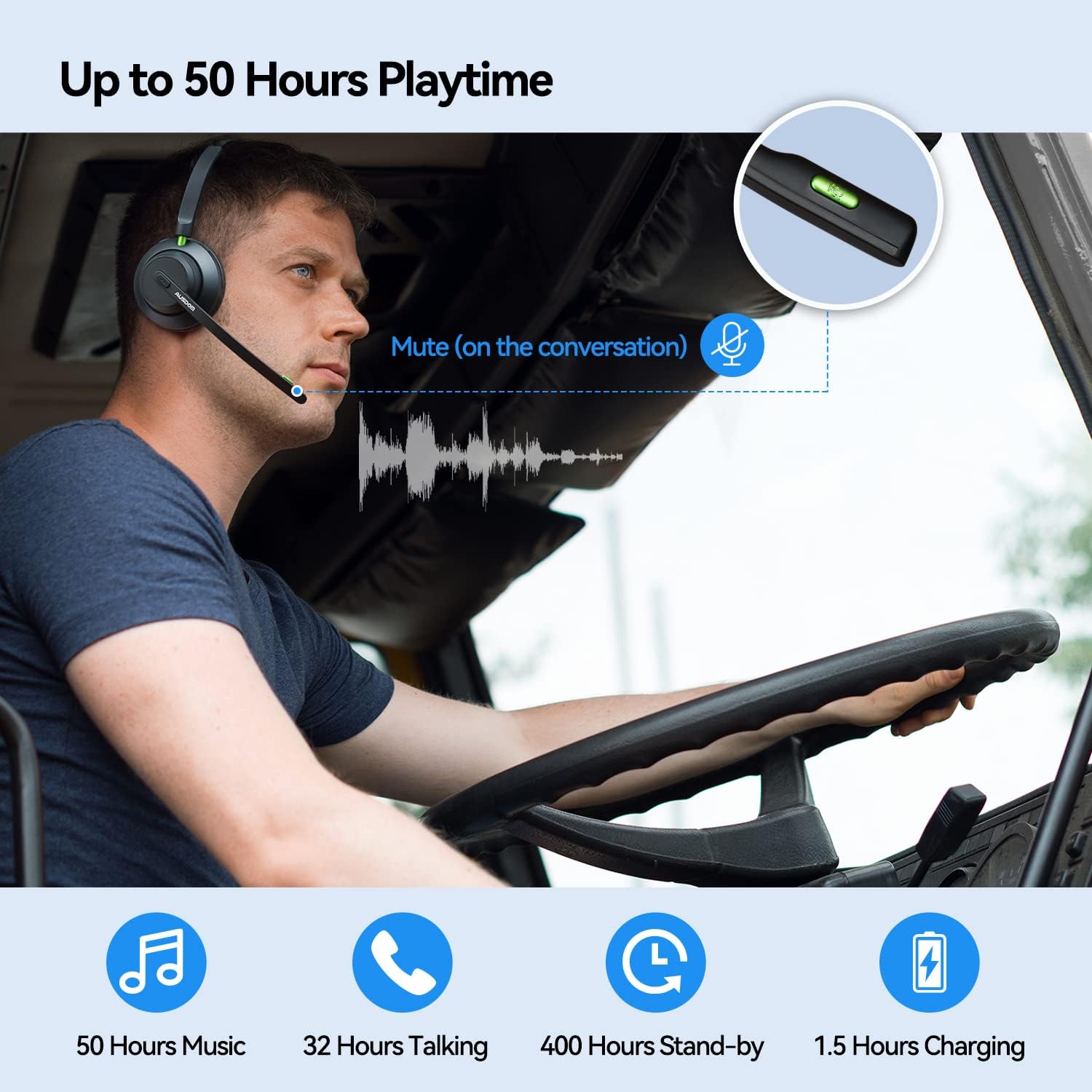
Image: Illustrates the long battery life during use, showing 50 hours music, 32 hours talking, 400 hours standby, and 1.5 hours charging.
4. സജ്ജീകരണ ഗൈഡ്
4.1 പ്രാരംഭ ചാർജിംഗ്
Before first use, fully charge the headset using the provided Type-C charging cable and USB-A to USB-C converter. Connect the cable to the USB-C port on the headset and a power source (e.g., computer USB port, wall adapter). The LED indicator will show charging status.
4.2 ഒരു ഉപകരണവുമായി ജോടിയാക്കൽ
നിങ്ങളുടെ ഉപകരണവുമായി ഹെഡ്സെറ്റ് ജോടിയാക്കാൻ:
- ഹെഡ്സെറ്റ് ചാർജ് ചെയ്തിട്ടുണ്ടെന്നും ഓഫാണെന്നും ഉറപ്പാക്കുക.
- Press and hold the Power/Bluetooth Button for 4 seconds until the LED indicator flashes red and green alternately. This indicates pairing mode.
- നിങ്ങളുടെ ഉപകരണത്തിൽ (സ്മാർട്ട്ഫോൺ, ലാപ്ടോപ്പ് മുതലായവ), ബ്ലൂടൂത്ത് പ്രവർത്തനക്ഷമമാക്കി ലഭ്യമായ ഉപകരണങ്ങൾക്കായി തിരയുക.
- Select "AUSDOM Voipfocus Connect" from the list of found devices.
- Once connected, the LED indicator will turn solid blue or flash slowly, and you will hear a confirmation tone.

Image: Visual guide for connecting the headset to multiple devices.
4.3 Connecting to a Second Device (Multipoint)
After successfully pairing with the first device, turn off Bluetooth on the first device. Then, put the headset back into pairing mode and connect it to the second device. Once connected, re-enable Bluetooth on the first device. The headset will automatically connect to both devices, allowing you to switch between them seamlessly.
5. പ്രവർത്തന നിർദ്ദേശങ്ങൾ
5.1 നിയന്ത്രണങ്ങൾ കഴിഞ്ഞുview
The headset features intuitive controls for easy management of calls and audio playback:
- Power/Bluetooth/Call Button: Used for powering on/off, entering pairing mode, answering/ending calls, and playing/pausing music.
- വോളിയം + / അടുത്ത ഗാനം: Press to increase volume; long press for next song.
- വോളിയം - / മുൻ ഗാനം: Press to decrease volume; long press for previous song.
- മൈക്രോഫോൺ മ്യൂട്ട് ബട്ടൺ: Toggles microphone mute during calls.
- LED സൂചകം: Shows power, pairing, and connection status.
- യുഎസ്ബി-സി പോർട്ട്: ഹെഡ്സെറ്റ് ചാർജ് ചെയ്യുന്നതിനായി.

Image: Detailed diagram of the headset's control buttons.
5.2 കോളുകൾ ചെയ്യലും സ്വീകരിക്കലും
Once connected, you can use the headset for calls. Press the Power/Bluetooth/Call Button to answer an incoming call or end an ongoing call. Use the Mute Button on the microphone boom to mute or unmute your voice during a conversation.

Image: Demonstrates the microphone mute function during a call.
5.3 ഓഡിയോ പ്ലേബാക്ക്
When not on a call, the headset can be used for music playback. Use the Volume +/- buttons to adjust the volume or skip tracks. Press the Power/Bluetooth/Call Button to play or pause music.
5.4 ഔദ്യോഗിക ഉൽപ്പന്ന വീഡിയോ
വീഡിയോ: ഒരു ഉദ്യോഗസ്ഥൻview of the AUSDOM A2301 Trucker Bluetooth Headset with Microphone, showcasing അതിന്റെ സവിശേഷതകളും രൂപകൽപ്പനയും.
6. പരിപാലനം
To ensure the longevity and optimal performance of your AUSDOM headset, follow these maintenance guidelines:
- വൃത്തിയാക്കൽ: ഹെഡ്സെറ്റ് വൃത്തിയാക്കാൻ മൃദുവായതും ഉണങ്ങിയതുമായ തുണി ഉപയോഗിക്കുക. കഠിനമായ രാസവസ്തുക്കളോ ഉരച്ചിലുകളോ ഉള്ള വസ്തുക്കളോ ഉപയോഗിക്കരുത്.
- സംഭരണം: Store the headset in the provided carry bag when not in use to protect it from dust and scratches. Avoid storing in extreme temperatures or high humidity.
- ബാറ്ററി കെയർ: ബാറ്ററി ലൈഫ് നിലനിർത്താൻ, ഹെഡ്സെറ്റ് ഇടയ്ക്കിടെ പൂർണ്ണമായും ഡിസ്ചാർജ് ചെയ്യുന്നത് ഒഴിവാക്കുക. തുടർച്ചയായ ഉപയോഗത്തിലല്ലെങ്കിൽ പോലും പതിവായി ചാർജ് ചെയ്യുക.
- ജല പ്രതിരോധം: This product is not water resistant. Avoid exposure to liquids.
7. പ്രശ്നപരിഹാരം
നിങ്ങളുടെ ഹെഡ്സെറ്റിൽ പ്രശ്നങ്ങൾ നേരിടുകയാണെങ്കിൽ, ദയവായി ഇനിപ്പറയുന്ന പൊതുവായ പരിഹാരങ്ങൾ പരിശോധിക്കുക:
- Headset not turning on: ഹെഡ്സെറ്റ് പൂർണ്ണമായി ചാർജ്ജ് ചെയ്തിട്ടുണ്ടെന്ന് ഉറപ്പാക്കുക.
- ഉപകരണവുമായി ജോടിയാക്കാൻ കഴിയില്ല: Make sure the headset is in pairing mode (flashing red and green). Check that Bluetooth is enabled on your device and that the headset is within range. Try restarting both the headset and your device.
- ഓഡിയോ ഇല്ല അല്ലെങ്കിൽ മോശം ഓഡിയോ നിലവാരം: Check the volume levels on both the headset and your connected device. Ensure the headset is properly connected and not too far from the device.
- മൈക്രോഫോൺ പ്രവർത്തിക്കുന്നില്ല: Ensure the microphone is not muted. Check microphone settings on your connected device.
- Connection issues with PC (Windows 10): Some users have reported connectivity challenges with Windows 10. Ensure your PC's Bluetooth drivers are up to date. If issues persist, try pairing with another device to confirm headset functionality.
8 സ്പെസിഫിക്കേഷനുകൾ
| ഫീച്ചർ | വിശദാംശങ്ങൾ |
|---|---|
| മോഡലിൻ്റെ പേര് | AUSDOM Voipfocus Connect (A2301N) |
| കണക്റ്റിവിറ്റി ടെക്നോളജി | വയർലെസ്സ് (ബ്ലൂടൂത്ത് 5.1) |
| ബ്ലൂടൂത്ത് ശ്രേണി | 15 മീറ്റർ വരെ (49 അടി) |
| ബാറ്ററി ലൈഫ് (സംവാദ സമയം) | 32 മണിക്കൂർ |
| ബാറ്ററി ലൈഫ് (സംഗീത പ്ലേടൈം) | 50 മണിക്കൂർ |
| ചാർജിംഗ് സമയം | 1.5 മണിക്കൂർ |
| ഇനത്തിൻ്റെ ഭാരം | 75 ഗ്രാം (2.65 ഔൺസ്) |
| മൈക്രോഫോൺ | AI Noise Cancelling, 270° Rotatable |
| ചെവി പ്ലേസ്മെൻ്റ് | ചെവിയിൽ |
| നിയന്ത്രണ തരം | Volume Control, Call Control, Mute Button |
| അനുയോജ്യമായ ഉപകരണങ്ങൾ | iPhone, Android cell phones, laptops, computers, PC, and all Bluetooth-enabled devices |
| മെറ്റീരിയൽ | Leather, Plastic, Stainless Steel |
| ഫ്രീക്വൻസി റേഞ്ച് | 20Hz-20kHz |
9. വാറൻ്റിയും പിന്തുണയും
AUSDOM products are designed for quality and reliability. For specific warranty information, please refer to the documentation included with your purchase or visit the official AUSDOM webസൈറ്റ്.
For technical support, product inquiries, or customer service, please contact AUSDOM directly:
- ഉദ്യോഗസ്ഥൻ Webസൈറ്റ്: www.ausdom.com
- ഇമെയിൽ പിന്തുണ: support@ausdom.com
You can also visit the official AUSDOM store on Amazon for more product information and support resources: AUSDOM Amazon Store


