1. ആമുഖം
Thank you for choosing the JOLIKE M1 Wearable MP3 Player. This device is designed for portable music enjoyment and recording, featuring a full touch screen and Bluetooth 5.2 connectivity. Its compact and wearable design makes it ideal for various activities such as hiking, jogging, and cycling. This manual provides detailed instructions for setup, operation, maintenance, and troubleshooting to ensure optimal performance and longevity of your device.

Image: The JOLIKE M1 MP3 Player, showcasing its wearable design and digital display.
2 പ്രധാന സവിശേഷതകൾ
- ധരിക്കാവുന്ന ഡിസൈൻ: Compact and lightweight, designed to be worn on the wrist for convenience during activities.
- ഫുൾ ടച്ച് സ്ക്രീൻ: 1.77-inch HD full touch screen for intuitive navigation and control.
- ബ്ലൂടൂത്ത് 5.2 കണക്റ്റിവിറ്റി: Ensures stable and efficient wireless connection to Bluetooth earphones and speakers.
- 32 ജിബി ഇന്റേണൽ സ്റ്റോറേജ്: Ample space to store thousands of music files, effectively creating a portable music library.
- One-Click Voice Recording: Features a dedicated button for quick recording and voice-activated recording with a professional DAC noise reduction chip for clear audio.
- നീണ്ട ബാറ്ററി ലൈഫ്: Equipped with a 300mAh Li-ion battery providing up to 12 hours of continuous Bluetooth playback.
- ഫാസ്റ്റ് ചാർജിംഗ്: Quick charging capability to minimize downtime.

Image: Multi-functional interface of the JOLIKE M1 MP3 Player, highlighting its touch screen capabilities.

Image: Visual summary of key features including screen size, design, Bluetooth version, battery capacity, charging time, storage, and playback duration.
3. സജ്ജീകരണ ഗൈഡ്
3.1. പ്രാരംഭ ചാർജിംഗ്
Before first use, fully charge the device. Use the provided USB cable to connect the MP3 player to a computer's USB port or a compatible USB wall adapter (not included).
- Connect the small end of the USB cable to the charging port on the MP3 player.
- Connect the standard USB end to a power source.
- The screen will indicate charging status. A full charge typically takes approximately 1.5 hours.
3.2. Attaching the Wristband
The wristband may need to be attached upon unboxing. Carefully align the pins of the wristband with the holes on the MP3 player's body and secure them.
3.3. പവർ ഓൺ/ഓഫ്
- പവർ ഓണാക്കാൻ: Press and hold the power button (usually located on the side) until the screen illuminates.
- പവർ ഓഫ് ചെയ്യാൻ: Press and hold the power button until a power-off option appears on the screen, then confirm.
3.4. ഭാഷ തിരഞ്ഞെടുക്കൽ
Upon first power-on, you may be prompted to select your preferred language. Follow the on-screen instructions to choose English or another desired language.
4. പ്രവർത്തന നിർദ്ദേശങ്ങൾ
4.1. ഇന്റർഫേസ് നാവിഗേറ്റ് ചെയ്യുന്നു
The JOLIKE M1 features a full touch screen. Swipe left/right or up/down to navigate through menus and tap icons to select functions.
4.2. സംഗീതം കൈമാറുന്നു Files
To add music to your MP3 player:
- നൽകിയിരിക്കുന്ന USB കേബിൾ ഉപയോഗിച്ച് നിങ്ങളുടെ കമ്പ്യൂട്ടറിലേക്ക് MP3 പ്ലെയർ ബന്ധിപ്പിക്കുക.
- നിങ്ങളുടെ കമ്പ്യൂട്ടറിൽ ഉപകരണം നീക്കം ചെയ്യാവുന്ന ഒരു ഡിസ്ക് ഡ്രൈവായി ദൃശ്യമാകും.
- Drag and drop your desired music files (e.g., MP3, WAV, FLAC) into the designated music folder on the device.
- ഒരിക്കൽ fileകൾ കൈമാറ്റം ചെയ്യപ്പെട്ടുകഴിഞ്ഞാൽ, USB കേബിൾ വിച്ഛേദിക്കുന്നതിന് മുമ്പ് നിങ്ങളുടെ കമ്പ്യൂട്ടറിൽ നിന്ന് ഉപകരണം സുരക്ഷിതമായി പുറത്തെടുക്കുക.
4.3. സംഗീതം പ്ലേബാക്ക്
- പ്രധാന മെനുവിൽ നിന്ന്, "സംഗീതം" ഐക്കണിൽ ടാപ്പ് ചെയ്യുക.
- Browse your music library by artist, album, song, or folder.
- Tap on a song to begin playback.
- Use the on-screen controls for play/pause, skip track, and volume adjustment.
4.4. ബ്ലൂടൂത്ത് കണക്ഷൻ
The Bluetooth function supports connecting to Bluetooth earphones and speakers only.
- Ensure your Bluetooth earphones or speaker are in pairing mode.
- On the MP3 player, go to the main menu and tap the "Bluetooth" icon.
- Turn Bluetooth on. The device will scan for available Bluetooth devices.
- Select your device from the list to pair. Once paired, audio will be routed through the connected Bluetooth device.
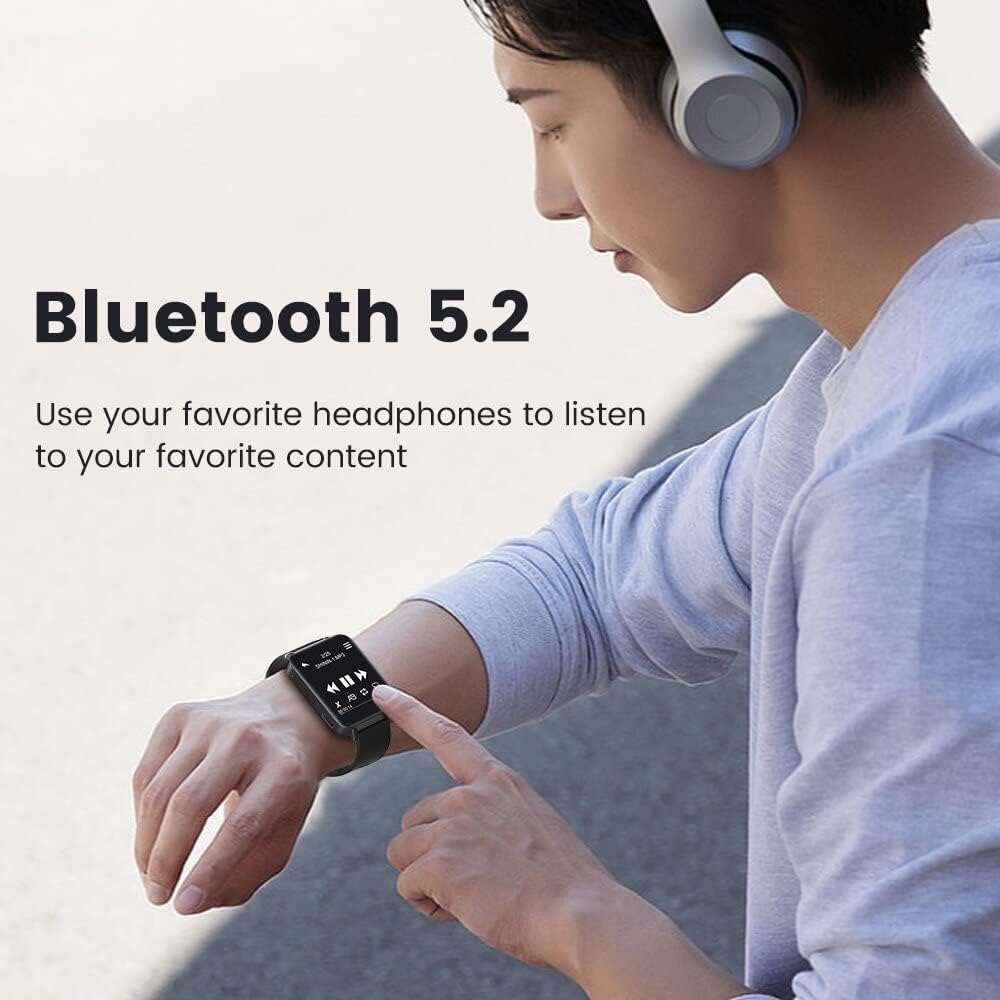
Image: Demonstrating Bluetooth 5.2 connectivity for wireless audio playback.
4.5. വോയ്സ് റെക്കോർഡിംഗ്
The device supports one-click recording and voice-activated recording.
- ഒറ്റ ക്ലിക്ക് റെക്കോർഡിംഗ്: Locate the dedicated REC/Save button (often a physical button on the side). Press it to start recording. Press again to save the recording.
- Voice-Activated Recording: Enable this feature in the recorder settings. The device will automatically start recording when sound is detected and pause when there is no sound, optimizing storage and power.
- Recordings are saved in high-definition audio (up to 3072kbps) thanks to the professional DAC noise reduction chip.

Image: The one-button recording feature in action, showing the recording interface.
5. പരിപാലനം
5.1. ഉപകരണം വൃത്തിയാക്കൽ
- Use a soft, dry, lint-free cloth to clean the screen and body of the device.
- അബ്രാസീവ് ക്ലീനറുകൾ, ആൽക്കഹോൾ, കെമിക്കൽ ലായകങ്ങൾ എന്നിവ ഉപയോഗിക്കരുത്, കാരണം ഇവ ഉപരിതലത്തിന് കേടുവരുത്തും.
- ഏതെങ്കിലും ദ്വാരങ്ങളിൽ ഈർപ്പം കയറുന്നത് ഒഴിവാക്കുക.
5.2. ബാറ്ററി പരിചരണം
- ബാറ്ററി ലൈഫ് വർദ്ധിപ്പിക്കാൻ, ബാറ്ററി ഇടയ്ക്കിടെ പൂർണ്ണമായും ഡിസ്ചാർജ് ചെയ്യുന്നത് ഒഴിവാക്കുക.
- ദീർഘനേരം ഉപയോഗിക്കാത്തപ്പോൾ ഉപകരണം തണുത്തതും വരണ്ടതുമായ സ്ഥലത്ത് സൂക്ഷിക്കുക.
- ഉപകരണം ദീർഘനേരം സൂക്ഷിച്ചിട്ടുണ്ടെങ്കിൽ, ആഴത്തിലുള്ള ഡിസ്ചാർജ് തടയാൻ ഇടയ്ക്കിടെ ചാർജ് ചെയ്യുക.
5.3. സംഭരണം
Store the MP3 player in a safe place away from extreme temperatures, direct sunlight, dust, and moisture. Keep it away from strong magnetic fields.
6. പ്രശ്നപരിഹാരം
| പ്രശ്നം | സാധ്യമായ കാരണം | പരിഹാരം |
|---|---|---|
| ഉപകരണം പവർ ഓണാക്കുന്നില്ല. | ബാറ്ററി കുറവാണ്; ഉപകരണം ഫ്രീസുചെയ്തു. | Charge the device for at least 10 minutes. If still unresponsive, try a soft reset (refer to manual for specific reset method, if available, or hold power button for 10-15 seconds). |
| ബ്ലൂടൂത്ത് ഉപകരണത്തിലേക്ക് കണക്റ്റുചെയ്യാൻ കഴിയുന്നില്ല. | Bluetooth not enabled; device not in pairing mode; interference. | Ensure Bluetooth is enabled on both devices. Put the earphones/speaker in pairing mode. Move closer to the device. Restart both devices. Note: Bluetooth only supports earphones/speakers. |
| സംഗീതം files not playing or recognized. | പിന്തുണയ്ക്കുന്നില്ല file ഫോർമാറ്റ്; files not transferred correctly. | സംഗീതം ഉറപ്പാക്കുക files are in supported formats (e.g., MP3, WAV, FLAC). Re-transfer files to the correct folder on the device. |
| ചെറിയ ബാറ്ററി ലൈഫ്. | Frequent use of Bluetooth; high volume; old battery. | Reduce volume. Minimize Bluetooth usage when not needed. Ensure full charge before use. Battery performance may degrade over time. |
| ടച്ച് സ്ക്രീൻ പ്രതികരിക്കുന്നില്ല. | താൽക്കാലിക സോഫ്റ്റ്വെയർ തകരാർ; സ്ക്രീൻ വൃത്തികേടായി. | Clean the screen with a soft cloth. Restart the device. If issue persists, contact customer support. |
7 സ്പെസിഫിക്കേഷനുകൾ
| ഫീച്ചർ | വിശദാംശങ്ങൾ |
|---|---|
| മോഡലിൻ്റെ പേര് | M1 |
| ബ്രാൻഡ് | ജോളിക്ക് |
| മെമ്മറി സ്റ്റോറേജ് കപ്പാസിറ്റി | 32 ജിബി |
| കണക്റ്റിവിറ്റി ടെക്നോളജി | ബ്ലൂടൂത്ത് 5.2 |
| സ്ക്രീൻ വലിപ്പം | 1.77 Inches (Full Touch Screen) |
| പ്രത്യേക ഫീച്ചർ | Wearable MP3 Player, Voice Recorder |
| ബാറ്ററി തരം | 1 ലിഥിയം മെറ്റൽ ബാറ്ററി (ഉൾപ്പെടുത്തിയിരിക്കുന്നു) |
| ബാറ്ററി ശേഷി | 300mAh (ഏകദേശം) |
| പ്ലേബാക്ക് സമയം | Up to 12 hours (continuous use with Bluetooth, approximate) |
| ചാർജിംഗ് സമയം | ഏകദേശം 1.5 മണിക്കൂർ |
| ഉൽപ്പന്ന അളവുകൾ | 1.65 x 1.34 x 0.04 ഇഞ്ച് |
| ഇനത്തിൻ്റെ ഭാരം | 2.47 ഔൺസ് |
| അനുയോജ്യമായ ഉപകരണങ്ങൾ | XP (Home, Professional, with SP1, SP2, SP3), 32-bit / Windows 7-10 64-bit |
| പിന്തുണയ്ക്കുന്ന മീഡിയ തരം | MP3, WAV, FLAC (and other common audio formats) |
| ഉൾപ്പെടുത്തിയ ഘടകങ്ങൾ | USB കേബിൾ |

ചിത്രം: ഡൈമൻഷണൽ ഓവർview of the JOLIKE M1 MP3 Player.
8. വാറണ്ടിയും പിന്തുണയും
8.1. വാറൻ്റി വിവരങ്ങൾ
JOLIKE provides a 12-month money-back warranty for this product. This warranty covers manufacturing defects and product quality issues. Please retain your proof of purchase for warranty claims.
8.2. ഉപഭോക്തൃ പിന്തുണ
For any product quality issues, Bluetooth connection problems, or other inquiries, please do not hesitate to contact JOLIKE customer service. We are committed to 100% customer satisfaction.
Contact information can typically be found on the product packaging, the official JOLIKE webസൈറ്റ്, അല്ലെങ്കിൽ ഉൽപ്പന്നം വാങ്ങിയ റീട്ടെയിലർ വഴി.
നിങ്ങൾക്ക് സന്ദർശിക്കാനും കഴിയും JOLIKE Store on Amazon കൂടുതൽ വിവരങ്ങൾക്കും പിന്തുണാ ഉറവിടങ്ങൾക്കും.


