1. ആമുഖം
വാങ്ങിയതിന് നന്ദി.asing the THINKWARE Q1000 QHD Dash Cam. This device is designed to record high-quality video footage of your journeys, providing crucial evidence in case of incidents and enhancing your driving safety with advanced features. The Q1000 offers front and rear QHD recording, built-in Wi-Fi and GPS, STARVIS Night Vision, 24-hour parking surveillance, and G-Sensor capabilities.
This manual provides detailed instructions on how to install, operate, and maintain your dash cam. Please read this manual thoroughly before using the product to ensure proper and safe operation.
2 സുരക്ഷാ വിവരങ്ങൾ
- Do not disassemble, repair, or modify the device yourself. This may void the warranty and cause damage.
- Ensure the device is securely mounted and does not obstruct the driver's view അല്ലെങ്കിൽ വാഹന നിയന്ത്രണങ്ങളിൽ ഇടപെടുക.
- Avoid exposing the device to direct sunlight for extended periods, especially in hot weather, as this may cause overheating.
- Use only genuine THINKWARE accessories and power cables to prevent damage and ensure optimal performance.
- Keep the device away from strong magnetic fields, which can interfere with its operation.
- Do not operate the device while driving. Adjust settings or review footage only when the vehicle is safely parked.
3. പാക്കേജ് ഉള്ളടക്കം
നിങ്ങളുടെ ഉൽപ്പന്ന പാക്കേജിൽ എല്ലാ ഇനങ്ങളും ഉണ്ടെന്ന് ഉറപ്പാക്കുക:

Image: THINKWARE Q1000 Dash Cam package contents.
- Q1000 Front Dash Cam
- പിൻഭാഗം View ക്യാമറ
- Adhesive Windshield Mount
- സ്പെയർ മൗണ്ടിംഗ് ടേപ്പ്
- 12V പവർ കേബിൾ
- പിൻ കാം കേബിൾ
- 32GB MicroSD Card (included by default)
- Adhesive Wire Clips
- Heat Blocking Film
- CS Info / Quick Start Guide
- Hardwiring Cable (included)

Image: Genuine THINKWARE 32GB MicroSD card included with the dash cam.
കുറിപ്പ്: The included 32GB MicroSD card is a genuine THINKWARE product, rigorously tested for compatibility and reliability. Using incompatible memory cards may lead to recording failures or power issues.
4. ഉൽപ്പന്നം കഴിഞ്ഞുview
4.1 ഫ്രണ്ട് ക്യാമറ

Image: Front and rear cameras of the THINKWARE Q1000.

ചിത്രം: മുൻഭാഗം view of the Q1000 dash cam.
The main unit houses the front camera, processor, GPS module, and control buttons. It records QHD (2560x1440) resolution video with a 156° wide-angle lens.
4.2 നിയന്ത്രണങ്ങളും സൂചകങ്ങളും

ചിത്രം: മുകളിൽ view of the Q1000 with controls and indicators.
- REC ബട്ടൺ: Manually start/stop event recording.
- മൈക്ക് ബട്ടൺ: ഓഡിയോ റെക്കോർഡിംഗ് ഓൺ/ഓഫ് ടോഗിൾ ചെയ്യുക.
- Format Button: മൈക്രോ എസ്ഡി കാർഡ് ഫോർമാറ്റ് ചെയ്യുക.
- Wi-Fi ബട്ടൺ: Activate Wi-Fi for app connection.
- പവർ ബട്ടൺ: ഉപകരണം ഓൺ/ഓഫ് ചെയ്യുക.
- LED സൂചകങ്ങൾ: Display recording status, GPS signal, and Wi-Fi connection.
4.3 പോർട്ടുകളും കണക്ഷനുകളും

ചിത്രം: പിൻഭാഗം view of the Q1000 with ports.
- DC-IN: പവർ ഇൻപുട്ട് പോർട്ട്.
- റഡാർ: For optional radar module connection.
- വി-ഇൻ: Video input for the rear camera.
- മൈക്രോ എസ്ഡി കാർഡ് സ്ലോട്ട്: മെമ്മറി കാർഡ് ഇടുന്നതിന്.
5. സജ്ജീകരണവും ഇൻസ്റ്റാളേഷനും
5.1 ഒരു ഇൻസ്റ്റലേഷൻ സ്ഥലം തിരഞ്ഞെടുക്കുന്നു
Select a location on your windshield that does not obstruct your view or interfere with airbags. The ideal position is typically behind the rearview കണ്ണാടി.

Image: Front camera installed on the windshield.

ചിത്രം: വശം view of the front camera installation.
5.2 Installing the Front Camera
- Clean the installation area on the windshield thoroughly.
- Attach the adhesive mounting tape to the dash cam mount.
- Remove the protective film from the adhesive tape and firmly press the mount onto the chosen location on the windshield for at least 30 seconds.
- Slide the dash cam onto the mounted bracket until it clicks into place.
5.3 പിൻ ക്യാമറ ഇൻസ്റ്റാൾ ചെയ്യുന്നു
- Clean the installation area on the rear window.
- Attach the adhesive mounting tape to the rear camera.
- Remove the protective film and firmly press the rear camera onto the center of the rear window, ensuring the lens has a clear view.
- Connect the rear camera to the front camera using the provided rear cam cable. Route the cable neatly along the vehicle's headliner and pillars using the included wire clips.
5.4 പവർ കണക്ഷൻ
The Q1000 supports both 12V cigarette lighter power and hardwire installation for continuous parking mode recording.
- 12V Power Cable: Plug the 12V power cable into your vehicle's cigarette lighter socket and connect the other end to the DC-IN port on the front dash cam.
- Hardwiring Cable: For 24-hour parking mode, connect the hardwiring cable to your vehicle's fuse box. Professional installation is recommended for hardwiring to ensure correct connection to constant and accessory power sources.
5.5 മൈക്രോ എസ്ഡി കാർഡ് ചേർക്കൽ
Insert the included 32GB MicroSD card into the MicroSD card slot on the side of the front dash cam until it clicks into place. Ensure the card is inserted correctly with the gold contacts facing the correct direction as indicated on the device.
6. ഡാഷ് കാം പ്രവർത്തിപ്പിക്കൽ
6.1 റെക്കോർഡിംഗ് മോഡുകൾ
- തുടർച്ചയായ റെക്കോർഡിംഗ്: Automatically starts recording when the vehicle's ignition is turned on. Footage is saved in one-minute segments.
- ഇവൻ്റ് റെക്കോർഡിംഗ്: Triggered by impacts (G-Sensor) or manual button press. These recordings are saved in a separate folder to prevent overwriting.
- പാർക്കിംഗ് മോഡ് റെക്കോർഡിംഗ്: When hardwired, the dash cam automatically switches to parking mode when the ignition is off. It records motion and impact events to protect your vehicle while parked.
6.2 വീഡിയോ ഗുണനിലവാരവും രാത്രി കാഴ്ചയും
The Q1000 records in QHD (2560x1440) resolution for clear and detailed footage. It features STARVIS Night Vision and High Dynamic Range (HDR) for enhanced clarity in low-light conditions.
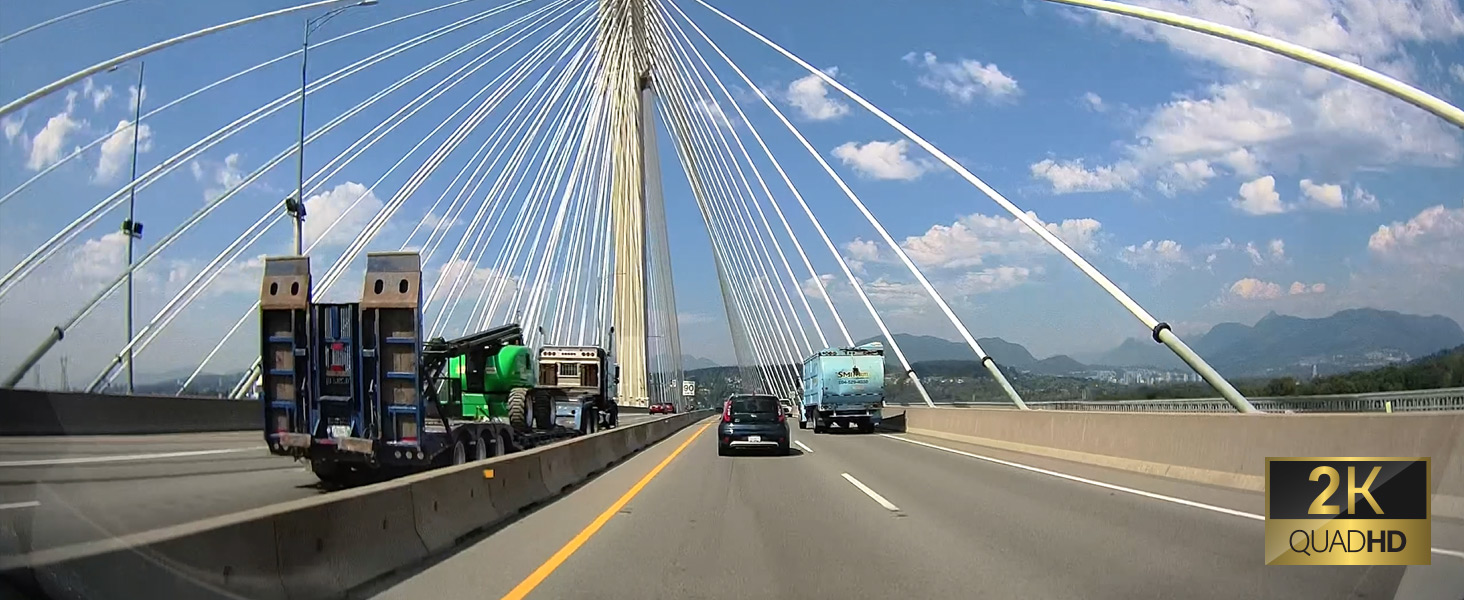
ചിത്രം: ഉദാample of 2K Quad HD video quality.

Image: Comparison of standard vs. wide-angle view.

Image: Night vision comparison (OFF vs. ON with HDR).
6.3 GPS and Wi-Fi Features
The built-in GPS module records vehicle speed and location data, which can be viewed during playback. Integrated Wi-Fi allows you to connect the dash cam to your smartphone via the THINKWARE DASH CAM LINK app.

Image: 5GHz Wi-Fi connectivity for faster downloads.
6.4 അഡ്വാൻസ്ഡ് ഡ്രൈവർ അസിസ്റ്റൻസ് സിസ്റ്റം (ADAS)
The Q1000 includes ADAS features to assist drivers and enhance safety:
- Lane Departure Warning System (LDWS): Alerts you if your vehicle drifts out of its lane.
- Forward Collision Warning System (FCWS): Warns you of an impending collision with a vehicle ahead.
- Front Vehicle Departure Warning (FVDW): Notifies you when the vehicle in front starts to move from a standstill.
- Speed Camera and Red Light Camera Alerts: Provides audible warnings for upcoming speed and red light cameras (requires GPS signal).

Image: ADAS features in action.

Image: Speed and red light camera alerts.
6.5 Using the THINKWARE DASH CAM LINK App
The THINKWARE DASH CAM LINK app allows you to conveniently manage settings, monitor live footage, and download videos directly to your smartphone.

Image: THINKWARE DASH CAM LINK app interface.

Image: THINKWARE CONNECTED app features.
Download the app from:
7. പരിപാലനം
7.1 മൈക്രോ എസ്ഡി കാർഡ് മാനേജ്മെന്റ്
Regularly format the MicroSD card (at least once a month) to prevent recording errors and ensure optimal performance. You can format the card via the dash cam's button or through the THINKWARE DASH CAM LINK app.
7.2 ഫേംവെയർ അപ്ഡേറ്റുകൾ
Keep your dash cam's firmware updated to ensure the latest features and bug fixes. Firmware updates can typically be downloaded from the THINKWARE website and installed via the MicroSD card.
7.3 ഉപകരണം വൃത്തിയാക്കുന്നു
Wipe the dash cam's lens and body with a soft, dry cloth. Do not use harsh chemicals or abrasive cleaners, as they may damage the device.
7.4 High-Temperature Protection
The Q1000 is equipped with a high-temperature protection system. If the internal temperature exceeds a certain limit, the device may automatically shut down to prevent damage. This is a normal safety feature.

Image: High-temperature protection feature.
8. പ്രശ്നപരിഹാരം
| പ്രശ്നം | സാധ്യമായ കാരണം | പരിഹാരം |
|---|---|---|
| ഡാഷ് ക്യാം പവർ ഓൺ ചെയ്യുന്നില്ല. | Loose power connection, vehicle's power outlet issue, fuse blown. | Check power cable connection. Test power outlet with another device. Check vehicle's fuse box. |
| റെക്കോർഡിംഗ് നിർത്തുന്നു അല്ലെങ്കിൽ ഫൂtage കേടായി. | MicroSD card error, incompatible MicroSD card, card needs formatting. | Format the MicroSD card. Ensure you are using a genuine THINKWARE card or a compatible Class10 U3 card. Replace card if necessary. |
| ആപ്പിലെ വൈഫൈ കണക്ഷൻ പ്രശ്നങ്ങൾ. | Incorrect Wi-Fi password, app not updated, dash cam Wi-Fi not activated. | Ensure Wi-Fi is activated on dash cam. Re-enter password. Update the app to the latest version. |
| GPS സിഗ്നൽ ലഭിച്ചില്ല. | Device not in open area, GPS module obstructed. | Move vehicle to an open area. Ensure no obstructions are blocking the GPS signal. |
| പാർക്കിംഗ് മോഡ് പ്രവർത്തിക്കുന്നില്ല. | Not hardwired, low vehicle battery voltage. | Ensure dash cam is hardwired correctly. Check vehicle battery voltage. |
If you encounter issues not listed here, please refer to the official THINKWARE support resources.
9 സ്പെസിഫിക്കേഷനുകൾ
| ഫീച്ചർ | വിശദാംശങ്ങൾ |
|---|---|
| മോഡലിൻ്റെ പേര് | Q1000 |
| ഇനം മോഡൽ നമ്പർ | TW-Q1000D32CH |
| ഉൽപ്പന്ന അളവുകൾ | 1.18 x 3.94 x 2.83 ഇഞ്ച് |
| ഇനത്തിൻ്റെ ഭാരം | 5.4 ഔൺസ് |
| വീഡിയോ ക്യാപ്ചർ റെസല്യൂഷൻ | 1440p (QHD) |
| വൈഡ് ആംഗിൾ | 156° |
| പ്രത്യേക സവിശേഷതകൾ | Night Vision (STARVIS), G-Sensor, HDR, 24H Parking Mode, ADAS, GPS, Wi-Fi |
| കണക്റ്റിവിറ്റി ടെക്നോളജി | Bluetooth, Wireless (Wi-Fi) |
| ഉൾപ്പെടുത്തിയ ഘടകങ്ങൾ | Memory Card (32GB), Front & Rear Cam, 12V & Hardwire Cables |
| മൗണ്ടിംഗ് തരം | വിൻഡ്ഷീൽഡ് മ .ണ്ട് |
| നിറം | കറുപ്പ് |
10. വാറൻ്റിയും പിന്തുണയും
THINKWARE products are designed for reliability and performance. For specific warranty terms and conditions, please refer to the warranty information provided with your product at the time of purchase. Warranty details can also typically be found on the official THINKWARE webസൈറ്റ്.
For technical support, firmware updates, or frequently asked questions, please visit the official THINKWARE support page or contact their customer service directly. Keep your product's model number and purchase information ready when seeking support.
ഔദ്യോഗിക ഉപയോക്തൃ ഗൈഡ് (PDF): ഇവിടെ ഡൗൺലോഡ് ചെയ്യുക


