1. ഉൽപ്പന്നം കഴിഞ്ഞുview
The ROCAM CR1002 DAB Digital Alarm Clock Radio is a versatile device designed for various environments such as bedrooms, offices, and kitchens. It features a unique spherical design and integrates multiple functions including DAB/DAB+/FM radio, dual alarms, a 7-color night light, and USB charging ports.
പ്രധാന സവിശേഷതകളിൽ ഇവ ഉൾപ്പെടുന്നു:
- DAB/DAB+/FM Digital Radio for clear audio reception.
- Dual Alarm settings with adjustable volume and choice of buzzer, DAB, or FM tones.
- 7-Color Night Light for ambient lighting.
- Snooze function for additional sleep time.
- USB-A and USB-C charging ports for external devices.
- ക്രമീകരിക്കാവുന്ന ഡിസ്പ്ലേ തെളിച്ചം.
- സ്ലീപ്പ് ടൈമർ പ്രവർത്തനം.
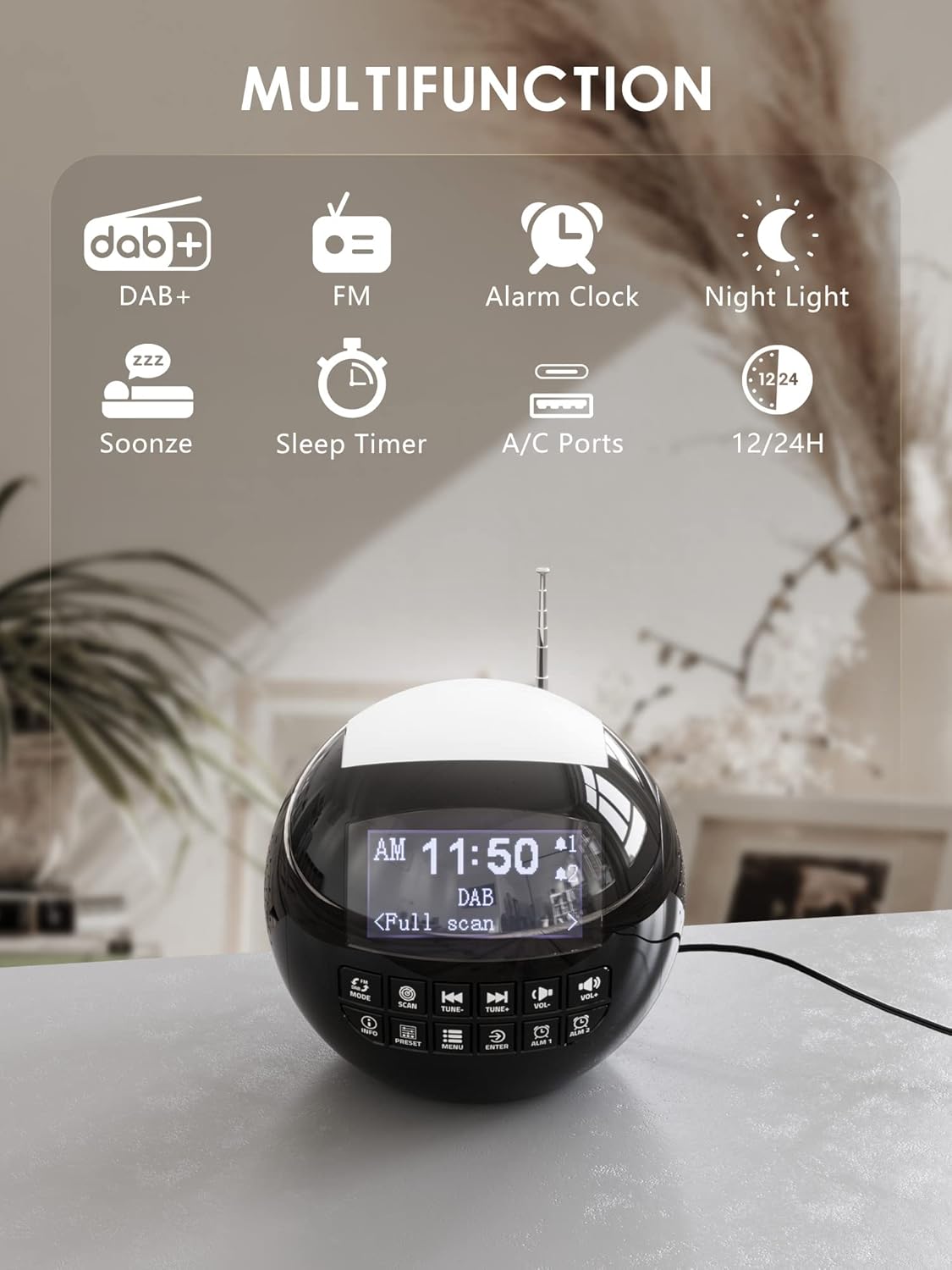
ചിത്രം 1.1: കഴിഞ്ഞുview of the ROCAM CR1002 DAB Digital Alarm Clock Radio highlighting its multifunction capabilities including DAB+, FM radio, alarm clock, night light, snooze, sleep timer, and USB-A/USB-C charging ports.
2 സുരക്ഷാ വിവരങ്ങൾ
- ഉപകരണം സുസ്ഥിരവും പരന്നതുമായ പ്രതലത്തിൽ സ്ഥാപിച്ചിട്ടുണ്ടെന്ന് ഉറപ്പാക്കുക.
- ഉപകരണം വെള്ളം, ഈർപ്പം അല്ലെങ്കിൽ തീവ്രമായ താപനില എന്നിവയിൽ തുറന്നുകാട്ടരുത്.
- വെൻ്റിലേഷൻ ഓപ്പണിംഗുകൾ തടയുന്നത് ഒഴിവാക്കുക.
- Use only the provided power adapter or a compatible one.
- കുട്ടികൾക്ക് ലഭ്യമാകാതെ സൂക്ഷിക്കുക.
- യൂണിറ്റ് സ്വയം വേർപെടുത്താനോ നന്നാക്കാനോ ശ്രമിക്കരുത്. യോഗ്യതയുള്ള സേവന ഉദ്യോഗസ്ഥരെ ബന്ധപ്പെടുക.
3. സജ്ജീകരണം
3.1 പവർ കണക്ഷൻ
- Connect the power adapter to the DC IN port on the back of the alarm clock.
- Plug the power adapter into a standard wall outlet (220 Volts).
- The device will power on and the display will illuminate.
3.2 ബാക്കപ്പ് ബാറ്ററി ഇൻസ്റ്റാളേഷൻ
വൈദ്യുതി വിതരണ സമയത്ത് സമയവും അലാറം ക്രമീകരണങ്ങളും നിലനിർത്താൻtage, install backup batteries.
- യൂണിറ്റിന്റെ അടിയിൽ ബാറ്ററി കമ്പാർട്ട്മെന്റ് കണ്ടെത്തുക.
- കമ്പാർട്ട്മെന്റ് കവർ തുറക്കുക.
- Insert 2 "AAA" batteries (not included), ensuring correct polarity (+/-).
- ബാറ്ററി കമ്പാർട്ട്മെൻ്റ് കവർ സുരക്ഷിതമായി അടയ്ക്കുക.
3.3 ആന്റിന ക്രമീകരണം
Extend the telescopic antenna fully for optimal DAB/DAB+ and FM radio reception. Adjust its position for the best signal.
4. പ്രവർത്തന നിർദ്ദേശങ്ങൾ
4.1 അടിസ്ഥാന പ്രവർത്തനം
- പവർ ഓൺ/ഓഫ്: അമർത്തുക മോഡ് യൂണിറ്റ് ഓണാക്കാനോ ഓഫാക്കാനോ ഉള്ള ബട്ടൺ.
- വോളിയം ക്രമീകരണം: ഉപയോഗിക്കുക വോൾ- ഒപ്പം VOL+ buttons to adjust the volume (levels 1-16).
- പ്രദർശന തെളിച്ചം: The display has 3 adjustable brightness levels. Refer to the menu settings for adjustment.
4.2 DAB/DAB+ റേഡിയോ
- അമർത്തുക മോഡ് DAB മോഡ് തിരഞ്ഞെടുക്കുന്നതിനുള്ള ബട്ടൺ.
- അമർത്തുക സ്കാൻ ചെയ്യുക button to perform an automatic scan for available DAB/DAB+ stations. The radio will store all found stations.
- ഉപയോഗിക്കുക ട്യൂൺ- ഒപ്പം ട്യൂൺ+ buttons to navigate through the stored stations.
- അമർത്തുക വിവരം വരെ view station information (e.g., program type, signal strength).
- To save a station as a preset, press and hold the പ്രീസെറ്റ് ബട്ടൺ, തുടർന്ന് ഉപയോഗിക്കുക ട്യൂൺ-/ട്യൂൺ+ to select a preset number (1-10) and press പ്രവേശിക്കുക സ്ഥിരീകരിക്കാൻ.
- ഒരു പ്രീസെറ്റ് തിരിച്ചുവിളിക്കാൻ, അമർത്തുക പ്രീസെറ്റ് button briefly, then use ട്യൂൺ-/ട്യൂൺ+ to select the desired preset and press പ്രവേശിക്കുക.

Image 4.1: The radio in DAB mode, showing the "Full scan" process to find and store available digital radio stations.
4.3 എഫ്എം റേഡിയോ
- അമർത്തുക മോഡ് FM മോഡ് തിരഞ്ഞെടുക്കാനുള്ള ബട്ടൺ.
- അമർത്തിപ്പിടിക്കുക സ്കാൻ ചെയ്യുക button to automatically scan for FM stations. The radio will stop at the next strong signal.
- പകരമായി, ട്യൂൺ- ഒപ്പം ട്യൂൺ+ മാനുവൽ ട്യൂണിംഗിനുള്ള ബട്ടണുകൾ.
- Saving and recalling FM presets follows the same procedure as DAB presets (Section 4.2).
4.4 അലാറങ്ങൾ സജ്ജീകരിക്കൽ
The device supports two independent alarms (Alarm 1 and Alarm 2).
- ഒന്നുകിൽ അമർത്തിപ്പിടിക്കുക ALM 1 or ALM 2 button to enter alarm setup.
- ഉപയോഗിക്കുക ട്യൂൺ-/ട്യൂൺ+ മണിക്കൂർ ക്രമീകരിക്കാൻ, തുടർന്ന് അമർത്തുക പ്രവേശിക്കുക. Repeat for minutes.
- Select the alarm source: ബസർ, DAB, അല്ലെങ്കിൽ FM. If DAB/FM is selected, choose a preset station. Press പ്രവേശിക്കുക.
- Adjust the alarm volume (1-16) using ട്യൂൺ-/ട്യൂൺ+, എന്നിട്ട് അമർത്തുക പ്രവേശിക്കുക.
- Select the alarm frequency: Once, Daily, Weekdays, or Weekends. Press പ്രവേശിക്കുക സ്ഥിരീകരിക്കാൻ.
- To activate/deactivate an alarm, briefly press ALM 1 or ALM 2. An alarm icon will appear/disappear on the display.

Image 4.2: Illustration of the dual alarm function with customizable wake-up sounds (FM, DAB, or Buzzer).
4.5 സ്നൂസ് ഫംഗ്ഷൻ
അലാറം മുഴങ്ങുമ്പോൾ, വലിയ ബട്ടൺ അമർത്തുക SNOOZE/NIGHTLIGHT button on top to temporarily silence the alarm for 9 minutes. The alarm will sound again after this period.

Image 4.3: The snooze function in action, providing an additional 9 minutes of sleep.
4.6 സ്ലീപ്പ് ടൈമർ
സ്ലീപ്പ് ടൈമർ റേഡിയോയെ ഒരു നിശ്ചിത സമയത്തേക്ക് പ്ലേ ചെയ്യാൻ അനുവദിക്കുന്നു, തുടർന്ന് സ്വയമേവ ഓഫാകും.
- അമർത്തുക മെനു ബട്ടൺ.
- Navigate to "Sleep Timer" using ട്യൂൺ-/ട്യൂൺ+ ഒപ്പം അമർത്തുക പ്രവേശിക്കുക.
- Select a duration from 10 to 90 minutes. Press പ്രവേശിക്കുക സ്ഥിരീകരിക്കാൻ.
4.7 നൈറ്റ് ലൈറ്റ് ഫംഗ്ഷൻ
The device features a 7-color night light.
- Briefly press the large SNOOZE/NIGHTLIGHT button on top to cycle through the 7 colors or turn the night light off.
- The night light can be used independently of the alarm function.

Image 4.4: The night light feature illuminating the top of the alarm clock in blue, one of the seven available colors.
4.8 യുഎസ്ബി ചാർജിംഗ് പോർട്ടുകൾ
The alarm clock is equipped with a standard USB-A port and a USB-C port for charging external devices.
- Connect your device's charging cable to either the USB-A or USB-C port on the back of the alarm clock.
- Ensure the alarm clock is powered on and connected to a wall outlet for charging functionality.
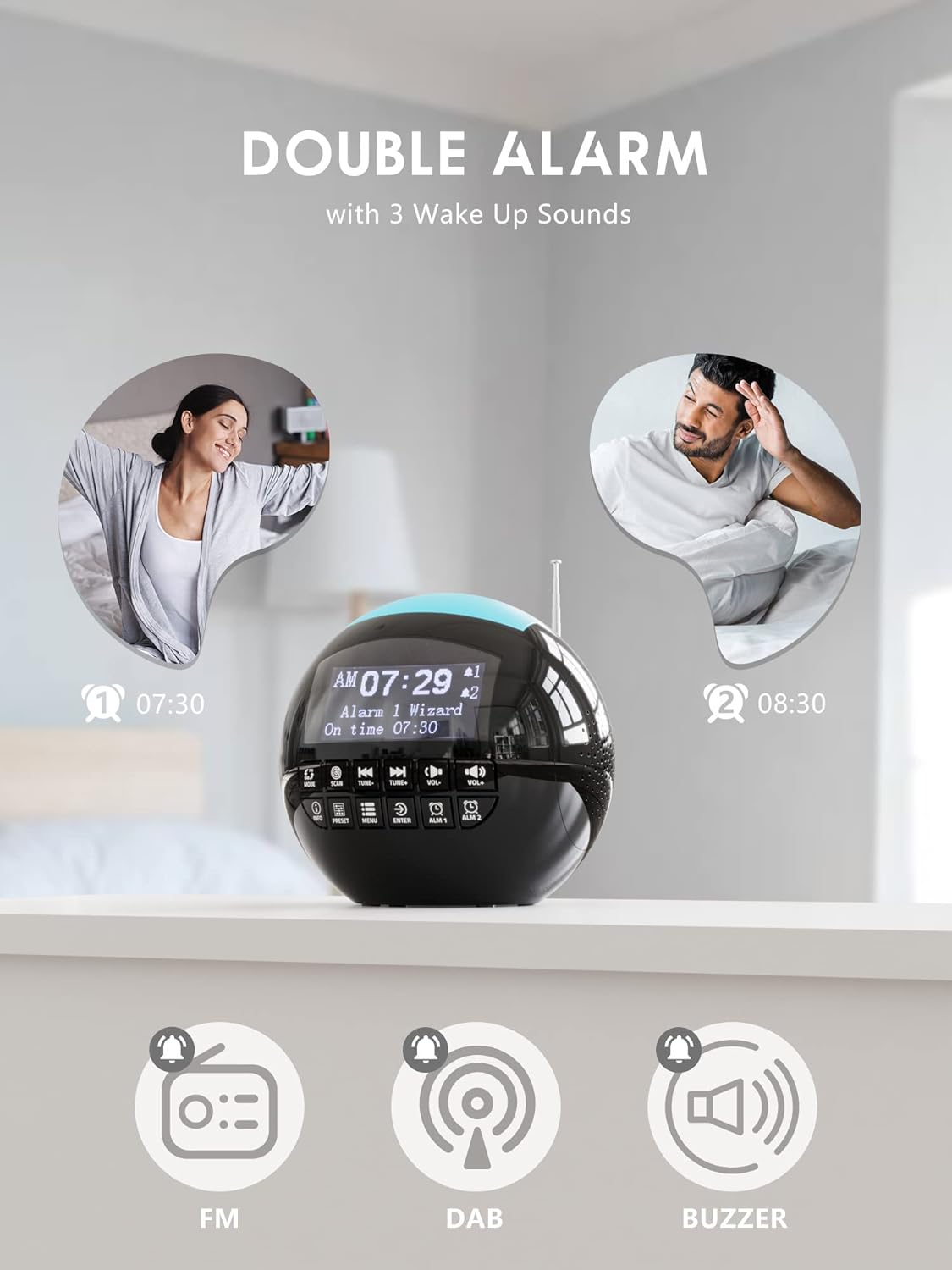
Image 4.5: The USB-A and USB-C charging ports in use, simultaneously charging a smartphone and wireless earbuds.
5. പരിപാലനം
- വൃത്തിയാക്കൽ: മൃദുവായതും ഉണങ്ങിയതുമായ തുണി ഉപയോഗിച്ച് യൂണിറ്റ് തുടയ്ക്കുക. അബ്രാസീവ് ക്ലീനറുകളോ ലായകങ്ങളോ ഉപയോഗിക്കരുത്.
- സംഭരണം: If storing the unit for an extended period, disconnect it from power and remove backup batteries.
6. പ്രശ്നപരിഹാരം
| പ്രശ്നം | സാധ്യമായ കാരണം | പരിഹാരം |
|---|---|---|
| യൂണിറ്റ് പവർ ഓണാക്കുന്നില്ല. | വൈദ്യുതി കണക്ഷനില്ല. | പവർ അഡാപ്റ്റർ യൂണിറ്റിലേക്കും വർക്കിംഗ് വാൾ ഔട്ട്ലെറ്റിലേക്കും സുരക്ഷിതമായി പ്ലഗ് ചെയ്തിട്ടുണ്ടെന്ന് ഉറപ്പാക്കുക. |
| മോശം റേഡിയോ റിസപ്ഷൻ (DAB/FM). | ആന്റിന വികസിതമല്ല അല്ലെങ്കിൽ മോശം സിഗ്നൽ ഏരിയ. | Extend the telescopic antenna fully and adjust its position. Try moving the unit to a different location. Perform a full scan for DAB stations. |
| അലാറം മുഴങ്ങുന്നില്ല. | അലാറം സജീവമാക്കിയിട്ടില്ല അല്ലെങ്കിൽ ശബ്ദം വളരെ കുറവാണ്. | Check if the alarm icon is displayed. Ensure alarm volume is set to an audible level (1-16). Verify alarm time and frequency settings. |
| യുഎസ്ബി ചാർജിംഗ് പ്രവർത്തിക്കുന്നില്ല. | Unit not powered or cable issue. | Ensure the alarm clock is connected to a wall outlet. Check the charging cable for damage and ensure it is properly connected to both the alarm clock and the external device. |
| ഡിസ്പ്ലേ വളരെ തെളിച്ചമുള്ളതാണ്/മങ്ങിയതാണ്. | തെളിച്ച ക്രമീകരണം ക്രമീകരിക്കേണ്ടതുണ്ട്. | Adjust the display brightness through the menu settings. |
7 സ്പെസിഫിക്കേഷനുകൾ
| ഫീച്ചർ | വിശദാംശങ്ങൾ |
|---|---|
| ബ്രാൻഡ് | ROCAM |
| മോഡൽ നമ്പർ | CR1002 DAB |
| നിറം | കറുപ്പ് |
| അളവുകൾ (L x W x H) | 15.9 x 3.81 x 16.2 സെ.മീ |
| ഭാരം | 468 ഗ്രാം |
| വാല്യംtage | 220 വോൾട്ട് |
| മെറ്റീരിയൽ | പ്ലാസ്റ്റിക് |
| ഡിസ്പ്ലേ തരം | ഡിജിറ്റൽ |
| പ്രത്യേക സവിശേഷതകൾ | Adjustable Brightness, Radio (DAB/DAB+/FM), Dual Alarm, 7-Color Night Light, USB-A & USB-C Charging Ports, Snooze, Sleep Timer |
| പവർ ഉറവിടം | കോർഡഡ് ഇലക്ട്രിക് |
| ബാക്കപ്പ് ബാറ്ററി | 2 x AAA (ഉൾപ്പെടുത്തിയിട്ടില്ല) |
8. വാറൻ്റിയും പിന്തുണയും
For warranty information or technical support, please refer to the documentation included with your purchase or contact ROCAM customer service through their official webഉൽപ്പന്നം വാങ്ങിയ സൈറ്റ് അല്ലെങ്കിൽ റീട്ടെയിലർ.
Please have your model number (CR1002 DAB) and purchase details ready when contacting support.


