1. ആമുഖം
This manual provides detailed instructions for the installation, operation, and maintenance of your SMONET 1080P 8 Channel Wireless Security Camera System. This system includes a Digital Video Recorder (DVR) with a pre-installed 3TB Hard Disk Drive (HDD) and four 2MP Full HD wireless cameras. Designed for both indoor and outdoor use, it offers 24/7 video recording, night vision, motion detection, and remote access capabilities.

Image 1.1: SMONET Wireless Security Camera System components, including the NVR and four cameras.
2. പാക്കേജ് ഉള്ളടക്കം
നിങ്ങളുടെ പാക്കേജിൽ എല്ലാ ഇനങ്ങളും ഉണ്ടെന്ന് ഉറപ്പാക്കുക:
- 1 x 8-Channel Wireless NVR with 3TB HDD
- 4 x 1080P Wireless IP Cameras
- 5 x പവർ അഡാപ്റ്ററുകൾ (NVR-ന് 1, ക്യാമറകൾക്ക് 4)
- 1 x യുഎസ്ബി മൗസ്
- 1 x ഇഥർനെറ്റ് കേബിൾ
- 1 x HDMI കേബിൾ
- മൗണ്ടിംഗ് സ്ക്രൂകളും പ്ലഗുകളും
- ഉപയോക്തൃ മാനുവൽ
3. സിസ്റ്റം സജ്ജീകരണം
The SMONET wireless security camera system is designed for easy plug-and-play installation. The cameras and NVR are pre-paired at the factory.
3.1 പ്രാരംഭ കണക്ഷൻ
- NVR കണക്റ്റുചെയ്യുക: Connect the NVR to a power outlet using the provided power adapter.
- Connect a Monitor: Use an HDMI or VGA cable to connect the NVR to a monitor or TV.
- മൗസ് ബന്ധിപ്പിക്കുക: നാവിഗേഷനായി NVR-ലെ ഒരു USB പോർട്ടിലേക്ക് USB മൗസ് പ്ലഗ് ചെയ്യുക.
- ക്യാമറകൾ പവർ ഓൺ ചെയ്യുക: Connect each camera to a power outlet using its dedicated power adapter. The cameras will automatically connect to the NVR.

Image 3.1: Basic system connection for immediate viewing, റെക്കോർഡിംഗ്.
3.2 NVR Port Overview

Image 3.2: Rear panel of the NVR illustrating various connection ports including VGA, HDMI, WAN (Ethernet), DC 12V power input, and USB ports.
3.3 റിമോട്ട് ആക്സസ് സജ്ജീകരണം (ഓപ്ഷണൽ)
റിമോട്ടിന് viewing on smartphones, tablets, or PCs, connect the NVR to your router via an Ethernet cable. Download the free 'XMeye Pro' app on your mobile device (iOS/Android) or request the 'VMS' software for PC from SMONET support.
ചിത്രം 3.3: ഉദാample of camera placement for optimal coverage in a home environment.
4. പ്രവർത്തന നിർദ്ദേശങ്ങൾ
4.1 തത്സമയം View ഒപ്പം റെക്കോർഡിംഗ്
- Once powered, the system automatically begins 24/7 recording to the pre-installed 3TB HDD.
- View തത്സമയംtage directly on the connected monitor.
- The 1080P HD cameras provide clear video with enhanced detail compared to 720P systems.

Image 4.1: Visual comparison demonstrating the superior clarity of 1080P resolution over 720P.
4.2 നൈറ്റ് വിഷൻ
The bullet cameras are equipped with 3 array infrared LEDs, enabling night vision up to 65 feet in darkness.

Image 4.2: An outdoor camera and a comparison of day vision (color) and night vision (monochrome) footage.
4.3 ഓഡിയോ റെക്കോർഡിംഗ്
The cameras support one-way audio recording, allowing you to listen to sounds from the monitored area.

Image 4.3: A smartphone displaying a live camera feed with an active audio feature.
4.4 വിദൂര Viewing and Alerts
Access live video, recordings, and playback from anywhere using the 'XMeye Pro' app on your smartphone or tablet, or 'VMS' software on your PC.

ചിത്രം 4.4: റിമോട്ട് viewing on various devices, including laptops, tablets, and smartphones.
4.5 AI Human Detection and Email Alerts
The system features AI human detection to minimize false alarms. You can configure monitoring areas, and receive email or app alerts when human motion is detected.

Image 4.5: AI human detection in action, triggering alerts on a mobile device.
5. പരിപാലനം
5.1 ക്യാമറ കെയർ
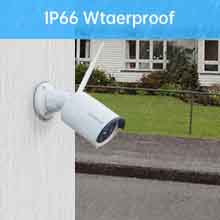
- The cameras are IP66 waterproof, suitable for outdoor use.
- Operating temperature range: -20℃ to +55℃ (14℉ to 131℉).
- വ്യക്തമായ ഇമേജ് ഗുണനിലവാരം ഉറപ്പാക്കാൻ ക്യാമറ ലെൻസുകൾ മൃദുവായതും ഉണങ്ങിയതുമായ തുണി ഉപയോഗിച്ച് പതിവായി വൃത്തിയാക്കുക.
- Ensure power connections are secure and protected from extreme weather if possible.
5.2 ഹാർഡ് ഡ്രൈവ് മാനേജ്മെന്റ്
The system utilizes H.265+ video compression, which doubles the data compression ratio compared to H.264, reducing bandwidth and saving up to 50% storage space. The 3TB HDD can store over 15 days of continuous 24/7 recording with 4 cameras.
- The NVR will automatically overwrite the oldest footagഹാർഡ് ഡ്രൈവ് നിറയുമ്പോൾ.
- പ്രധാനപ്പെട്ട ഫൂ പതിവായി ബാക്കപ്പ് ചെയ്യുകtage to an external USB drive if needed.
6. പ്രശ്നപരിഹാരം
- വീഡിയോ ഡിസ്പ്ലേ ഇല്ല:
- Check all power connections for the NVR and cameras.
- Ensure the monitor is correctly connected to the NVR via HDMI or VGA and is set to the correct input source.
- Verify that the NVR and cameras are powered on. - Weak Signal/Camera Offline:
- Ensure cameras are within range of the NVR. Walls and obstacles can reduce signal strength.
- The system features an 'Auto Repeat' function where cameras with poor signals can connect through cameras with good signals. Try repositioning cameras or the NVR.
- Check for sources of interference (e.g., other 2.4GHz wireless devices). - റിമോട്ട് ആക്സസ് ഇല്ല:
- Confirm the NVR is connected to your router via an Ethernet cable.
- Check your router's internet connection.
- Ensure the 'XMeye Pro' app is correctly configured and the NVR is added to your account. - Motion Detection Not Working/False Alarms:
- റീview AI human detection settings and adjust sensitivity.
- Define specific monitoring areas to exclude irrelevant movements.
- Ensure the camera lens is clean and free from obstructions. - ഓഡിയോ ഇല്ല:
- Verify that the audio recording feature is enabled in the camera settings.
7 സ്പെസിഫിക്കേഷനുകൾ
| ഫീച്ചർ | സ്പെസിഫിക്കേഷൻ |
|---|---|
| ബ്രാൻഡ് | സ്മോനെറ്റ് |
| മോഡൽ നമ്പർ | SMUS-W842M3TA-XM |
| കണക്റ്റിവിറ്റി ടെക്നോളജി | വൈഫൈ |
| വീഡിയോ ക്യാപ്ചർ റെസല്യൂഷൻ | 1080p |
| പ്രത്യേക സവിശേഷതകൾ | Night Vision, Waterproof, Wireless, AI Human Detection |
| ചാനലുകളുടെ എണ്ണം | 8 |
| മെമ്മറി സ്റ്റോറേജ് കപ്പാസിറ്റി | 3 TB HDD (pre-installed) |
| പവർ ഉറവിടം | DC |
| ഓപ്പറേറ്റിംഗ് സിസ്റ്റം | ലിനക്സ് |
| അനുയോജ്യമായ ഉപകരണങ്ങൾ | Extra cameras, Personal Computers, Smartphones, TV |
| മറ്റ് ക്യാമറ സവിശേഷതകൾ | Free Phone APP, Motion/Human Detect and Alert |
| നൈറ്റ് വിഷൻ റേഞ്ച് | 65 അടി |
| ഫ്രെയിം റേറ്റ് | 12 fps |
| റെക്കോർഡിംഗ് മോഡ് | 2MP Full HD Video |
| ഹാർഡ്വെയർ ഇന്റർഫേസ് | HDMI, USB 2.0, VGA |
| ലെൻസ് തരം | പരിഹരിച്ചു |
| വീഡിയോ ഇൻപുട്ട് | വിജിഎ, എച്ച്ഡിഎംഐ |
| Viewing ആംഗിൾ | 90 ഡിഗ്രി |
| ഉൽപ്പന്ന അളവുകൾ | 12 x 11 x 6 ഇഞ്ച് |
| ഇനത്തിൻ്റെ ഭാരം | 7.06 പൗണ്ട് |
8. വാറൻ്റിയും പിന്തുണയും
SMONET provides the following:
- 1 വർഷത്തെ സൗജന്യ വാറന്റി: സാധാരണ ഉപയോഗത്തിലുള്ള നിർമ്മാണ വൈകല്യങ്ങളും തകരാറുകളും ഇതിൽ ഉൾപ്പെടുന്നു.
- 30 ദിവസത്തെ റിട്ടേൺ ഗ്യാരണ്ടി: For eligible returns as per purchase terms.
- ആജീവനാന്ത സാങ്കേതിക സഹായം: Dedicated support for any technical queries or issues you may encounter.
For technical support or warranty claims, please contact SMONET customer service through the contact information provided with your purchase or on the official SMONET webസൈറ്റ്.


