1. ആമുഖം
This manual provides comprehensive instructions for the assembly, operation, maintenance, and troubleshooting of your Playseat Trophy Sim Racing Cockpit. Please read this manual thoroughly before use to ensure proper setup and safe operation. Retain this manual for future reference.
The Playseat Trophy is a high-performance racing simulator cockpit designed for optimal comfort, stability, and compatibility with various steering wheel and pedal configurations, including Direct Drive systems.
2 സുരക്ഷാ വിവരങ്ങൾ
- Ensure all bolts and connections are securely tightened before each use.
- Do not exceed the maximum recommended driver weight of 122 kg (269 lb).
- ക്രമീകരിക്കുമ്പോൾ കൈകളും വിരലുകളും ചലിക്കുന്ന ഭാഗങ്ങളിൽ നിന്ന് അകറ്റി നിർത്തുക.
- Place the cockpit on a stable, level surface to prevent tipping.
- Keep children and pets away from the cockpit during use and adjustment.
- Avoid placing liquids directly on or near electronic components.
3. പാക്കേജ് ഉള്ളടക്കം
അസംബ്ലി ആരംഭിക്കുന്നതിന് മുമ്പ് എല്ലാ ഘടകങ്ങളും ഉണ്ടെന്ന് ഉറപ്പാക്കുക:
- Playseat Trophy Frame (various sections)
- ActiFit Seat Material
- Wheel Mount Plate
- Pedal Mount Plate
- Assembly Hardware (bolts, nuts, washers, Allen keys)
- നിർദ്ദേശ മാനുവൽ (ഈ പ്രമാണം)
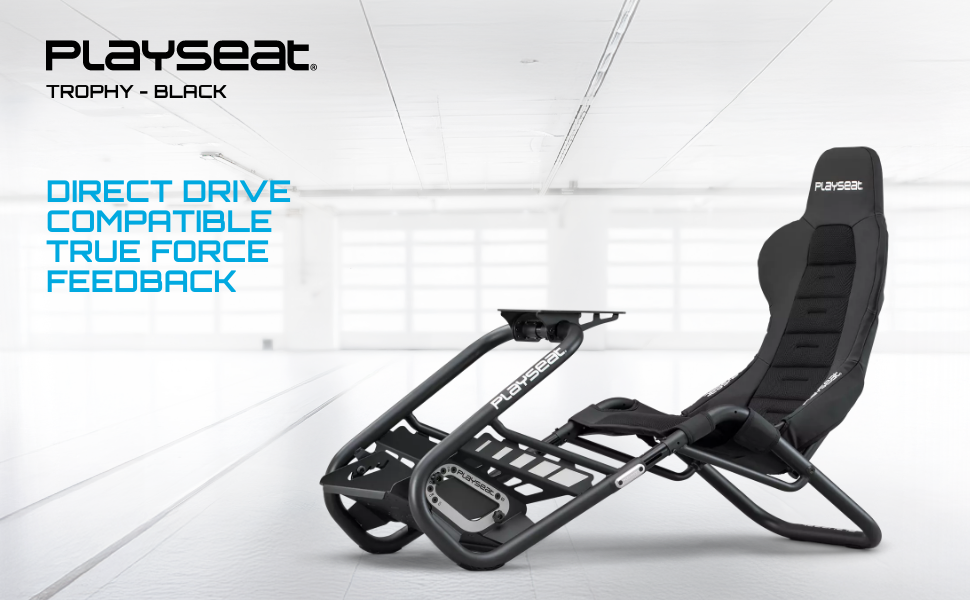
Image: All components of the Playseat Trophy Sim Racing Cockpit laid out for assembly.
4. സജ്ജീകരണവും അസംബ്ലിയും
Follow these steps to assemble your Playseat Trophy cockpit. It is recommended to have a clear, spacious area for assembly.
4.1. ഫ്രെയിം അസംബ്ലി
- എല്ലാ ഘടകങ്ങളും അൺപാക്ക് ചെയ്ത് പാക്കേജ് ഉള്ളടക്ക പട്ടികയുമായി താരതമ്യം ചെയ്യുക.
- Attach the two side base plates to the bottom of the seat using the provided bolts and Allen key. Ensure they are securely fastened.
- Connect the two small beams between the base plates. Position the holes in the beams perpendicular to the ground.
- Mount the widest sliding pipe to the two beams using the large socket cap bolts. Ensure the threading hole faces upward and towards the front of the chair.
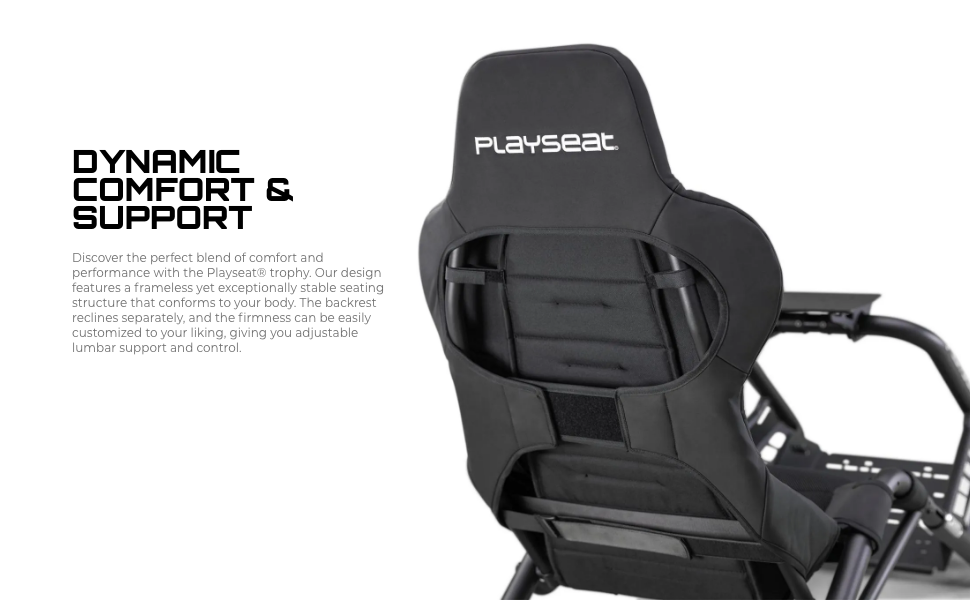
Image: Illustration of frame assembly, connecting side plates and beams.
4.2. Pedal and Wheel Mount Installation
- Attach the pedal base plate to the pedal mount part using the small socket cap bolts.
- Screw the hex nuts onto the levelers and bolt these into the bottom of the pedal mounting base.
- Slide the wheel mounting plate into the center beam and secure it with a tightening handle.
- Attach your steering wheel and pedals to their respective mounts using the manufacturer's instructions.
ചിത്രം: വിശദമായത് view of pedal and wheel mount installation.
4.3. Seat Cushion and Adjustments
- Unwrap the ActiFit seat cushion and secure it onto the frame.
- Adjust the seat back angle by setting the two drop bolts in place.
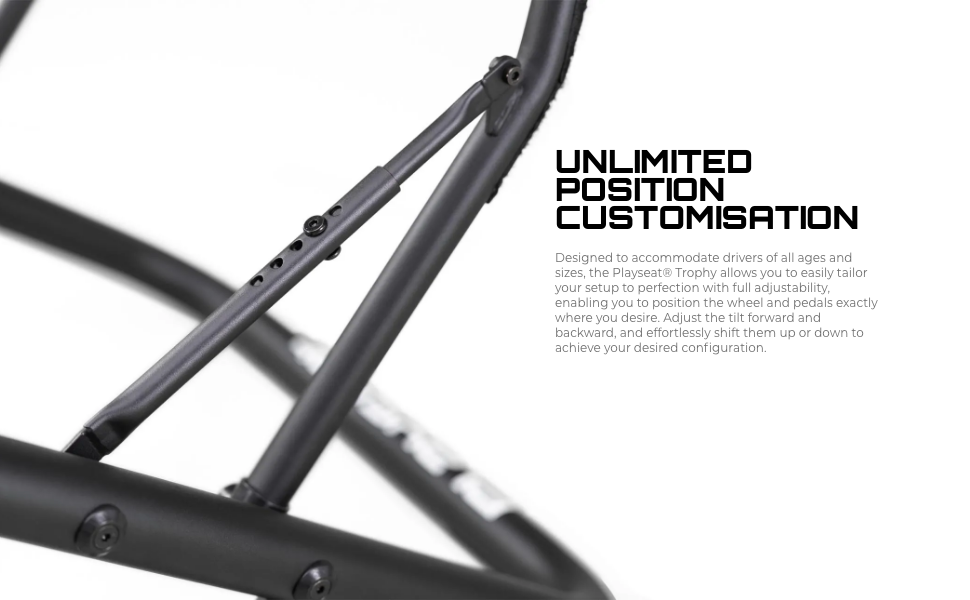
- Use the tightening handles to adjust the position of the wheel and pedal mounts for optimal ergonomics.
- Level the pedal base area using the adjustable levelers.
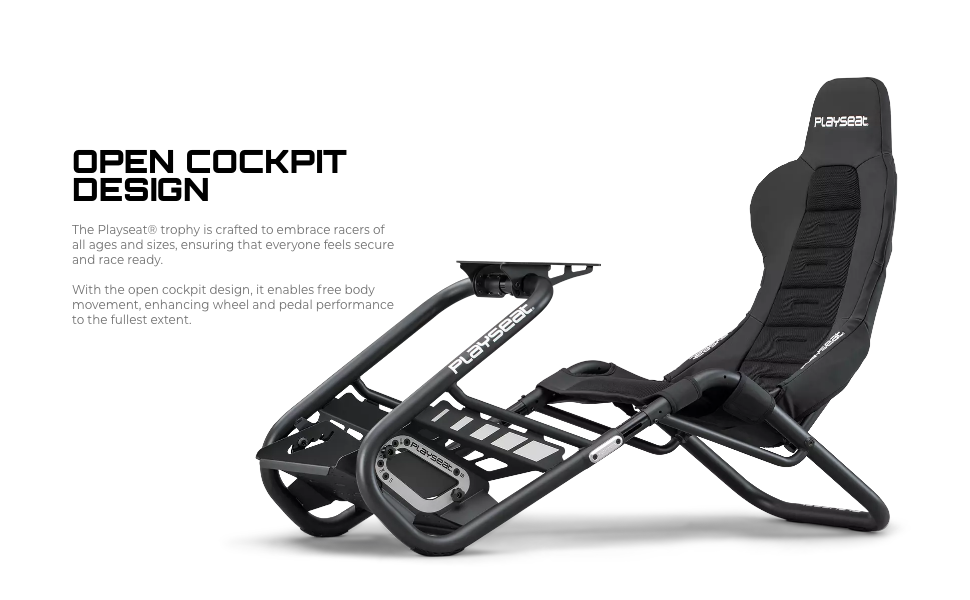
Image: Demonstrating the adjustability of the Playseat Trophy cockpit.
5. പ്രവർത്തന നിർദ്ദേശങ്ങൾ
The Playseat Trophy is designed for intuitive use. Once assembled and adjusted to your preference, connect your steering wheel and pedals to your PC or console according to their respective manufacturer's instructions.
- Entering the Cockpit: The open cockpit design allows for easy entry and exit.
- ക്രമീകരണങ്ങൾ: Fine-tune the wheel and pedal positions using the quick-release mechanisms and tightening handles. The seat back angle can also be adjusted for optimal comfort.
- സ്ഥിരത: Ensure all locking mechanisms are engaged before beginning your racing session to maintain stability.
Video: Official Playseat video demonstrating the racing simulator in use.
6. പരിപാലനം
Regular maintenance ensures the longevity and optimal performance of your Playseat Trophy cockpit.
- വൃത്തിയാക്കൽ: പരസ്യം ഉപയോഗിച്ച് ഫ്രെയിം തുടയ്ക്കുകamp cloth. The ActiFit fabric can be spot cleaned with a mild detergent and water. Avoid harsh chemicals.
- ഫാസ്റ്റനറുകൾ: Periodically check all bolts, nuts, and tightening handles to ensure they are secure. Tighten if necessary.
- സംഭരണം: The lightweight design allows for easy storage. If not in use for extended periods, consider storing it in a dry, cool place.
7. പ്രശ്നപരിഹാരം
| പ്രശ്നം | സാധ്യമായ കാരണം | പരിഹാരം |
|---|---|---|
| Cockpit feels unstable/wobbly | അയഞ്ഞ ഫാസ്റ്റനറുകൾ; അസമമായ പ്രതലം. | Check and tighten all bolts and handles. Ensure the cockpit is on a flat surface. Adjust levelers if present. |
| Difficulty adjusting wheel/pedal position | Tightening handles not fully loosened. | Ensure all relevant tightening handles are fully loosened before attempting adjustment. |
| Steering wheel/pedals not recognized by PC/console | Incorrect connection; driver issues. | Verify all cables are securely connected. Refer to your steering wheel/pedal manufacturer's manual for driver installation and troubleshooting. |
8 സ്പെസിഫിക്കേഷനുകൾ
- മോഡൽ: Playseat Trophy
- നിറം: കറുപ്പ്
- മെറ്റീരിയൽ: ActiFit Fabric, Carbon Steel Frame
- Direct Drive Support: അതെ
- അളവുകൾ (L x W x H): 138 x 58 x 101 സെ.മീ (55.12 x 22.83 x 39.37 ഇഞ്ച്)
- ഭാരം: 16 കി.ഗ്രാം (33.07 പൗണ്ട്)
- Optimal Driver Height: 120 - 220 സെ.മീ
- Optimal Driver Weight: 20 - 122 kg (44 - 269 lb)
- അനുയോജ്യത: All major steering wheel and pedal configurations on PC and console.
9. വാറൻ്റിയും പിന്തുണയും
For warranty information and technical support, please refer to the official Playseat webസൈറ്റിൽ ബന്ധപ്പെടുകയോ അവരുടെ ഉപഭോക്തൃ സേവനവുമായി നേരിട്ട് ബന്ധപ്പെടുകയോ ചെയ്യുക. ഏതെങ്കിലും വാറന്റി ക്ലെയിമുകൾക്കായി നിങ്ങളുടെ വാങ്ങലിന്റെ തെളിവ് സൂക്ഷിക്കുക.
Official Playseat Store: Visit Playseat Store


