1. ആമുഖവും അവസാനവുംview
This manual provides comprehensive instructions for the installation, operation, and maintenance of your AVANTEK Mini Waterproof Wireless Doorbell Chime. This system is designed to provide reliable notification of visitors with its long wireless range, customizable melodies, and durable, waterproof design.
Key features include a 1000 ft (300 m) ultra-long wireless range, 52 selectable melodies, 5 adjustable volume levels up to 115 dB, and an IP55 dustproof and waterproof rating for the transmitter.

Image 1: The AVANTEK Mini Waterproof Wireless Doorbell Chime system, showing two black plug-in receivers and two black push-button transmitters. Each unit features a green LED indicator and a bell icon.
2. പാക്കേജ് ഉള്ളടക്കം
താഴെ ലിസ്റ്റ് ചെയ്തിരിക്കുന്ന എല്ലാ ഇനങ്ങളും നിങ്ങളുടെ പാക്കേജിൽ ഉൾപ്പെടുത്തിയിട്ടുണ്ടെന്ന് ദയവായി പരിശോധിക്കുക:
- 2 x പ്ലഗ്-ഇൻ റിസീവറുകൾ
- 2 x Push-button Transmitters
- 4 x സ്ക്രൂകൾ
- 4 x വാൾ ആങ്കറുകൾ
- 1 x Mini Screwdriver (for battery compartment)
- 2 x Double-sided Adhesive Pads
- 1 x CR2032 Lithium Battery (pre-installed in each transmitter)
3. സജ്ജീകരണവും ഇൻസ്റ്റാളേഷനും
The AVANTEK wireless doorbell system offers flexible installation options for the transmitter. Ensure the receiver is plugged into a standard electrical outlet within the wireless range of the transmitter.
3.1 ട്രാൻസ്മിറ്റർ ഇൻസ്റ്റലേഷൻ
There are two methods for mounting the transmitter:

Image 2: Visual guide for installing the doorbell transmitter. Solution A demonstrates using a double-sided adhesive pad, while Solution B illustrates mounting with screws and wall anchors.
Solution A: Using the Double-Sided Adhesive Pad
- പൊടിയും ഗ്രീസും ഇല്ലെന്ന് ഉറപ്പാക്കാൻ ആവശ്യമുള്ള മൗണ്ടിംഗ് ഉപരിതലം നന്നായി വൃത്തിയാക്കുക.
- Peel off one side of the protective film from the double-sided adhesive pad and firmly attach it to the back of the transmitter.
- Peel off the other side of the protective film and press the transmitter firmly onto the cleaned surface for at least 30 seconds.
Solution B: Using Screws and Anchors
- ട്രാൻസ്മിറ്റർ തുറക്കുക casing using the provided mini screwdriver to access the mounting holes.
- Mark the positions for drilling on the wall using the transmitter's mounting holes as a guide.
- Drill two holes at the marked positions. Insert the wall anchors into the drilled holes.
- Align the transmitter with the anchors and secure it to the wall using the provided screws.
- Close the transmitter casinഗ്രാം സുരക്ഷിതമായി.
For optimal performance, mount the transmitter at a height of approximately 3-5 feet (1-1.5 meters) from the ground.
3.2 റിസീവർ പ്ലേസ്മെന്റ്
Plug the receiver into any standard indoor electrical outlet. For best results, avoid placing the receiver near large metal objects, thick walls, or other electronic devices that may cause interference.

Image 3: An illustration of a house demonstrating the placement of multiple doorbell transmitters and receivers to ensure comprehensive coverage across different entry points and rooms.
4. പ്രവർത്തന നിർദ്ദേശങ്ങൾ
4.1 Changing Melodies
The receiver offers 52 different melodies. To change the melody:
- Press the "Forward" or "Backward" button on the side of the receiver to cycle through the available melodies.
- Once you hear a melody you like, stop pressing the button. The receiver will automatically save this melody.

Image 4: A visual representation of the doorbell receiver's features, highlighting 52 available chimes and tunes, 5 adjustable volume levels, and an LED indicator for visual alerts.
4.2 Adjusting Volume Levels
The receiver has 5 adjustable volume levels, ranging from silent (mute) to 115 dB.
- Press the "Volume" button on the side of the receiver repeatedly to cycle through the 5 volume levels.
- The LED indicator will flash to confirm the selected volume level.
- One of the volume levels is a mute mode, where only the LED indicator will flash without sound.

Image 5: An illustration detailing the silent LED notification mode and the five adjustable volume levels (0-115 dB) of the doorbell receiver, with examples of typical sound environments for each level.
4.3 Pairing Additional Transmitters/Receivers (Optional)
If you purchase additional AVANTEK Mini transmitters or receivers, you can pair them with your existing system.
- റിസീവർ പ്ലഗ് ഇൻ ചെയ്യുക.
- Press and hold the "Volume" button on the receiver for approximately 5 seconds until the LED indicator flashes rapidly. This indicates pairing mode.
- Immediately press the push-button on the new transmitter. The receiver will chime, and its LED will flash slowly, indicating successful pairing.
- To set a different ringtone for each transmitter, select the desired melody on the receiver first, then follow the pairing steps for that specific transmitter.
5. പരിപാലനം
5.1 ട്രാൻസ്മിറ്റർ ബാറ്ററി മാറ്റിസ്ഥാപിക്കൽ
The transmitter uses a CR2032 lithium battery with an estimated lifespan of up to 3 years. When the transmitter's LED indicator no longer lights up or the range decreases significantly, it's time to replace the battery.
- Carefully open the transmitter casing using the provided mini screwdriver.
- പഴയ CR2032 ബാറ്ററി നീക്കം ചെയ്യുക.
- പോസിറ്റീവ് (+) വശം മുകളിലേക്ക് അഭിമുഖീകരിക്കുന്ന ഒരു പുതിയ CR2032 ബാറ്ററി ഇടുക.
- Close the transmitter casinഗ്രാം സുരക്ഷിതമായി.

Image 6: The doorbell transmitter alongside a graphic illustrating the CR2032 battery and its impressive 3-year lifespan, emphasizing long-term reliability.
5.2 വൃത്തിയാക്കൽ
Wipe the doorbell units with a soft, dry cloth. Do not use abrasive cleaners or solvents. The transmitter is IP55 rated, meaning it is protected against dust ingress and low-pressure water jets, but it should not be submerged in water.
6. പ്രശ്നപരിഹാരം
| പ്രശ്നം | സാധ്യമായ കാരണം | പരിഹാരം |
|---|---|---|
| Receiver does not chime when transmitter is pressed. |
|
|
| ചെറിയ വയർലെസ് റേഞ്ച് അല്ലെങ്കിൽ ഇടയ്ക്കിടെയുള്ള പ്രവർത്തനം. |
|
|
| Receiver volume is too low or silent. |
|
|
7 സ്പെസിഫിക്കേഷനുകൾ
- വയർലെസ് ശ്രേണി: Up to 1000 ft (300 m) in open air
- മെലഡികൾ: തിരഞ്ഞെടുക്കാവുന്ന 52 മണിനാദങ്ങൾ
- വോളിയം ലെവലുകൾ: 5 levels (0 dB to 115 dB)
- ട്രാൻസ്മിറ്റർ ബാറ്ററി: 1 x CR2032 Lithium Battery (approx. 3-year lifespan)
- വാട്ടർപ്രൂഫ് റേറ്റിംഗ് (ട്രാൻസ്മിറ്റർ): IP55 (Dustproof and Water-resistant)
- പ്രവർത്തന താപനില: -4°F മുതൽ 140°F വരെ (-20°C മുതൽ 60°C വരെ)
- സർട്ടിഫിക്കേഷനുകൾ: FCC, CE, RoHS
- മോഡൽ: AVANTEK Mini Waterproof Wireless Doorbell Chime
- ASIN: B09XTZ8ZY1
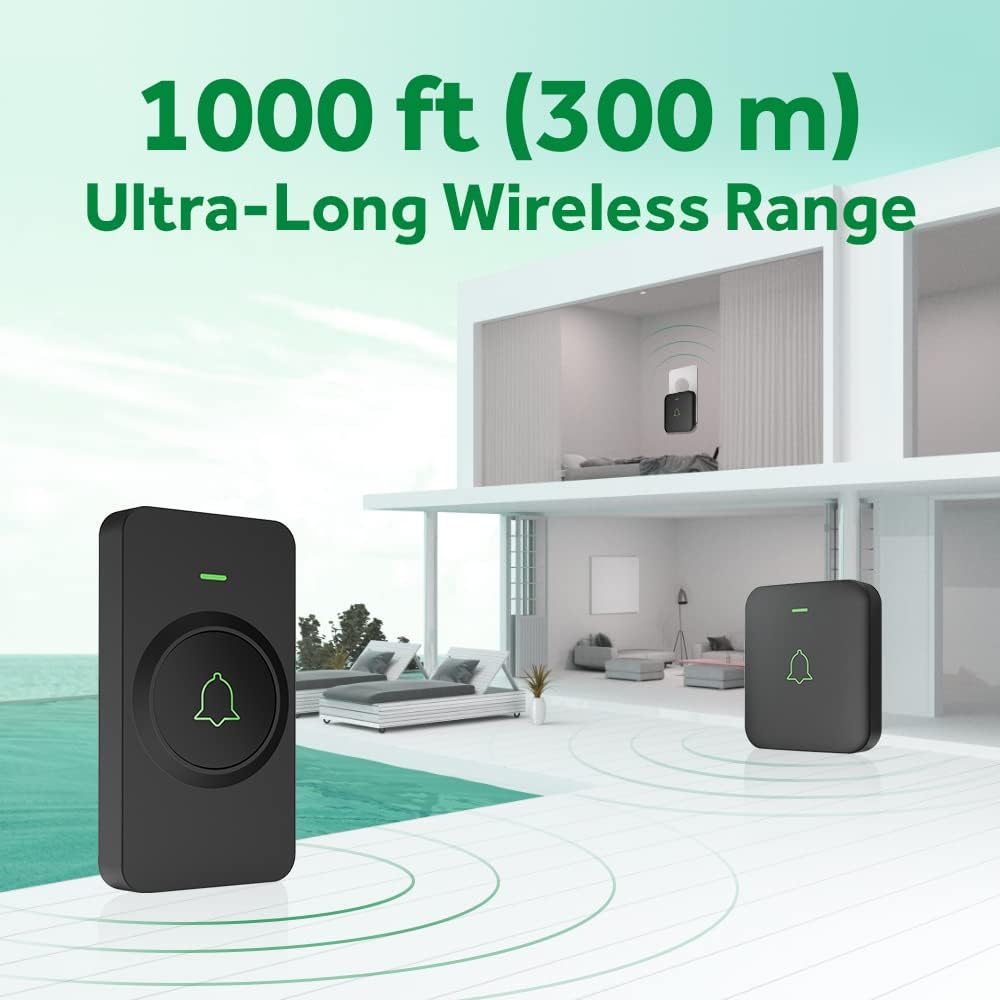
Image 7: An illustration depicting the AVANTEK doorbell system's impressive 1000 ft (300 m) ultra-long wireless range, showing a transmitter outside and a receiver inside a multi-room house.

Image 8: The doorbell transmitter shown with water droplets, emphasizing its IP55 dustproof and waterproof capabilities, along with its wide operating temperature range of -4°F to 140°F (-20°C to 60°C).
8. വാറൻ്റിയും പിന്തുണയും
AVANTEK is committed to providing high-quality products and customer satisfaction. This wireless doorbell system is approved by FCC, CE, and RoHS standards, ensuring its quality and safety.
For any questions, concerns, or support needs, please contact AVANTEK customer service. We are dedicated to assisting you and will always strive to provide the best possible support.
For more information or to contact support, please visit the official AVANTEK store: AVANTEK Store on Amazon.


