ആമുഖം
Thank you for choosing the i-Star Digital Alarm Clock. This portable and easy-to-use alarm clock features a clear LCD display, multiple alarm settings, and displays room temperature and humidity. This manual provides detailed instructions to help you set up and operate your new device.

Image: The i-Star Digital Alarm Clock displaying 9:30, Friday, May 3rd, 21°C, and 53% humidity.
പ്രധാന സവിശേഷതകൾ
- Clear large digit LCD time display
- 12 hr and 24 hr clock display options
- Weekday and date display
- Set up to three alarms
- 5, 6 & 7 Day alarm setting options
- Touch control snooze and backlight function
- Room temperature and humidity display
പാക്കേജ് ഉള്ളടക്കം
- 1 x i-Star Digital Alarm Clock (Model: 90081PI)
- 1 x ഉപയോക്തൃ മാനുവൽ
Note: 2x AA batteries are required for operation and are not included in the package.
സജ്ജമാക്കുക
1. ബാറ്ററി ഇൻസ്റ്റാളേഷൻ
The i-Star Digital Alarm Clock is powered by 2x AA batteries (not supplied). To install the batteries:
- ക്ലോക്കിന്റെ പിൻഭാഗത്ത് ബാറ്ററി കമ്പാർട്ട്മെന്റ് കണ്ടെത്തുക.
- സ്ലൈഡ് ബാറ്ററി കമ്പാർട്ട്മെന്റ് കവർ തുറക്കുക.
- Insert 2x AA batteries, ensuring the correct polarity (+ and -) as indicated inside the compartment.
- ബാറ്ററി കമ്പാർട്ട്മെൻ്റ് കവർ സുരക്ഷിതമായി അടയ്ക്കുക.
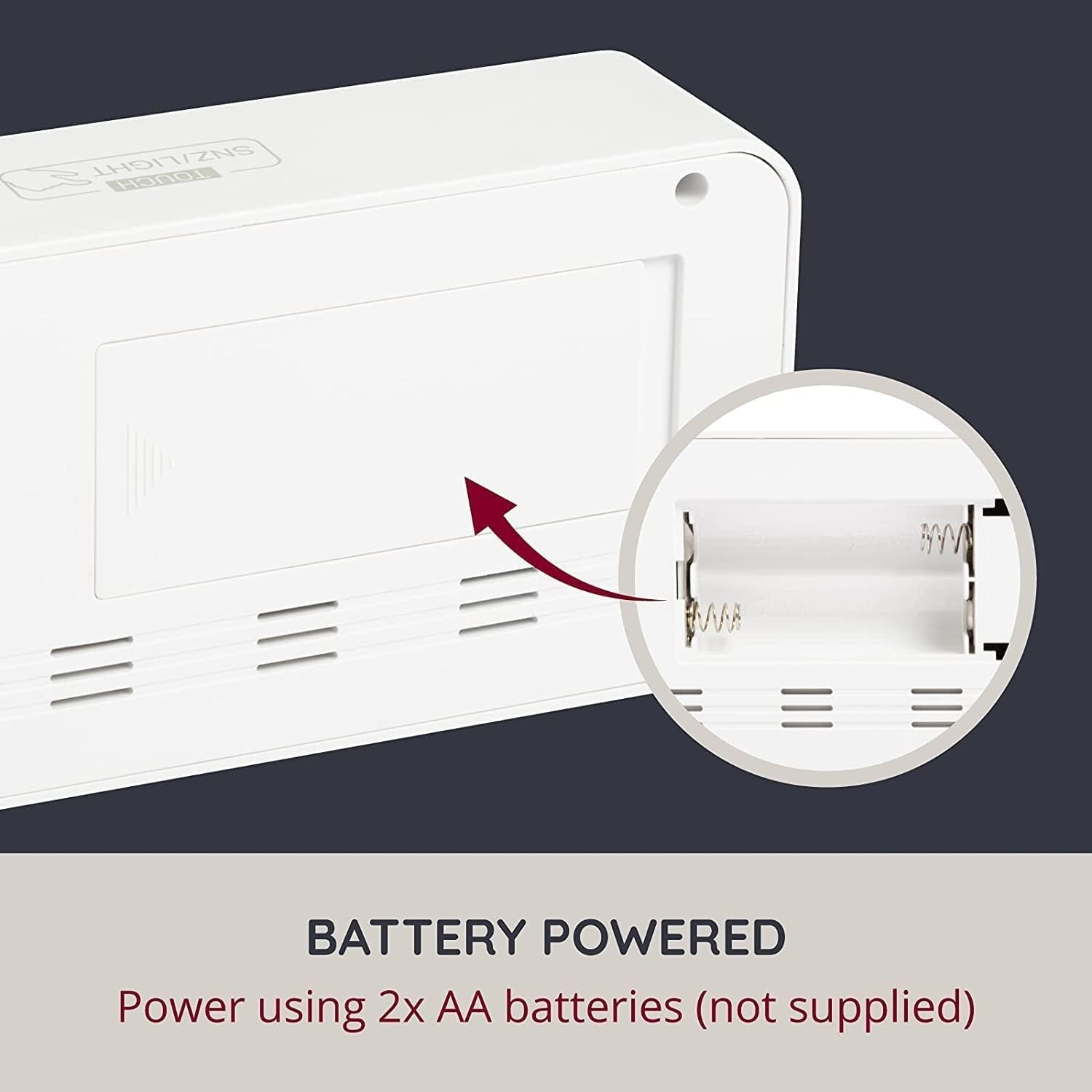
ചിത്രം: പിൻഭാഗം view of the alarm clock with the battery compartment open, indicating where to insert AA batteries.
2. പ്രാരംഭ പവർ ഓൺ
Once batteries are installed, the clock display will light up, and you can proceed to set the time and other functions.
പ്രവർത്തന നിർദ്ദേശങ്ങൾ
The clock features control buttons typically located on the back or side, and a touch-sensitive area on the top for snooze/backlight.
Setting Time (12/24 Hour Format)
Refer to the specific buttons (e.g., 'SET', 'MODE', 'UP', 'DOWN') on your device to enter time setting mode. Typically, you press a 'SET' or 'MODE' button, then use 'UP'/'DOWN' to adjust hours and minutes, confirming each step with 'SET' or 'MODE'. You can usually toggle between 12-hour and 24-hour formats during this process.
Setting Date and Day
Similar to setting the time, enter the date setting mode. Adjust the year, month, and day using the 'UP'/'DOWN' buttons and confirm with 'SET' or 'MODE'. The weekday will automatically update based on the date.
അലാറങ്ങൾ സജ്ജീകരിക്കുന്നു
This clock supports up to three independent alarms. To set an alarm:
- Press the 'ALARM' button (or similar) repeatedly to cycle through Alarm 1, Alarm 2, and Alarm 3 settings.
- When the desired alarm is displayed, press 'SET' (or similar) to enter its setting mode.
- Adjust the alarm hour and minute using 'UP'/'DOWN' buttons.
- Select the alarm schedule: 5-day (Monday-Friday), 6-day (Monday-Saturday), or 7-day (Monday-Sunday).
- Confirm settings. Ensure the alarm is activated (an alarm icon usually appears on the display).
സ്നൂസ് പ്രവർത്തനം
When an alarm sounds, touch the 'TOUCH SNZ/LIGHT' area on the top of the clock to activate the snooze function. The alarm will pause for a few minutes (typically 5-10 minutes) and then sound again. To turn off the alarm completely, press any other button on the clock.
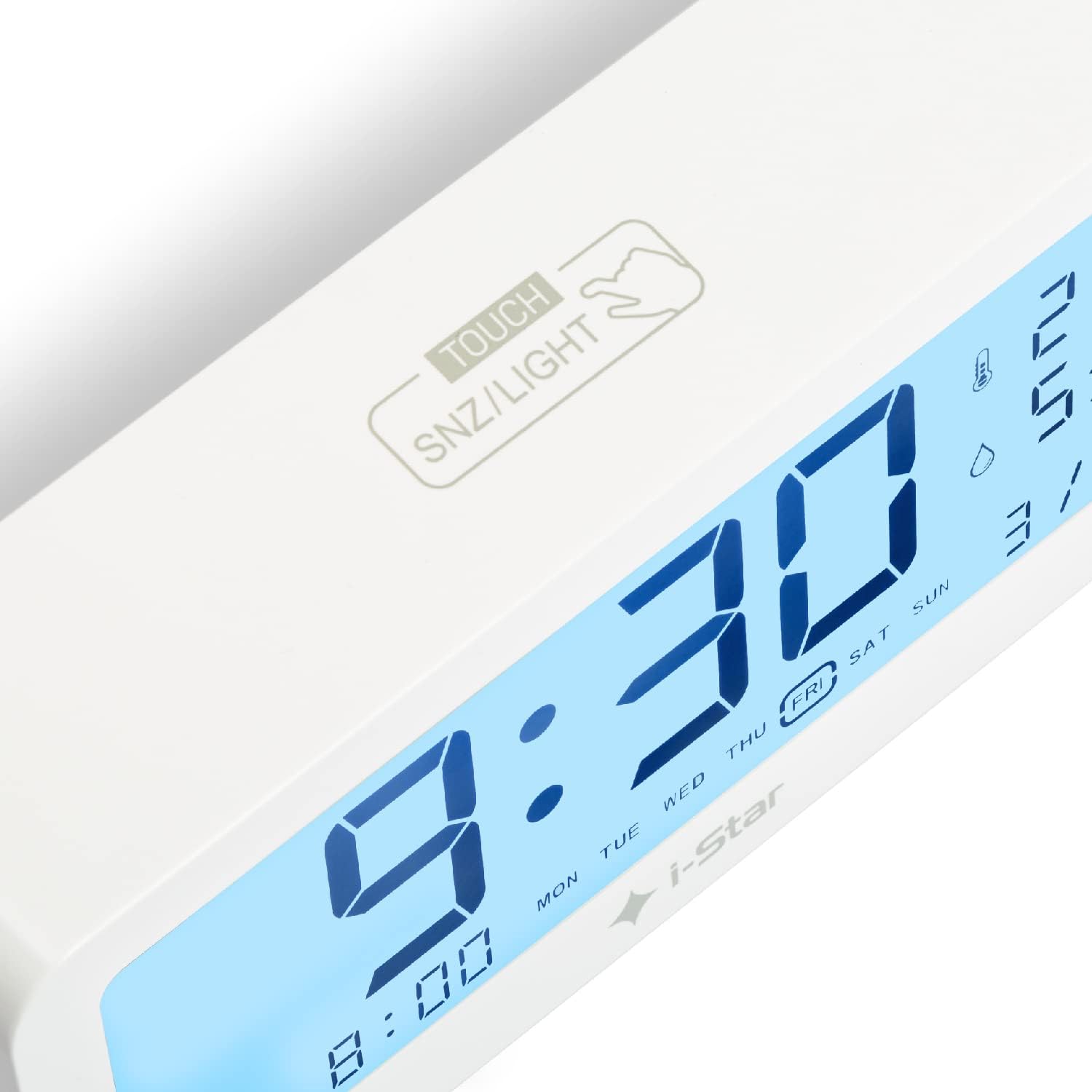
ചിത്രം: ഒരു ക്ലോസ്-അപ്പ് view of the top surface of the alarm clock, highlighting the touch-sensitive area labeled 'TOUCH SNZ/LIGHT' for snooze and backlight control.
ബാക്ക്ലൈറ്റ് നിയന്ത്രണം
The LCD display features a backlight for easy reading in low light conditions. Touch the 'TOUCH SNZ/LIGHT' area on the top of the clock to momentarily illuminate the display. This is useful for checking the time at night without disturbing sleep.

Image: A split image demonstrating the alarm clock's display in bright conditions (top, no backlight) and in dark conditions with the backlight activated (bottom).
താപനിലയും ഈർപ്പവും ഡിസ്പ്ലേ
The clock continuously displays the current room temperature and humidity. The temperature can typically be switched between Celsius (°C) and Fahrenheit (°F) by pressing a dedicated button (often labeled 'C/F' or integrated with another setting button).
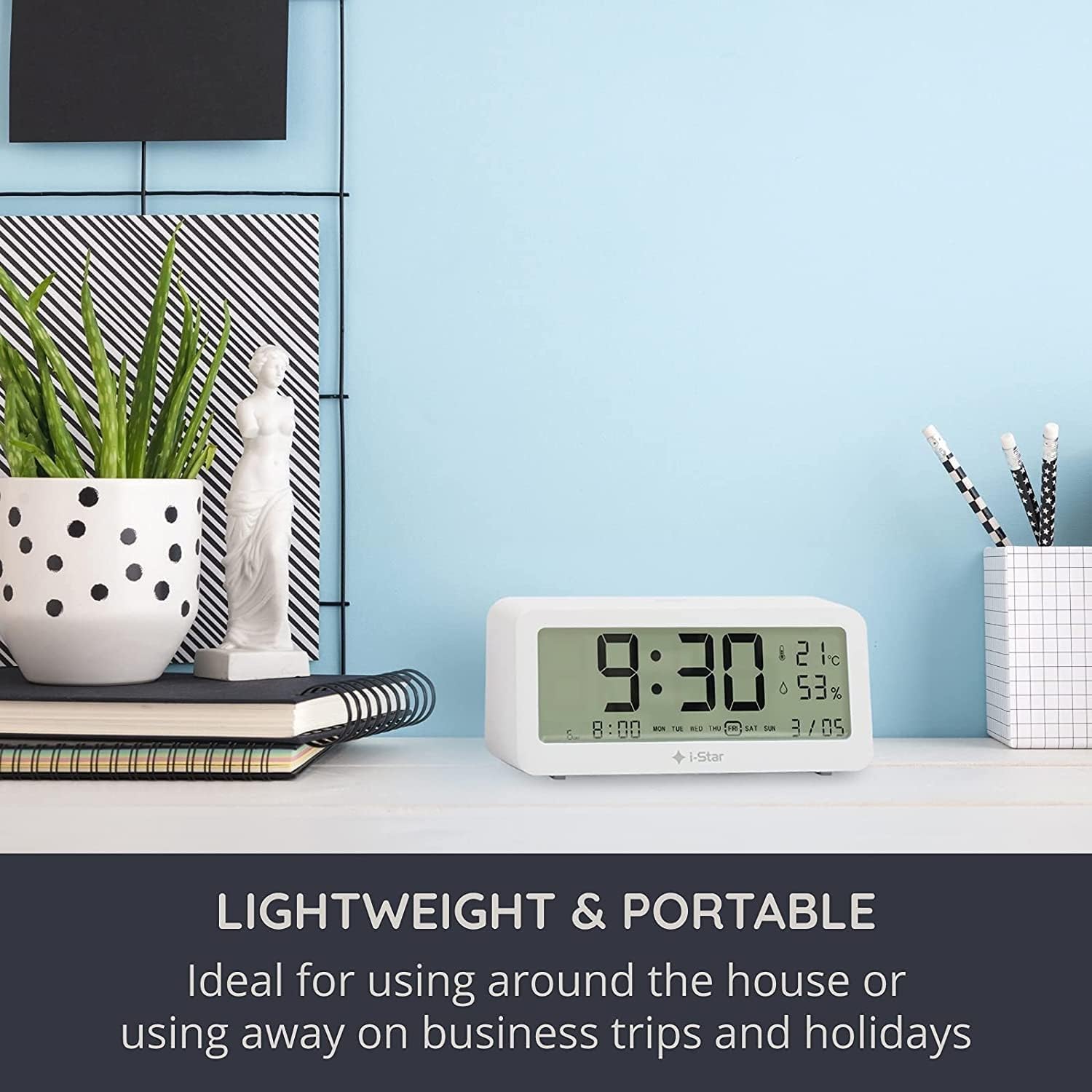
Image: The i-Star Digital Alarm Clock placed on a modern desk alongside books and a plant, illustrating its compact and portable design.
മെയിൻ്റനൻസ്
വൃത്തിയാക്കൽ
To clean your i-Star Digital Alarm Clock, gently wipe the surface with a soft, dry cloth. Do not use abrasive cleaners, solvents, or immerse the device in water. Keep the device away from excessive dust and moisture.
ബാറ്ററി മാറ്റിസ്ഥാപിക്കൽ
When the display dims or functions become erratic, it's time to replace the batteries. Follow the battery installation steps outlined in the Setup section.
ട്രബിൾഷൂട്ടിംഗ്
- ഡിസ്പ്ലേ ശൂന്യമോ മങ്ങിയതോ ആണ്:
Check if the batteries are inserted correctly with the right polarity. Replace old batteries with new ones. - അലാറം മുഴങ്ങുന്നില്ല:
Ensure the alarm is set and activated (look for the alarm icon on the display). Check the alarm volume setting if applicable (though this model typically has a fixed alarm sound). - തെറ്റായ സമയം/തീയതി:
Re-enter the time and date settings following the operating instructions. Ensure you are confirming each step. - Temperature/Humidity readings seem inaccurate:
Ensure the clock is placed in a stable environment, away from direct sunlight, heat sources, or drafts, which can affect readings.
സ്പെസിഫിക്കേഷനുകൾ
| ഫീച്ചർ | വിശദാംശങ്ങൾ |
|---|---|
| ബ്രാൻഡ് | ഐ-സ്റ്റാർ |
| മോഡൽ നമ്പർ | 90081PI |
| ഡിസ്പ്ലേ തരം | ഡിജിറ്റൽ എൽസിഡി |
| പവർ ഉറവിടം | Battery Powered (2x AA, not included) |
| പ്രത്യേക സവിശേഷതകൾ | Temperature Display, Humidity Display, Alarm, Snooze, Backlight |
| മെറ്റീരിയൽ | പ്ലാസ്റ്റിക് |
| ഉൽപ്പന്ന അളവുകൾ | 5 x 3.81 x 8 സെ.മീ (ഏകദേശം) |
| ഇനത്തിൻ്റെ ഭാരം | 200 ഗ്രാം (ഏകദേശം) |
| നിറം | വെള്ള |
വാറൻ്റിയും പിന്തുണയും
For warranty information and customer support, please refer to the documentation provided at the time of purchase or contact your retailer. Keep your purchase receipt as proof of purchase.


