1. ആമുഖം
This manual provides essential information for the safe and efficient operation, installation, and maintenance of your Globe Electric Smart Pendant Lighting. Please read this manual thoroughly before installation and retain it for future reference.
The Globe Electric Smart Pendant Light (Model 50583) is a modern, matte brass finish lighting fixture designed for indoor use. It features integrated LED lighting with tunable white and RGB color-changing capabilities, offering 2000 lumens of brightness at 30 watts. This smart pendant light works exclusively with Amazon Alexa for voice and app control, connecting via 2.4GHz Wi-Fi.
2 സുരക്ഷാ വിവരങ്ങൾ
Always follow basic safety precautions when installing or using this product to reduce the risk of fire, electric shock, or personal injury.
- Ensure power is OFF at the circuit breaker before installation, cleaning, or maintenance.
- പ്രാദേശിക ഇലക്ട്രിക്കൽ കോഡുകൾക്ക് അനുസൃതമായി യോഗ്യതയുള്ള ഒരു ഇലക്ട്രീഷ്യനാണ് ഇൻസ്റ്റാളേഷൻ നടത്തേണ്ടത്.
- Do not modify the product in any way. Unauthorized modifications may void the warranty and create safety hazards.
- Use only with compatible voltagഇ (120 വോൾട്ട്).
- This product is for indoor use only. Do not expose to water or damp വ്യവസ്ഥകൾ.
- The integrated LED light source is non-replaceable. Do not attempt to disassemble or replace the LEDs.
3. പാക്കേജ് ഉള്ളടക്കം
ഇൻസ്റ്റാളേഷൻ ആരംഭിക്കുന്നതിന് മുമ്പ് എല്ലാ ഘടകങ്ങളും നിലവിലുണ്ടെന്ന് ഉറപ്പാക്കുക:
- 1 x Globe Electric Smart Pendant Lighting fixture
- ഇൻസ്റ്റാളേഷനുള്ള ഹാർഡ്വെയർ
- ഇൻസ്റ്റലേഷൻ നിർദ്ദേശങ്ങൾ (ഈ മാനുവൽ)
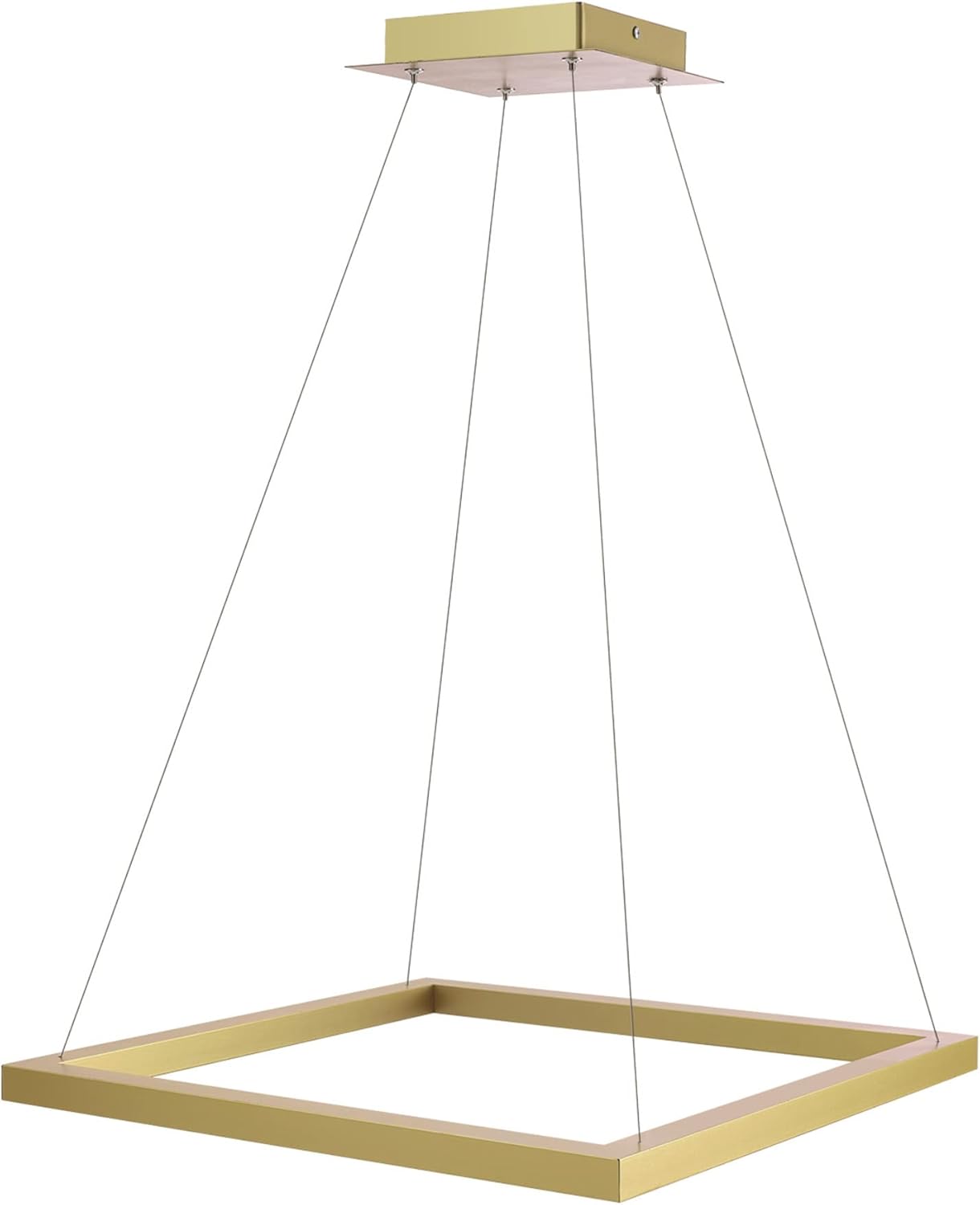
ചിത്രം 3.1: പ്രധാന ഉൽപ്പന്നം view of the Smart Pendant Light.
4. സജ്ജീകരണം
4.1 ഫിസിക്കൽ ഇൻസ്റ്റലേഷൻ
The Globe Electric Smart Pendant Light is designed for ceiling mount installation. Ensure the power is off at the circuit breaker before proceeding.
- ബോക്സിൽ നിന്ന് എല്ലാ ഘടകങ്ങളും ശ്രദ്ധാപൂർവ്വം അൺപാക്ക് ചെയ്യുക.
- Follow the detailed wiring instructions provided in the included hardware kit to connect the fixture to your electrical system.
- Securely mount the fixture to the ceiling using the provided hardware. The pendant height is adjustable up to 70 inches.
- സർക്യൂട്ട് ബ്രേക്കറിൽ വൈദ്യുതി പുനഃസ്ഥാപിക്കുക.

ചിത്രം 4.1: ഇൻസ്റ്റലേഷൻ പ്ലാനിംഗിനായുള്ള ഉൽപ്പന്ന അളവുകൾ.
4.2 Smart Device Pairing (Alexa Exclusive)
This Smart Pendant Light works exclusively with Amazon Alexa and requires a 2.4GHz Wi-Fi connection. No hubs or third-party apps are required.
Frustration-Free Setup (Recommended)
If you selected "Link device to your Amazon account to simplify setup" during checkout, your device will automatically pair upon power-up.
- Install the smart pendant light and power it on.
- നിങ്ങളുടെ സ്മാർട്ട്ഫോണിലോ ടാബ്ലെറ്റിലോ ആമസോൺ അലക്സ ആപ്പ് തുറക്കുക.
- The Alexa app should notify you with "New device found" or "First light found". Confirm the device.
- Your device is now connected and ready for use.

Figure 4.2: Visual guide for simple Alexa setup.
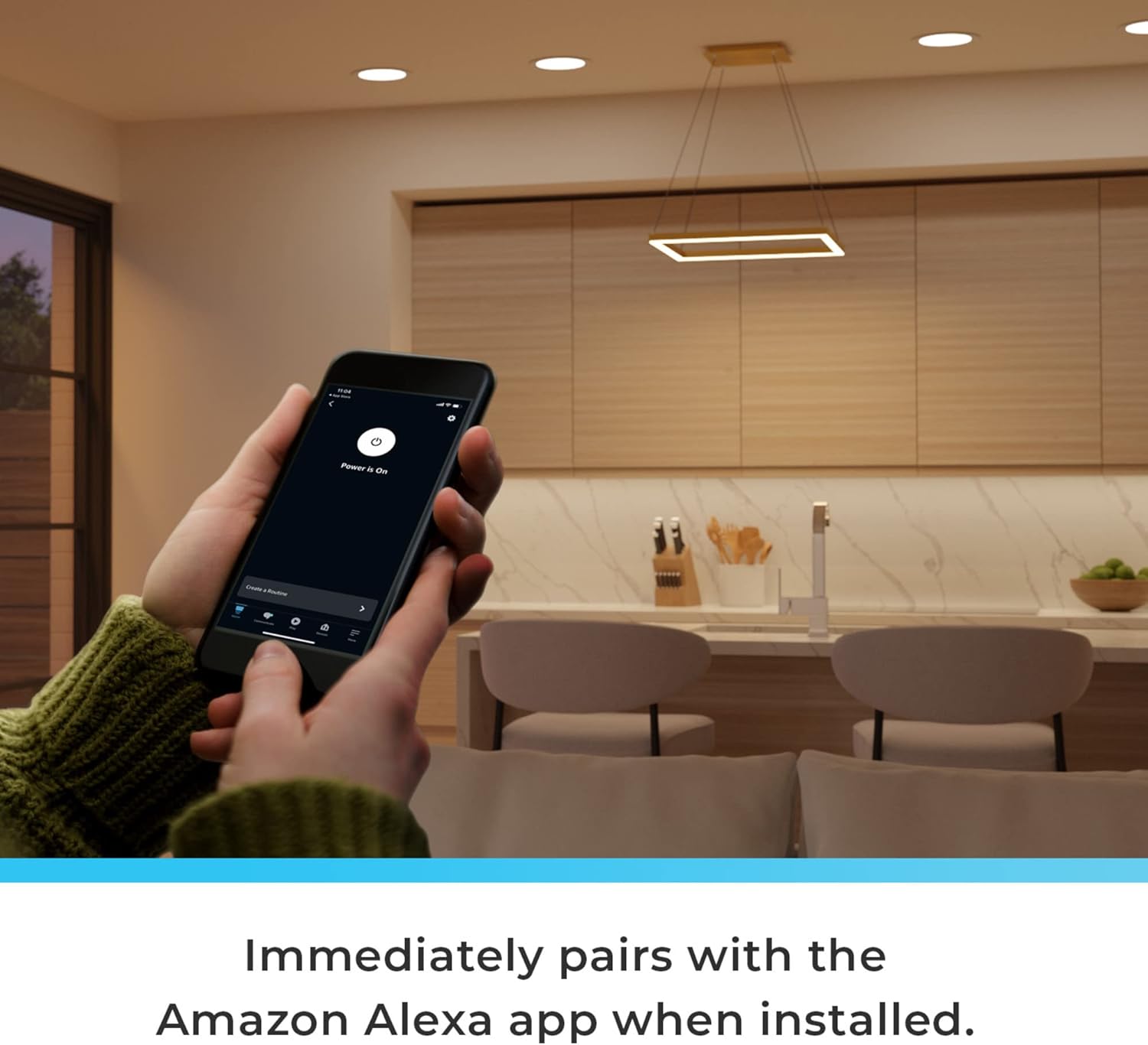
Figure 4.3: The pendant light immediately pairs with the Amazon Alexa app upon installation.
Manual Pairing (If Frustration-Free Setup is not used or fails)
If the device does not automatically pair, or if you have changed your Wi-Fi settings, you can manually add the device:
- Ensure the Smart Pendant Light is powered on.
- Amazon Alexa ആപ്പ് തുറക്കുക.
- Tap the "Devices" icon.
- ഒരു പുതിയ ഉപകരണം ചേർക്കാൻ മുകളിൽ വലത് കോണിലുള്ള "+" ഐക്കണിൽ ടാപ്പ് ചെയ്യുക.
- Follow the on-screen prompts to discover and connect your Globe Electric Smart Pendant Light.
Video 4.1: How to Connect Your Globe Smart Pendant Light to Alexa. This video demonstrates the step-by-step process of connecting the smart pendant light to your Amazon Alexa account, including both automatic and manual pairing methods.
5. പ്രവർത്തന നിർദ്ദേശങ്ങൾ
Once connected, you can control your Smart Pendant Light using voice commands or the Amazon Alexa app.
5.1 ശബ്ദ നിയന്ത്രണം
Use your Amazon Echo device to control the light hands-free:
- "അലക്സാ, [ലൈറ്റ് നെയിം] ഓണാക്കുക."
- "അലക്സാ, [ലൈറ്റ് നെയിം] ഓഫ് ചെയ്യൂ."
- "അലക്സാ, [ലൈറ്റ് നെയിം] 50% തെളിച്ചമായി സജ്ജമാക്കുക."
- "അലക്സാ, [ലൈറ്റ് നെയിം] നീലയിലേക്ക് മാറ്റുക."
- "Alexa, set [Light Name] to warm white."

Figure 5.1: Seamless pairing with Alexa virtual assistant for hands-free voice control.
5.2 App Control (Amazon Alexa App)
The Alexa app provides full control over your light's features:
- പവർ ഓൺ/ഓഫ്: ലൈറ്റ് ഓണാക്കുക അല്ലെങ്കിൽ ഓഫാക്കുക.
- തെളിച്ചം: Adjust the light intensity (Dimmable).
- Color Changing (RGB): Choose from 16 million colors to create different moods.
- ട്യൂണബിൾ വൈറ്റ്: Adjust color temperature from 2000K (warm) to 5000K (cool white).
- ദിനചര്യകൾ: Create automated schedules for your light (e.g., turn on at sunset, turn off at bedtime).
- ഗ്രൂപ്പുകൾ: Group multiple smart lights together for synchronized control.

Figure 5.2: Use the Amazon Alexa app to control your lighting with a full range of vibrant colors and vivid whites.
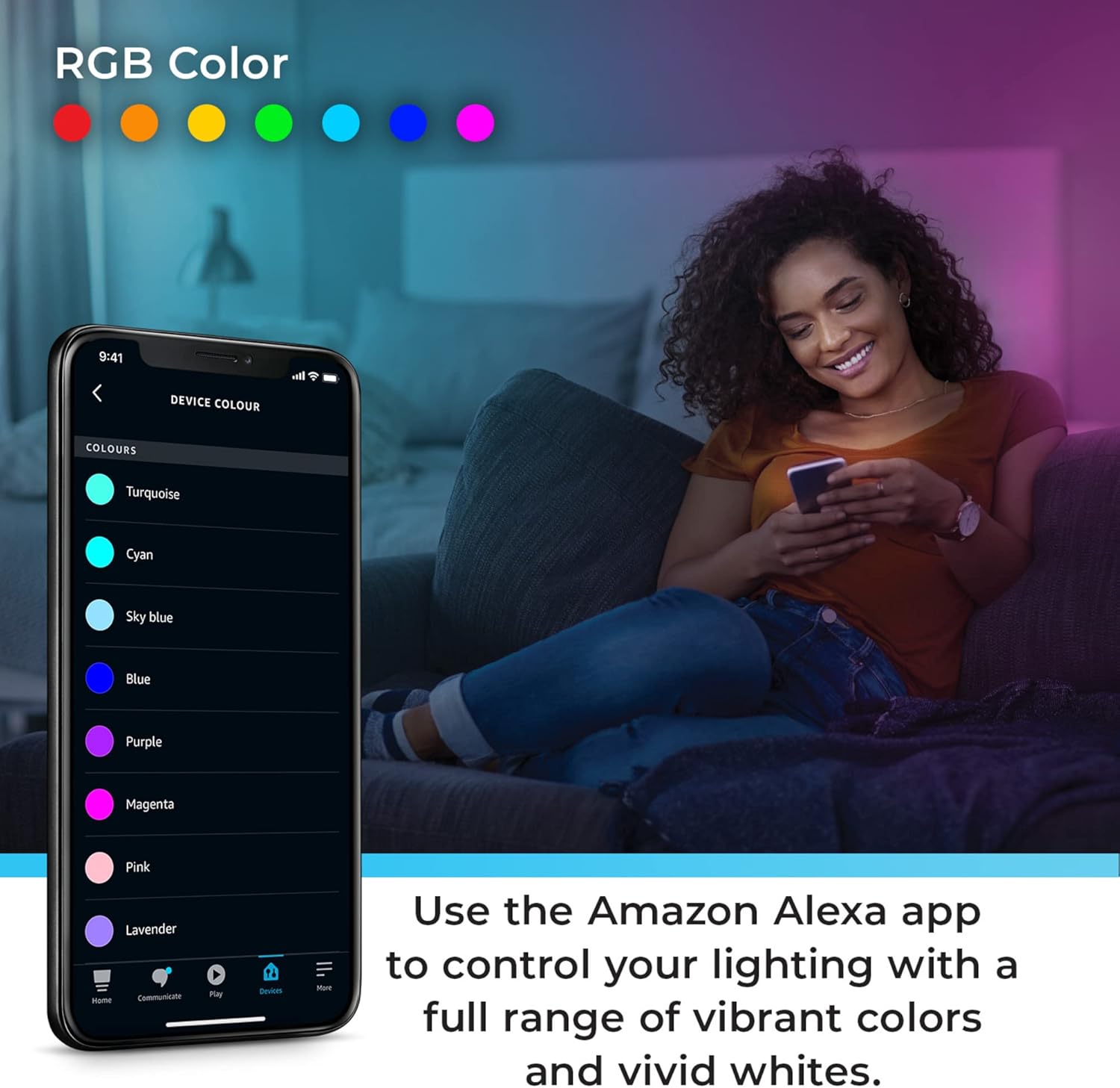
Figure 5.3: Using Moods, select lighting presets that cycle through colors with varying effects.

Figure 5.4: Create routines to fit your lifestyle using the Alexa app.
Video 5.1: Works with Alexa Smart Pendant Light Product Highlights. This video showcases the key features of the smart pendant light, including color changing, tunable white, and voice control capabilities through Alexa.
6. പരിപാലനം
To ensure the longevity and optimal performance of your Smart Pendant Light, follow these maintenance guidelines:
- വൃത്തിയാക്കൽ: വൃത്തിയാക്കുന്നതിന് മുമ്പ് വൈദ്യുതി വിച്ഛേദിക്കുക. ഫിക്ചർ തുടയ്ക്കാൻ മൃദുവായതും ഉണങ്ങിയതുമായ തുണി ഉപയോഗിക്കുക. അബ്രാസീവ് ക്ലീനറുകളോ ലായകങ്ങളോ ഉപയോഗിക്കരുത്.
- പ്രകാശ സ്രോതസ്സ്: The LED light source is integrated and non-removable. Do not attempt to replace the LEDs.
- ട്രബിൾഷൂട്ടിംഗ്: Refer to the Troubleshooting section for common issues.
7. പ്രശ്നപരിഹാരം
If you experience issues with your Smart Pendant Light, consult the table below. For further assistance, refer to the official Troubleshooting Guide PDF linked in the product information or contact customer support.
| പ്രശ്നം | സാധ്യമായ കാരണം | പരിഹാരം |
|---|---|---|
| ലൈറ്റ് ഓണാക്കില്ല. | No power; loose wiring; device not paired. | Check circuit breaker. Verify wiring connections. Re-attempt pairing with Alexa app. |
| Alexa-ലേക്ക് കണക്റ്റുചെയ്യാൻ കഴിയില്ല. | Incorrect Wi-Fi band; Wi-Fi signal weak; device not in pairing mode. | Ensure your Wi-Fi is 2.4GHz. Move closer to router. Follow manual pairing steps in Alexa app. |
| വോയ്സ് കമാൻഡുകൾ പ്രവർത്തിക്കുന്നില്ല. | Alexa device not hearing commands; light not recognized by Alexa. | Speak clearly to your Alexa device. Check Alexa app to ensure light is listed and online. |
| അപ്രതീക്ഷിതമായി പ്രകാശം മിന്നിമറയുന്നു അല്ലെങ്കിൽ നിറം മാറുന്നു. | Power fluctuations; software glitch. | Turn off power at the breaker for 30 seconds, then restore. Check for Alexa app updates. |
For a comprehensive troubleshooting guide, please refer to the official PDF document: ട്രബിൾഷൂട്ടിംഗ് ഗൈഡ് (PDF).
8 സ്പെസിഫിക്കേഷനുകൾ
| ഫീച്ചർ | വിശദാംശങ്ങൾ |
|---|---|
| ബ്രാൻഡ് | ഗ്ലോബ് |
| മോഡൽ നമ്പർ | 50583 |
| നിറം | Brass (Matte Brass Finish) |
| മെറ്റീരിയൽ | ലോഹം |
| ഉൽപ്പന്ന അളവുകൾ | 19.69"L x 16.69"W x 70"H (adjustable) |
| പ്രകാശ സ്രോതസ്സ് തരം | സംയോജിത എൽഇഡി |
| വാട്ട്tage | 30 വാട്ട്സ് |
| തെളിച്ചം | 2000 ല്യൂമെൻസ് |
| വാല്യംtage | 120 വോൾട്ട് |
| ഇളം നിറം | Tunable White (2000K-5000K), RGB Color Changing |
| നിയന്ത്രണ രീതി | App (Amazon Alexa), Voice (Amazon Alexa) |
| കണക്റ്റിവിറ്റി പ്രോട്ടോക്കോൾ | വൈഫൈ (2.4GHz മാത്രം) |
| ഇൻഡോർ/ഔട്ട്ഡോർ ഉപയോഗം | ഇൻഡോർ |
| അസംബ്ലി ആവശ്യമാണ് | അതെ |
| യു.പി.സി | 058219505830 |
9. വാറൻ്റിയും പിന്തുണയും
This Globe Electric Smart Pendant Light comes with a 3 വർഷത്തെ നിർമ്മാതാവിന്റെ പരിമിത വാറന്റി.
For warranty claims, technical support, or additional information, please visit the official GLOBE Store on Amazon or contact Globe Electric customer service directly.
ഓൺലൈൻ ഉറവിടങ്ങൾ:
- GLOBE Store: Visit the GLOBE Store
- ട്രബിൾഷൂട്ടിംഗ് ഗൈഡ് (PDF): PDF ഡൗൺലോഡ് ചെയ്യുക


