ആമുഖം
Thank you for choosing the Amico Smart LED Motion Sensor Outdoor Light. This product is designed to provide efficient and customizable outdoor lighting with smart control features. This manual will guide you through the installation, setup, operation, and maintenance of your new flood light.
The Amico Smart LED Motion Sensor Outdoor Light features 40W power, 4000 lumens brightness, adjustable color temperature from 2700K to 6500K, and an IP65 waterproof rating, making it suitable for various outdoor environments like garages, yards, and porches. It can be controlled via a dedicated mobile application and is compatible with Google Home for voice commands.
സുരക്ഷാ വിവരങ്ങൾ
- ഇലക്ട്രിക്കൽ സുരക്ഷ: Installation should be performed by a qualified electrician or a person with sufficient electrical knowledge. Ensure power is turned off at the circuit breaker before installation.
- ഔട്ട്ഡോർ ഉപയോഗം: This product is rated IP65 waterproof, suitable for outdoor use. However, ensure all connections are properly sealed to prevent water ingress.
- മൗണ്ടിംഗ്: Mount the fixture securely to a stable surface according to local electrical codes and building regulations.
- പ്രവർത്തന താപനില: നിശ്ചിത താപനില പരിധിക്ക് പുറത്ത് ലൈറ്റ് പ്രവർത്തിപ്പിക്കരുത്.
- പ്രകാശ സ്രോതസ്സ്: പ്രകാശിക്കുമ്പോൾ LED പ്രകാശ സ്രോതസ്സിലേക്ക് നേരിട്ട് നോക്കരുത്, കാരണം അത് കണ്ണിന് ആയാസമോ കേടുപാടുകളോ ഉണ്ടാക്കാം.
ബോക്സിൽ എന്താണുള്ളത്
ഇൻസ്റ്റാളേഷന് മുമ്പ് എല്ലാ ഘടകങ്ങളും ഉണ്ടെന്ന് ഉറപ്പാക്കുക:
- Amico Smart LED Motion Sensor Outdoor Light
- മൌണ്ടിംഗ് ഹാർഡ്വെയർ
- ഉപയോക്തൃ മാനുവൽ (ഈ പ്രമാണം)
സ്പെസിഫിക്കേഷനുകൾ
| ഫീച്ചർ | സ്പെസിഫിക്കേഷൻ |
|---|---|
| ബ്രാൻഡ് | അമിക്കോ |
| മോഡൽ നമ്പർ | 3HSMTSL |
| പവർ ഉറവിടം | കോർഡഡ് ഇലക്ട്രിക് |
| വാട്ട്tage | 40 വാട്ട്സ് |
| തെളിച്ചം | 4000 ല്യൂമെൻസ് |
| വർണ്ണ താപനില | 2700K-6500K (ക്രമീകരിക്കാവുന്നത്) |
| ജല പ്രതിരോധ നില | IP65 |
| നിയന്ത്രണ രീതി | App, Voice (Google Home/Alexa) |
| കണക്റ്റിവിറ്റി പ്രോട്ടോക്കോൾ | വൈഫൈ (2.4GHz) |
| മോഷൻ സെൻസർ ശ്രേണി | Up to 75 ft, 180° sensing angle |
| മെറ്റീരിയൽ | അലുമിനിയം, ലോഹം |
| ഇനത്തിന്റെ അളവുകൾ (L x W x H) | 5.31"L x 4.33"W x 9.65"H |
| ഇനത്തിൻ്റെ ഭാരം | 1.26 കിലോഗ്രാം |
ഇൻസ്റ്റലേഷൻ
Follow these steps for proper installation of your Amico Smart LED Motion Sensor Outdoor Light:
- ഇൻസ്റ്റാളേഷനായി തയ്യാറെടുക്കുക: Turn off power at the circuit breaker before beginning any electrical work.
- മൗണ്ടിംഗ്: Securely mount the light fixture to your desired outdoor location using the provided mounting hardware. Ensure the mounting surface is stable and can support the weight of the fixture.
- വയറിംഗ്: Connect the electrical wires (Live, Neutral, Ground) from your power source to the corresponding wires on the light fixture. Use appropriate wire connectors and ensure all connections are tight and secure.

After installation, turn the power back on at the circuit breaker. The light should illuminate, indicating it is ready for app pairing.
App Setup & WiFi Connection
To unlock the smart features of your Amico LED Flood Light, you need to connect it to the 'Joinin Home' app via 2.4GHz WiFi.
- ആപ്പ് ഡൗൺലോഡ് ചെയ്യുക: Download the 'Joinin Home' app from the App Store (iOS) or Google Play Store (Android).
- പവർ ഓൺ: Ensure your light is installed and powered on. The light should start flashing, indicating it's in pairing mode.
- ഉപകരണം ചേർക്കുക: Open the 'Joinin Home' app, click 'Add Device'. The app should automatically detect the security light.
- ബന്ധിപ്പിക്കുക: Click the '+' icon next to the detected device. Select your 2.4GHz WiFi network and enter the password.
- സജ്ജീകരണം പൂർത്തിയാക്കുക: Once connected, give your light a name and click 'Done'. You can now control your light via the app.
പ്രവർത്തന നിർദ്ദേശങ്ങൾ
1. ആപ്പ് നിയന്ത്രണം
The 'Joinin Home' app provides full control over your Amico Smart LED Flood Light, eliminating the need for manual adjustments on a ladder.

- തെളിച്ച ക്രമീകരണം: Adjust the light intensity from 1% to 100% within the app.
- വർണ്ണ താപനില: Change the light color from warm white (2700K) to cool white (6500K) to suit your preference or environment.
- ഓൺ/ഓഫ്: Manually turn the light on or off from your smartphone.

2. ശബ്ദ നിയന്ത്രണം
Integrate your Amico Smart LED Flood Light with Google Home for convenient voice control.
- Pair with Google Home: Follow the instructions within the 'Joinin Home' app to link your device with Google Home.
- വോയ്സ് കമാൻഡുകൾ: Use commands like "Hey Google, turn on the security light" or "Hey Google, set the security light to 50% brightness."

3. മോഷൻ സെൻസർ മോഡ്
The integrated motion sensor detects movement and activates the light, providing security and convenience.
- കണ്ടെത്തൽ പരിധി: The sensor can detect motion up to 75 feet with a 180° sensing angle.
- Adjustable Lighting Time: Set the duration the light stays on after motion detection, typically from 5 seconds to 60 minutes.
- ഇവന്റ് റെക്കോർഡുകൾ: The app logs motion detection events, allowing you to review പ്രവർത്തനം.
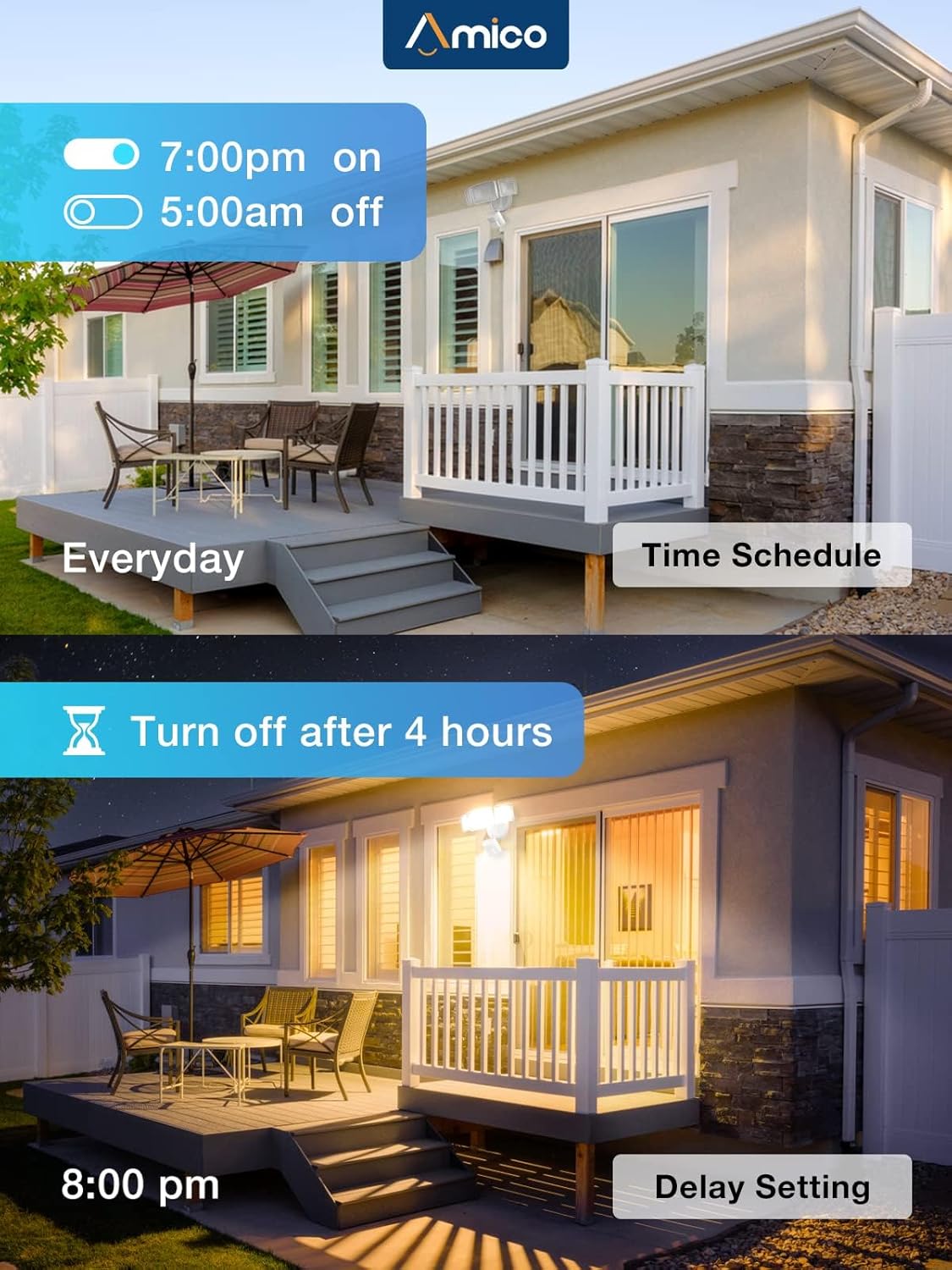


4. Scheduling and Delay Settings
Program your light to operate automatically based on your schedule.
- Time Schedule: Set specific times for the light to turn on and off daily (e.g., 7:00 PM on, 5:00 AM off).
- Delay Setting: Configure the light to turn off after a set duration (e.g., turn off after 4 hours).

5. Adjustable Heads
The light features three adjustable heads, allowing you to direct illumination precisely where needed for broader and wider coverage.

6 സ്വിച്ച് നിയന്ത്രണം
The light can also be controlled by a traditional wall switch for basic on/off functionality.

മെയിൻ്റനൻസ്
To ensure the longevity and optimal performance of your Amico Smart LED Motion Sensor Outdoor Light, consider the following:
- വൃത്തിയാക്കൽ: ലൈറ്റ് ഫിക്ചർ ഇടയ്ക്കിടെ മൃദുവായ, ഡി-ക്ലാസ് ഉപയോഗിച്ച് വൃത്തിയാക്കുക.amp അഴുക്കും അവശിഷ്ടങ്ങളും നീക്കം ചെയ്യാൻ തുണി ഉപയോഗിക്കുക. അബ്രാസീവ് ക്ലീനറുകളോ ലായകങ്ങളോ ഉപയോഗിക്കരുത്.
- IP65 വാട്ടർപ്രൂഫ്: The light is designed to withstand rain and snow. Ensure the fixture is securely mounted and all seals are intact to maintain its waterproof rating.

- താപ വിസർജ്ജനം: The light is designed with excellent heat dissipation to ensure a longer lifespan for the LED components. Ensure proper airflow around the fixture.

ട്രബിൾഷൂട്ടിംഗ്
If you encounter issues with your Amico Smart LED Motion Sensor Outdoor Light, refer to the following common solutions:
- Light Not Flashing for Pairing: If the light does not automatically start flashing after being powered on (indicating pairing mode), you may need to reset it.
- പുനഃസജ്ജമാക്കൽ നടപടിക്രമം: To reset the light, quickly switch the power OFF-ON, OFF-ON, OFF-ON (three times). The light should then start blinking, confirming the reset is complete and it is ready for WiFi connection.
- വൈഫൈ കണക്ഷൻ പ്രശ്നങ്ങൾ: Ensure your WiFi network is 2.4GHz. If you have a dual-band router, make sure your phone is connected to the 2.4GHz band during the pairing process.
- ആപ്പ് ഉപകരണം കണ്ടെത്തുന്നില്ല: Ensure the light is flashing. If not, perform the reset procedure. Check that your phone's Bluetooth and location services are enabled, as some apps require them for device discovery.
വാറൻ്റി
The Amico Smart LED Motion Sensor Outdoor Light comes with a manufacturer's warranty. For specific details regarding warranty coverage and duration, please refer to the product packaging or contact Amico customer support.
ഉപഭോക്തൃ പിന്തുണ
Should you experience any issues while operating your Amico Smart LED Motion Sensor Outdoor Light, you can reach out to customer support:
- ഇമെയിൽ: support@amicolight.com
- ഫോൺ: +1 (626) 313-9318 (Monday - Friday, 9:00 AM - 5:00 PM PT)
You can also contact customer support via your Amazon Orders page.


