1. ആമുഖം
Welcome to the artfone CF241 flip phone user manual. This guide will help you understand the features and functions of your new phone, ensuring a smooth and enjoyable experience. The artfone CF241 is designed for ease of use, featuring large buttons, a clear display, and essential functions for communication.
പാക്കേജ് ഉള്ളടക്കം
താഴെ പറയുന്ന ഇനങ്ങൾക്കായി ബോക്സ് ചെക്ക് ചെയ്യുക:
- 1 x artfone CF241 GSM Phone
- 1 x ബാറ്ററി
- 1 x ചാർജിംഗ് ഡോക്ക്
- 1 x ചാർജിംഗ് കേബിൾ (USB-C)
- 1 x ദ്രുത ആരംഭ ഗൈഡ്

Image: The artfone CF241 flip phone in its open position, displaying the large keypad and the main screen with a simple interface. A pen is visible next to the phone, emphasizing its compact size.
2. സജ്ജീകരണം
2.1 സിം കാർഡുകളും ബാറ്ററിയും ചേർക്കൽ
The artfone CF241 supports dual Micro SIM cards. Ensure the phone is powered off before inserting or removing SIM cards or the battery.
- പിൻ കവർ നീക്കം ചെയ്യുക: Gently pry open the back cover of the phone.
- സിം കാർഡുകൾ ചേർക്കുക: Locate the SIM card slots. Insert your Micro SIM cards into the designated slots (SIM1 and SIM2) with the gold contacts facing down and the cut corner aligned as shown in the diagram.
- Insert Micro SD card (optional): If you wish to expand storage for photos or MP3s, insert a Micro SD card (up to 32GB) into its dedicated slot.
- ബാറ്ററി തിരുകുക: Place the battery into the battery compartment, ensuring the gold contacts on the battery align with the contacts in the phone.
- പിൻ കവർ മാറ്റിസ്ഥാപിക്കുക: Press the back cover firmly until it clicks into place.

Image: A visual guide illustrating the USB-C charging port, the dual Micro SIM card slots, and the location of the flashlight on the side of the artfone CF241 phone.
2.2 ഫോൺ ചാർജ് ചെയ്യുന്നു
Before first use, fully charge the phone battery. You can charge the phone using the included charging dock or directly with the USB-C cable.
- ചാർജിംഗ് ഡോക്ക് ഉപയോഗിച്ച്: Connect the charging cable to the charging dock, then plug the adapter into a power outlet. Place the phone into the charging dock, ensuring it is seated correctly. The charging indicator on the phone will illuminate.
- നേരിട്ടുള്ള ചാർജിംഗ്: Connect the USB-C charging cable directly to the USB-C port on the phone and plug the adapter into a power outlet.
A full charge typically takes a few hours. The battery icon on the screen will indicate charging status.
2.3 പവർ ഓൺ/ഓഫ്
- പവർ ഓണാക്കാൻ: അമർത്തിപ്പിടിക്കുക കോൾ/പവർ അവസാനിപ്പിക്കുക button (red button) until the screen lights up.
- പവർ ഓഫ് ചെയ്യാൻ: അമർത്തിപ്പിടിക്കുക കോൾ/പവർ അവസാനിപ്പിക്കുക button until the power-off options appear on the screen, then select "Power off".
3. പ്രവർത്തന നിർദ്ദേശങ്ങൾ
3.1 Basic Functions and Navigation
The artfone CF241 features a user-friendly interface with large, backlit buttons for easy operation.

Image: The artfone CF241 flip phone displaying its simple interface with large, easy-to-read buttons and a clear menu on the 2.4-inch screen.
- നാവിഗേഷൻ കീകൾ: Use the directional keys (Up, Down, Left, Right) to navigate through menus.
- ശരി ബട്ടൺ: അമർത്തുക OK button (center button) to confirm selections or enter sub-menus.
- ബാക്ക് ബട്ടൺ: അമർത്തുക തിരികെ മുമ്പത്തെ സ്ക്രീനിലേക്കോ മെനുവിലേക്കോ മടങ്ങാൻ ബട്ടൺ.
- കോൾ ബട്ടൺ: അമർത്തുക ഗ്രീൻ കോൾ button to make a call or answer an incoming call.
- End Call/Power Button: അമർത്തുക റെഡ് എൻഡ് കോൾ button to end a call or reject an incoming call. Long press to power the phone on/off.
3.2 കോളുകൾ ചെയ്യലും സ്വീകരിക്കലും
- ഒരു കോൾ ചെയ്യാൻ:
- Enter the phone number using the keypad. The phone will announce the numbers as you type.
- അമർത്തുക ഗ്രീൻ കോൾ ബട്ടൺ.
- To Call from Contacts:
- Go to the "Contacts" menu.
- Select the desired contact using the navigation keys and press the ഗ്രീൻ കോൾ ബട്ടൺ.
- ഒരു കോളിന് ഉത്തരം നൽകാൻ: When the phone rings, open the flip or press the ഗ്രീൻ കോൾ ബട്ടൺ.
- ഒരു കോൾ അവസാനിപ്പിക്കാൻ: അമർത്തുക റെഡ് എൻഡ് കോൾ button or close the flip.

Image: An animated diagram showing the artfone CF241 flip phone opening and closing, illustrating its robust hinge mechanism for answering or ending calls.
The phone's earpiece is designed to provide clear audio, offering additional assistance for users with hearing difficulties.
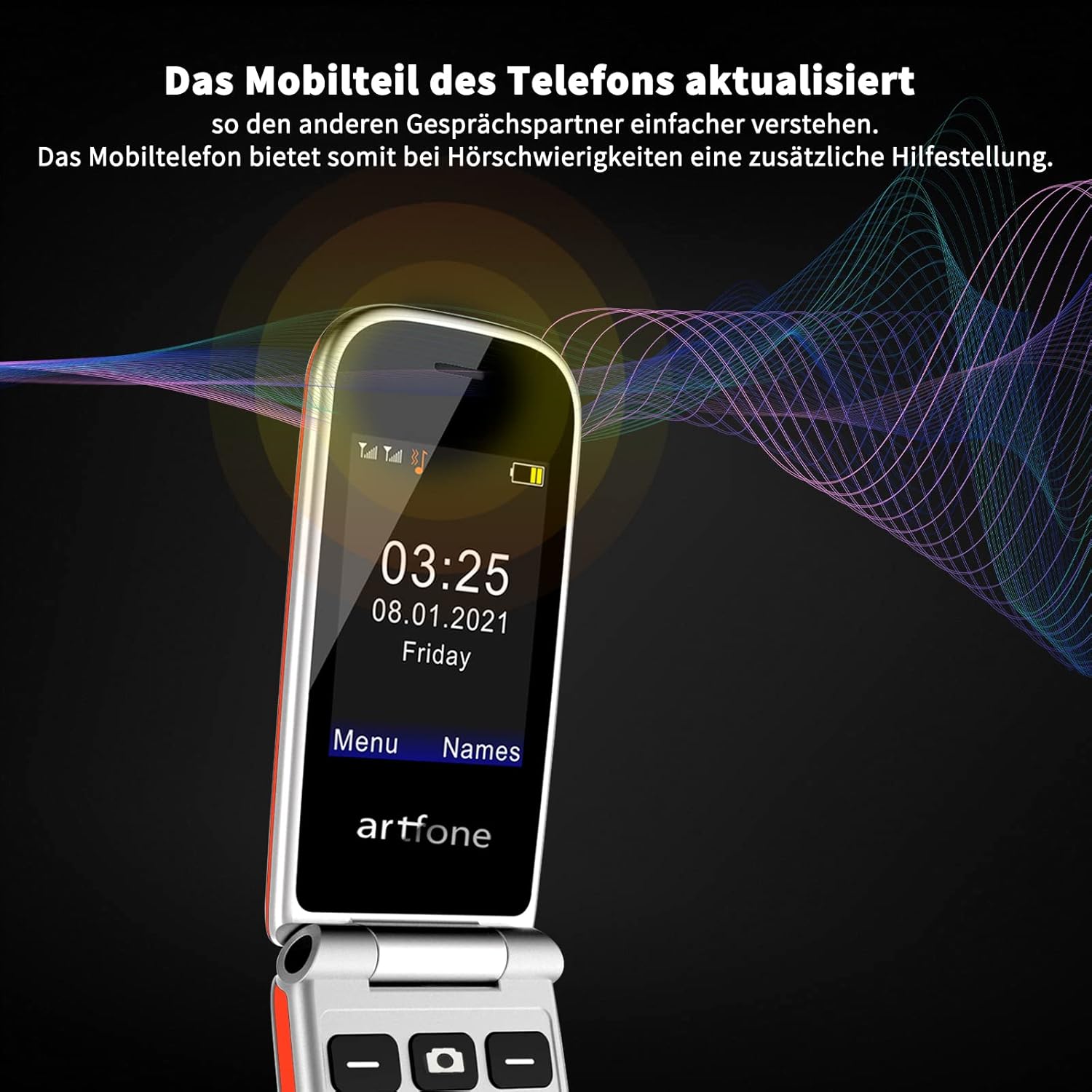
Image: The artfone CF241 phone screen with an overlay of sound waves, indicating its updated mobile part for clearer conversations, especially beneficial for those with hearing challenges.
3.3 SOS അടിയന്തര ബട്ടൺ
The SOS button provides an emergency contact function for immediate assistance.
- SOS നമ്പറുകൾ സജ്ജീകരിക്കുന്നു:
- Go to the "SOS Settings" menu.
- You can set up to 5 emergency contact numbers.
- Ensure these numbers are active and belong to people who can provide assistance.
- Using the SOS Function:
- അടിയന്തര സാഹചര്യത്തിൽ, അമർത്തിപ്പിടിക്കുക SOS ബട്ടൺ on the back of the phone for 3 seconds.
- The phone will automatically dial the emergency numbers in sequence until one is answered.
- It will also send a pre-set emergency text message to these contacts.

Image: An illustration demonstrating the SOS emergency call feature of the artfone CF241. The phone's SOS button is highlighted, and a scenario shows an emergency call being placed to a family member.
3.4 Speed Dial Keys (M1/M2)
The M1 and M2 keys allow for quick dialing of frequently contacted numbers.
- Setting up M1/M2:
- Go to "Settings" and then "Speed Dial".
- Assign a contact number to M1 and M2.
- Using M1/M2:
- From the idle screen, press and hold the M1 or M2 button to dial the assigned contact.
3.5 മറ്റ് സവിശേഷതകൾ
- ഫ്ലാഷ്ലൈറ്റ്: Activate the flashlight via the side button or through the menu for convenience in low-light conditions.
- എഫ്എം റേഡിയോ: Enjoy FM radio broadcasts. Headphones may be required to act as an antenna.
- MP3 പ്ലെയർ: സംഗീതം പ്ലേ ചെയ്യുക files stored on your Micro SD card.
- കാൽക്കുലേറ്റർ: Perform basic arithmetic calculations.
- അലാറം ക്ലോക്ക്: Set multiple alarms for reminders.
- ബ്ലൂടൂത്ത്: Connect to Bluetooth headsets or other compatible devices.
- വാചക സന്ദേശം: Send and receive SMS messages. Note that this phone does not support internet access or MMS.
4. പരിപാലനം
4.1 പൊതു പരിചരണം
- ഫോൺ വരണ്ടതായി സൂക്ഷിക്കുക. ഈർപ്പം ഇലക്ട്രോണിക് സർക്യൂട്ടുകളെ തകരാറിലാക്കും.
- ഉയർന്ന താപനില ഒഴിവാക്കുക. ഉയർന്ന താപനില ഇലക്ട്രോണിക് ഉപകരണങ്ങളുടെ ആയുസ്സ് കുറയ്ക്കുകയും ചില പ്ലാസ്റ്റിക്കുകൾ വികൃതമാക്കുകയോ ഉരുകുകയോ ചെയ്യും.
- ഫോൺ വൃത്തിയാക്കാൻ കഠിനമായ രാസവസ്തുക്കളോ, ക്ലീനിംഗ് ലായകങ്ങളോ, വീര്യം കൂടിയ ഡിറ്റർജന്റുകളോ ഉപയോഗിക്കരുത്. മൃദുവായ, ഡിറ്റർജന്റുകൾ ഉപയോഗിച്ച് തുടയ്ക്കുക.amp തുണി.
- ഫോൺ സൌമ്യമായി കൈകാര്യം ചെയ്യുക. താഴെയിടുകയോ, മുട്ടുകയോ, കുലുക്കുകയോ ചെയ്യരുത്. പരുക്കൻ രീതിയിൽ കൈകാര്യം ചെയ്യുന്നത് ആന്തരിക സർക്യൂട്ട് ബോർഡുകളെയും മികച്ച മെക്കാനിക്സിനെയും തകർക്കും.
4.2 ബാറ്ററി കെയർ
- Use only artfone approved batteries and chargers.
- ബാറ്ററി ഷോർട്ട് സർക്യൂട്ട് ചെയ്യരുത്.
- Do not expose the battery to high temperatures or dispose of it in fire.
- If the battery is damaged, contact customer support for a replacement.
5. പ്രശ്നപരിഹാരം
If you encounter problems with your artfone CF241, please refer to the following common issues and solutions:
| പ്രശ്നം | സാധ്യമായ കാരണം / പരിഹാരം |
|---|---|
| ഫോൺ ഓണാക്കുന്നില്ല |
|
| നെറ്റ്വർക്ക് സിഗ്നൽ ഇല്ല |
|
| കോളുകൾ വിളിക്കാനോ സ്വീകരിക്കാനോ കഴിയില്ല |
|
| ഫോൺ ചാർജ് ചെയ്യുന്നില്ല |
|
| SOS ബട്ടൺ പ്രവർത്തിക്കുന്നില്ല. |
|
If the problem persists after trying these solutions, please contact artfone customer support.
6 സ്പെസിഫിക്കേഷനുകൾ
| ഫീച്ചർ | വിശദാംശങ്ങൾ |
|---|---|
| മോഡൽ നമ്പർ | CF241 |
| പ്രദർശിപ്പിക്കുക | 2.4 ഇഞ്ച് കളർ സ്ക്രീൻ |
| ബാറ്ററി ശേഷി | 1000 mAh ലിഥിയം-അയോൺ |
| സ്റ്റാൻഡ്ബൈ സമയം | 200 മണിക്കൂർ വരെ |
| സിം കാർഡ് പിന്തുണ | Dual Micro SIM |
| നെറ്റ്വർക്ക് മോഡ് | 2G GSM (850/900/1800/1900 MHz) |
| മൈക്രോ എസ്ഡി കാർഡ് പിന്തുണ | 32 ജിബി വരെ |
| ഹെഡ്ഫോൺ ജാക്ക് | 3.5 മി.മീ |
| കണക്റ്റിവിറ്റി | ബ്ലൂടൂത്ത് |
| പ്രത്യേക സവിശേഷതകൾ | SOS Button, M1/M2 Speed Dial, Flashlight, Calculator, MP3, FM Radio, Alarm Clock, Large Buttons, Voice Annunciation of Numbers |
| പിന്തുണയ്ക്കുന്ന ഭാഷകൾ | English, German, French, Italian, Spanish, etc. |
| ഓപ്പറേറ്റിംഗ് സിസ്റ്റം | Proprietary (Note: Not iOS, which is incorrectly listed in some product data.) |
7. വാറൻ്റിയും പിന്തുണയും
artfone products are designed for reliability and performance. This product comes with a standard manufacturer's warranty. Please refer to the warranty card included in your package for specific terms and conditions.
For technical support, troubleshooting assistance, or warranty claims, please contact artfone customer service. Contact information can typically be found on the artfone website or in the quick start guide provided with your phone.
ഓൺലൈൻ പിന്തുണ: Visit the official artfone webപതിവുചോദ്യങ്ങൾക്കും പിന്തുണാ ഉറവിടങ്ങൾക്കുമുള്ള സൈറ്റ്.


