1. ഉൽപ്പന്നം കഴിഞ്ഞുview
The FLEXISPOT E6 Essential Electric Standing Desk is designed to provide a versatile and ergonomic workspace. Featuring a robust dual-motor system and a 3-stage lift mechanism, it offers smooth and quiet height adjustments to suit various user needs and preferences.

Figure 1: FLEXISPOT E6 Essential Standing Desk (White Frame + Mahogany Desktop)
പ്രധാന സവിശേഷതകൾ:
- Cozy & Ergonomic Whole-Piece Workspace: Spacious 47.5” x 29.5” desktop provides ample room for multiple monitors and accessories.
- 3-എസ്tage Lift System: Offers a wide lifting range from 23.6” to 48.8”, accommodating users of various heights.
- Quiet & Smooth Dual Motors: Operates with less than 50 dB of sound, supporting up to 220 lbs with minimal noise.
- പ്രോഗ്രാമബിൾ കൺട്രോളർ: Features a convenient control panel with four memory buttons for effortless height adjustments.
- നീണ്ടുനിൽക്കുന്ന നിർമ്മാണം: Built with a strong steel structure for stability and longevity.
2. സജ്ജീകരണവും അസംബ്ലിയും
The FLEXISPOT E6 Essential desk is designed for straightforward assembly. While the manual suggests a two-person job, it can be managed by one individual with basic tools.
2.1 പായ്ക്ക് ചെയ്യലും തയ്യാറാക്കലും
- Carefully unpack all components from the two packages (frame and desktop usually ship separately).
- Verify all parts are present against the packing list provided in the instruction manual.
- Clear a spacious area for assembly to ensure ease of movement and prevent damage.
2.2 അസംബ്ലി ഘട്ടങ്ങൾ
Follow the detailed instructions provided in the included assembly manual. A screwdriver is the primary tool required. Ensure all screws are tightened securely for stability.

Figure 2: Intelligent Keypad and Height Ranges
The desk frame offers three different positions depending on your tabletop size. For the 48"x30" desktop, align the frame accordingly. Some pre-drilled holes may not perfectly align, requiring new pilot holes to be drilled for optimal fit and stability.
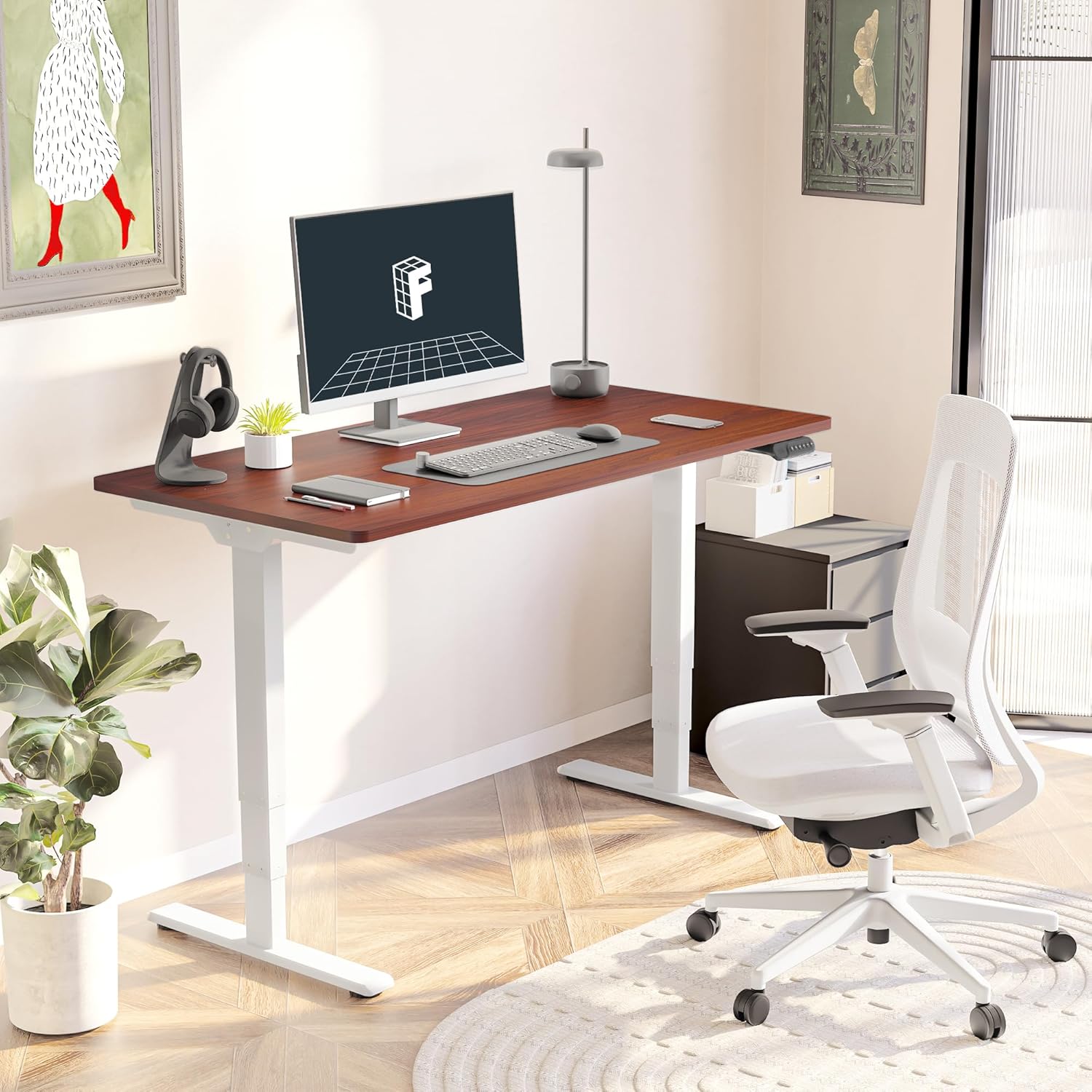
Figure 3: Assembled Desk in a Home Office
2.3 Optional Wheels
The desk feet are equipped with wheels that can be locked into position for mobility or replaced with pads for a stationary setup. Both options are provided to suit your preference.
3. പ്രവർത്തന നിർദ്ദേശങ്ങൾ
The intelligent keypad provides intuitive control over your standing desk's height and settings.
3.1 നിയന്ത്രണ പാനൽ പ്രവർത്തനങ്ങൾ

Figure 4: Intelligent Keypad
- LED ഡിസ്പ്ലേ പാനൽ: നിലവിലെ മേശയുടെ ഉയരം ഇഞ്ചിൽ കാണിക്കുന്നു.
- മുകളിലേക്കും താഴേക്കുമുള്ള അമ്പടയാളങ്ങൾ: Use these buttons to manually adjust the desk height.
- മെമ്മറി പ്രീസെറ്റുകൾ (1, 2, 3, 4): Program up to four preferred height settings (e.g., sitting height, standing height, child height, extra tall height). To save a height, adjust the desk to the desired position, then press and hold a numbered memory button until the display confirms the setting.
- Min/Max Adjustment: The desk can be adjusted from a minimum height of 23.6” to a maximum height of 48.8”.
3.2 ആന്റി-കൊളിഷൻ സിസ്റ്റം
The desk is equipped with an anti-collision system that detects obstacles during height adjustment and automatically stops to prevent damage to the desk or surrounding objects. This feature enhances safety during operation.
4. പരിപാലനം
Proper maintenance ensures the longevity and optimal performance of your FLEXISPOT E6 Essential desk.
4.1 വൃത്തിയാക്കൽ
- The desktop surface is water-resistant. For general cleaning, wipe with a soft, damp തുണി.
- ഫിനിഷിന് കേടുവരുത്തുന്ന കഠിനമായ രാസവസ്തുക്കളോ അബ്രാസീവ് ക്ലീനറുകളോ ഉപയോഗിക്കുന്നത് ഒഴിവാക്കുക.
- Ensure no liquids seep into the control panel or motor components.
4.2 പതിവ് പരിശോധനകൾ
- എല്ലാ സ്ക്രൂകളും ബോൾട്ടുകളും ഇറുകിയതാണെന്ന് ഉറപ്പാക്കാൻ ഇടയ്ക്കിടെ പരിശോധിക്കുക. ആവശ്യമെങ്കിൽ വീണ്ടും മുറുക്കുക.
- Inspect power cables for any signs of wear or damage.
5. പ്രശ്നപരിഹാരം
If you encounter any issues with your FLEXISPOT E6 Essential desk, refer to the following common troubleshooting tips. For more complex problems, please contact customer support.
5.1 Desk Not Adjusting Height
- Check if the power cable is securely plugged into both the desk and the wall outlet.
- Ensure there are no obstructions preventing movement (e.g., objects under the desk, cables caught).
- Perform a reset procedure as outlined in the full manual (if applicable).
5.2 ഡെസ്ക് വോബിൾസ്
- Verify that all assembly screws are tightly secured.
- Ensure the desk is on a flat, stable surface. Adjust leveling glides on the feet if necessary.
- Avoid exceeding the maximum weight recommendation of 220 lbs.
5.3 Control Panel Not Responding
- Unplug the desk from the power outlet for 30 seconds, then plug it back in.
- Check the connection of the control panel cable to the motor unit.
6 സ്പെസിഫിക്കേഷനുകൾ
| ആട്രിബ്യൂട്ട് | വിശദാംശങ്ങൾ |
|---|---|
| ബ്രാൻഡ് | ഫ്ലെക്സിസ്പോട്ട് |
| മോഡൽ നമ്പർ | ET365 |
| ഉൽപ്പന്ന അളവുകൾ (D x W x H) | 47.5"D x 29.5"W x 23.6"H |
| ഡെസ്ക്ടോപ്പ് വലുപ്പം | 48"x30" Whole-piece |
| നിറം | White Frame + Mahogany Top |
| കുറഞ്ഞ ഉയരം | 23.6 ഇഞ്ച് |
| പരമാവധി ഉയരം | 48.8 ഇഞ്ച് |
| പരമാവധി ഭാരം ശുപാർശ | 220 പൗണ്ട് |
| മോട്ടോർ തരം | ഡ്യുവൽ മോട്ടോർ |
| Lift System Stages | 3-എസ്tage |
| ശബ്ദ നില | 50 ഡിബിയിൽ കുറവ് |
| നിയന്ത്രണ പാനൽ | Programmable with 4 memory settings |
| മികച്ച മെറ്റീരിയൽ തരം | എഞ്ചിനീയറിംഗ് വുഡ് |
| അടിസ്ഥാന മെറ്റീരിയൽ | ലോഹം |
| ആവശ്യമായ അസംബ്ലി | അതെ (ശുപാർശ ചെയ്തത് 2 പേർ) |

ചിത്രം 5: മേശയുടെ അളവുകൾ

Figure 6: Maximum Load Capacity
7. വാറൻ്റിയും പിന്തുണയും
7.1 വാറൻ്റി വിവരങ്ങൾ
FLEXISPOT offers a comprehensive warranty for your peace of mind:
- 5 വർഷത്തെ കവറേജ്: Applies to the desk frame and motor.
- 2 വർഷത്തെ സംരക്ഷണം: Applies to the control panel and electronics.
This warranty covers manufacturing defects and ensures the quality and durability of your product.
7.2 ഉപഭോക്തൃ പിന്തുണ
For any assistance, questions, or warranty claims, please contact FLEXISPOT customer support. You can find contact information on the official FLEXISPOT webസൈറ്റ് അല്ലെങ്കിൽ നിങ്ങളുടെ വാങ്ങൽ പ്ലാറ്റ്ഫോം വഴി.
7.3 പ്രധാനപ്പെട്ട സുരക്ഷാ വിവരങ്ങൾ
Warning: Exceeding the maximum weight recommendation of 220 lbs or using the desk at heights outside the range of 23.6 inches to 48.8 inches may pose a risk to the stability and safety of the desk.


