ആമുഖം
The Hoco UA17 is a compact and versatile USB-A Male to Type-C Female adapter designed to expand the connectivity options of your devices. This adapter supports USB 2.0 data transfer, various charging protocols, and On-The-Go (OTG) functionality, making it an essential accessory for modern mobile devices and computers.
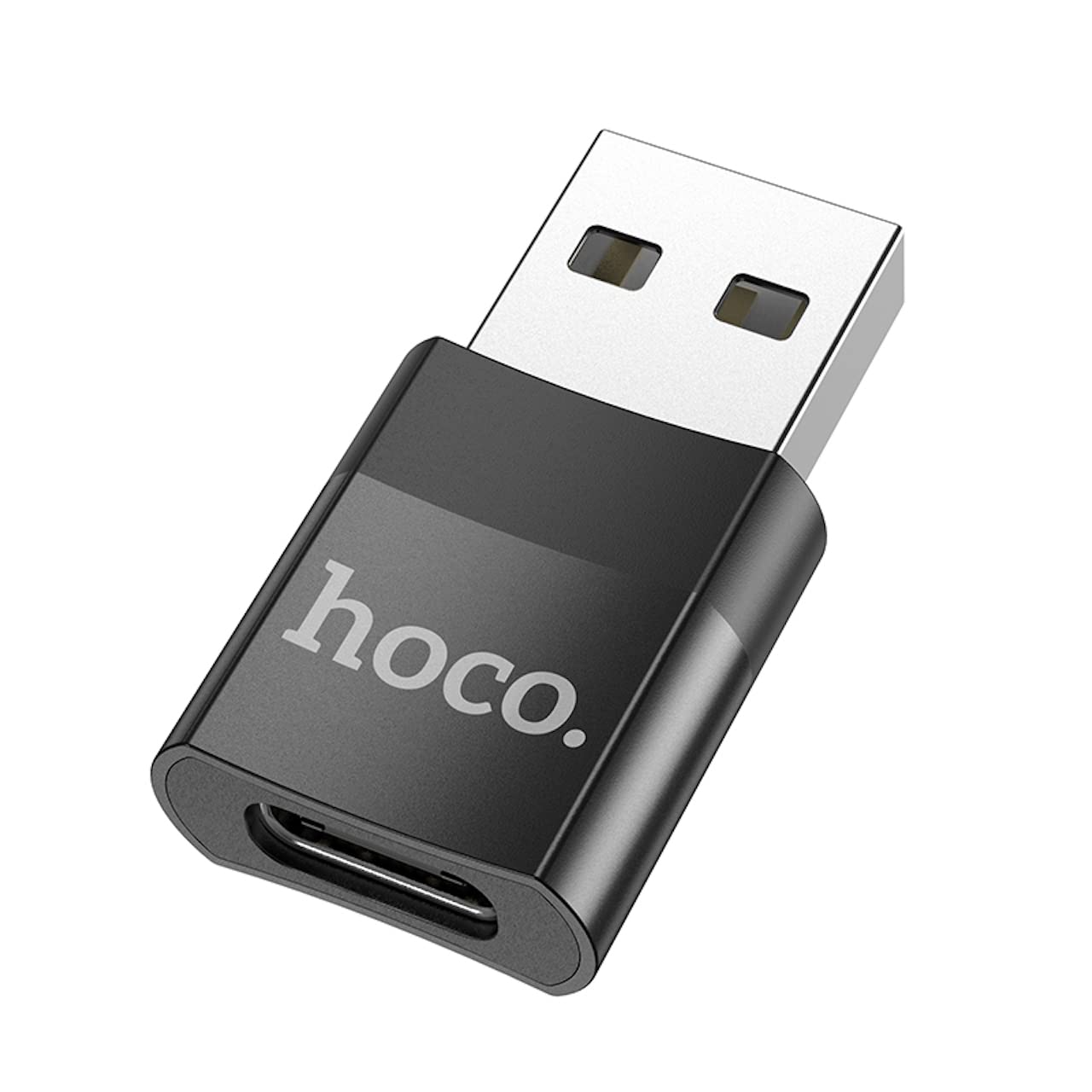
Image: The Hoco UA17 USB-A Male to Type-C Female adapter, showcasing its compact design and connectors.
സജ്ജമാക്കുക
Setting up the Hoco UA17 adapter is straightforward. It is a plug-and-play device that does not require any special drivers or software installation.
- തുറമുഖങ്ങൾ തിരിച്ചറിയുക: Locate an available USB-A port on your host device (e.g., computer, wall charger, power bank).
- അഡാപ്റ്റർ ബന്ധിപ്പിക്കുക: Insert the USB-A male end of the Hoco UA17 adapter into the USB-A port of your host device. Ensure it is fully seated.
- Connect Type-C Cable/Device: Plug your Type-C cable or Type-C enabled device (e.g., smartphone, tablet, USB drive) into the Type-C female port of the adapter.

ചിത്രം: ഒരു ക്ലോസ്-അപ്പ് view of the Hoco UA17 adapter, highlighting its Type-C female port for connecting Type-C cables or devices.
പ്രവർത്തന നിർദ്ദേശങ്ങൾ
ചാർജിംഗ് പ്രവർത്തനം
The Hoco UA17 adapter supports various charging scenarios:
- Standard Charging (Type-C to Lightning): When using a Type-C to Lightning cable, the adapter supports charging at 5V/2A for Lightning interface devices. Please note that this configuration does not support fast charging power delivery.
- Fast Charging (Type-C to Type-C): When paired with a Type-C to Type-C fast charging cable, the adapter supports up to 60W fast charging with a current of up to 3A. This is compatible with various mobile phone brands such as Huawei, Xiaomi, Samsung, and OPPO, enabling rapid charging for your devices.

Image: The Hoco UA17 adapter connected to a wall charger, providing power to a smartphone via a Type-C cable.
ഡാറ്റ കൈമാറ്റം
The adapter facilitates data transfer between your USB-A host device and Type-C peripheral. Connect the adapter to a USB-A port on your computer, then connect your Type-C device (e.g., smartphone, external hard drive) using a Type-C cable. Your computer should recognize the connected device for data exchange.
OTG (On-The-Go) Function
The Hoco UA17 supports OTG functionality, allowing your Type-C smartphone or tablet (when connected to a USB-A host via the adapter) to act as a host for other USB devices. For example, you can connect a USB flash drive, keyboard, or mouse to your Type-C phone through this adapter, provided your phone supports OTG.

Image: The Hoco UA17 adapter connecting a smartphone to a laptop, demonstrating data transfer or OTG use.
മെയിൻ്റനൻസ്
To ensure the longevity and optimal performance of your Hoco UA17 adapter, follow these maintenance guidelines:
- വൃത്തിയായി സൂക്ഷിക്കു: പൊടിയും അവശിഷ്ടങ്ങളും നീക്കം ചെയ്യുന്നതിനായി മൃദുവായതും ഉണങ്ങിയതുമായ തുണി ഉപയോഗിച്ച് അഡാപ്റ്റർ പതിവായി തുടയ്ക്കുക. ലിക്വിഡ് ക്ലീനറുകൾ ഉപയോഗിക്കുന്നത് ഒഴിവാക്കുക.
- ശരിയായി സംഭരിക്കുക: ഉപയോഗത്തിലില്ലാത്തപ്പോൾ, അഡാപ്റ്റർ നേരിട്ട് സൂര്യപ്രകാശത്തിൽ നിന്നും തീവ്രമായ താപനിലയിൽ നിന്നും തണുത്തതും വരണ്ടതുമായ സ്ഥലത്ത് സൂക്ഷിക്കുക.
- ശ്രദ്ധയോടെ കൈകാര്യം ചെയ്യുക: Avoid bending or twisting the adapter excessively, especially at the connection points, to prevent internal damage.
- തുറമുഖങ്ങൾ സംരക്ഷിക്കുക: Ensure the ports are free from foreign objects before connecting cables or devices.
ട്രബിൾഷൂട്ടിംഗ്
If you encounter issues with your Hoco UA17 adapter, consider the following troubleshooting steps:
- അഡാപ്റ്റർ തിരിച്ചറിഞ്ഞിട്ടില്ല:
- Ensure the adapter is fully inserted into the USB-A port of the host device.
- നിങ്ങളുടെ ഹോസ്റ്റ് ഉപകരണത്തിലെ മറ്റൊരു USB-A പോർട്ടിലേക്ക് അഡാപ്റ്റർ ബന്ധിപ്പിക്കാൻ ശ്രമിക്കുക.
- Test with a different Type-C cable or device to rule out issues with peripherals.
- ചാർജിംഗ് പ്രവർത്തിക്കുന്നില്ല:
- Verify that both the host device (e.g., wall charger) and the connected Type-C device are functioning correctly.
- Check if the Type-C cable is capable of charging.
- Ensure the power source provides sufficient power for the connected device.
- ഡാറ്റ കൈമാറ്റ പ്രശ്നങ്ങൾ:
- Confirm that your host device's operating system recognizes the connected Type-C device.
- For smartphones, ensure the USB connection mode is set to 'File Transfer' or 'MTP' if applicable.
- Try restarting both the host and connected devices.
- OTG ഫംഗ്ഷൻ പ്രവർത്തിക്കുന്നില്ല:
- Verify that your Type-C smartphone or tablet supports OTG functionality.
- Ensure the external USB device you are trying to connect is compatible and functioning.
സ്പെസിഫിക്കേഷനുകൾ
| ഫീച്ചർ | വിശദാംശങ്ങൾ |
|---|---|
| ബ്രാൻഡ് | ഹോക്കോ |
| മോഡൽ നമ്പർ | UA17 |
| കണക്റ്റർ തരം | USB Type-A Male to USB Type-C Female |
| യുഎസ്ബി സ്റ്റാൻഡേർഡ് | USB 2.0 |
| ചാർജിംഗ് പിന്തുണ | 5V/2A (Type-C to Lightning), up to 60W (Type-C to Type-C, max 3A) |
| ഡാറ്റ കൈമാറ്റം | പിന്തുണച്ചു |
| OTG പ്രവർത്തനം | പിന്തുണച്ചു |
| അനുയോജ്യമായ ഉപകരണങ്ങൾ | Mobile phones and other Type-C enabled devices |
| നിറം | കറുപ്പ് |
| ഉൽപ്പന്ന അളവുകൾ | 3.5 x 2 x 1 സെ.മീ (35 x 20 x 10 മിമി) |
| ഇനത്തിൻ്റെ ഭാരം | 3 ഗ്രാം |
| തുറമുഖങ്ങളുടെ എണ്ണം | 1 |
| ഫിനിഷ് തരം | Non-glossy |
വാറൻ്റിയും പിന്തുണയും
For warranty information and technical support, please refer to the packaging of your Hoco UA17 adapter or visit the official Hoco webസൈറ്റ്. ഏതെങ്കിലും വാറന്റി ക്ലെയിമുകൾക്ക് നിങ്ങളുടെ വാങ്ങലിന്റെ തെളിവ് സൂക്ഷിക്കുക.
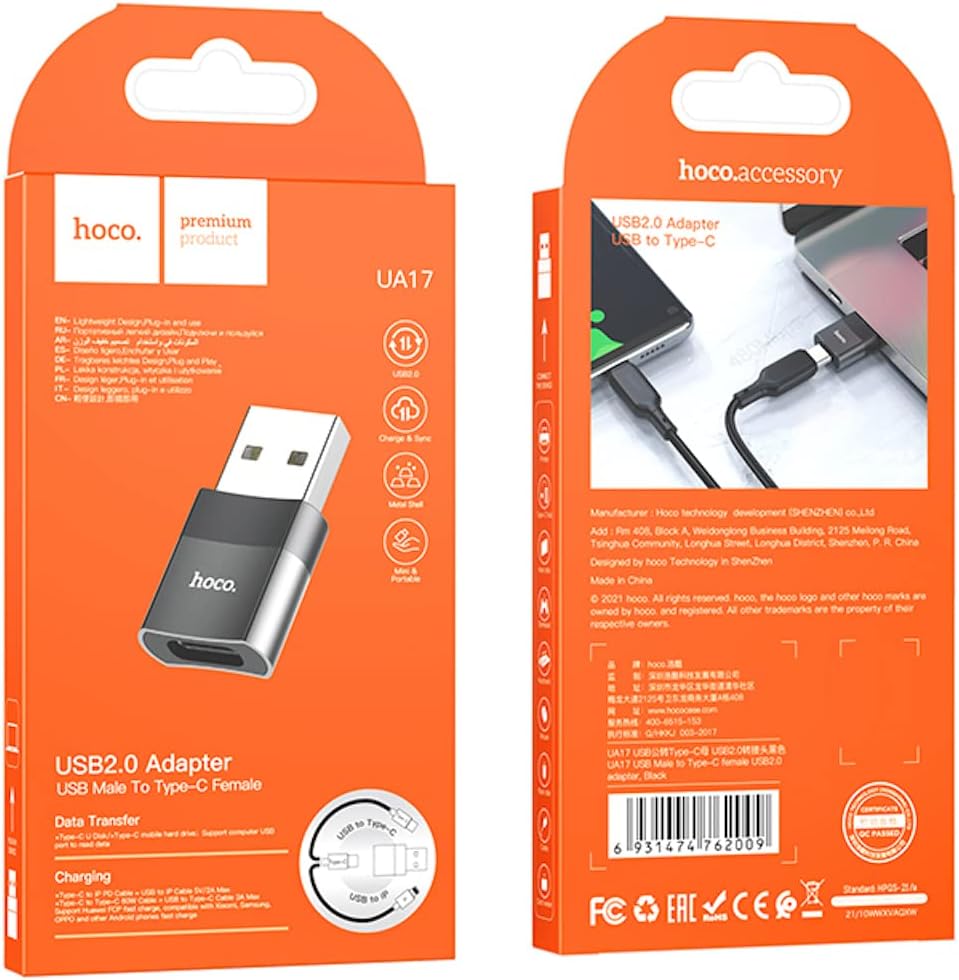
Image: The retail packaging for the Hoco UA17 adapter, which may contain additional warranty and support details.


