1. ആമുഖം
Welcome to the instruction manual for your new Coocaa 32S3U Pro Smart IPS LED TV. This manual provides essential information for setting up, operating, maintaining, and troubleshooting your television. Please read this manual thoroughly before using the product to ensure safe and optimal performance.

Figure 1.1: Coocaa 32S3U Pro Smart IPS LED TV showcasing its Coolita 2.0 operating system interface.
2 സുരക്ഷാ വിവരങ്ങൾ
Always adhere to the following safety precautions to prevent electric shock, fire, damage to the TV, or personal injury:
- മഴയോ ഈർപ്പമോ ടിവിയെ തുറന്നുകാട്ടരുത്.
- ടിവി തുറക്കരുത് casing. എല്ലാ സേവനങ്ങളും യോഗ്യതയുള്ള ഉദ്യോഗസ്ഥർക്ക് റഫർ ചെയ്യുക.
- ടിവിക്ക് ചുറ്റും ശരിയായ വായുസഞ്ചാരം ഉറപ്പാക്കുക.
- പവർ കോർഡ് നടക്കുകയോ നുള്ളുകയോ ചെയ്യുന്നതിൽ നിന്ന് സംരക്ഷിക്കുക.
- ഇടിമിന്നൽ ഉണ്ടാകുമ്പോഴോ ദീർഘനേരം ഉപയോഗിക്കാതിരിക്കുമ്പോഴോ ടിവി പ്ലഗ് ഊരിവയ്ക്കുക.
- Keep small objects and liquids away from the TV.
3. ബോക്സിൽ എന്താണുള്ളത്?
സജ്ജീകരണവുമായി മുന്നോട്ടുപോകുന്നതിനുമുമ്പ് എല്ലാ ഘടകങ്ങളും നിലവിലുണ്ടെന്ന് ഉറപ്പാക്കുക:
- 1 x Coocaa LED TV
- 1 x റിമോട്ട് കൺട്രോൾ
- 1 x പവർ കോർഡ്
- 1 x Start Guide
- 1 x വാറൻ്റി കാർഡ്
- 2 x AAA ബാറ്ററികൾ (റിമോട്ട് കൺട്രോളിനായി)
- 1 x Set of Base Stands
- 4 x Screws (for base stands)
4. സജ്ജീകരണം
4.1 ഫിസിക്കൽ ഇൻസ്റ്റലേഷൻ
Your Coocaa TV supports both table-top placement and wall mounting. Choose the method that best suits your needs.
ടേബിൾ-ടോപ്പ് ഇൻസ്റ്റാളേഷൻ:
- പോറലുകൾ ഉണ്ടാകാതിരിക്കാൻ ടിവി സ്ക്രീൻ-ഡൗൺ മൃദുവായതും പരന്നതുമായ ഒരു പ്രതലത്തിൽ ശ്രദ്ധാപൂർവ്വം വയ്ക്കുക.
- Attach the base stands to the designated slots on the bottom of the TV using the provided screws. Ensure they are securely fastened.
- ടിവി ശ്രദ്ധാപൂർവ്വം ഉയർത്തി സ്ഥിരതയുള്ളതും നിരപ്പായതുമായ ഒരു പ്രതലത്തിൽ വയ്ക്കുക.
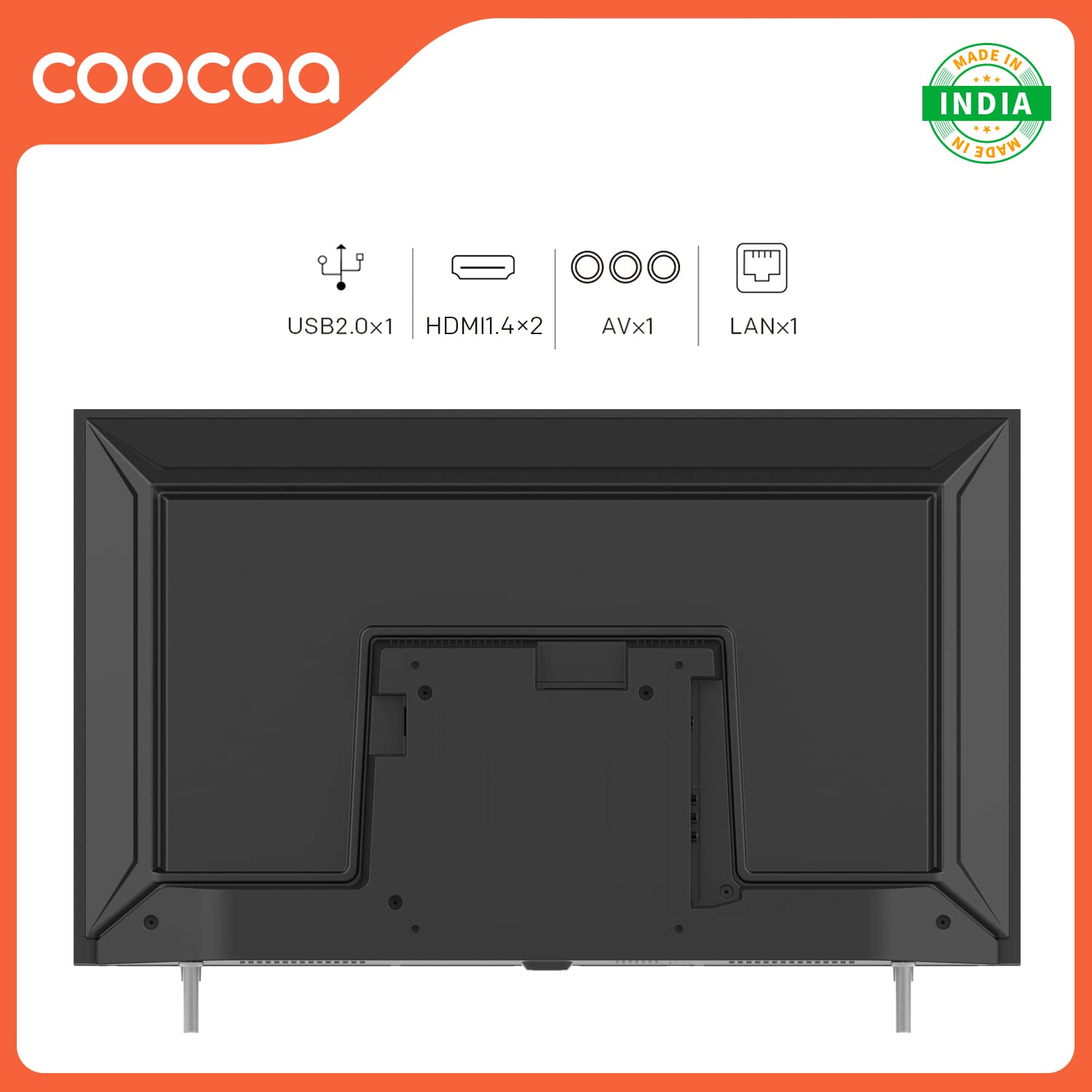
Figure 4.1: Rear panel connections including USB, HDMI, AV, and LAN ports for external devices.
4.2 പെരിഫറലുകൾ ബന്ധിപ്പിക്കുന്നു
Connect your external devices such as set-top boxes, gaming consoles, or sound systems to the TV's ports.
- എച്ച്ഡിഎംഐ: For high-definition audio and video. Your TV has 2 HDMI 1.4 ports.
- USB: For connecting USB storage devices. Your TV has 1 USB 2.0 port.
- ഓഫ്: For older devices using composite video and stereo audio. Your TV has 1 AV port.
- ലാൻ: For wired internet connection. Your TV has 1 LAN port.
4.3 പ്രാരംഭ പവർ ഓണും നെറ്റ്വർക്ക് സജ്ജീകരണവും
- പവർ കോർഡ് ടിവിയിലേക്കും പിന്നീട് ഒരു വാൾ ഔട്ട്ലെറ്റിലേക്കും പ്ലഗ് ചെയ്യുക.
- റിമോട്ട് കൺട്രോളിലോ ടിവിയിലോ പവർ ബട്ടൺ അമർത്തുക.
- Follow the on-screen instructions to select your language, region, and connect to your Wi-Fi network. You can also use a wired Ethernet connection via the LAN port.
- The TV features a fast startup time, with 1-second startup and 2-second app launch.

Figure 4.2: The Coocaa TV boasts quick startup and application launch times for a seamless user experience.
5. ടിവി പ്രവർത്തിപ്പിക്കൽ
5.1 വിദൂര നിയന്ത്രണ പ്രവർത്തനങ്ങൾ
Familiarize yourself with the remote control for easy navigation and control of your TV.

Figure 5.1: The remote control features dedicated buttons for quick access to YouTube and C+ Plus streaming platforms.
- പവർ ബട്ടൺ: ടിവി ഓണാക്കുകയോ ഓഫാക്കുകയോ ചെയ്യുന്നു.
- നാവിഗേഷൻ ബട്ടണുകൾ (മുകളിലേക്ക്/താഴേക്ക്/ഇടത്/വലത്): മെനുകളിലൂടെയും ഓപ്ഷനുകളിലൂടെയും നാവിഗേറ്റ് ചെയ്യുക.
- ശരി ബട്ടൺ: തിരഞ്ഞെടുക്കലുകൾ സ്ഥിരീകരിക്കുന്നു.
- ബാക്ക് ബട്ടൺ: മുമ്പത്തെ സ്ക്രീനിലേക്ക് മടങ്ങുന്നു.
- ഹോം ബട്ടണ്: Accesses the main Coolita 2.0 OS interface.
- വോളിയം കൂട്ടുക/താഴ്ത്തുക: വോളിയം ക്രമീകരിക്കുന്നു.
- ചാനൽ മുകളിലേക്കും താഴേക്കും: ടിവി ചാനലുകൾ മാറ്റുന്നു.
- സമർപ്പിത ആപ്പ് ബട്ടണുകൾ: Quick access to YouTube, C+ Plus, and other pre-installed applications.
5.2 Coolita 2.0 Operating System
The Coocaa TV runs on the Coolita 2.0 OS, offering a user-friendly interface and access to various smart features.

Figure 5.2: The Coolita 2.0 OS provides access to a wide range of entertainment applications, including Prime Video, YouTube, SonyLIV, Zee5, and more.
Streaming Applications:
Access popular streaming services directly from your TV. Supported applications include Prime Video, SonyLIV, Zee5, YouTube, and more.

Figure 5.3: Enjoy one-click direct access to YouTube content for seamless video playback.
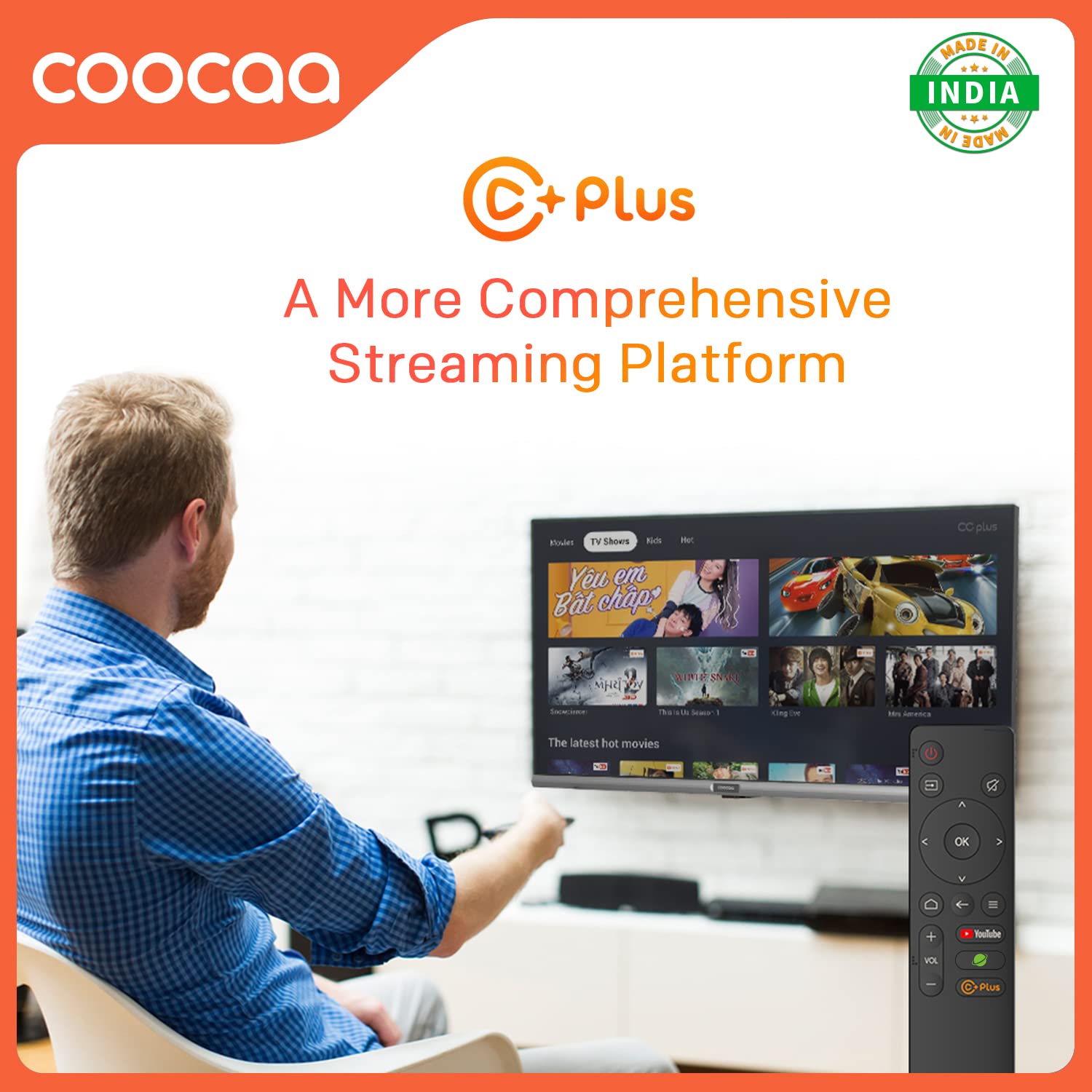
Figure 5.4: C+ Plus offers a more comprehensive streaming platform experience.
Open Browser:
Surf the internet directly on your TV's large screen. The integrated browser allows you to visit websites and access online content.
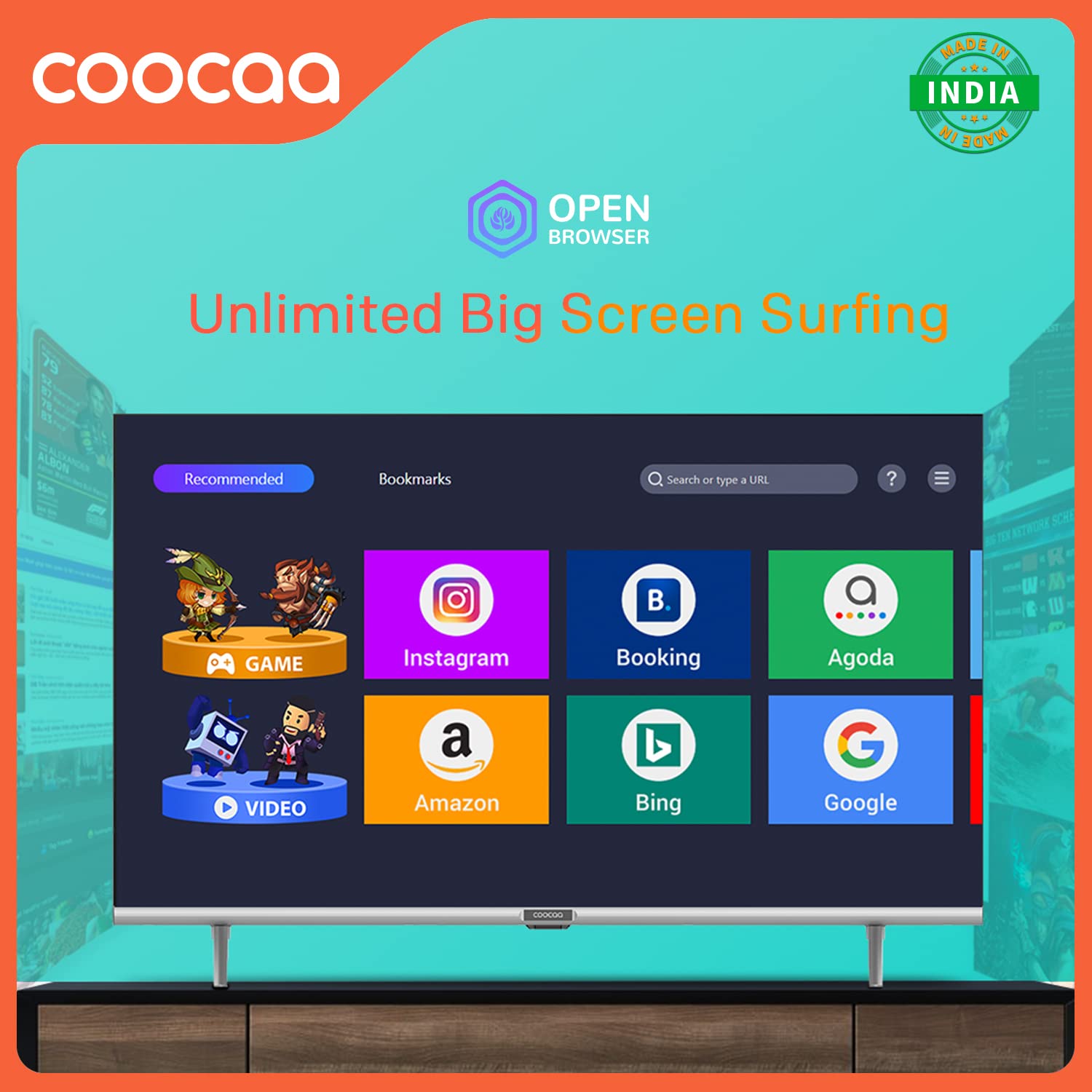
Figure 5.5: The Open Browser feature enables unlimited big-screen surfing, providing access to various online services.
CC Cast (Screen Sharing):
Mirror content from your mobile device to the TV screen using CC Cast. This feature helps save network bandwidth, money, and storage on your device.

Figure 5.6: Utilize CC Cast for seamless screen sharing from your mobile device to the TV, optimizing network usage and storage.
Swaiot HOME:
Integrate your Coocaa TV into your smart home ecosystem with Swaiot HOME, allowing for a connected smart life experience.
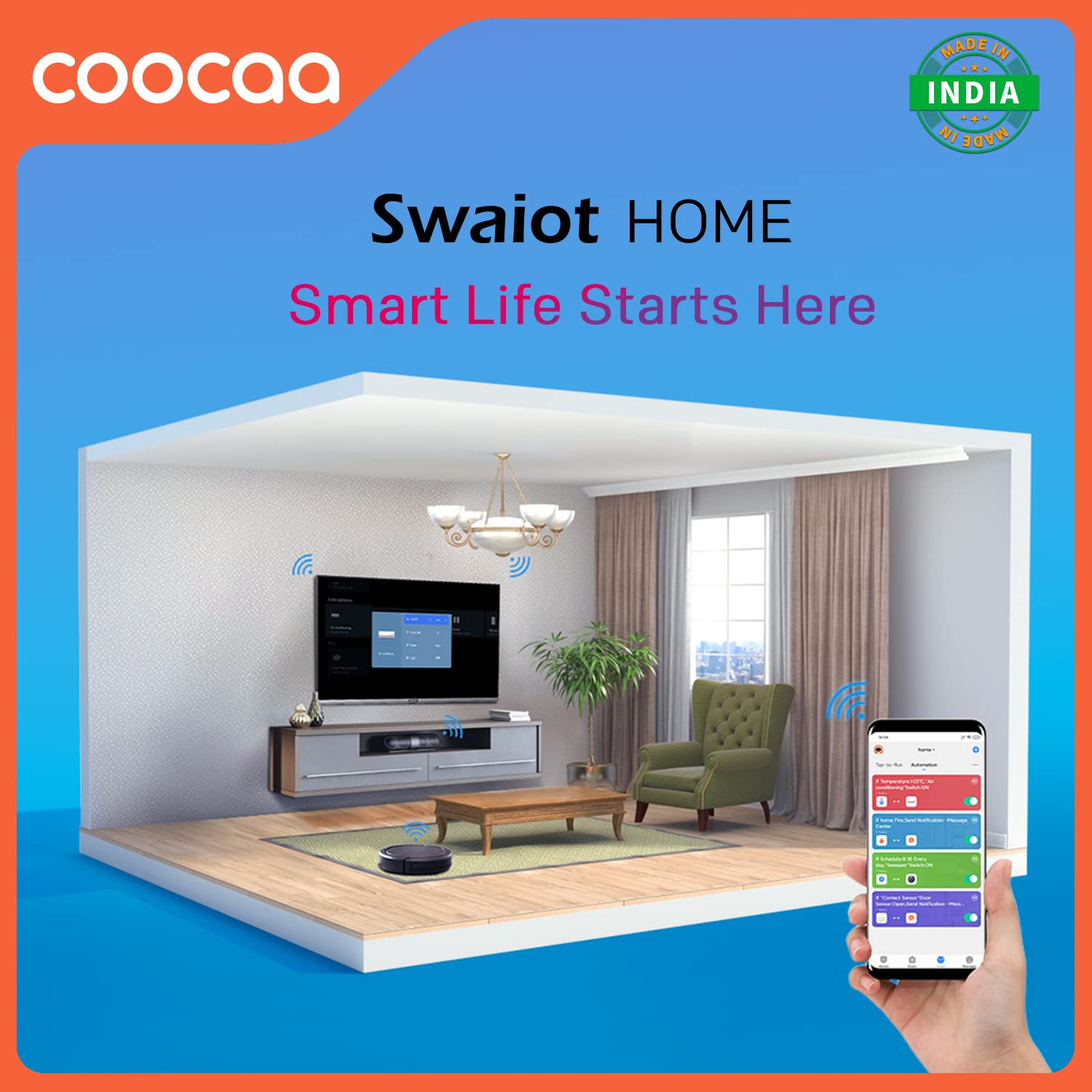
Figure 5.7: Swaiot HOME enables smart life integration, allowing control of smart devices through your TV.
ചിത്രവും ശബ്ദ ക്രമീകരണങ്ങളും:
നിങ്ങളുടെ ഇഷ്ടാനുസൃതമാക്കുക viewടിവിയുടെ ക്രമീകരണ മെനുവിലൂടെ ഡൗൺലോഡ് ചെയ്യാനും കേൾക്കാനുമുള്ള അനുഭവം.
- Trochilus Extreme Picture Engine: Enhances picture quality for vibrant colors and sharp details.
- HDR 10: Supports High Dynamic Range content for improved contrast and color accuracy.
- നേത്ര സംരക്ഷണ മോഡ്: Reduces blue light emission for comfortable viewing, especially during long sessions. The display is designed to be flicker-free.
- ഡോൾബി ഓഡിയോ: Provides immersive and clear sound quality. The TV features 20 Watts audio output with DTS Surround and Dolby Audio support.

Figure 5.8: The TV's flicker-free technology contributes to eye protection during extended viewing.

Figure 5.9: Experience enhanced audio quality with Dolby Audio support.

Figure 5.10: The TV features an A+ Grade Panel for superior display quality.
ഗെയിം മോഡ്:
Activate Game Mode for optimized performance during gaming, reducing input lag and enhancing responsiveness.
6. പരിപാലനം
Proper care and maintenance will extend the life of your Coocaa TV.
- സ്ക്രീൻ വൃത്തിയാക്കൽ: മൃദുവായതും, ലിന്റ് രഹിതവുമായ ഒരു തുണി ഉപയോഗിച്ച് സ്ക്രീൻ സൌമ്യമായി തുടയ്ക്കുക. കഠിനമായ പാടുകൾ ഉണ്ടെങ്കിൽ, സ്ക്രീനിൽ നേരിട്ട് പ്രയോഗിക്കുന്നതിനു പകരം, ഇലക്ട്രോണിക്സിനായി പ്രത്യേകം രൂപകൽപ്പന ചെയ്ത ഒരു സ്ക്രീൻ ക്ലീനിംഗ് ലായനി ഉപയോഗിക്കുക.
- സി വൃത്തിയാക്കൽasing: ടിവി തുടയ്ക്കാൻ മൃദുവായതും ഉണങ്ങിയതുമായ തുണി ഉപയോഗിക്കുക casing. അബ്രാസീവ് ക്ലീനറുകളോ ലായകങ്ങളോ ഉപയോഗിക്കുന്നത് ഒഴിവാക്കുക.
- വെൻ്റിലേഷൻ: അമിതമായി ചൂടാക്കുന്നത് തടയാൻ വെന്റിലേഷൻ ഓപ്പണിംഗുകൾ തടഞ്ഞിട്ടില്ലെന്ന് ഉറപ്പാക്കുക.
- പവർ കോർഡ്: പവർ കോർഡിന് എന്തെങ്കിലും കേടുപാടുകൾ സംഭവിച്ചിട്ടുണ്ടോ എന്ന് പതിവായി പരിശോധിക്കുക.
7. പ്രശ്നപരിഹാരം
ഉപഭോക്തൃ പിന്തുണയുമായി ബന്ധപ്പെടുന്നതിന് മുമ്പ്, പൊതുവായ പ്രശ്നങ്ങൾക്ക് ഇനിപ്പറയുന്ന പരിഹാരങ്ങൾ പരീക്ഷിക്കുക:
| പ്രശ്നം | സാധ്യമായ കാരണം | പരിഹാരം |
|---|---|---|
| ശക്തിയില്ല | Power cord disconnected; no power from outlet | പവർ കോർഡ് കണക്ഷൻ പരിശോധിക്കുക; മറ്റൊരു ഉപകരണം ഉപയോഗിച്ച് ഔട്ട്ലെറ്റ് പരിശോധിക്കുക. |
| ചിത്രമില്ല, പക്ഷേ ശബ്ദം ഉണ്ട് | Incorrect input source; loose HDMI/AV cable | Press the Source button on the remote to select correct input; re-connect cables securely. |
| ശബ്ദമില്ല, പക്ഷേ ചിത്രം ഉണ്ട് | ശബ്ദം മ്യൂട്ട് ചെയ്തിരിക്കുന്നു അല്ലെങ്കിൽ വളരെ കുറവാണ്; ബാഹ്യ ഓഡിയോ സിസ്റ്റത്തിലെ പ്രശ്നം | വോളിയം അൺമ്യൂട്ട് ചെയ്യുക അല്ലെങ്കിൽ ലെവൽ കൂട്ടുക; ബാഹ്യ ഓഡിയോ ഉപകരണങ്ങളിലേക്കുള്ള കണക്ഷനുകൾ പരിശോധിക്കുക. |
| റിമോട്ട് കൺട്രോൾ പ്രവർത്തിക്കുന്നില്ല | Batteries depleted or incorrectly inserted; obstruction between remote and TV | Replace batteries; ensure line of sight to TV's IR receiver. |
| Wi-Fi-യിലേക്ക് കണക്റ്റുചെയ്യാൻ കഴിയില്ല | തെറ്റായ പാസ്വേഡ്; റൂട്ടർ പ്രശ്നം; ടിവി റൂട്ടറിൽ നിന്ന് വളരെ അകലെയാണ്. | Verify Wi-Fi password; restart router; move TV closer or use wired connection. |
8 സ്പെസിഫിക്കേഷനുകൾ
Detailed technical specifications for the Coocaa 32S3U Pro Smart IPS LED TV:
| ഫീച്ചർ | വിശദാംശങ്ങൾ |
|---|---|
| മോഡൽ | 32S3U പ്രോ |
| സ്ക്രീൻ വലിപ്പം | 32 ഇഞ്ച് (80 സെ.മീ) |
| ഡിസ്പ്ലേ ടെക്നോളജി | IPS LED, A+ Grade Panel |
| റെസലൂഷൻ | HD റെഡി (1366 x 768 പിക്സലുകൾ) |
| പുതുക്കിയ നിരക്ക് | 60 Hz |
| Viewing ആംഗിൾ | 178 ഡിഗ്രി |
| ഓപ്പറേറ്റിംഗ് സിസ്റ്റം | Coolita 2.0 OS (Linux-based) |
| മെമ്മറി സ്റ്റോറേജ് കപ്പാസിറ്റി | 4 ജിബി |
| ഇൻസ്റ്റാൾ ചെയ്ത RAM മെമ്മറി വലുപ്പം | 0.5 ജിബി |
| ഗ്രാഫിക്സ് കോപ്രൊസസർ | മാലി-G31 ജിപിയു |
| ഓഡിയോ ഔട്ട്പുട്ട് | 20 Watts, DTS Surround, Dolby Audio |
| കണക്റ്റിവിറ്റി | Wi-Fi, USB (1x USB 2.0), Ethernet (1x LAN), HDMI (2x HDMI 1.4), AV (1x) |
| പ്രത്യേക സവിശേഷതകൾ | Eye Protection, Open Browser, Trochilus Extreme Picture Engine, Game Mode, HDR 10, CC Cast, Swaiot HOME |
| വൈദ്യുതി ഉപഭോഗം (ഓൺ-മോഡ്) | 60 വാട്ട്സ് |
| ഉൽപ്പന്ന അളവുകൾ (LxWxH) | 71.8 x 16.2 x 44.6 സെ.മീ |
| ഇനത്തിൻ്റെ ഭാരം | 3.5 കി.ഗ്രാം |
9. വാറൻ്റിയും പിന്തുണയും
Your Coocaa 32S3U Pro Smart IPS LED TV comes with a 1-Year Warranty from the date of purchase.
- For warranty claims or technical assistance, please refer to the contact information provided on your Warranty Card or visit the official Coocaa support webസൈറ്റ്.
- വാറന്റി ആവശ്യങ്ങൾക്കായി വാങ്ങിയതിന്റെ തെളിവായി നിങ്ങളുടെ വാങ്ങൽ രസീത് സൂക്ഷിക്കുക.
Manufacturer: Radiant Appliances and Electronics Pvt Ltd
Address: Radiant Appliances and Electronics Pvt Ltd - Survey No.111,112, S-2 A1, Ecity, Fabcity, Maheshwaram Mandal, Raviryala Village, Ranga Reddy, Telengana-501141


