1. ആമുഖം
The Nedis WCAM120BK is a wired USB webcam designed for high-quality video communication. It features 4K Ultra HD resolution at 30 frames per second, ensuring clear and detailed images. The integrated noise-canceling dual microphones provide clear audio by filtering out ambient noise. With its wide-angle lens and intelligent autofocus, the webcam is suitable for various environments, from individual calls to group meetings. The universal stand allows for flexible mounting on monitors, desks, or tripods.
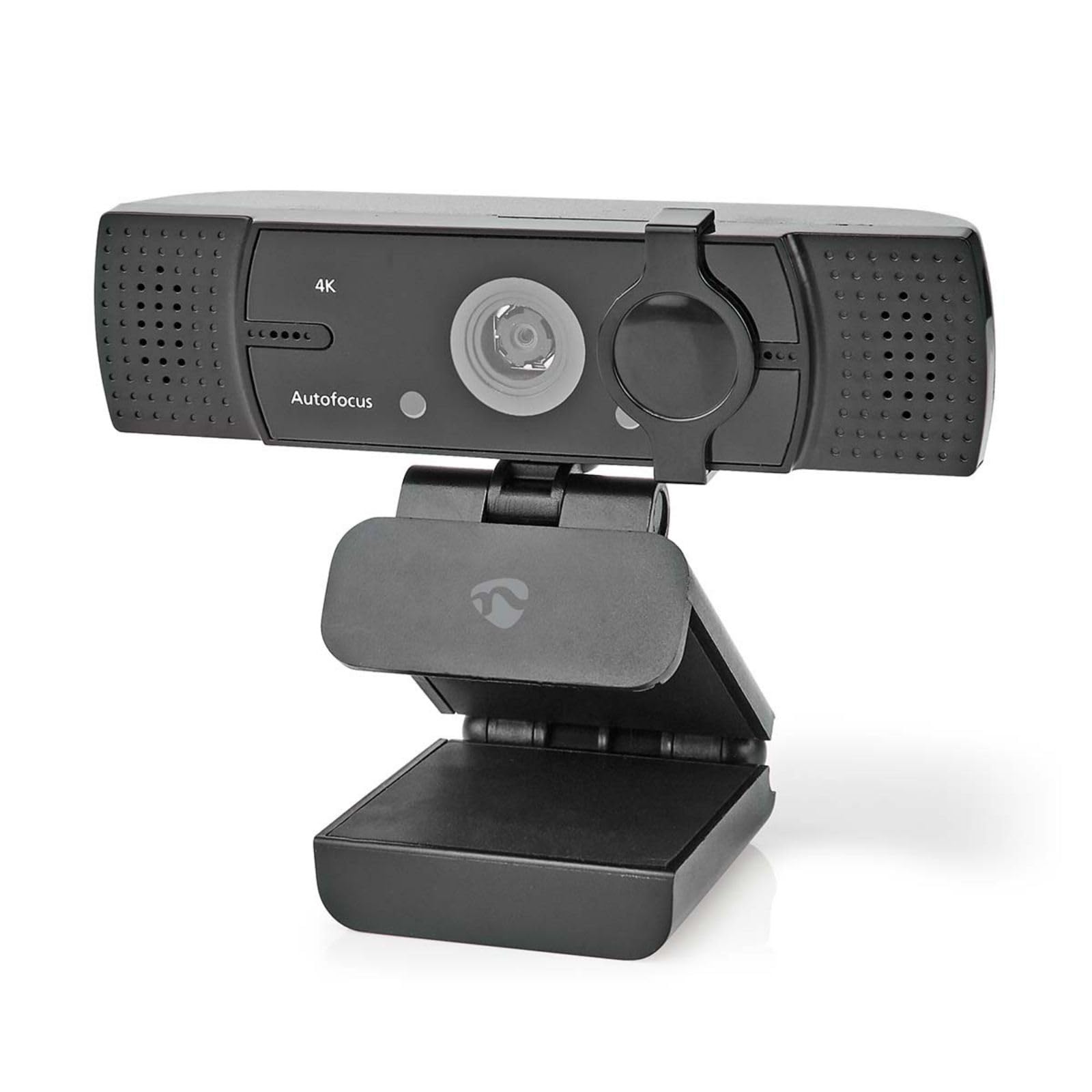
Image 1.1: Nedis WCAM120BK Webcam showcasing Auto Focus, Wide Angle Lens, Privacy Cover, Mounting Clip, and USB Plug & Play features.
2. സജ്ജീകരണം
The Nedis WCAM120BK webcam offers plug-and-play functionality, requiring no additional driver installation for most operating systems.
2.1 ബന്ധിപ്പിക്കുന്നു Webക്യാമറ
- സ്ഥാനം Webക്യാം: സ്ഥാപിക്കുക webcam on top of your monitor, on your desk, or attach it to a tripod using the 1/4" connection. The universal stand is adjustable to secure the webക്യാം സ്ഥലത്ത്.
- കമ്പ്യൂട്ടറുമായി ബന്ധിപ്പിക്കുക: Insert the USB connector of the webനിങ്ങളുടെ ഡെസ്ക്ടോപ്പ് കമ്പ്യൂട്ടറിലോ ലാപ്ടോപ്പിലോ ലഭ്യമായ ഒരു യുഎസ്ബി പോർട്ടിലേക്ക് ക്യാമറ ബന്ധിപ്പിക്കുക.
- സിസ്റ്റം തിരിച്ചറിയൽ: Your operating system (Windows, macOS, Linux, Android) will automatically detect and install the necessary drivers. This process may take a few moments.
- ഉപയോഗത്തിന് തയ്യാറാണ്: ഒരിക്കൽ തിരിച്ചറിഞ്ഞാൽ, webcam is ready for use with your preferred video conferencing or recording software.
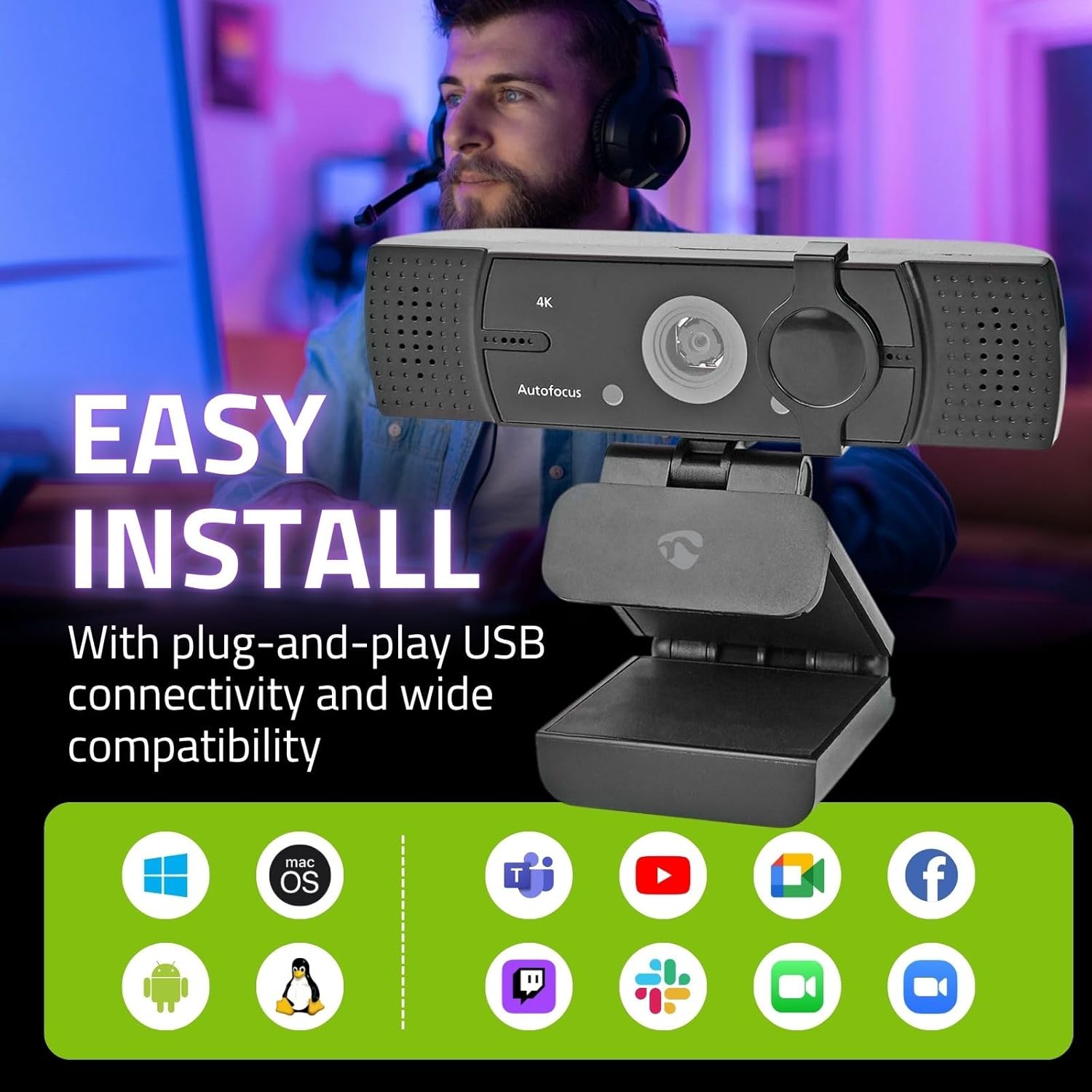
ചിത്രം 2.1: ദി webcam is shown mounted on a monitor, illustrating its easy plug-and-play USB connectivity and wide compatibility with various operating systems and applications.
3. പ്രവർത്തിപ്പിക്കുന്നത് Webക്യാമറ
The WCAM120BK is designed for intuitive operation with various applications.
3.1 Video Calls and Recording
- സോഫ്റ്റ്വെയർ അനുയോജ്യത: ദി webcam is compatible with common video conferencing software such as Zoom, Microsoft Teams, Skype, Google Meet, and other applications that support USB webക്യാമറകൾ.
- തിരഞ്ഞെടുക്കുന്നത് Webക്യാം: In your chosen application's settings, ensure that the Nedis WCAM120BK is selected as the primary video and audio input device.
- LED സൂചകം: A built-in LED indicator will illuminate when the webcam is actively in use, providing a visual cue for privacy.
3.2 പ്രധാന സവിശേഷതകൾ
- 4K അൾട്രാ HD റെസല്യൂഷൻ: Experience clear, pixel-free video at 3840 x 2160p resolution and 30 frames per second.
- ഓട്ടോഫോക്കസ്: The intelligent autofocus system automatically adjusts to keep you sharp and clear, even if you move during a call.
- Noise-Canceling Dual Microphones: Integrated stereo microphones capture your voice clearly while actively filtering out background noise for improved audio quality.
- വൈഡ് ആംഗിൾ ലെൻസ്: The wide-angle lens ensures a broad field of view, suitable for individual use or capturing multiple participants in a room.
- സ്വകാര്യതാ കവർ: A physical privacy cover is included to block the camera lens when not in use, ensuring your privacy and peace of mind.

Image 3.1: Comparison illustrating the superior clarity of 4K Ultra HD video at 30 frames per second compared to standard definition.

ചിത്രം 3.2: ദി webcam's noise-canceling dual microphones are designed to deliver clear audio by focusing on your voice and reducing background noise.

Image 3.3: This image demonstrates the intelligent autofocus feature, which automatically adjusts to maintain clear focus on the user.

ചിത്രം 3.4: ദി webcam features a privacy cover, providing a physical barrier for the lens when the camera is not in use, ensuring user privacy.
4. പരിപാലനം
ശരിയായ അറ്റകുറ്റപ്പണി നിങ്ങളുടെ ഉപകരണത്തിന്റെ ദീർഘായുസ്സും മികച്ച പ്രകടനവും ഉറപ്പാക്കുന്നു webക്യാം
- ലെൻസ് വൃത്തിയാക്കൽ: Gently wipe the camera lens with a soft, lint-free cloth. For stubborn smudges, use a specialized lens cleaning solution applied to the cloth, not directly to the lens.
- ശരീരം വൃത്തിയാക്കൽ: ഒരു ഉണങ്ങിയ അല്ലെങ്കിൽ ചെറുതായി ഡി ഉപയോഗിക്കുകamp soft cloth to clean the body of the webഅബ്രാസീവ് ക്ലീനറുകളോ ലായകങ്ങളോ ഒഴിവാക്കുക.
- സംഭരണം: When not in use, especially for extended periods, store the webcam in a clean, dry place. Utilize the privacy cover to protect the lens from dust and scratches.
- കേബിൾ കെയർ: ആന്തരിക കേടുപാടുകൾ ഒഴിവാക്കാൻ USB കേബിൾ അമിതമായി വളയ്ക്കുകയോ വളച്ചൊടിക്കുകയോ ചെയ്യുന്നത് ഒഴിവാക്കുക.
5. പ്രശ്നപരിഹാരം
If you encounter issues with your Nedis WCAM120BK webcam, refer to the following common troubleshooting steps.
- Webക്യാമറ കണ്ടെത്തിയില്ല:
- യുഎസ്ബി കേബിൾ രണ്ടിലേക്കും സുരക്ഷിതമായി ബന്ധിപ്പിച്ചിട്ടുണ്ടെന്ന് ഉറപ്പാക്കുക webകാമും നിങ്ങളുടെ കമ്പ്യൂട്ടറും.
- ബന്ധിപ്പിക്കാൻ ശ്രമിക്കുക webനിങ്ങളുടെ കമ്പ്യൂട്ടറിലെ മറ്റൊരു USB പോർട്ടിലേക്ക് cam ബന്ധിപ്പിക്കുക.
- നിങ്ങളുടെ കമ്പ്യൂട്ടർ പുനരാരംഭിക്കുക.
- Check your operating system's device manager (Windows) or system information (macOS) to see if the webകാം ലിസ്റ്റ് ചെയ്തിട്ടുണ്ട്.
- വീഡിയോ ഔട്ട്പുട്ട് ഇല്ല:
- Verify that the privacy cover is open and not obstructing the lens.
- ഉറപ്പാക്കുക webനിങ്ങളുടെ ആപ്ലിക്കേഷന്റെ ക്രമീകരണങ്ങളിൽ വീഡിയോ ഇൻപുട്ട് ഉപകരണമായി cam തിരഞ്ഞെടുത്തിരിക്കുന്നു.
- Check if other applications are currently using the webcam, which might prevent your desired application from accessing it.
- ഓഡിയോ ഇൻപുട്ട് ഇല്ല (മൈക്രോഫോൺ):
- Confirm that the Nedis WCAM120BK microphone is selected as the audio input device in your application's settings and your operating system's sound settings.
- Check microphone privacy settings in your operating system to ensure applications have permission to access the microphone.
- Ensure the microphone is not muted within your application.
- മോശം വീഡിയോ നിലവാരം:
- നിങ്ങളുടെ പരിസരത്ത് ആവശ്യത്തിന് വെളിച്ചം ഉറപ്പാക്കുക.
- വൃത്തിയാക്കുക webമെയിന്റനൻസ് വിഭാഗത്തിൽ വിവരിച്ചിരിക്കുന്നത് പോലെ ക്യാം ലെൻസ്.
- Check your application's video settings to ensure the highest possible resolution is selected.
- A stable internet connection is crucial for good video quality during online calls.
6 സ്പെസിഫിക്കേഷനുകൾ
| ഫീച്ചർ | സ്പെസിഫിക്കേഷൻ |
|---|---|
| മോഡൽ | WCAM120BK |
| ബ്രാൻഡ് | നെഡിസ് |
| നിറം | കറുപ്പ് |
| കണക്റ്റിവിറ്റി ടെക്നോളജി | USB |
| വീഡിയോ റെസല്യൂഷൻ | 4K Ultra HD (3840 x 2160p) at 30fps |
| ഫലപ്രദമായ സ്റ്റിൽ റെസല്യൂഷൻ | 8.3 മെഗാപിക്സലുകൾ |
| പ്രത്യേക സവിശേഷതകൾ | Autofocus, Low Light Correction, Privacy Cover |
| അപ്പേർച്ചർ | 1.8 എഫ് |
| മൈക്രോഫോൺ | Integrated Noise-Canceling Dual Stereo Microphones |
| മൗണ്ടിംഗ് തരം | Universal Stand (Monitor/Desk), 1/4" Tripod Connection |
| അനുയോജ്യമായ ഉപകരണങ്ങൾ | Computers, Laptops (Windows, macOS, Linux, Android) |
| അളവുകൾ (L x W x H) | 10.6 x 5.7 x 5.8 സെ.മീ |
| ഭാരം | 130 ഗ്രാം |
| ഉൾപ്പെടുത്തിയ ഘടകങ്ങൾ | Webcam, Quick Guide |
7. വാറൻ്റിയും പിന്തുണയും
For warranty information and technical support, please refer to the documentation included with your product or visit the official Nedis webസൈറ്റ്. വാറന്റി ക്ലെയിമുകൾക്കായി നിങ്ങളുടെ വാങ്ങലിന്റെ തെളിവ് സൂക്ഷിക്കുക.