ആമുഖം
This manual provides detailed instructions for the ഗാർമിൻ ഫോർറണ്ണർ 255 സ്മാർട്ട് വാച്ച്. It covers essential information for setup, operation, maintenance, and troubleshooting to help you maximize your device's capabilities and enhance your training experience.
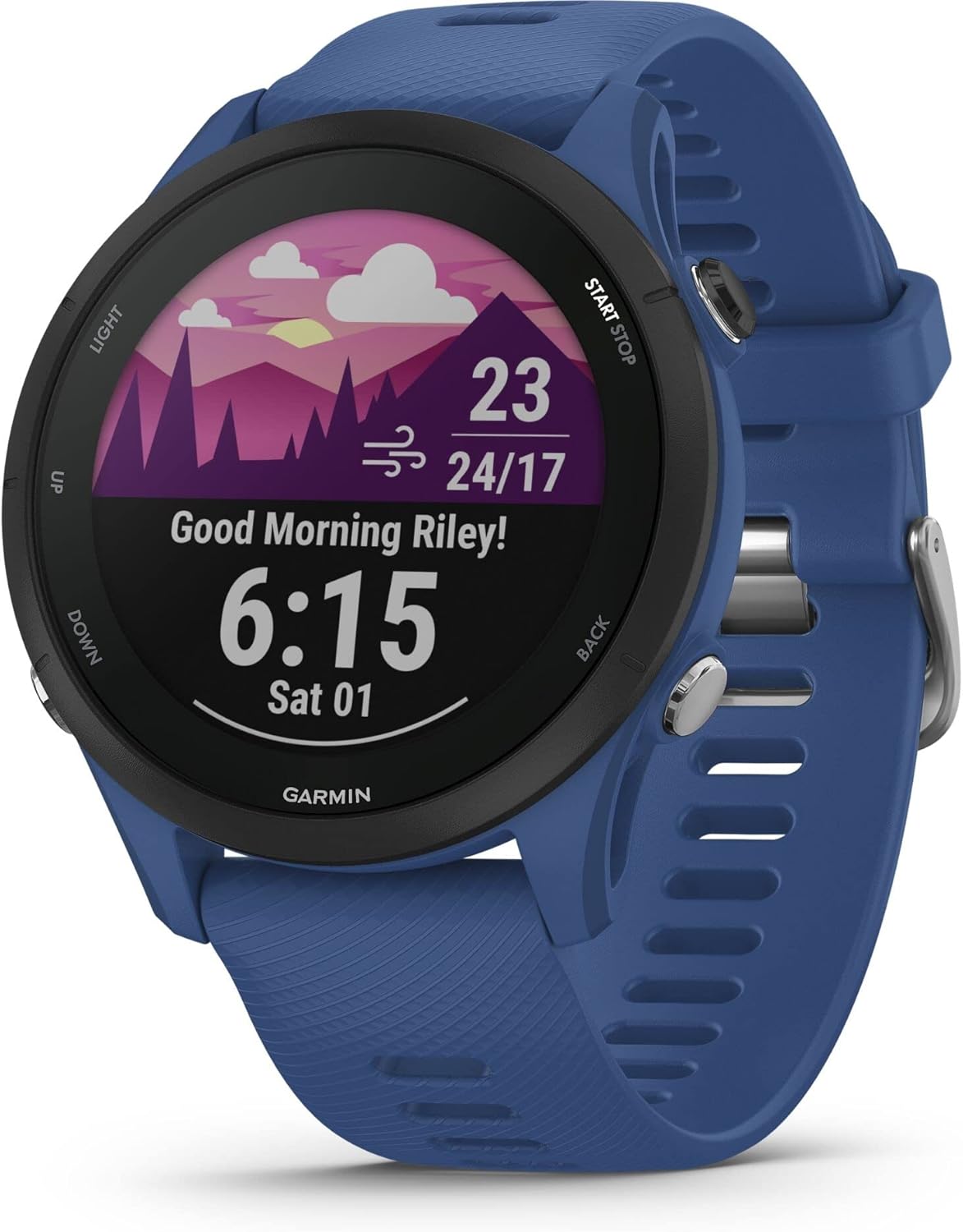
ചിത്രം: പ്രധാനം view of the Garmin Forerunner 255 smartwatch in Tidal Blue, displaying time, weather, and morning report.
സജ്ജമാക്കുക
1. അൺബോക്സിംഗും പ്രാരംഭ ചാർജും
The Garmin Forerunner 255 package includes the smartwatch, a charging/data cable, and documentation. Before first use, fully charge your device using the provided charging/data cable. Connect the cable to a USB power source and align the charger with the port on the back of the watch.

ചിത്രം: വശം view of the Garmin Forerunner 255 smartwatch in Tidal Blue, showing the physical buttons and strap.
2. Pairing with Smartphone
ഡൗൺലോഡ് ചെയ്യുക ഗാർമിൻ കണക്ട് ആപ്പ് on your smartphone (available for Android and iOS). Follow the on-screen instructions in the app to pair your Forerunner 255 and complete the initial setup, including personal profile information and preferences.

Image: A smartphone screen displaying the Garmin Connect app interface, illustrating how to connect your device.
നിങ്ങളുടെ ഉപകരണം പ്രവർത്തിപ്പിക്കുന്നു
1. Button Navigation
The Forerunner 255 is operated using five physical buttons: വെളിച്ചം (മുകളിൽ ഇടത്), UP (middle left), താഴേക്ക് (താഴെ ഇടത്), ആരംഭിക്കുക/നിർത്തുക (മുകളിൽ വലത്), കൂടാതെ തിരികെ (bottom right). Refer to the device's on-screen prompts for specific function assignments during activities and menu navigation.
2. പ്രധാന സവിശേഷതകളും പ്രവർത്തനങ്ങളും
- GPS Multi-band: Utilizes multiple global navigation satellite systems (GPS, GLONASS, Galileo) for enhanced accuracy in challenging environments, providing precise tracking for your activities.
- VO2max: Monitors your cardiovascular fitness level and indicates performance capacity, helping you understand your fitness progression.
- റണ്ണിംഗ് പവർ: Measures the power output of your run directly from your wrist or with compatible accessories, offering a new metric for training intensity.
- പ്രഭാത റിപ്പോർട്ട്: Provides a personalized summary of your sleep, recovery, training outlook, HRV status, and weather upon waking, helping you plan your day.
- HRV നില: Analyzes heart rate variability during sleep to provide insights into your recovery and overall wellness, aiding in optimizing your training and rest.
- ഗാർമിൻ പേ: Allows for contactless payments directly from your watch. Set up your cards in the Garmin Connect app for convenient transactions.
- സുരക്ഷയും ട്രാക്കിംഗ് ഫീച്ചറുകളും: Includes incident detection and assistance, which can send your location to emergency contacts if an incident is detected. This feature is active for selected activity profiles.
- ഗാർമിൻ കോച്ച്: Offers free adaptive training plans for 5K, 10K, and half-marathons with guidance from expert coaches, helping you prepare for your goals.
- ദിവസേന നിർദ്ദേശിക്കുന്ന വ്യായാമങ്ങൾ: Provides daily run and ride suggestions based on your current training load, recovery, and race schedule, ensuring balanced training.
- Preloaded Sport Profiles: Access over 30 built-in activity profiles, including running, cycling, open water swimming, strength training, and more.
- Race Widget: Prepare for your next race with training tips, personalized daily workouts, and completion time predictions based on course details, weather, and performance.
- പരിശീലന നില: Using indicators like heart rate variability status, recent exercise history, and performance, you get insights into your overall effort and whether your training is productive, peaking, or overreaching.

Image: A person wearing the smartwatch, looking at the display, with text overlay 'MORNING REPORT' and description.

Image: A person stretching, with text overlay 'HRV STATUS' and description about heart rate variability.

Image: A person using the smartwatch for contactless payment, with text overlay 'PAYMENTS' and description about Garmin Pay.

Image: A person tying shoelaces, with the smartwatch visible, text overlay 'SAFETY FIRST' and description about incident detection.

Image: A runner crouching on a track, with text overlay 'GARMIN COACH' and description about adaptive training plans.

Image: A person holding a water bottle, with the smartwatch visible, text overlay 'DAILY SUGGESTED WORKOUTS' and description.

Image: Garmin Forerunner 255 display showing a list of sport profiles: Run, Bike Indoor, Triathlon, Virtual Run, Pool Swim.

Image: Garmin Forerunner 255 display showing a 'KC Marathon' countdown, indicating 5 days remaining.

Image: Two runners on a coastal path, with text overlay 'TRAINING STATUS' and description about performance insights.
3. Customization and Ecosystem
- ഗാർമിൻ കണക്ട് ആപ്പ്: View your health and fitness data, connect with friends, and participate in challenges through the free Garmin Connect app.
- Connect IQ Store: Download custom watch faces, data fields, and widgets from the Connect IQ Store to personalize your device.
- അനുയോജ്യമായ ആക്സസറികൾ: Enhance your experience with accessories like the HRM-Pro Plus heart rate monitor, Running Dynamics Pod, or Index S2 Smart Scale.

Image: A person wearing the smartwatch, with text overlay 'CONNECT IQ STORE' and description about customization.

Image: A person running on a treadmill wearing a heart rate monitor strap, with text overlay 'HRM-PRO PLUS' and description.

Image: A green Garmin Running Dynamics Pod, with text overlay 'RUNNING DYNAMICS POD' and description.

Image: A white Garmin Index S2 Smart Scale, with text overlay 'INDEX S2 SMART SCALE' and description.

Image: Various quick-release watch bands in different colors and textures, with text overlay 'QUICK RELEASE BANDS' and description.
മെയിൻ്റനൻസ്
1. നിങ്ങളുടെ ഉപകരണം വൃത്തിയാക്കൽ
Regularly clean your watch and strap with fresh water and a soft cloth to prevent residue buildup from sweat and dirt. Avoid harsh chemicals, abrasive cleaners, or solvents, as these can damage the device's finish and seals.
2. ബാറ്ററി പരിചരണം
To prolong battery life, avoid exposing the device to extreme temperatures. Store the device with a partial charge if not used for extended periods. Charge fully before each use for optimal performance.
3. സോഫ്റ്റ്വെയർ അപ്ഡേറ്റുകൾ
Connect your device to the Garmin Connect app on your smartphone or Garmin Express on your computer to receive automatic software updates. Regular updates ensure optimal performance, introduce new features, and provide bug fixes.
ട്രബിൾഷൂട്ടിംഗ്
- ജിപിഎസ് കൃത്യതയില്ലായ്മ: Ensure a clear, unobstructed view of the sky when starting an activity. Sync with Garmin Connect regularly to update satellite data (EPO file).
- ബാറ്ററി വേഗത്തിൽ തീർന്നു: Reduce screen brightness, disable unnecessary notifications, and limit GPS usage when not actively tracking an activity. Check for recent software updates, as these often include battery optimizations.
- കണക്റ്റിവിറ്റി പ്രശ്നങ്ങൾ (ബ്ലൂടൂത്ത്): Ensure Bluetooth is enabled on both your phone and watch. Try restarting both devices and re-pairing through the Garmin Connect app. Keep your phone and watch within close proximity.
- ഉപകരണം പ്രതികരിക്കുന്നില്ല: If the device becomes unresponsive, press and hold the LIGHT button for approximately 15 seconds to perform a hard reset. If issues persist, contact Garmin Support.
സ്പെസിഫിക്കേഷനുകൾ
| ബ്രാൻഡ് | ഗാർമിൻ |
| മോഡലിൻ്റെ പേര് | മുൻഗാമി 255 |
| മോഡൽ നമ്പർ | 010-02461-11 |
| ഉൽപ്പന്ന അളവുകൾ | 4.56 x 4.56 x 1.29 സെ.മീ |
| ഭാരം | 49 ഗ്രാം |
| കേസ് മെറ്റീരിയൽ | പ്ലാസ്റ്റിക് |
| ഡിസ്പ്ലേ തരം | Transflective MIP (Memory-in-Pixel) |
| സ്ക്രീൻ വലിപ്പം | 1.3 ഇഞ്ച് |
| ഡിസ്പ്ലേ റെസല്യൂഷൻ | 260 x 260 പിക്സലുകൾ |
| ആന്തരിക സംഭരണം | 4 ജിബി |
| ബാറ്ററി തരം | Built-in Rechargeable Lithium-Ion |
| ബാറ്ററി ശേഷി | 180 mAh |
| ബാറ്ററി ലൈഫ് (സ്മാർട്ട് വാച്ച് മോഡ്) | 14 ദിവസം വരെ |
| ചാർജിംഗ് സമയം | ഏകദേശം 3 മണിക്കൂർ |
| വയർലെസ് കണക്റ്റിവിറ്റി | ബ്ലൂടൂത്ത് |
| സെൻസർ കണക്റ്റിവിറ്റി | ANT+, ബ്ലൂടൂത്ത് |
| സ്മാർട്ട്ഫോൺ അനുയോജ്യത | ആൻഡ്രോയിഡ്, ഐഒഎസ് |
| ഉപയോക്തൃ ഇൻ്റർഫേസ് | 5-ബട്ടൺ പ്രവർത്തനം |
| പ്രധാന സവിശേഷതകൾ | Always On Display, GPS, Heart Rate Monitoring, Contactless Payments (Garmin Pay), Multisport Tracking |
വാറൻ്റിയും പിന്തുണയും
1. വാറൻ്റി വിവരങ്ങൾ
For detailed warranty information, please refer to the documentation included with your Garmin Forerunner 255 or visit the official Garmin webസൈറ്റ്. വാറന്റി നിബന്ധനകളും വ്യവസ്ഥകളും പ്രദേശത്തിനനുസരിച്ച് വ്യത്യാസപ്പെടാം.
2. ഉൽപ്പന്ന പിന്തുണ
For technical support, product registration, software updates, and additional resources, please visit the official Garmin Support webസൈറ്റ് support.garmin.com. You can find FAQs, troubleshooting guides, and contact information for customer service.


