1. ആമുഖം
This manual provides comprehensive instructions for the proper use, setup, and maintenance of your boAt Immortal IM 300 Over-Ear Wired Gaming Headphones. Please read this manual thoroughly before using the product to ensure optimal performance and longevity.

Image 1.1: The boAt Immortal IM 300 Over-Ear Wired Gaming Headphones, showcasing അതിന്റെ രൂപകൽപ്പനയും RGB ലൈറ്റിംഗും.
2. പാക്കേജ് ഉള്ളടക്കം
താഴെ പട്ടികപ്പെടുത്തിയിരിക്കുന്ന എല്ലാ ഇനങ്ങളും നിങ്ങളുടെ ഉൽപ്പന്ന പാക്കേജിംഗിൽ ഉണ്ടെന്ന് ഉറപ്പാക്കുക:
- boAt Immortal IM-300 Gaming Headphones
- ടൈപ്പ്-സി മുതൽ ടൈപ്പ്-എ കേബിൾ വരെ
- ടൈപ്പ്-സി മുതൽ ടൈപ്പ്-സി കേബിൾ വരെ
- ഉപയോക്തൃ മാനുവൽ (ഈ പ്രമാണം)
- വാറൻ്റി കാർഡ്
3. ഉൽപ്പന്നം കഴിഞ്ഞുview
The boAt Immortal IM 300 headphones are designed for an immersive audio experience, featuring advanced drivers, dual microphone options, and customizable settings.
3.1 പ്രധാന സവിശേഷതകൾ
- 50mm ഡ്രൈവറുകൾ: Engineered for a powerful and immersive auditory experience.
- ഡ്യുവൽ ഇക്യു മോഡുകൾ: Switch between 3D Spatial Sound for gaming and boAt Signature Sound for music and movies.
- RGB LED- കൾ: Integrated RGB lighting for visual customization.
- ഇരട്ട മൈക്രോഫോണുകൾ: Includes a detachable boom mic for clear communication and a passive mic for general use.
- ഇഷ്ടാനുസൃതമാക്കൽ: Audio and mic driver settings can be adjusted via boAt Plugin Labz software.
- സുഖപ്രദമായ ഡിസൈൻ: Lightweight, over-ear design with soft earmuffs for extended wear.
- വയർഡ് കണക്റ്റിവിറ്റി: USB Type-C connection for reliable audio transmission.
- മൾട്ടി-പ്ലാറ്റ്ഫോം അനുയോജ്യത: Designed for use with PCs, laptops, smartphones, and gaming consoles.

ചിത്രം 3.1: പൊട്ടിത്തെറിച്ച ഒരു view illustrating the 50mm audio drivers within the headphone earcups.
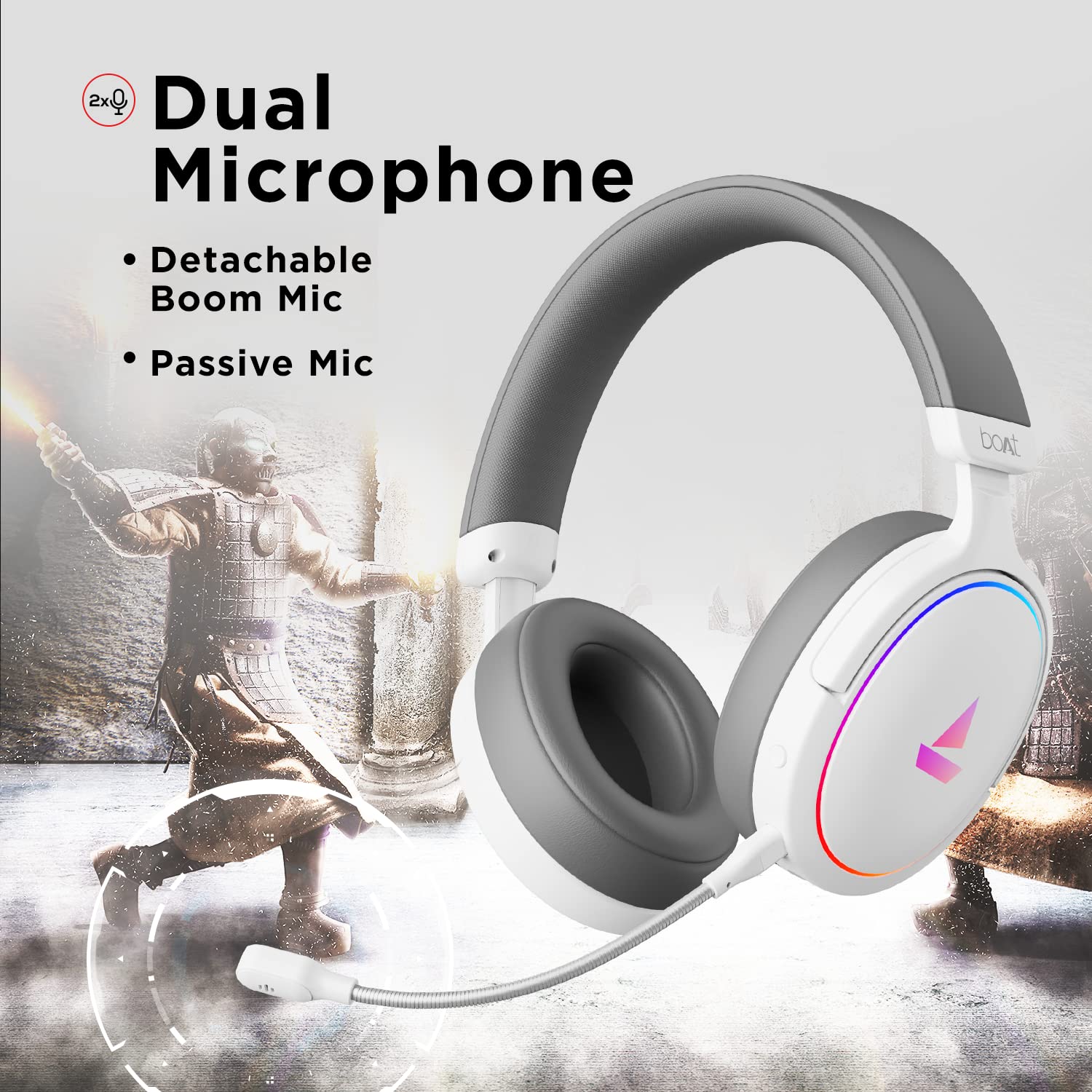
Image 3.2: The headphones featuring the detachable boom microphone, highlighting the dual microphone system.
4. സജ്ജീകരണം
4.1. നിങ്ങളുടെ ഉപകരണത്തിലേക്ക് കണക്റ്റുചെയ്യുന്നു
The Immortal IM 300 headphones connect via USB. Use the appropriate cable for your device:
- PC/ലാപ്ടോപ്പിനായി: Use the provided Type-C to Type-A cable. Connect the Type-C end to the headphone and the Type-A end to an available USB port on your computer.
- For Smartphones/Other Type-C Devices: Use the provided Type-C to Type-C cable. Connect one end to the headphone and the other to your device's Type-C port.
Once connected, your device should automatically detect the headphones. You may need to select the "Immortal IM-300" as the audio output and input device in your system's sound settings.
4.2. Attaching the Boom Microphone
The boom microphone is detachable. To attach it, align the microphone's connector with the port on the left earcup and gently push until it clicks into place. Ensure it is securely connected for optimal voice pickup.
To detach, gently pull the microphone straight out from the port.
5. പ്രവർത്തന നിർദ്ദേശങ്ങൾ
5.1. Audio Modes (Dual EQ)
The headphones feature two distinct audio equalization (EQ) modes:
- 3D Spatial Sound Mode: Optimized for gaming, providing enhanced directional audio cues.
- Music Mode (boAt Signature Sound): ബാലൻസ്ഡ് ഓഡിയോ പ്രോfile suitable for listening to music and watching movies.
Refer to the inline remote control or the boAt Plugin Labz software for instructions on switching between these modes.

Image 5.1: Illustration of the Dual EQ Modes, highlighting the 3D Spatial Audio and Music Mode functionalities.
5.2. RGB LED Control
The headphones are equipped with RGB LEDs. These lights can be customized or turned off. Specific controls for RGB lighting are typically located on the inline remote or accessible through the boAt Plugin Labz software.

Image 5.2: The headphones showcasing their RGB lighting, indicating customization options via boAt Plugin Labz.
5.3. മൈക്രോഫോൺ ഉപയോഗം
The Immortal IM 300 offers two microphone options:
- ബൂം മൈക്രോഫോൺ: For clear and focused voice communication, especially during gaming. Ensure it is positioned correctly near your mouth.
- Passive Microphone: An integrated microphone for casual use when the boom mic is detached.
Use the inline remote to mute/unmute the microphone as needed.
6. Customization via boAt Plugin Labz
For advanced audio and microphone settings, download and install the boAt Plugin Labz software. This application allows you to fine-tune your listening experience and microphone performance.
Please visit the official boAt website for download instructions and compatibility information for the Plugin Labz software.
7. പരിപാലനം
7.1. വൃത്തിയാക്കൽ
- മൃദുവായതും ഉണങ്ങിയതുമായ തുണി ഉപയോഗിച്ച് ഹെഡ്ഫോണുകൾ തുടയ്ക്കുക.
- കഠിനമായ രാസവസ്തുക്കൾ, ക്ലീനിംഗ് ലായകങ്ങൾ അല്ലെങ്കിൽ ശക്തമായ ഡിറ്റർജന്റുകൾ ഉപയോഗിക്കരുത്.
- Keep the earcups clean to prevent debris buildup.
7.2. സംഭരണം
- നേരിട്ടുള്ള സൂര്യപ്രകാശത്തിൽ നിന്നും കടുത്ത താപനിലയിൽ നിന്നും മാറി തണുത്തതും വരണ്ടതുമായ സ്ഥലത്ത് ഹെഡ്ഫോണുകൾ സൂക്ഷിക്കുക.
- ഹെഡ്ഫോണുകളിൽ ഭാരമുള്ള വസ്തുക്കൾ വയ്ക്കുന്നത് ഒഴിവാക്കുക.
- When not in use, consider storing them in a protective case to prevent damage.
8. പ്രശ്നപരിഹാരം
| പ്രശ്നം | സാധ്യമായ കാരണം | പരിഹാരം |
|---|---|---|
| ഹെഡ്ഫോണുകളിൽ നിന്ന് ശബ്ദമില്ല. |
|
|
| മൈക്രോഫോൺ പ്രവർത്തിക്കുന്നില്ല. |
|
|
| RGB LEDs are not lighting up. |
|
|
9 സ്പെസിഫിക്കേഷനുകൾ
| ഫീച്ചർ | വിശദാംശങ്ങൾ |
|---|---|
| മോഡലിൻ്റെ പേര് | Immortal IM-300 |
| കണക്റ്റിവിറ്റി ടെക്നോളജി | വയർഡ് (USB ടൈപ്പ്-സി) |
| ഓഡിയോ ഡ്രൈവർ വലിപ്പം | 50 മി.മീ |
| ഇയർപീസ് ആകൃതി | Over-ear cups |
| മൈക്രോഫോൺ ഫോർമാറ്റ് | Boom (detachable) & Passive |
| ശബ്ദ നിയന്ത്രണം | നിഷ്ക്രിയ ശബ്ദം റദ്ദാക്കൽ |
| ഫ്രീക്വൻസി റേഞ്ച് | 50-10KHz |
| ഇനത്തിൻ്റെ ഭാരം | 260 ഗ്രാം |
| ഉൽപ്പന്ന അളവുകൾ (LxWxH) | 20 x 18 x 8 സെ.മീ |
| അനുയോജ്യമായ ഉപകരണങ്ങൾ | Smartphones, Laptops, Desktops, Gaming Consoles |
| മെറ്റീരിയൽ | പ്ലാസ്റ്റിക് |
| നിയന്ത്രണ രീതി | റിമോട്ട് |

ചിത്രം 9.1: കഴിഞ്ഞുview of key features including multi-platform compatibility, lightweight construction, wired connection, and passive noise isolation.
10. വാറൻ്റിയും പിന്തുണയും
Your boAt Immortal IM 300 headphones come with a 1 വർഷത്തെ വാറൻ്റി വാങ്ങിയ തീയതി മുതൽ. വാറന്റി ക്ലെയിമുകൾക്കായി നിങ്ങളുടെ വാങ്ങൽ രസീത് സൂക്ഷിക്കുക.
For technical support, warranty claims, or further assistance, please contact boAt customer service through their official webസൈറ്റ് അല്ലെങ്കിൽ നിങ്ങളുടെ വാറന്റി കാർഡിൽ നൽകിയിരിക്കുന്ന ബന്ധപ്പെടാനുള്ള വിവരങ്ങൾ.
കൂടുതൽ വിവരങ്ങൾക്ക്, ഉദ്യോഗസ്ഥനെ സന്ദർശിക്കുക boAt Store.


