1. ആമുഖം
This manual provides detailed instructions for the setup, operation, maintenance, and troubleshooting of your DELTACO GAMING DH420 Wireless Headset. Please read this manual thoroughly before using the product to ensure optimal performance and longevity.
2. പാക്കേജ് ഉള്ളടക്കം
പാക്കേജിൽ എല്ലാ ഇനങ്ങളും ഉണ്ടെന്ന് ഉറപ്പാക്കുക:
- DELTACO GAMING DH420 Wireless Headset
- വേർപെടുത്താവുന്ന മൈക്രോഫോൺ
- 2.4 GHz യുഎസ്ബി വയർലെസ് റിസീവർ
- USB-C മുതൽ 3.5mm ഓഡിയോ കേബിൾ വരെ
- USB-C ചാർജിംഗ് കേബിൾ
- 1x 3.5mm to 2x 3.5mm Adapter (for PC audio/mic split)
- ഉപയോക്തൃ മാനുവൽ (ഈ പ്രമാണം)
3. ഉൽപ്പന്നം കഴിഞ്ഞുview
Familiarize yourself with the components and controls of your headset.
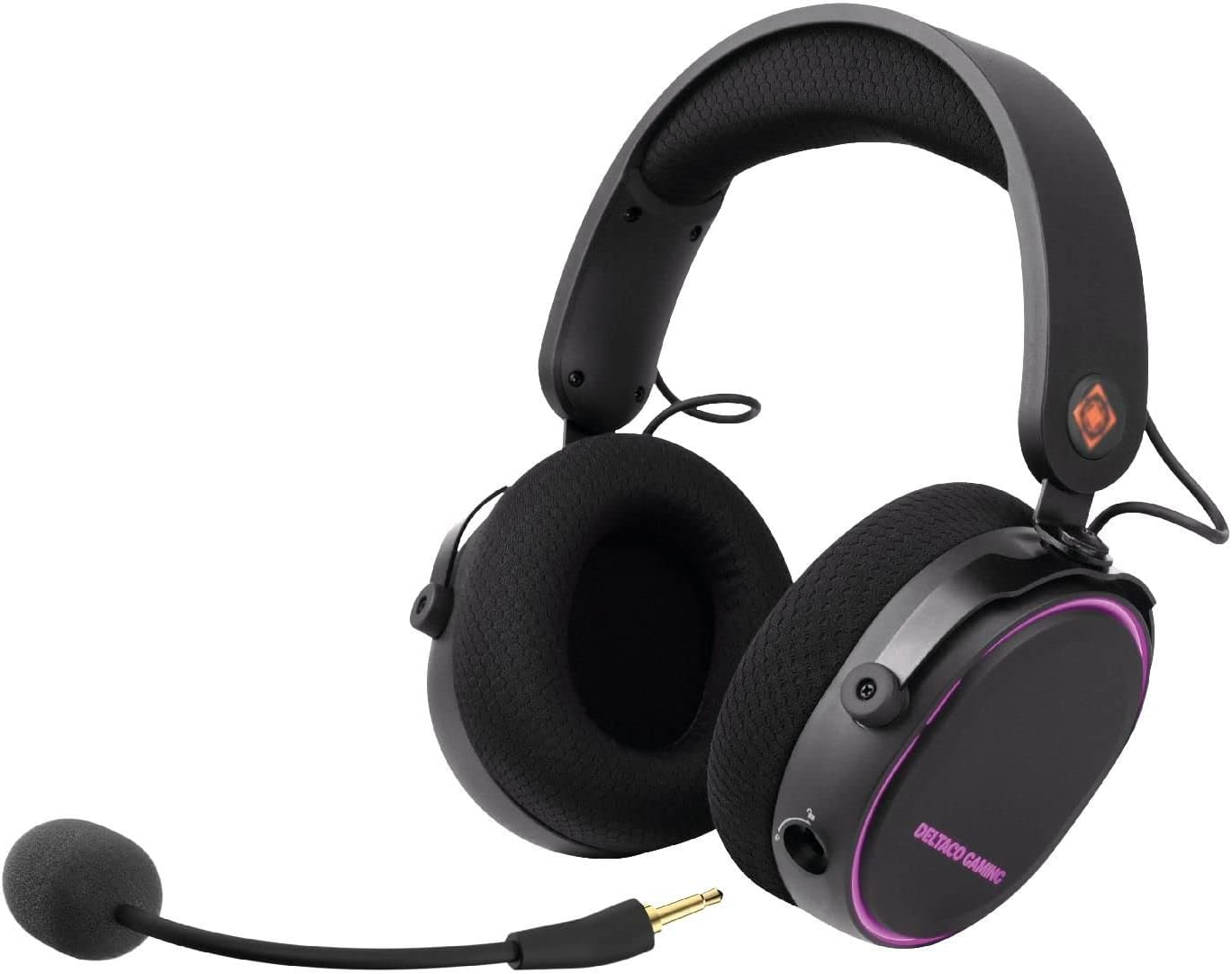
ചിത്രം 3.1: DELTACO GAMING DH420 Wireless Headset. This image shows the headset from a front-side angle, highlighting the over-ear design, adjustable headband, and the detachable microphone connected to the left earcup.
3.1 ഹെഡ്സെറ്റ് നിയന്ത്രണങ്ങളും പോർട്ടുകളും

ചിത്രം 3.2: Diagram illustrating the location of controls and ports on the DELTACO GAMING DH420 headset. Key features include the volume control, USB-C charge and connection port, microphone mute button, EQ button, and power on/off button.
- വോളിയം നിയന്ത്രണം: ഓഡിയോ ഔട്ട്പുട്ട് ലെവൽ ക്രമീകരിക്കുന്നു.
- USB-C Charge & Connection Port: Used for charging and wired audio connection.
- മൈക്രോഫോൺ മ്യൂട്ട് ബട്ടൺ: മൈക്രോഫോൺ ഓൺ/ഓഫ് ടോഗിൾ ചെയ്യുന്നു.
- ഇക്യു ബട്ടൺ: ലഭ്യമായ ഇക്വലൈസർ മോഡുകളിലൂടെ സഞ്ചരിക്കുന്നു.
- പവർ ഓൺ/ഓഫ് ബട്ടൺ: ഹെഡ്സെറ്റ് ഓണാക്കുകയോ ഓഫാക്കുകയോ ചെയ്യുന്നു.
- വേർപെടുത്താവുന്ന മൈക്രോഫോൺ പോർട്ട്: For connecting the flexible microphone.
3.2 Design and Comfort Features

ചിത്രം 3.3: The DELTACO GAMING DH420 headset highlighting its immersive sound with 40mm drivers and comfortable over-ear design with soft memory foam padding.

ചിത്രം 3.4: Detail of the headset's adjustable headband with soft foam padding and durable metal fittings, ensuring a comfortable and secure fit.
- ഓവർ-ഇയർ ഡിസൈൻ: Provides comfort during extended use and helps with passive noise isolation.
- Soft Memory Foam Padding: Used in earcups for enhanced comfort.
- ക്രമീകരിക്കാവുന്ന ഹെഡ്ബാൻഡ്: Allows for a customized fit for various head sizes.
- Metal Fittings: Contribute to the headset's durability and robust construction.
4. സജ്ജീകരണവും കണക്ഷനും
4.1 ഹെഡ്സെറ്റ് ചാർജ് ചെയ്യുന്നു
- Connect the supplied USB-C charging cable to the headset's USB-C port.
- കേബിളിന്റെ മറ്റേ അറ്റം ഒരു USB പവർ സ്രോതസ്സുമായി ബന്ധിപ്പിക്കുക (ഉദാ: കമ്പ്യൂട്ടർ USB പോർട്ട്, USB വാൾ അഡാപ്റ്റർ).
- The LED indicator on the headset will show charging status. A full charge typically takes 2-3 hours.
- പൂർണ്ണമായി ചാർജ് ചെയ്തുകഴിഞ്ഞാൽ, ചാർജിംഗ് കേബിൾ വിച്ഛേദിക്കുക.
കുറിപ്പ്: The headset can be used while charging in wired mode.
4.2 മൈക്രോഫോൺ ഘടിപ്പിക്കൽ

ചിത്രം 4.1: ക്ലോസ് അപ്പ് view of the detachable and flexible microphone. This image shows the microphone's 3.5mm jack and its flexible arm, ready to be inserted into the headset.
Insert the detachable microphone into the 3.5mm microphone port located on the left earcup. Adjust the flexible arm to position the microphone optimally for your voice.
4.3 Wireless Connection (2.4 GHz USB Receiver)
This method is compatible with PC, Mac, and PS5.
- Plug the 2.4 GHz USB wireless receiver into an available USB port on your PC, Mac, or PS5 console.
- Power on the headset by pressing and holding the Power On/Off button until the LED indicator illuminates.
- The headset should automatically pair with the receiver. The LED indicator will show a stable light once connected.
- On your device, ensure the DELTACO GAMING DH420 is selected as the default audio input and output device in your sound settings.

ചിത്രം 4.2: Promotional image highlighting the wireless functionality of the headset, featuring a low-latency 2.4 GHz USB receiver and a 32 ft (10m) range. The headset is shown with red RGB lighting.
4.4 Wired Connection (USB-C to 3.5mm Cable)
This method is compatible with PC, Mac, PS5, Xbox One (controller), and mobile devices.
- Connect the USB-C end of the USB-C to 3.5mm audio cable to the headset's USB-C port.
- Connect the 3.5mm end of the cable to the audio jack of your device (PC, Mac, PS5 controller, Xbox One controller, or mobile phone).
- If your PC has separate audio and microphone jacks, use the included 1x 3.5mm to 2x 3.5mm adapter. Connect the headset's 3.5mm cable to the adapter, then plug the adapter's two 3.5mm plugs into the corresponding audio and microphone ports on your PC.
- Ensure the DELTACO GAMING DH420 is selected as the default audio input and output device in your device's sound settings.
5. ഓപ്പറേഷൻ
5.1 പവർ ഓൺ/ഓഫ്
- പവർ ഓണാക്കാൻ: Press and hold the Power On/Off button for approximately 3 seconds until the LED indicator lights up.
- പവർ ഓഫ് ചെയ്യാൻ: Press and hold the Power On/Off button for approximately 3 seconds until the LED indicator turns off.
5.2 വോളിയം നിയന്ത്രണം
Rotate the volume control wheel located on the earcup upwards to increase volume and downwards to decrease volume.
5.3 മൈക്രോഫോൺ മ്യൂട്ട്
Press the Microphone Mute button to toggle the microphone on or off. An indicator light (if present) will show the microphone's status.
5.4 ഇക്വലൈസർ (EQ) മോഡുകൾ
Press the EQ button to cycle through the available equalizer sound profiles. This allows you to optimize audio for different content types like gaming, music, or movies.
5.5 RGB LED ലൈറ്റിംഗ്
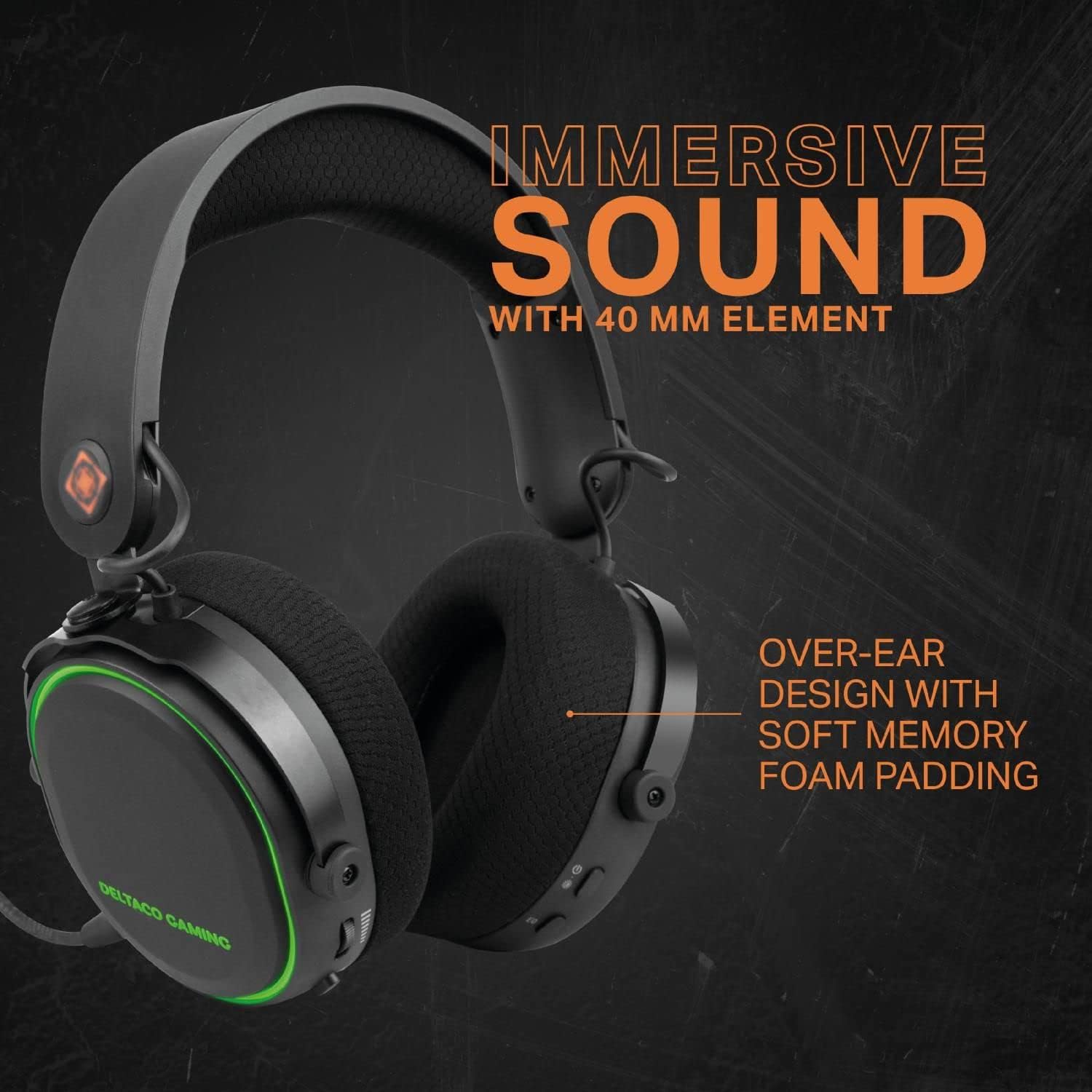
ചിത്രം 5.1: The DELTACO GAMING DH420 headset displaying its RGB LED lighting. This image highlights the headset's capability to show 8 unique LED modes and its long battery life.
The headset features 8 customizable RGB LED lighting modes. Refer to the product's specific instructions or manufacturer's website for details on how to cycle through or customize these modes, if a dedicated control is not present on the headset itself.
6. പരിപാലനം
6.1 വൃത്തിയാക്കൽ
- ഹെഡ്സെറ്റിന്റെ പ്രതലങ്ങൾ തുടയ്ക്കാൻ മൃദുവായതും ഉണങ്ങിയതുമായ തുണി ഉപയോഗിക്കുക.
- ഇയർകപ്പുകൾക്കായി, ചെറുതായി ഡി-ലിങ്ക് ഉപയോഗിച്ച് സൌമ്യമായി തുടയ്ക്കുക.amp ഉപയോഗിക്കുന്നതിന് മുമ്പ് തുണികൊണ്ട് പൂർണ്ണമായും ഉണങ്ങാൻ അനുവദിക്കുക.
- കഠിനമായ രാസവസ്തുക്കളോ, ലായകങ്ങളോ, അബ്രസീവ് ക്ലീനറുകളോ ഉപയോഗിക്കരുത്.
6.2 സംഭരണം
ഹെഡ്സെറ്റ് തണുത്തതും വരണ്ടതുമായ സ്ഥലത്ത് സൂക്ഷിക്കുക, നേരിട്ടുള്ള സൂര്യപ്രകാശത്തിൽ നിന്നും ഉയർന്ന താപനിലയിൽ നിന്നും അകറ്റി നിർത്തുക. ഭാരമുള്ള വസ്തുക്കൾ ഹെഡ്സെറ്റിൽ വയ്ക്കുന്നത് ഒഴിവാക്കുക.
6.3 ബാറ്ററി കെയർ
- ബാറ്ററി ലൈഫ് വർദ്ധിപ്പിക്കാൻ, ഹെഡ്സെറ്റ് ഇടയ്ക്കിടെ പൂർണ്ണമായും ഡിസ്ചാർജ് ചെയ്യുന്നത് ഒഴിവാക്കുക.
- ദീർഘനേരം ഉപയോഗിച്ചില്ലെങ്കിലും ഹെഡ്സെറ്റ് പതിവായി ചാർജ് ചെയ്യുക.
- ഉയർന്ന താപനിലയിൽ ബാറ്ററി തുറന്നുകാട്ടരുത്.
7. പ്രശ്നപരിഹാരം
| പ്രശ്നം | സാധ്യമായ കാരണം | പരിഹാരം |
|---|---|---|
| ഹെഡ്സെറ്റിൽ നിന്ന് ശബ്ദമില്ല |
|
|
| മൈക്രോഫോൺ പ്രവർത്തിക്കുന്നില്ല |
|
|
| Headset not connecting wirelessly |
|
|
| RGB ലൈറ്റിംഗ് പ്രവർത്തിക്കുന്നില്ല |
|
|
8 സ്പെസിഫിക്കേഷനുകൾ
| ഫീച്ചർ | വിശദാംശങ്ങൾ |
|---|---|
| മോഡലിൻ്റെ പേര് | DH420 |
| ഡ്രൈവർമാർ | 40 മി.മീ |
| ഫ്രീക്വൻസി പ്രതികരണം | 20 Hz - 25 kHz |
| സ്പീക്കർ സെൻസിറ്റിവിറ്റി | 102 dB ± 3 dB |
| മൈക്രോഫോൺ സെൻസിറ്റിവിറ്റി | -49 dB ± 3 dB |
| സ്പീക്കർ ഇംപെഡൻസ് | 32 Ω |
| ബാറ്ററി ശേഷി | 1500 mAh |
| ബാറ്ററി ലൈഫ് (RGB ഓഫ്) | 28 മണിക്കൂർ വരെ |
| ബാറ്ററി ലൈഫ് (RGB ഓൺ) | 18 മണിക്കൂർ വരെ |
| ചാർജിംഗ് സമയം | 2-3 മണിക്കൂർ |
| വയർലെസ് കണക്ഷൻ | 2.4 GHz USB റിസീവർ |
| വയർഡ് കണക്ഷൻ | USB-C to 3.5mm cable |
| വയർലെസ് ശ്രേണി | 10m (32 അടി) |
| അനുയോജ്യത | PC, Mac, PS5, Xbox One (wired only), Mobile (wired only) |
| ഉൽപ്പന്ന അളവുകൾ | 12 x 20 x 18 സെ.മീ |
| ഭാരം | 830 ഗ്രാം |
9. വാറൻ്റിയും പിന്തുണയും
The DELTACO GAMING DH420 Wireless Headset is manufactured by DELTACO GAMING. For warranty information, technical support, or service inquiries, please refer to the warranty card included with your product or visit the official DELTACO GAMING webസൈറ്റ്. വാറന്റി ക്ലെയിമുകൾക്കായി നിങ്ങളുടെ വാങ്ങലിന്റെ തെളിവ് സൂക്ഷിക്കുക.


