ആമുഖം
This user manual provides comprehensive instructions for the setup, operation, and maintenance of your Fanvil V64 VoIP Linux Wi-Fi HD Audio phone. Please read this manual carefully before using the device to ensure proper functionality and to prevent damage.
പാക്കേജ് ഉള്ളടക്കം
പാക്കേജ് തുറക്കുമ്പോൾ, താഴെ പട്ടികപ്പെടുത്തിയിരിക്കുന്ന എല്ലാ ഇനങ്ങളും നിലവിലുണ്ടെന്നും നല്ല നിലയിലാണെന്നും ദയവായി പരിശോധിക്കുക:
- 1 x FANVIL SIP-Phone V64
- 1 x ഹാൻഡ്സെറ്റ്
- 1 x Handset Cord
- 1 x ഇഥർനെറ്റ് കേബിൾ
- 1 x Power Adapter (if not PoE powered)
- 1 x ദ്രുത ഇൻസ്റ്റലേഷൻ ഗൈഡ്
ഉൽപ്പന്നം കഴിഞ്ഞുview
Familiarize yourself with the components of your Fanvil V64 VoIP phone.

ചിത്രം 1: മുൻഭാഗം view of the Fanvil V64 VoIP phone. This image displays the main unit with its large color display, numeric keypad, function keys, and the attached handset.
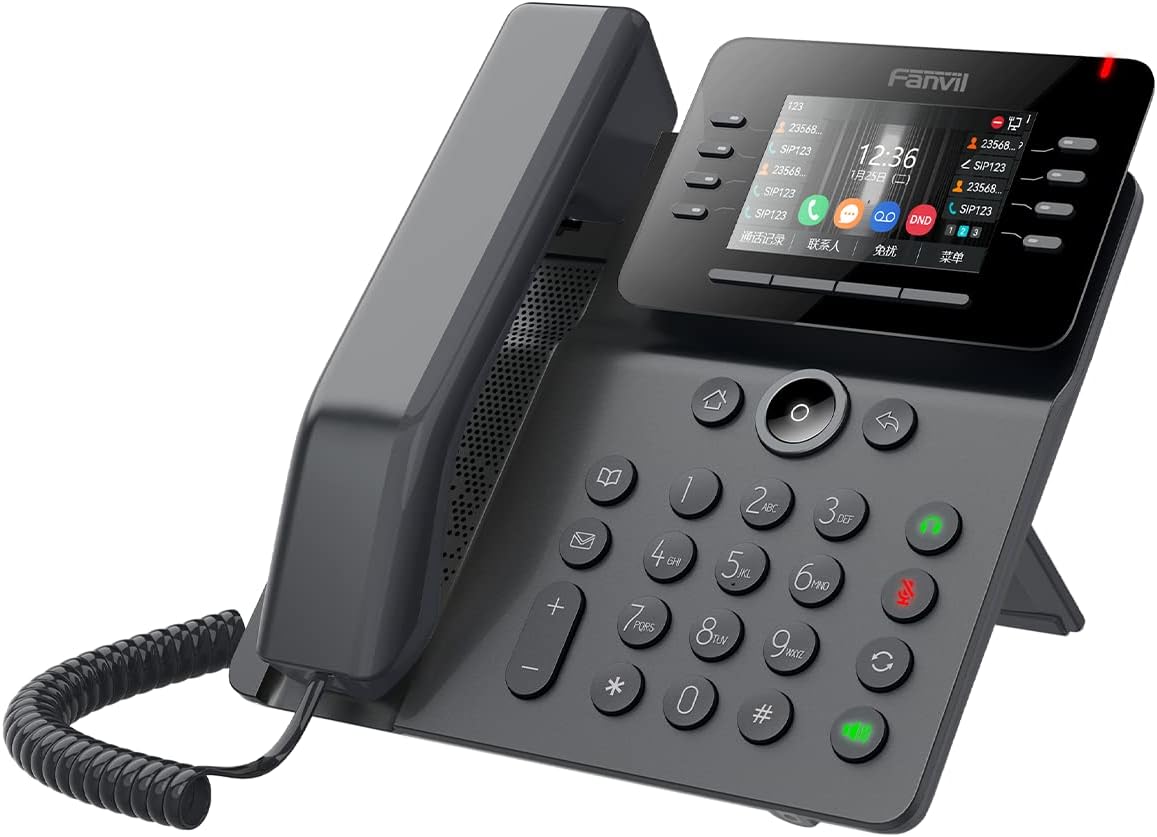
ചിത്രം 2: കോണാകൃതിയിലുള്ളത് view of the Fanvil V64 VoIP phone. This perspective highlights the ergonomic design of the phone, including the adjustable stand and the layout of the buttons.
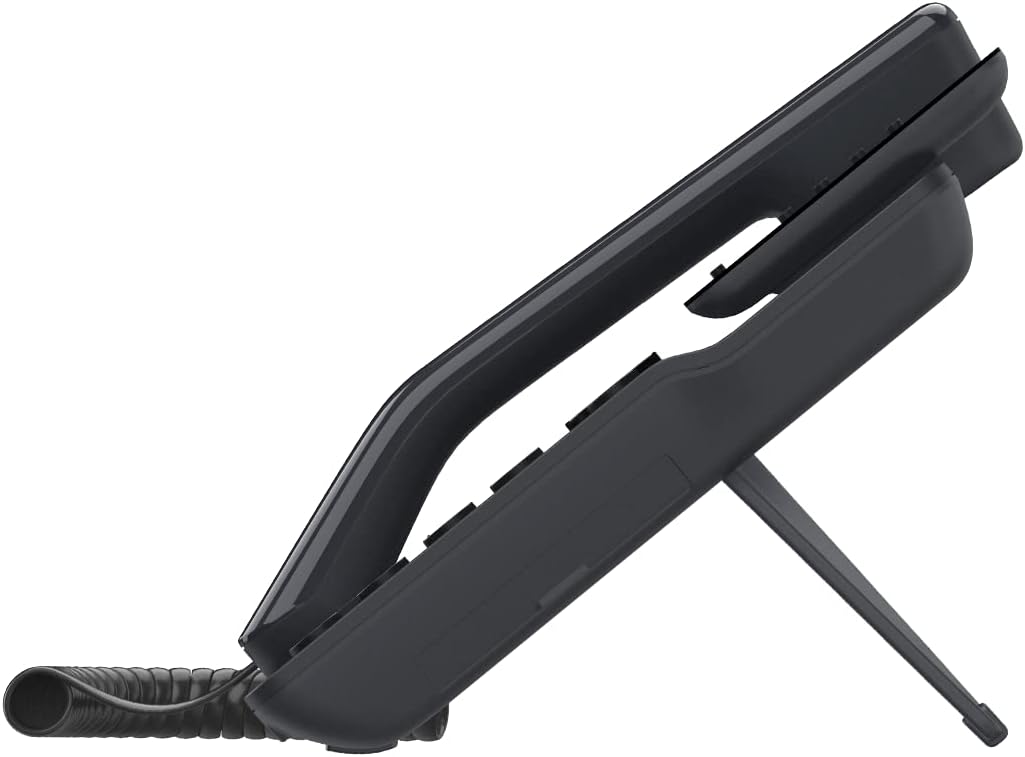
ചിത്രം 3: വശം view of the Fanvil V64 VoIP phone. This image illustrates the integrated stand that allows the phone to be positioned at an optimal viewing angle on a desk.
പ്രധാന ഘടകങ്ങൾ:
- HD Audio Handset: വ്യക്തമായ ശബ്ദ ആശയവിനിമയത്തിനായി.
- വലിയ വർണ്ണ ഡിസ്പ്ലേ: Provides call information, menu options, and status indicators.
- പ്രോഗ്രാം ചെയ്യാവുന്ന ലൈൻ കീകൾ: Customizable for speed dial, BLF, or other functions.
- സംഖ്യാ കീപാഡ്: Standard 0-9 keys for dialing.
- നാവിഗേഷൻ കീകൾ: മെനു നാവിഗേഷനായി.
- പ്രവർത്തന കീകൾ: Hold, Transfer, Mute, Speakerphone, Headset, Voicemail, etc.
- ഇഥർനെറ്റ് പോർട്ടുകൾ: For network connection and PC pass-through.
- പവർ പോർട്ട്: For external power adapter (if not using PoE).
സജ്ജമാക്കുക
1. Connecting the Handset:
- കോയിൽ ചെയ്ത ഹാൻഡ്സെറ്റ് കോഡിന്റെ ഒരറ്റം ഹാൻഡ്സെറ്റുമായി ബന്ധിപ്പിക്കുക.
- Connect the other end of the coiled handset cord to the handset port on the phone base unit.
2. നെറ്റ്വർക്ക് കണക്ഷൻ:
The Fanvil V64 supports both wired Ethernet and Wi-Fi connectivity.
വയർഡ് കണക്ഷൻ (ഇഥർനെറ്റ്):
- Connect one end of the Ethernet cable to the "Internet" or "WAN" port on the phone.
- Connect the other end of the Ethernet cable to a network switch, router, or wall jack.
- If your network supports Power over Ethernet (PoE), the phone will power on automatically.
വയർലെസ് കണക്ഷൻ (വൈ-ഫൈ):
- Ensure the phone is powered on (via PoE or power adapter).
- Navigate to the phone's menu: Menu > Settings > Network > Wi-Fi.
- Enable Wi-Fi and select your desired network from the list.
- ആവശ്യപ്പെടുകയാണെങ്കിൽ Wi-Fi പാസ്വേഡ് നൽകുക.
3. പവർ കണക്ഷൻ:
If not using PoE, connect the power adapter to the "DC 12V" port on the phone and then plug the adapter into a power outlet.
4. പ്രാരംഭ കോൺഫിഗറേഷൻ:
Once powered on, the phone will attempt to obtain an IP address. Your VoIP service provider or IT administrator will provide the necessary SIP account details for registration. Access the phone's web interface or use the on-screen menu to configure your SIP account.
പ്രവർത്തന നിർദ്ദേശങ്ങൾ
ഒരു കോൾ ചെയ്യുന്നു:
- Pick up the handset, press the Speakerphone button, or press a line key.
- ആവശ്യമുള്ള ഫോൺ നമ്പർ ഡയൽ ചെയ്യുക.
- അമർത്തുക ഡയൽ ചെയ്യുക or അയക്കുക സോഫ്റ്റ് കീ അമർത്തുക, അല്ലെങ്കിൽ ഓട്ടോമാറ്റിക് ഡയലിംഗിനായി കാത്തിരിക്കുക.
ഒരു കോളിന് മറുപടി നൽകുന്നു:
- ഹാൻഡ്സെറ്റ് എടുക്കുക.
- അമർത്തുക സ്പീക്കർഫോൺ ബട്ടൺ.
- മിന്നുന്ന ലൈൻ കീ അമർത്തുക.
ഒരു കോൾ അവസാനിപ്പിക്കുന്നു:
- ഹാൻഡ്സെറ്റ് തൂക്കിയിടുക.
- അമർത്തുക കോൾ അവസാനിപ്പിക്കുക സോഫ്റ്റ് കീ.
കോൾ സവിശേഷതകൾ:
- പിടിക്കുക: അമർത്തുക പിടിക്കുക button during a call. Press again to resume.
- കൈമാറ്റം: അമർത്തുക കൈമാറ്റം button during a call, dial the new number, then press കൈമാറ്റം again (blind transfer) or wait for answer and press കൈമാറ്റം (ട്രാൻസ്ഫറിൽ പങ്കെടുത്തു).
- നിശബ്ദമാക്കുക: അമർത്തുക നിശബ്ദമാക്കുക നിങ്ങളുടെ മൈക്രോഫോൺ മ്യൂട്ട് ചെയ്യാൻ ബട്ടൺ. അൺമ്യൂട്ട് ചെയ്യാൻ വീണ്ടും അമർത്തുക.
- വീണ്ടും ഡയൽ ചെയ്യുക: അമർത്തുക വീണ്ടും ഡയൽ ചെയ്യുക അവസാനം ഡയൽ ചെയ്ത നമ്പറിലേക്ക് വിളിക്കാനുള്ള ബട്ടൺ.
- വോയ്സ്മെയിൽ: അമർത്തുക വോയ്സ്മെയിൽ button to access your voicemail messages.
മെയിൻ്റനൻസ്
വൃത്തിയാക്കൽ:
- ഫോണിന്റെ ഉപരിതലം വൃത്തിയാക്കാൻ മൃദുവായതും ഉണങ്ങിയതുമായ തുണി ഉപയോഗിക്കുക.
- കഠിനമായ അടയാളങ്ങൾക്ക്, നേരിയ dampവെള്ളം കൊണ്ട് തുണി.
- Do not use harsh chemicals, abrasive cleaners, or solvents, as these can damage the plastic and finish.
- വൃത്തിയാക്കുന്നതിനുമുമ്പ് ഫോൺ പ്ലഗ് ഊരിവെച്ചിട്ടുണ്ടെന്ന് ഉറപ്പാക്കുക.
സംഭരണം:
ദീർഘനേരം ഉപയോഗിക്കാത്തപ്പോൾ നേരിട്ടുള്ള സൂര്യപ്രകാശവും കടുത്ത താപനിലയും ഏൽക്കാത്ത തണുത്തതും വരണ്ടതുമായ സ്ഥലത്ത് ഫോൺ സൂക്ഷിക്കുക.
ഫേംവെയർ അപ്ഡേറ്റുകൾ:
Periodically check the Fanvil official website or consult your IT administrator for available firmware updates to ensure optimal performance and security.
ട്രബിൾഷൂട്ടിംഗ്
| പ്രശ്നം | സാധ്യമായ കാരണം | പരിഹാരം |
|---|---|---|
| ഫോൺ പവർ ഓൺ ആകുന്നില്ല. | പവർ കണക്ഷൻ ഇല്ല അല്ലെങ്കിൽ പവർ അഡാപ്റ്റർ/PoE തകരാറിലല്ല. | Check power adapter connection or Ethernet cable for PoE. Try a different power outlet. |
| കോളുകൾ വിളിക്കാനോ സ്വീകരിക്കാനോ കഴിയില്ല. | No network connection, SIP account not registered, or incorrect configuration. | Verify network cable connection or Wi-Fi status. Check SIP registration status on the phone's display. Contact your VoIP provider or IT administrator for SIP account details. |
| മോശം ഓഡിയോ നിലവാരം (എക്കോ, സ്റ്റാറ്റിക്). | നെറ്റ്വർക്ക് തിരക്ക്, കേബിളിലോ മൈക്രോഫോണിലോ/സ്പീക്കറിലോ തകരാറ്. | Check network connection stability. Try a different Ethernet cable. Adjust volume levels. If problem persists, contact support. |
| വൈഫൈ കണക്ഷൻ പ്രശ്നങ്ങൾ. | തെറ്റായ Wi-Fi പാസ്വേഡ്, പരിധിക്ക് പുറത്താണ്, അല്ലെങ്കിൽ നെറ്റ്വർക്ക് തടസ്സം. | Re-enter Wi-Fi password. Move phone closer to Wi-Fi router. Check for other devices causing interference. |
സ്പെസിഫിക്കേഷനുകൾ
| ഫീച്ചർ | വിശദാംശങ്ങൾ |
|---|---|
| ബ്രാൻഡ് | ഫാൻവിൽ |
| മോഡൽ നമ്പർ | V64 |
| നിറം | കറുപ്പ് |
| മെറ്റീരിയൽ | പ്ലാസ്റ്റിക് |
| ഇനത്തിൻ്റെ ഭാരം | 1.04 കിലോഗ്രാം |
| അളവുകൾ (LxWxH) | 50 x 50 x 28 സെ.മീ |
| പവർ ഉറവിടം | കോർഡഡ് ഇലക്ട്രിക് (അല്ലെങ്കിൽ PoE) |
| അനുയോജ്യമായ ഉപകരണങ്ങൾ | Computer systems, VoIP services |
| ഓപ്പറേറ്റിംഗ് സിസ്റ്റം | ലിനക്സ് അടിസ്ഥാനമാക്കിയുള്ളത് |
| ഓഡിയോ സവിശേഷതകൾ | HD ഓഡിയോ |
| കണക്റ്റിവിറ്റി | വൈഫൈ, ഇഥർനെറ്റ് |
വാറൻ്റിയും പിന്തുണയും
For warranty information and technical support, please refer to the documentation provided with your purchase or visit the official Fanvil webവാറന്റി ക്ലെയിമുകൾക്കുള്ള വാങ്ങലിന്റെ തെളിവായി നിങ്ങളുടെ വാങ്ങൽ രസീത് സൂക്ഷിക്കുക.
For further assistance, you may contact your VoIP service provider or the reseller from whom you purchased the Fanvil V64 phone.


