ആമുഖം
This manual provides detailed instructions for the Varmilo VA Series V2 Koi Full Size Mechanical Keyboard. It covers setup, operation, maintenance, and technical specifications to ensure optimal performance and longevity of your device.
The Varmilo VA Series V2 Koi keyboard features thick dye-sub PBT keycaps, a full-size (104+4) form factor, and USB Type-C connectivity. It incorporates the original Varmilo Koi colorway design.
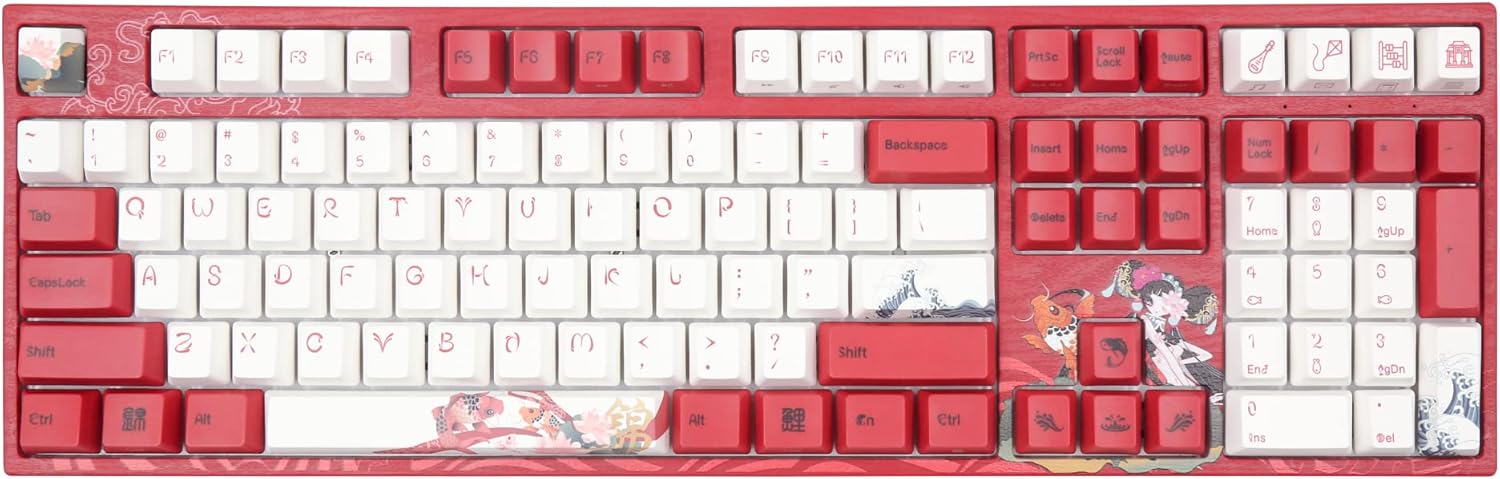
Image: The Varmilo VA Series V2 Koi Full Size Mechanical Keyboard, showcasing its distinctive red and white keycaps with Koi fish and wave art.
സജ്ജമാക്കുക
1. അൺബോക്സിംഗും ഉള്ളടക്കവും
Carefully remove the keyboard from its packaging. Ensure all components are present. The package should include:
- Varmilo VA Series V2 Koi Mechanical Keyboard
- യുഎസ്ബി ടൈപ്പ്-സി കേബിൾ
2. കീബോർഡ് ബന്ധിപ്പിക്കുന്നു
- കീബോർഡിന്റെ പിൻഭാഗത്ത് യുഎസ്ബി ടൈപ്പ്-സി പോർട്ട് കണ്ടെത്തുക.
- നൽകിയിരിക്കുന്ന യുഎസ്ബി ടൈപ്പ്-സി കേബിളിന്റെ ഒരറ്റം കീബോർഡുമായി ബന്ധിപ്പിക്കുക.
- നിങ്ങളുടെ കമ്പ്യൂട്ടറിൽ ലഭ്യമായ USB പോർട്ടിലേക്ക് USB കേബിളിൻ്റെ മറ്റേ അറ്റം ബന്ധിപ്പിക്കുക.
- കീബോർഡ് പ്ലഗ്-ആൻഡ്-പ്ലേ ആണ്, നിങ്ങളുടെ ഓപ്പറേറ്റിംഗ് സിസ്റ്റം അത് യാന്ത്രികമായി തിരിച്ചറിയണം.
The keyboard features cable grooves on the bottom case, allowing the USB cable to exit from the left, right, or middle for organized cable management.
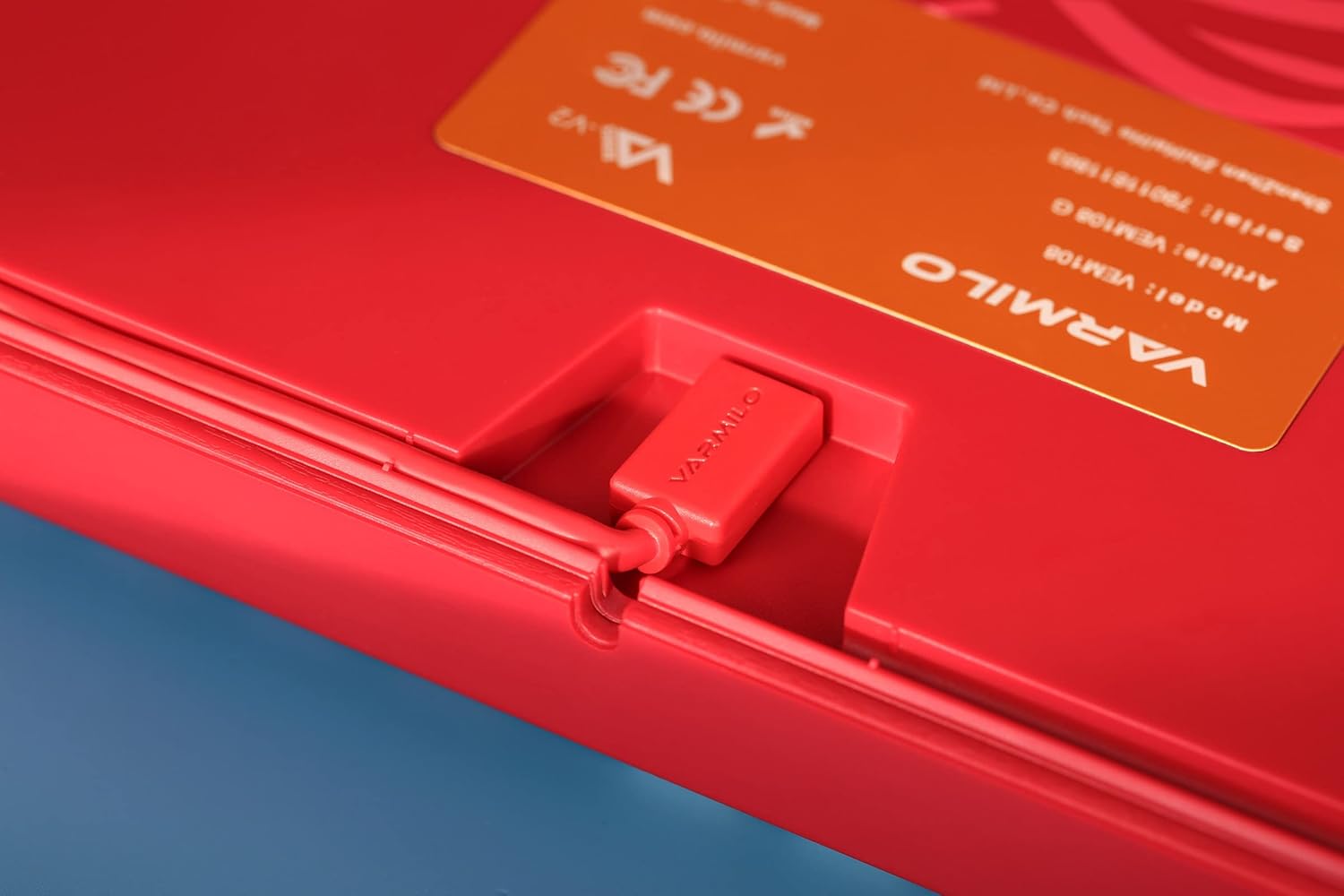
ചിത്രം: ഒരു ക്ലോസ്-അപ്പ് view of the Varmilo keyboard's USB-C port and the integrated cable groove on the underside, designed for flexible cable routing.
3. Adjusting Kickstands
The keyboard is equipped with double-section kickstands on the underside. These can be adjusted to two different heights to suit your ergonomic preference.

ചിത്രം: അടിഭാഗം view of the Varmilo keyboard, showing the double-section kickstands and the wave-patterned design on the base.
കീബോർഡ് പ്രവർത്തിപ്പിക്കുന്നു
കീക്യാപ്പ് സവിശേഷതകൾ
The keyboard utilizes thick dye-sublimated PBT keycaps, known for their durability and resistance to shine over time. The legends are embedded into the plastic, ensuring they will not fade with prolonged use.
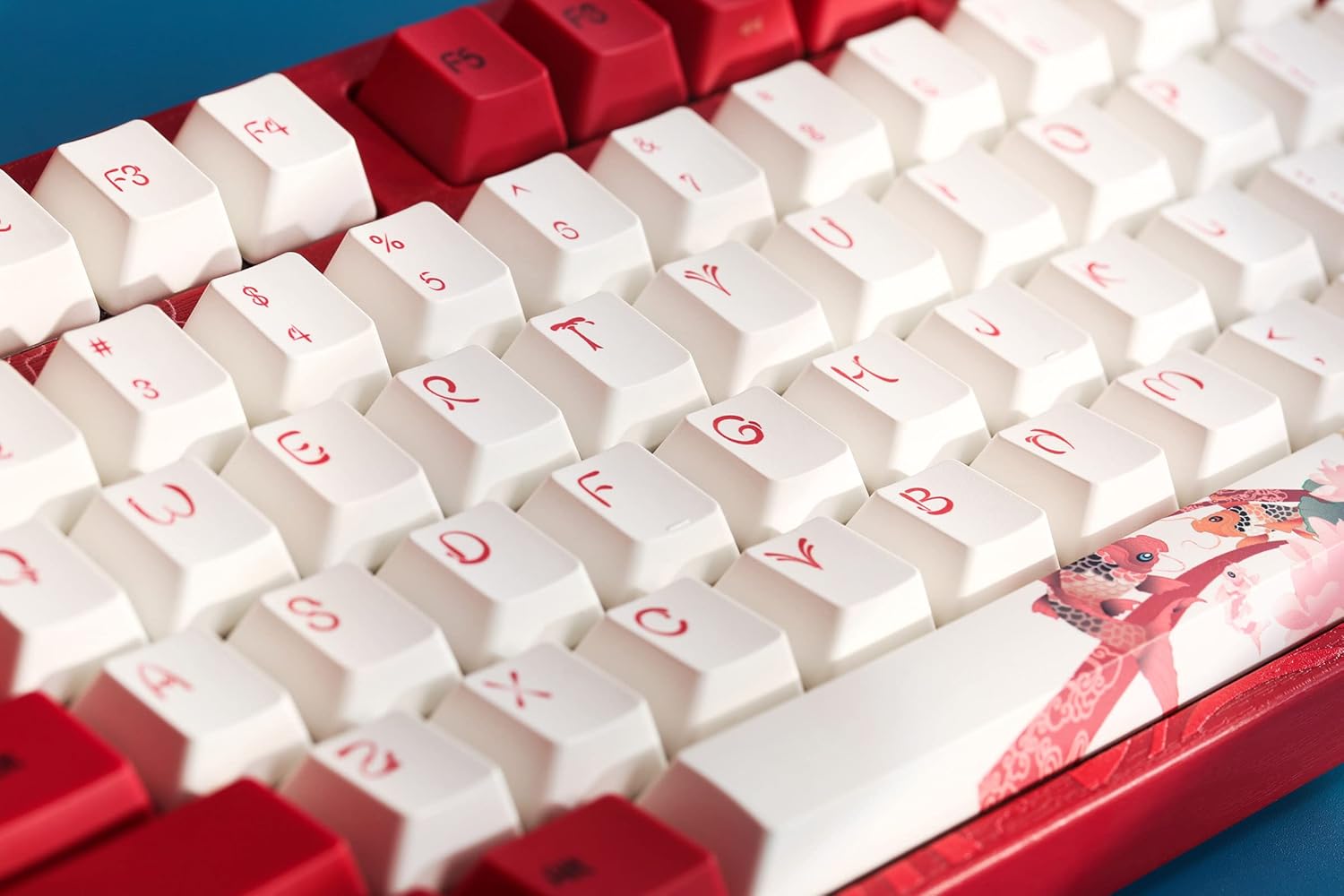
Image: An angled close-up of the Varmilo keyboard's keycaps, highlighting the PBT material and the clear, durable legends.
സ്വിച്ച് തരം
This specific model is equipped with Cherry MX Blue mechanical switches, which provide a tactile bump and an audible click for a distinct typing experience.
ഇൻഡിക്കേറ്റർ ലൈറ്റുകൾ
All indicator lights are positioned on the top right of the keyboard to minimize distractions during use.
Special Keycaps
The keyboard features unique keycaps with artistic designs, such as those depicting Koi fish and traditional Chinese elements.

Image: A close-up of the Varmilo keyboard's special keycaps, featuring intricate Koi fish and character designs on the bottom right cluster.
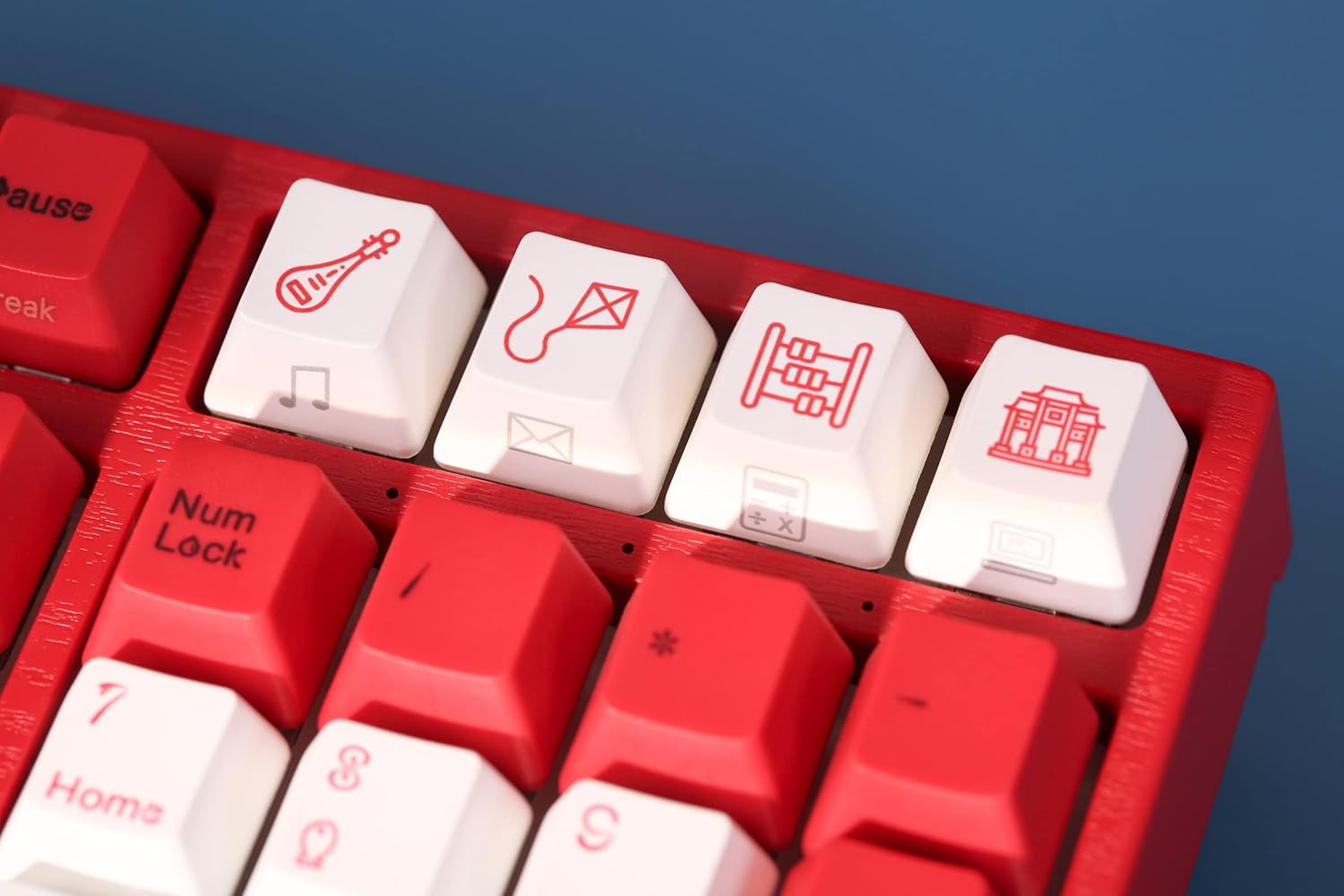
Image: A close-up of the Varmilo keyboard's special keycaps, showing unique icons like a musical instrument, a kite, and an abacus on the top right function row.
ഉൽപ്പന്നം കഴിഞ്ഞുview വീഡിയോ
ഒരു വിഷ്വൽ ഓവറിനായിview of the Varmilo Koi Mechanical Keyboard, please watch the video below.
വീഡിയോ: ഒരു ഔദ്യോഗിക ഉൽപ്പന്ന വീഡിയോ പ്രദർശനംasing the Varmilo Koi Mechanical Keyboard, highlighting its design and features.
മെയിൻ്റനൻസ്
വൃത്തിയാക്കൽ
To maintain the appearance and functionality of your keyboard, regular cleaning is recommended:
- പൊടി നീക്കം: കീക്യാപ്പുകൾക്കിടയിൽ നിന്ന് പൊടിയും അവശിഷ്ടങ്ങളും നീക്കം ചെയ്യാൻ ഒരു കംപ്രസ് ചെയ്ത വായു ക്യാൻ ഉപയോഗിക്കുക.
- ഉപരിതല ശുചീകരണം: Gently wipe the keycaps and keyboard frame with a soft, lint-free cloth slightly dampവെള്ളം അല്ലെങ്കിൽ നേരിയതും, ഉരച്ചിലുകളില്ലാത്തതുമായ ക്ലീനിംഗ് ലായനി ഉപയോഗിച്ച് നനയ്ക്കുക. അമിതമായ ഈർപ്പം ഒഴിവാക്കുക.
- ഡീപ് ക്ലീനിംഗ് (കീക്യാപ്പുകൾ): For thorough cleaning, keycaps can be carefully removed using a keycap puller (not included) and washed with mild soap and water. Ensure keycaps are completely dry before reattaching.
Avoid using harsh chemicals or abrasive materials, as these can damage the keycaps and keyboard finish.
ട്രബിൾഷൂട്ടിംഗ്
കീബോർഡ് പ്രതികരിക്കുന്നില്ല
- കേബിൾ കണക്ഷൻ പരിശോധിക്കുക: Ensure the USB Type-C cable is securely connected to both the keyboard and the computer. Try unplugging and re-plugging the cable.
- Try a Different USB Port: Connect the keyboard to a different USB port on your computer to rule out a faulty port.
- മറ്റൊരു കമ്പ്യൂട്ടറിൽ പരീക്ഷിക്കുക: കഴിയുമെങ്കിൽ, പ്രശ്നം കീബോർഡിലാണോ അതോ നിങ്ങളുടെ സിസ്റ്റത്തിലാണോ എന്ന് നിർണ്ണയിക്കാൻ മറ്റൊരു കമ്പ്യൂട്ടറിൽ കീബോർഡ് പരീക്ഷിച്ചു നോക്കുക.
- കമ്പ്യൂട്ടർ പുനരാരംഭിക്കുക: A simple computer restart can often resolve connectivity issues.
കീകൾ രജിസ്റ്റർ ചെയ്യുന്നില്ല
- കീക്യാപ്പുകൾക്കടിയിൽ വൃത്തിയാക്കുക: Small debris or dust under a keycap can sometimes prevent it from registering. Refer to the Maintenance section for cleaning instructions.
- സോഫ്റ്റ്വെയർ ഇടപെടൽ: Ensure no conflicting software or drivers are installed that might interfere with keyboard input.
സ്പെസിഫിക്കേഷനുകൾ
| ബ്രാൻഡ് | വർമ്മിലോ |
| മോഡൽ | VA Series V2 Koi |
| ഫോം ഫാക്ടർ | Full-size (104+4 keys) |
| സ്വിച്ച് തരം | Cherry MX Blue (Clicky) |
| കീക്യാപ് മെറ്റീരിയൽ | Thick Dye-sub PBT |
| കണക്റ്റിവിറ്റി | യുഎസ്ബി ടൈപ്പ്-സി |
| ഉൾപ്പെടുത്തിയ ഘടകങ്ങൾ | USB കേബിൾ |
| മെറ്റീരിയൽ | പോളിബ്യൂട്ടിലീൻ ടെറഫ്താലേറ്റ്, സിലിക്കൺ |
| നിറം | Cherry MX Blue (referring to switch type, not keyboard color) |
| ആദ്യം ലഭ്യമായത് | ജൂലൈ 21, 2022 |
പിന്തുണ
For further assistance, technical support, or warranty inquiries, please refer to the official Varmilo webസൈറ്റിൽ ബന്ധപ്പെടുക അല്ലെങ്കിൽ നിങ്ങളുടെ റീട്ടെയിലറെ ബന്ധപ്പെടുക. വാറന്റി ക്ലെയിമുകൾക്കായി നിങ്ങളുടെ വാങ്ങൽ രസീത് സൂക്ഷിക്കുക.


